


 本文介绍了解决在使用Git更新代码过程中遇到的错误的方法。包括重新生成私钥、更新公钥以及设置正确的远程仓库URL等步骤。
更新代码时报错,如下:
branches to build:
  service
1.get branch service to dir service
 only update code
Your account has been blocked.
fatal: Could not read from remote repository.

Please make sure you have the correct access rights
and the repository exists.
git clone failed
解决方案:
第一步 在本地重新生成私钥
命令:ssh-keygen -t rsa -b 2048 -C “your_email@example.com”
第二步 将新生成的公钥拷贝到github上
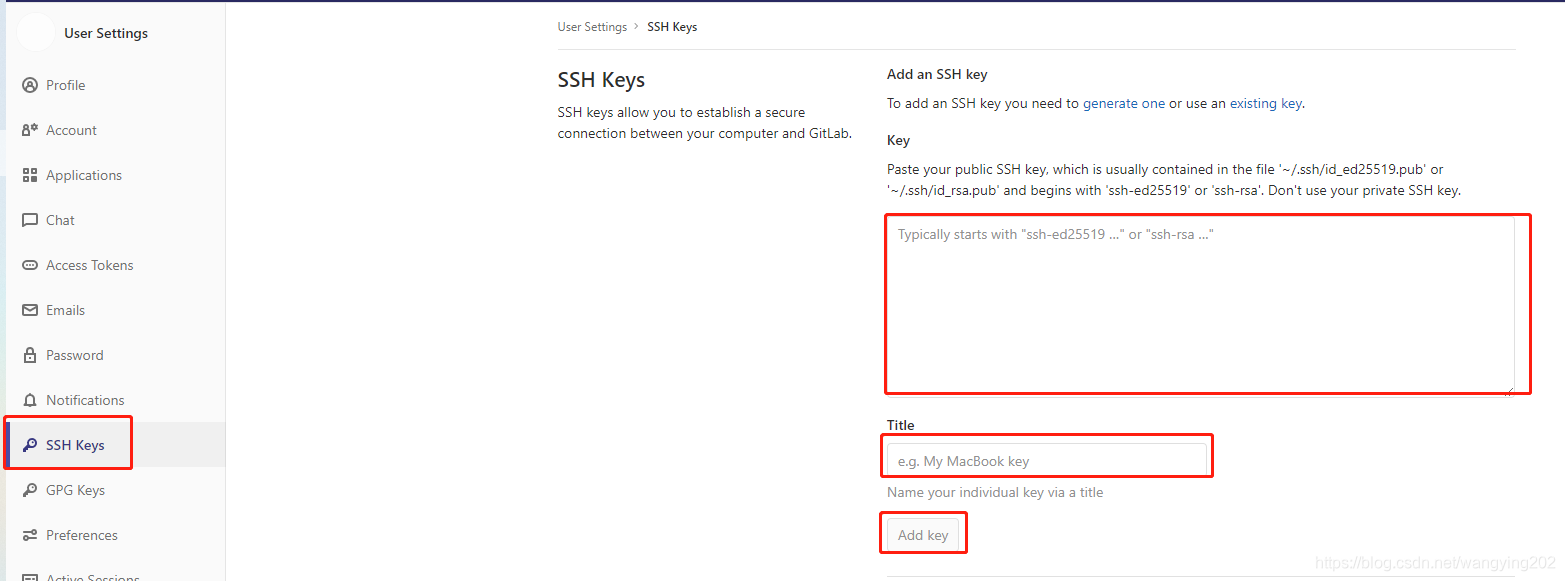
第三步重新设置下远程url
git remote set-url origin 远程仓库地址
如:$ git remote set-url origin ssh://git@git.xxxxx.com:50022/innovation/xxxxx.git





 扫一扫
扫一扫


 1108
1108

 被折叠的 条评论
为什么被折叠?
被折叠的 条评论
为什么被折叠?
 到【灌水乐园】发言





