



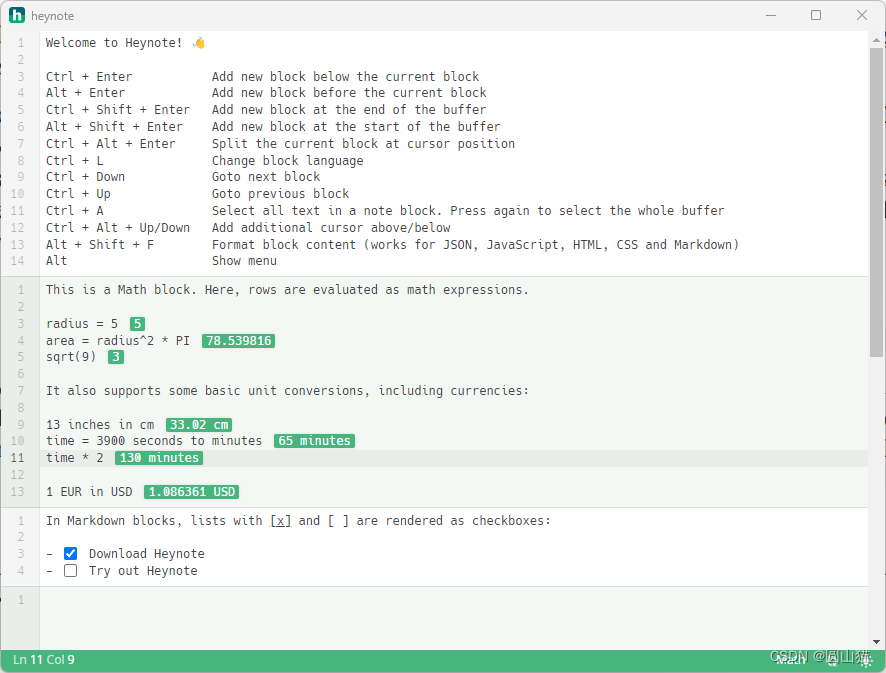
 本文介绍了Heynote应用程序,它不仅提供Markdown编辑功能,还内置了数学计算块和基本的单位转换工具,如英寸到分钟的换算。用户可以创建带有选项的列表,方便管理内容。
Welcome to Heynote! 👋
Ctrl + Enter Add new block below the current block
Alt + Enter Add new block before the current block
Ctrl + Shift + Enter Add new block at the end of the buffer
Alt + Shift + Enter Add new block at the start of the buffer
Ctrl + Alt + Enter Split the current block at cursor position
Ctrl + L Change block language
Ctrl + Down Goto next block
Ctrl + Up Goto previous block
Ctrl + A Select all text in a note block. Press again to select the whole buffer
Ctrl + Alt + Up/Down Add additional cursor above/below
Alt + Shift + F Format block content (works for JSON, JavaScript, HTML, CSS and Markdown)
Alt Show menu
This is a Math block. Here, rows are evaluated as math expressions.
radius = 5
area = radius^2 * PI
sqrt(9)
It also supports some basic unit conversions, including currencies:
13 inches in cm
time = 3900 seconds to minutes
time * 2
1 EUR in USD
In Markdown blocks, lists with [x] and [ ] are rendered as checkboxes:
- Download Heynote
- Try out Heynote





 扫一扫
扫一扫


 4万+
4万+

 被折叠的 条评论
为什么被折叠?
被折叠的 条评论
为什么被折叠?
 到【灌水乐园】发言





