 uni-app中Vant SwipeCell组件样式修复


 在uni-app开发中,使用Vant的SwipeCell组件遇到样式问题,组件显示效果与官方文档不符。为解决这个问题,需要手动编写样式以达到预期的演示效果。
使用Vant组件中SwipeCell组件踩的坑
根据Vant官方文档使用方法,使用组件SwipeCell,左右两边按钮并没有演示效果的样式,代码如下(uni-app开发)
<van-swipe-cell
      right-width="{{ 65 }}"
      v-for="(item, index) in memoryList"
      :key="index"
    >
      <van-cell-group>
        <van-card
          :desc="item.m_content"
          :title="item.m_title"
          :thumb="item.mi_url"
          :lazy-load="true"
        >
        </van-card>
      </van-cell-group>
      <view slot="right" class="van-swipe-cell__right" @click="deleteHandle()"
        >删除</view
      >
    </van-swipe-cell>
效果
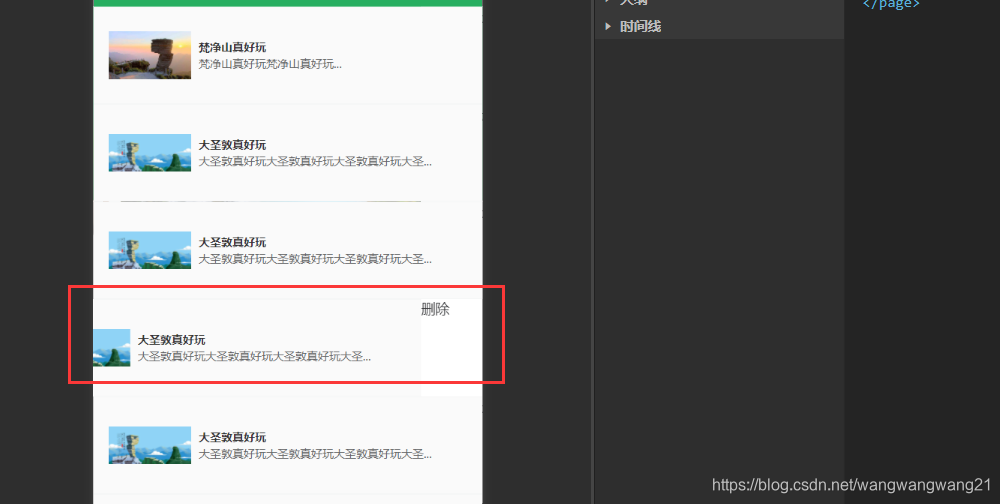
和官方演示文档相差甚远。
解决方案
自己写样式:
  .van-swipe-cell__right {
	display: flex;
    width: 65px;
    height: 100%;
    font-size: 15px;
    line-height: 100%;
    color: #fff;
	align-items: center;
	justify-content: center;
    background-color: #f44;
  }
效果:
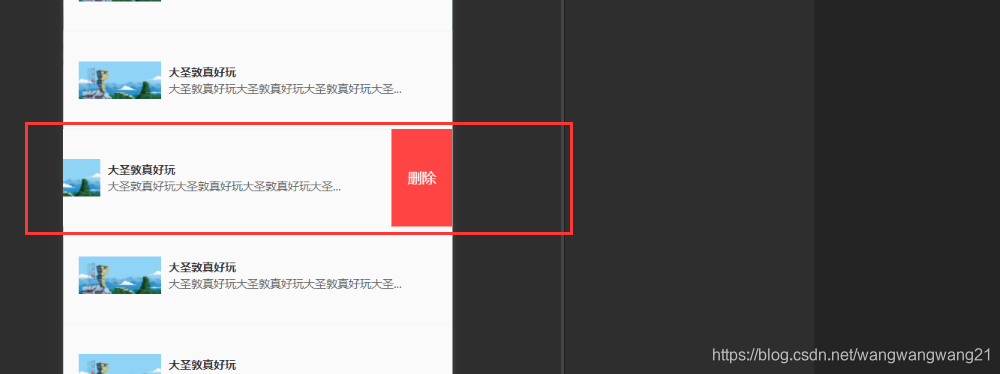





 扫一扫
扫一扫


 1393
1393

 被折叠的 条评论
为什么被折叠?
被折叠的 条评论
为什么被折叠?
 到【灌水乐园】发言





