





 本文详细介绍了如何使用SpringBoot和Git构建SpringCloud配置中心。包括项目创建、关键注解使用、远程仓库配置、本地文件存储路径设置及账号密码管理。通过具体步骤指导,帮助读者快速上手配置中心搭建。
一.新建spring boot项目
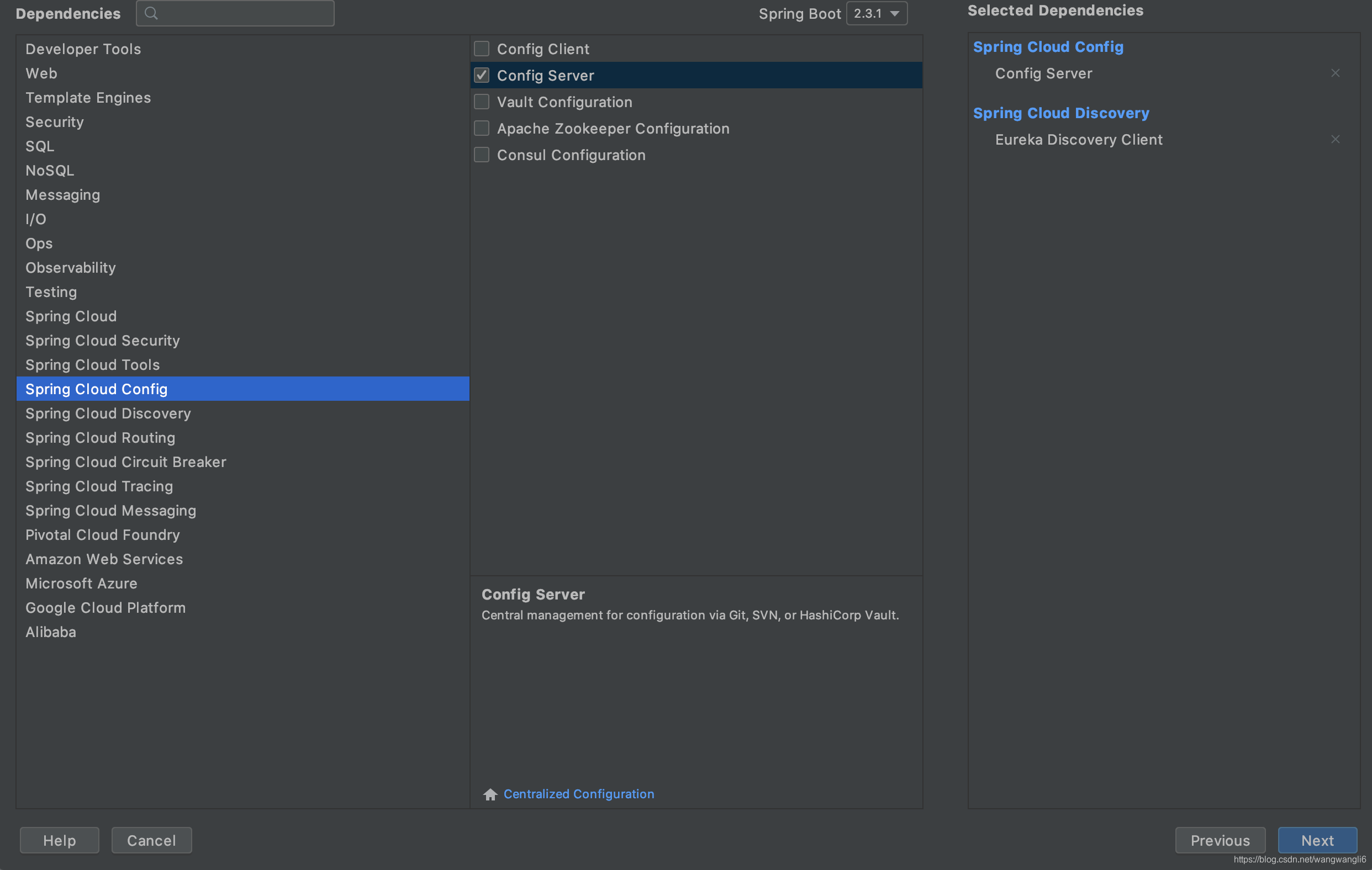
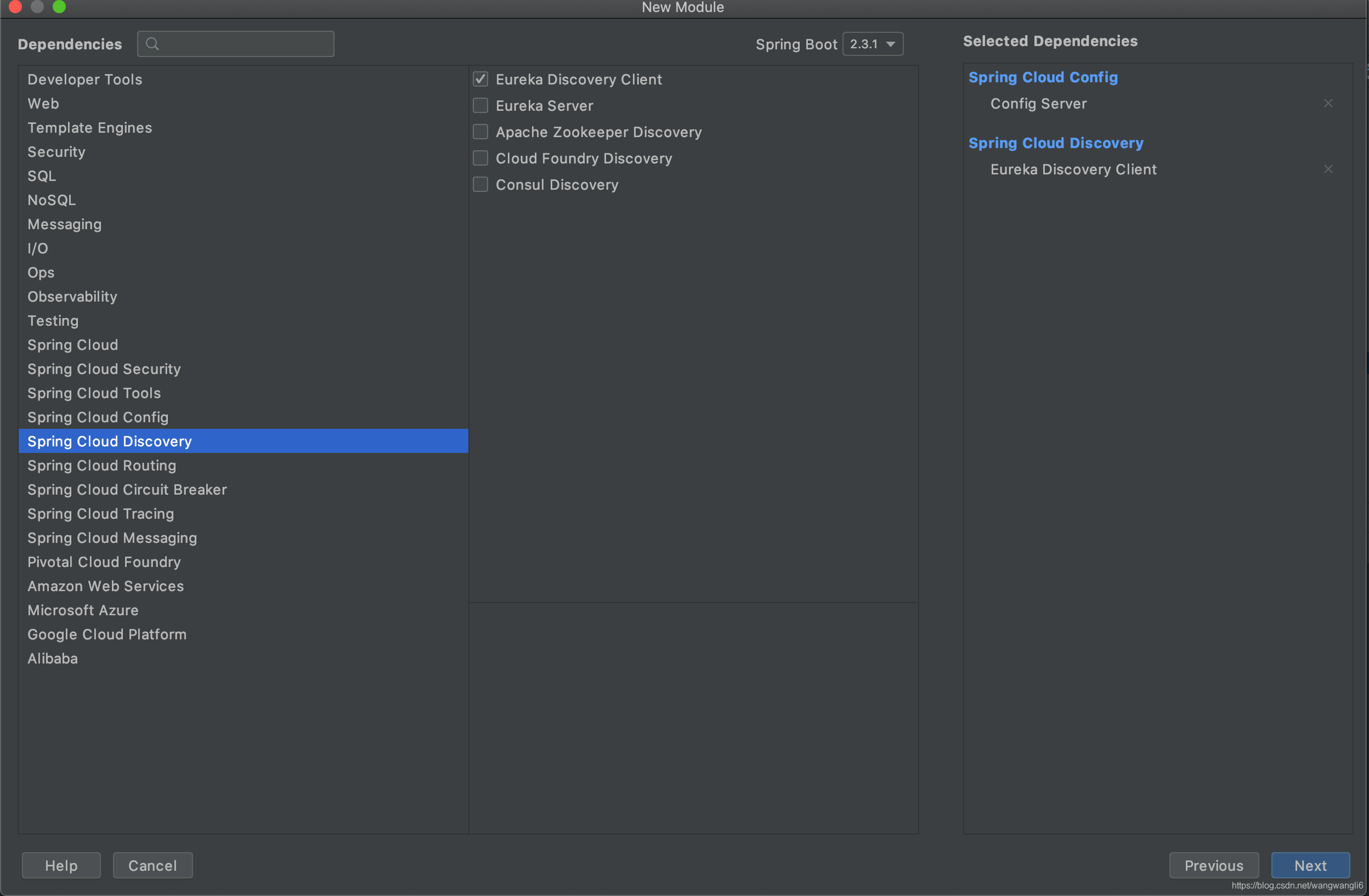
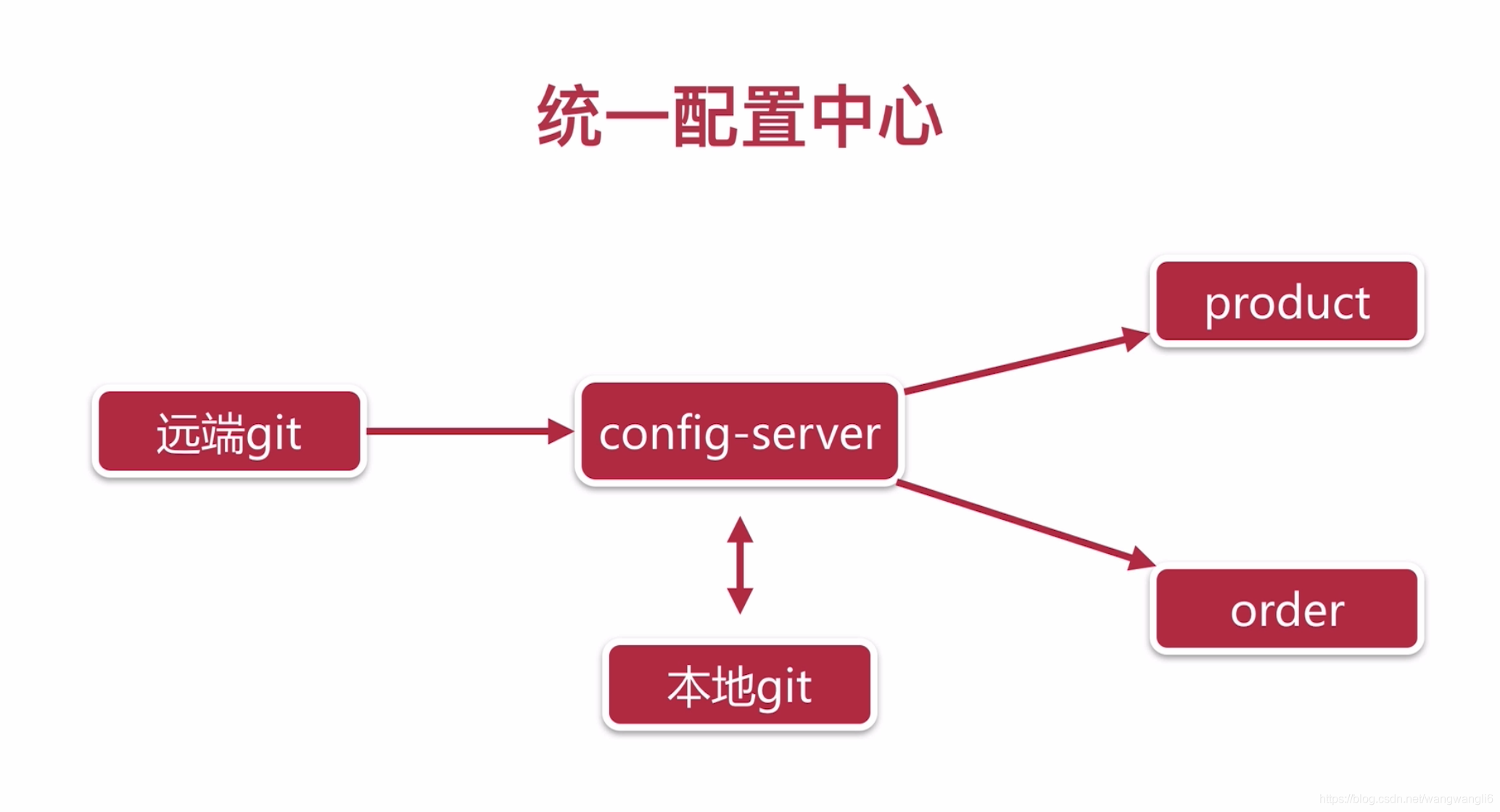
二.注解@EnableConfigServer
@EnableDiscoveryClient
@EnableConfigServer
@SpringBootApplication
public class ConfigServerApplication {

    public static void main(String[] args) {
        SpringApplication.run(ConfigServerApplication.class, args);
    }

}
三.创建git远程配置中心仓库
四.application.yml 配置文件
eureka:
  client:
    service-url:
      defaultZone: http://localhost:8761/eureka/
spring:
  application:
    name: config
  cloud:
    config:
      server:
        git:
          uri: https://gitee.com/xxxxxx/springcloud-config.git       //远程仓库地址
          basedir: /Users/wuyahan/Desktop/codes/springcloud/basedir  //本地保存配置文件目录
          username: username   //git账号
          password: password   //git密码
server:
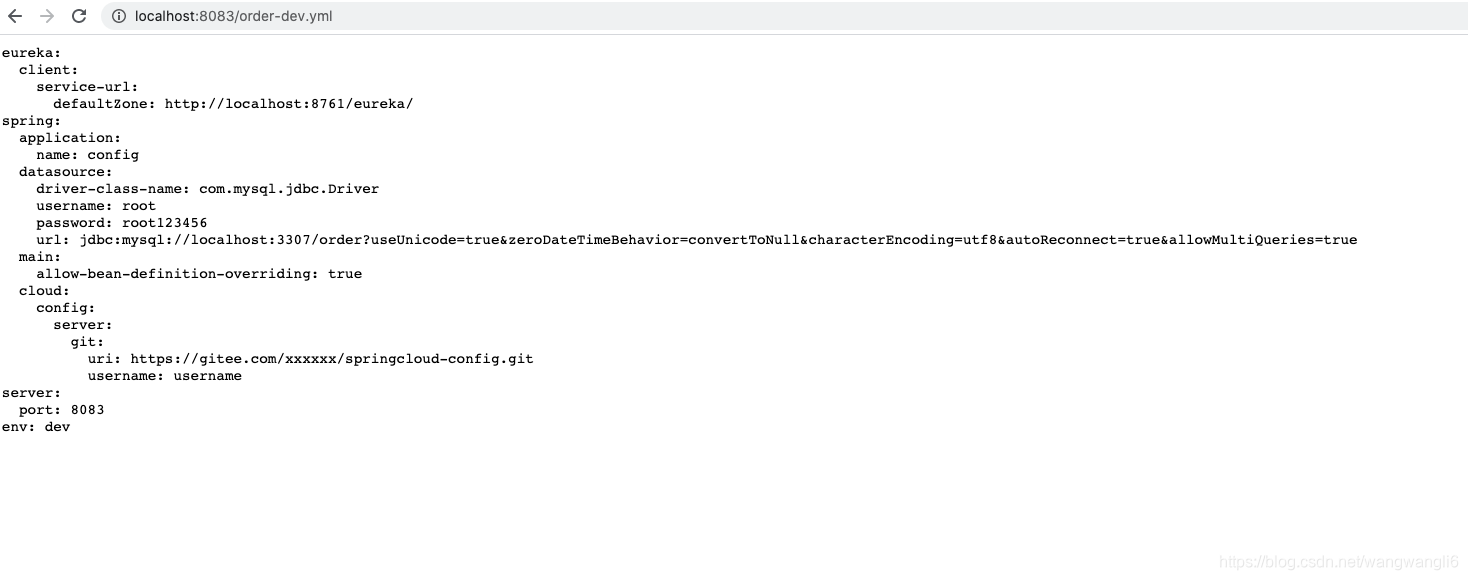
port: 8083五.启动配置中心服务,网址访问http://localhost:8083/order-test.yml





 扫一扫
扫一扫


 8022
8022

 被折叠的 条评论
为什么被折叠?
被折叠的 条评论
为什么被折叠?
 到【灌水乐园】发言





