





 文章讲述了在Vue.js应用中,如何处理复制表格单行数据到剪贴板,并在新页面中检测粘贴内容以弹窗询问用户是否粘贴到表单的过程。数据通过JSON.stringify转换存储,使用sessionStorage进行缓存,弹窗的显示与否基于是否有缓存数据。
应用场景:复制表格单行数据,到新页面粘贴
列表页面
页面效果

点击操作栏的“复制”,复制单行数据
代码
// 这里的id对应复制事件的id,默认样式不展示
<textarea id="rowData" style="display: none;"></textarea>

// 点击“复制”触发的事件
handleCopy(row){
      console.log(row);
      var ele = document.getElementById("rowData");
      ele.value = JSON.stringify(row)   // 用JSON.stringify转换一下
      ele.select();
      document.execCommand('copy');
      this.msgSuccess("复制成功");   // 封装好的提示方法,没封装可以用官网原本的提示 this.$message.success()
      sessionStorage.setItem('copyData',ele.value)  //将复制的数据缓存起来
      console.log(ele.value,':ele.value');
},
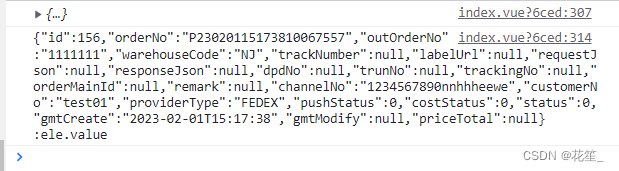
打印的复制数据
form页面
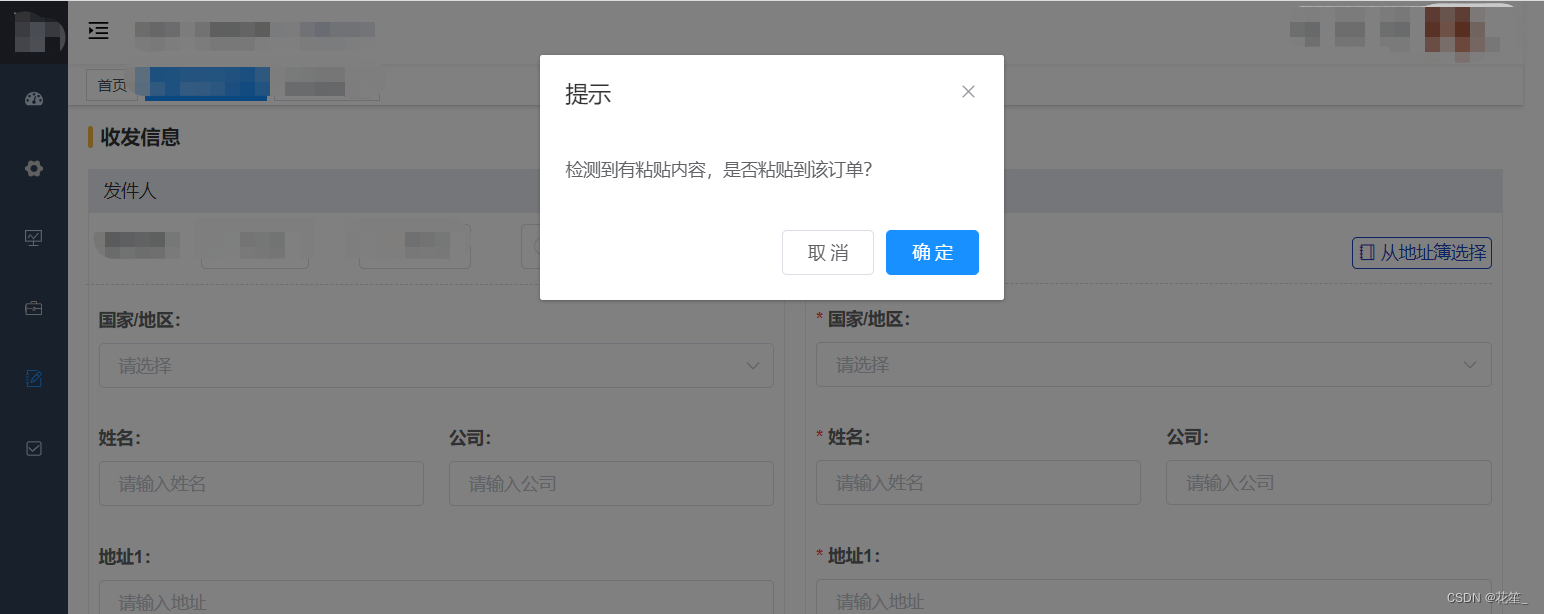
进入页面时,判断是否有缓存,有缓存则显示该弹窗,没有缓存不显示;点击“取消”或“确定”时,清空缓存
代码
<el-dialog
      title="提示"
      :visible.sync="showCopy"
      width="40%"
      :before-close="handleClose">
      <span>检测到有粘贴内容,是否粘贴到该订单?</span>
      <span slot="footer" class="dialog-footer">
        <el-button @click="cancalCopy">取 消</el-button>
        <el-button type="primary" @click="sureCopy">确 定</el-button>
      </span>
</el-dialog>
data(){
	return{
		copyData:{},  // copy的数据
		showCopy:false, // 复制弹窗列表
	}
},
created() {
    this.copyData = JSON.parse(sessionStorage.getItem("copyData"));
    if (Object.keys(this.copyData).length>0) {  // 判断缓存是否有数据
      this.showCopy = true
    }else{
      this.showCopy = false
    }
},
methods:{
	cancalCopy(){
      this.showCopy = false
      sessionStorage.removeItem('copyData')  // 清除缓存
    },
    // 点击“确定”按钮,将剪贴板的内容粘贴到form表单,并清除缓存
    sureCopy(){
      //this.formInline:form表单默认数据
      this.formInline= {...this.copyData,...this.formInline}
      this.showCopy = false
      sessionStorage.removeItem('copyData')
    },
}
以上就是所有过程啦!如果有更方便的方法欢迎补充哦~





 扫一扫
扫一扫


 2422
2422

 被折叠的 条评论
为什么被折叠?
被折叠的 条评论
为什么被折叠?
 到【灌水乐园】发言





