



 本文介绍了如何通过JavaScript获取浏览器设备指纹信息,包括操作系统类型、语言等特征,用于用户识别。同时探讨了指纹识别的准确性及防止被恶意修改的方法,如前端代码加密和后台匹配验证。
JavaScript Trick: Device Fingerprint
Device fingerprinting, usually refers to browser device fingerprinting, which can identify whether it is the same visitor by obtaining feature information from the browser. Fingerprint information is usually obtained from several dimensions, such as navigator, window, screen. Example, navigator information
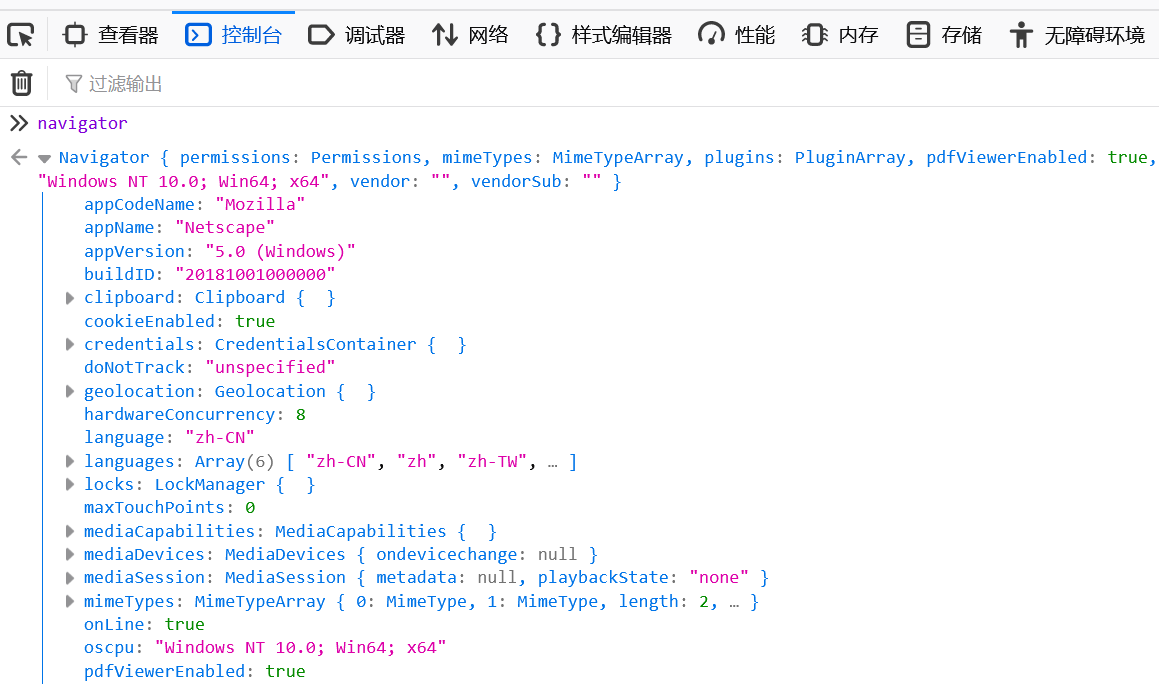
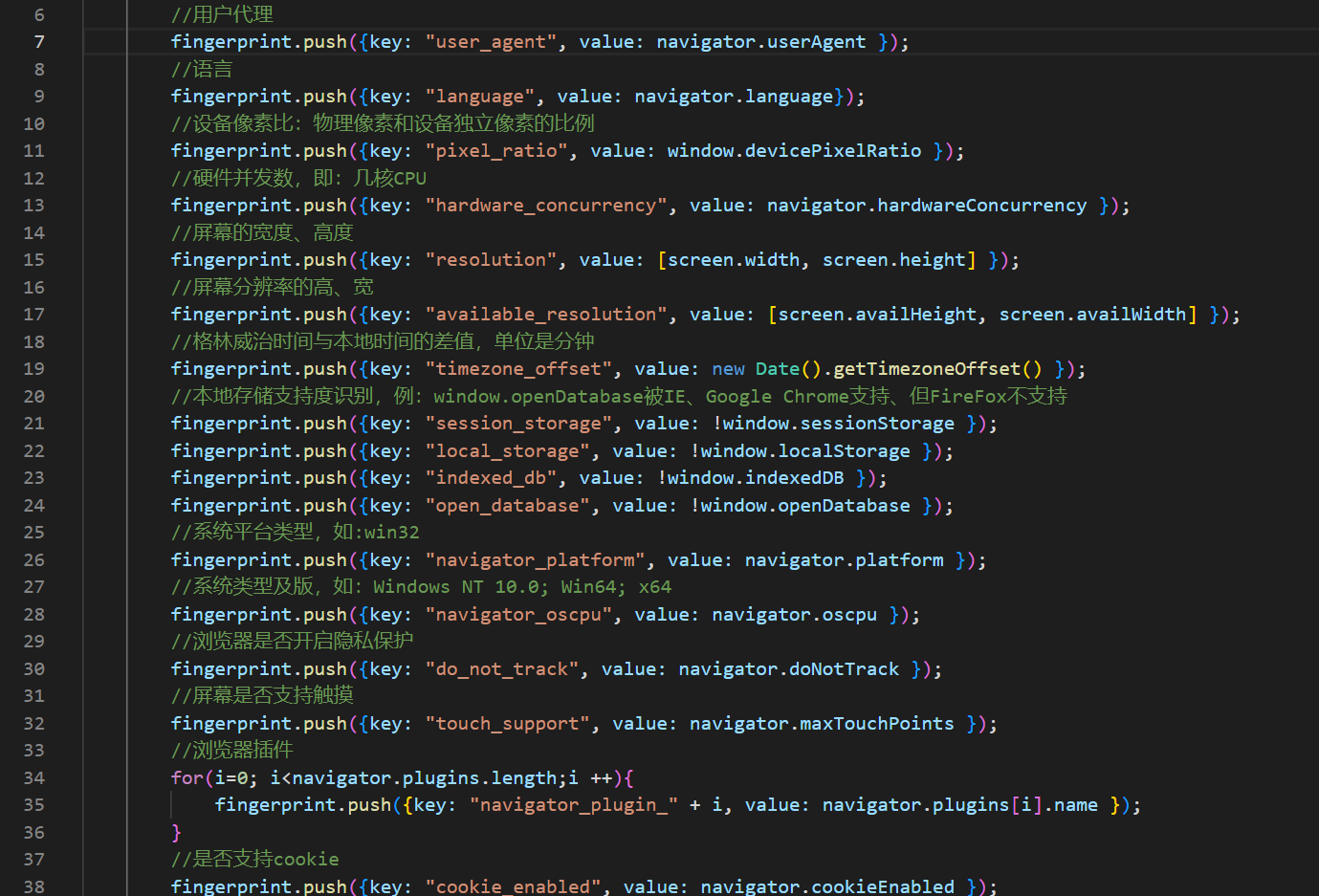
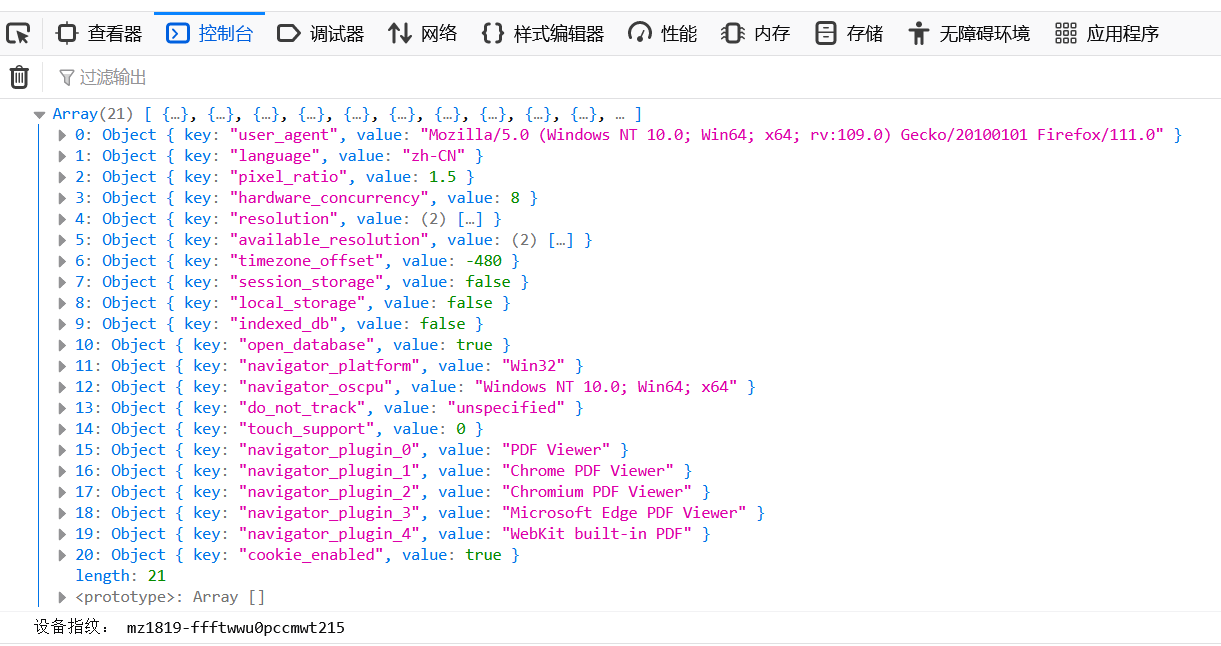
Among these information, there are some special, fixed data that can be used to identify the characteristics of the user's system, such as: operating system type, language, browser name, browser plug-in, screen resolution, screen size, CPU number, time zone, whether the screen supports touch control, whether it supports cookies, whether it supports local storage, whether it supports WebGL, and so on. The collection of these data forms the unique characteristics of the device, just like a person's fingerprint, which can be used to identify a device. As shown in the figure below
Note: The accuracy of fingerprint recognition depends on the data source selected for recognition, but the more data sources, the better. Too many or too few data sources can easily lead to false positives. Usually, after extensive testing, suitable data items are selected. For demonstration purposes in this article, only a small number of data sources are used.
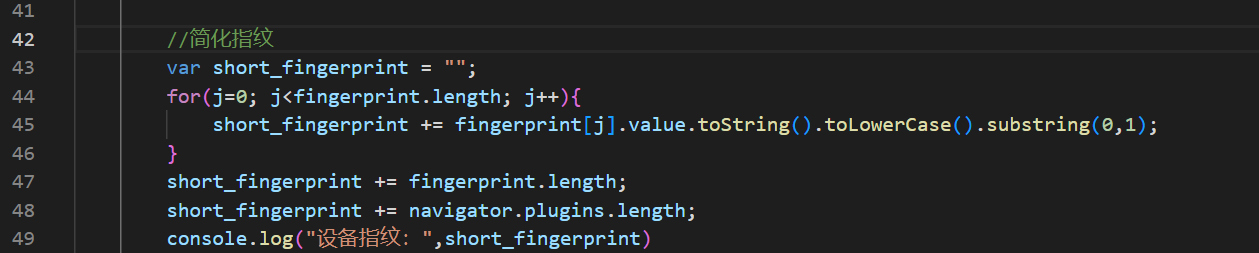
At this point, the fingerprint data has been obtained, but the content is too much to identify the device by comparing the fingerprints. Usually, further processing is performed on the data, such as performing md5 hashing to form a string feature code. Of course, other algorithms can also be used. Here, a simple custom algorithm is used to obtain features.
Source
<html>
<script>

function get_fingerprint(){

var fingerprint = [];
fingerprint.push({key: "user_agent", value: navigator.userAgent });
fingerprint.push({key: "language", value: navigator.language});
fingerprint.push({key: "pixel_ratio", value: window.devicePixelRatio });
fingerprint.push({key: "hardware_concurrency", value: navigator.hardwareConcurrency });
fingerprint.push({key: "resolution", value: [screen.width, screen.height] });
fingerprint.push({key: "available_resolution", value: [screen.availHeight, screen.availWidth] });
fingerprint.push({key: "timezone_offset", value: new Date().getTimezoneOffset() });
fingerprint.push({key: "session_storage", value: !window.sessionStorage });
fingerprint.push({key: "local_storage", value: !window.localStorage });
fingerprint.push({key: "indexed_db", value: !window.indexedDB });
fingerprint.push({key: "open_database", value: !window.openDatabase });
fingerprint.push({key: "navigator_platform", value: navigator.platform });
fingerprint.push({key: "navigator_oscpu", value: navigator.oscpu });
fingerprint.push({key: "do_not_track", value: navigator.doNotTrack });
fingerprint.push({key: "touch_support", value: navigator.maxTouchPoints });
for(i=0; i<navigator.plugins.length;i ++){
fingerprint.push({key: "navigator_plugin_" + i, value: navigator.plugins[i].name });
}
fingerprint.push({key: "cookie_enabled", value: navigator.cookieEnabled });

console.log(fingerprint);

var short_fingerprint = "";
for(j=0; j<fingerprint.length; j++){
short_fingerprint += fingerprint[j].value.toString().toLowerCase().substring(0,1);
}

short_fingerprint += fingerprint.length;
short_fingerprint += navigator.plugins.length;
console.log(short_fingerprint)

}

get_fingerprint();
</script>
</html>
Execute
Device fingerprinting is mainly used for login-free verification and identification of unfamiliar users, such as determining the number of visits of a visiting customer, the number of pages visited, whether they clicked on products or advertisements, whether they placed an order, which page they exited from, whether they performed dangerous operations, and so on.
Sometimes, some visitors who understand technology or have their own purposes do not want to be identified, so they may analyze the fingerprint source by viewing the JS source code in the webpage and modify the fingerprint source data accordingly to avoid identification. In order to prevent this situation, there are usually two methods: Firstly, on the front end, the JS code that implements the fingerprint function is encrypted and obfuscated using JShaman JavaScript Obfuscator to prevent analysis. At the same time, the fingerprint data can be sent to the back end for further determination.
Secondly, on the backend, after receiving the fingerprints from the front end, it can be determined how many fingerprints are matched, such as 80% or 90%. Then it can be guessed that some data may have been modified. Moreover, combined with the "backend fingerprints", such as the visitor's IP address, cookie, etc., it can conduct a second fingerprint identification.





 扫一扫
扫一扫


 9108
9108

 被折叠的 条评论
为什么被折叠?
被折叠的 条评论
为什么被折叠?
 到【灌水乐园】发言





