



 本文详细介绍了如何在Ubuntu云服务器上使用apt-get命令安装Redis,包括设置密码、关闭保护模式以允许远程连接,并指导如何配置安全组规则。
由于需要在云服务器上快速安装Redis,因此采用apt-get命令安装。
apt-get命令是 Ubuntu 系统中的包管理工具,可以用来安装、卸载包,也可以用来升级包,还可以用来把系统升级到新的版本。
一、安装Redis
1、安装Redis服务
sudo apt-get install redis-server
2、查看Redis服务的进程以及默认端口号6379

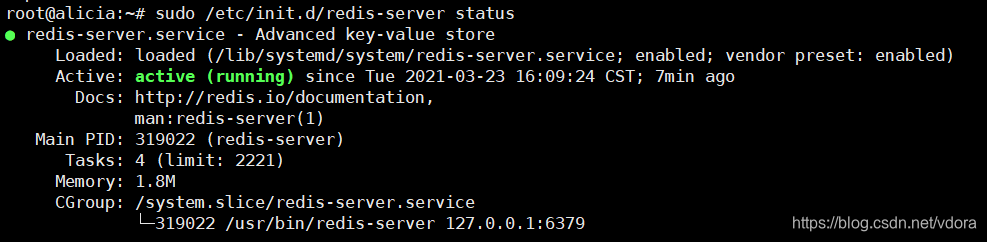
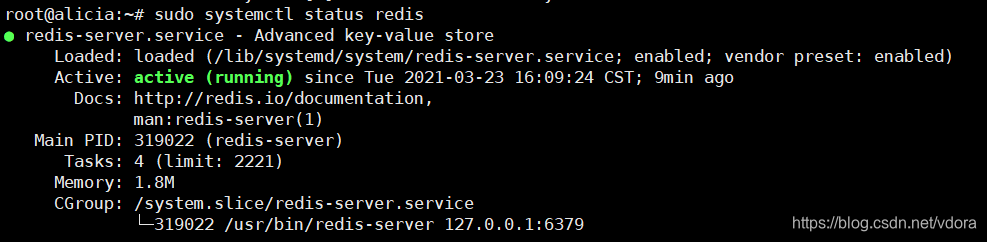
3、查看Redis服务器状态(3种方式):
sudo netstat -nlt|grep 6379

sudo /etc/init.d/redis-server status
sudo systemctl status redis
相关配置
1、设置密码(可选)
sudo vim /etc/redis/redis.conf
按ESC键,输入:(冒号),并输入如下命令:
/requirepass
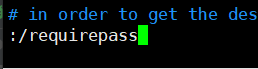
按n键向下匹配,按N键向上匹配
按i进入编辑模式
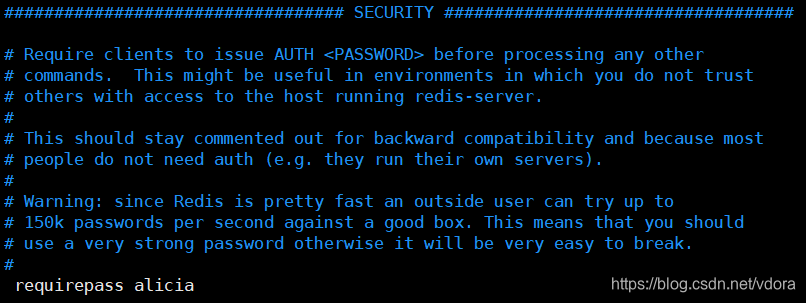
去掉requirepass 前面的注释#,在后面添加密码,然后保存即可
Redis服务器默认是不需要密码的,假设设置密码为alicia。
2、开启远程连接
Redis提供的解决方案:
Just disable protected mode sending the command ‘CONFIG SET
protected-mode no’ from the loopback interface by connecting to Redis
from the same host the server is running, however MAKE SURE Redis is
not publicly accessible from internet if you do so. Use CONFIG REWRITE
to make this change permanent.Alternatively you can just disable the protected mode by editing
the Redis configuration file, and setting the protected mode option to
‘no’, and then restarting the server.If you started the server manually just for testing, restart it
with the ‘–protected-mode no’ option.Setup a bind address or an authentication password. NOTE: You only
need to do one of the above things in order for the server to start
accepting connections from the outside.
可以看到,允许远程访问需要:
(1)关闭保护模式
sudo vim /etc/redis/redis.conf
按ESC键,输入:(冒号),并输入如下命令:
/protected-mode
按n键向下匹配,按N键向上匹配
按i进入编辑模式
将protected-mode后面的yes改为no,然后保存即可

(2)bind IP或者设置访问密码
如果没有设置密码,可以注释掉绑定地址:# bind 127.0.0.1或者改成bind 0.0.0.0

如果未配置远程连接,Java连接Redis会报如下错误(项目地址):

3、云服务器添加安全组规则
可以通过添加安全组规则,允许或禁止安全组内的ECS实例对公网或私网的访问。
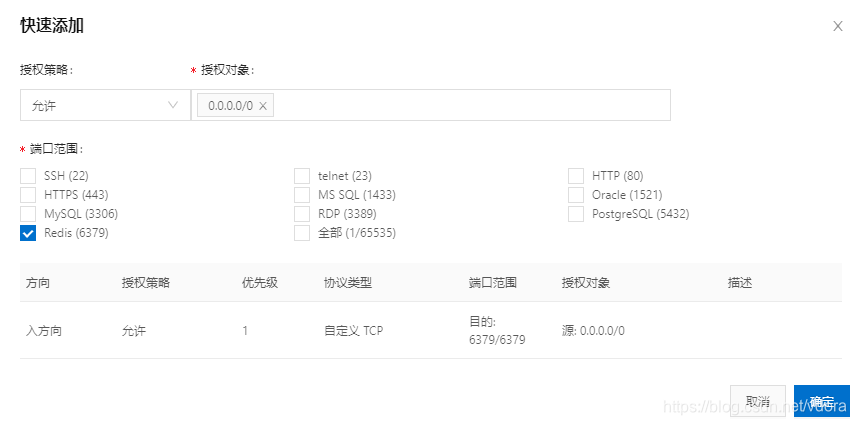
在配置规则页面,单击快速添加

设置授权策略、授权对象和端口范围





 扫一扫
扫一扫


 10万+
10万+

 被折叠的 条评论
为什么被折叠?
被折叠的 条评论
为什么被折叠?
 到【灌水乐园】发言





