





 本文介绍了一种在微信小程序中实现自定义多选器的方法,包括遮罩层与选择器的设计、选中状态的控制及事件触发机制。通过wxs进行数组包含判断,实现了选项的选中与取消。
需求
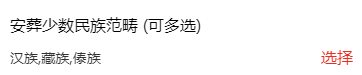
要多选怎么办?选择器有多列、单项但是就是没有多项,自己动手,丰衣足食!
需要达到的效果
在引入页面打印确认的值

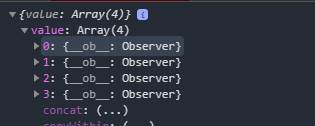
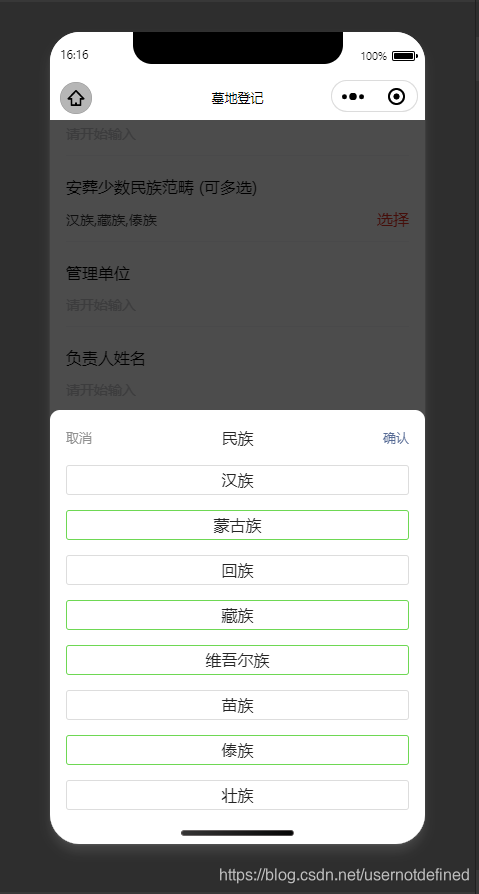
实现思路
- 要有遮罩层,遮罩层和选择器不要嵌套,否则点击选择器可能会触发遮罩层事件。
- 遮罩层是固定布局,布满整个屏幕;选择器是绝对布局,占屏幕的60%。
- 选择器的工具条要固定,工具条下的选项要可以滚动。
- 点击选项要可以选中,再次点击取消。
- 点击工具条的取消,确定;点击遮罩层要有
triggerEvent - 如何判断选项是否已经选中?这里我使用数组
selectedArray要选择的选项就把选项的索引push进去,在节点上判断是否在选中的数组上,在就展示selected样式,不在就展示normal样式。注意:数组selectedArray存的是元素在选择器数据源中的索引。 - 传递完数据后要清空
selectedArray
难点
- 如何在节点上判断该元素在不在选中数组中?
微信没有vue的过滤器,但是有wxs,这个可以当过滤器用。
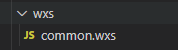
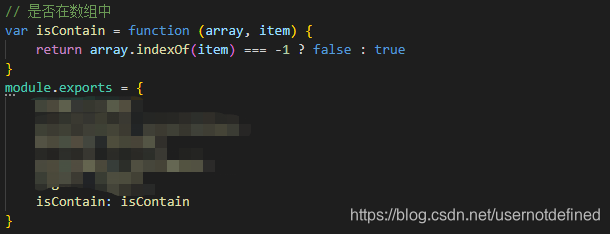

注意:一定要新建wxs文件再引入使用

- 怎么点击选中,再次点击取消?
先判断它在不在选中的数组中,在的话就取消,即从选中数组中出栈,不在的话就选中,即进栈数组。
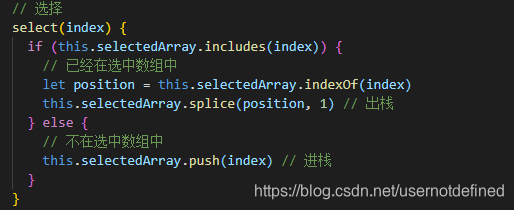
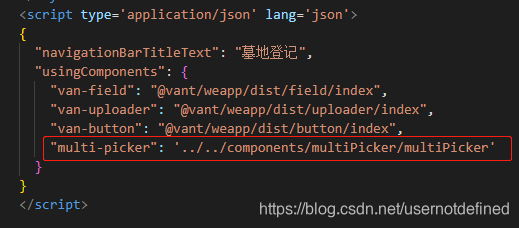
页面引入
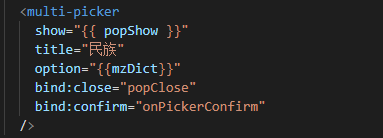
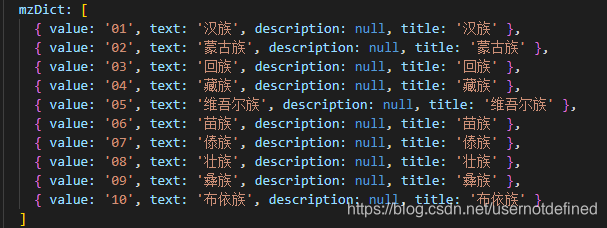
一些假数据
源码
mpx框架
组件:
<template>
  <view wx:if="{{show}}" class="overlay" bindtap="toClose"></view>
  <view class="container" wx:if="{{show}}">
    <view class="toolbar">
      <view class="cancel" catchtap="toClose">取消</view>
      <view class="title">{{title}}</view>
      <view class="confirm" catchtap="toConfirm">确认</view>
    </view>

    <view class="contentBox">
      <block wx:for="{{option}}" wx:key="index">
        <view
          class="contentItem {{common.isContain(selectedArray, index) ? 'selected' : 'normal' }}"
          catchtap="select(index)"
        >{{item.text}}</view>
      </block>
    </view>
  </view>

  <wxs module="common" src="../../wxs/common.wxs" />
</template>
<script>
import { createComponent } from '@mpxjs/core'

createComponent({
  data: {
    show: false, // 控制是否展示
    selectedArray: [0] // 默认选中第一个
  },
  properties: {
    title: {
      type: String,
      value: ''
    },
    show: {
      type: Boolean,
      value: false,
      observer: function(val) {
        this.setData({
          show: val
        })
      }
    },
    option: {
      type: Array,
      value: []
    }
  },
  methods: {
    // 关闭弹出层
    toClose() {
      this.setData({ // 清空选中数组
        selectedArray: []
      })
      this.triggerEvent('close')
    },
    // 确认
    toConfirm() {
      let object = {}
      let array = []
      this.selectedArray.forEach(element => {
        array.push(this.option[element])
      })
      object.value = array
      this.setData({ // 清空选中数组
        selectedArray: []
      })
      this.triggerEvent('confirm', object)
    },
    // 选择
    select(index) {
      if (this.selectedArray.includes(index)) {
        // 已经在选中数组中
        let position = this.selectedArray.indexOf(index)
        this.selectedArray.splice(position, 1) // 出栈
      } else {
        // 不在选中数组中
        this.selectedArray.push(index) // 进栈
      }
    }
  }
})
</script>
<style lang="stylus" scoped>
.overlay
  background rgba(0, 0, 0, 0.7)
  position fixed
  top 0
  left 0
  width 100%
  height 100%
  z-index 20
.container
  z-index 21
  position absolute
  background #fff
  bottom 0
  left 0
  width 100%
  height 60%
  box-sizing border-box
  border-radius 20rpx 20rpx 0 0
  padding 30rpx 32rpx 40rpx 32rpx
  .toolbar
    width 100%
    height 10%
    display flex
    justify-content space-between
    align-items center
    padding 0 0 30rpx 0
    .cancel
      font-size 26rpx
      color #909090
      text-align left
    .confirm
      color #576b95
      font-size 26rpx
      text-align right
    .title
      color #242424
      font-size 32rpx
      font-weight 500
  .contentBox
    width 100%
    height 90%
    overflow scroll
    .contentItem
      width 100%
      height 60rpx
      border-radius 6rpx
      font-size 32rpx
      color #242424
      text-align center
      line-height 56rpx
      margin-bottom 30rpx
.normal
  border 1px solid #ddd
.selected
  border 1px solid #6ed854
</style>
<script type="application/json">
{
    "component": true,
    "usingComponents": {
    }
}
</script>
wxs:
// 是否在数组中
var isContain = function (array, item) {
    return array.indexOf(item) === -1 ? false : true
}
module.exports = {
    isContain: isContain
}





 扫一扫
扫一扫


 4707
4707


 到【灌水乐园】发言



