



 这篇教程详细介绍了如何将从UltraLibrarian下载的压缩文件导入到OrCADCapture v17.2+中。步骤包括:解压文件,使用'File > Import > LibraryXML'菜单,选择XML文件,指定保存OLB文件的位置,然后打开'File > Open > Library'来使用新导入的符号。
OrCAD Capture v17.2+ |
The instructions that follow explain how to import files you downloaded from Ultra Librarian into OrCAD Capture version 17.2+.
1.Extract the zipped folder you downloaded from Ultra Librarian.
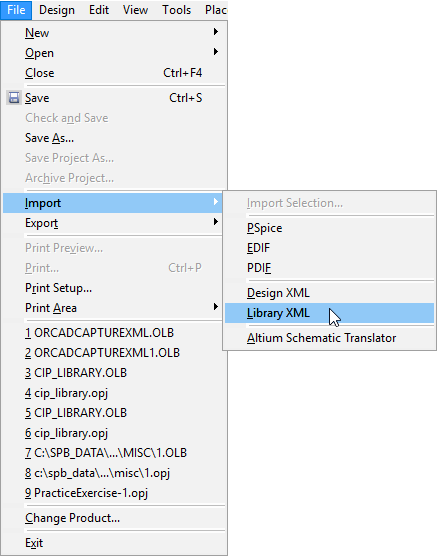
2.Open Capture and select File > Import > Library XML.
The XML to OLB dialog box opens.
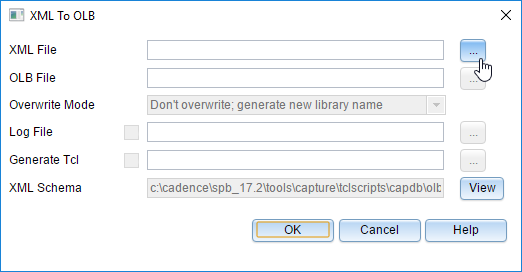
3.Click the ellipsis button  and browse to select your XML file.
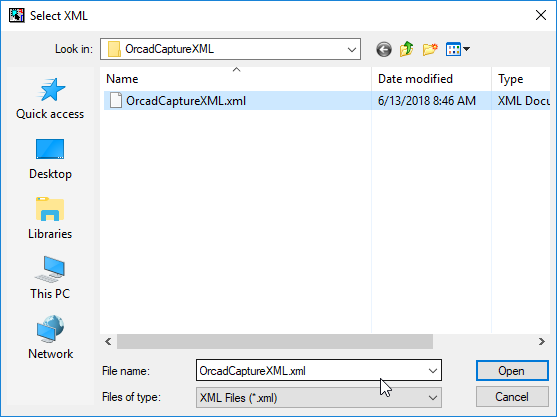
4.Click Open.
By default the path to the OLB file you are generating automatically populates with the same location as your XML file. Enter an alternate location if you want to save your new symbol in a different place.
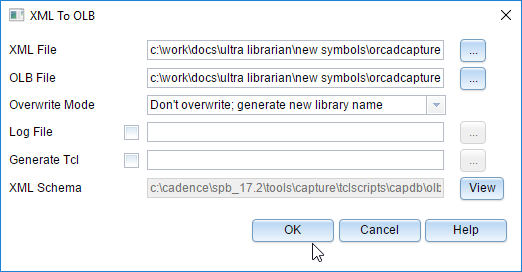
5.Click OK to accept the path directory in the XML to OLB dialog box and complete the XML to OLB file conversion.
Your OLB file is saved in the directory specified in the dialog box.
6.Select the File > Open > Library menu items.
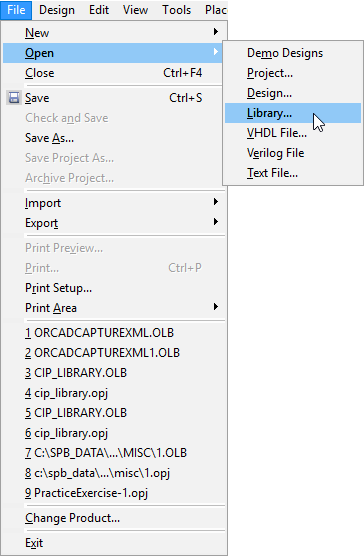
7.Select the OrCAD Capture XML file and click the Open button.
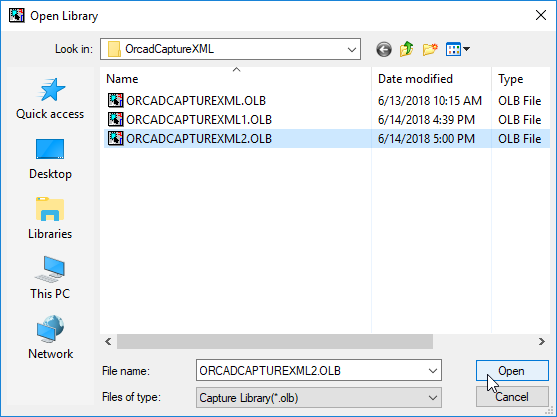
The OLB directory opens as shown in the screen capture below. You are ready to use your symbol.





 扫一扫
扫一扫


 4714
4714

 被折叠的 条评论
为什么被折叠?
被折叠的 条评论
为什么被折叠?
 到【灌水乐园】发言





