


 本文介绍如何在高德地图上实现同时为多个marker添加InfoWindow,并详细展示了自定义marker图标和InfoWindow内容的代码,包括自定义布局和使用BitmapDescriptorFactory创建marker图标。
前言:最近要实现在多个marker上添加分别添加InfoWindow并同时显示,效果如下图,可是使用高德提供的InfoWindow只是在点击某个marker显示当前的InfoWindow无法同时显示。
通过自定义marker的icon实现,具体代码如下:
    private fun createMarker(latLng: LatLng, title: String, icon: Int): MarkerOptions {
            val view = layoutInflater.inflate(R.layout.layout_marker, null)
            view.titleTv.text = title
            view.iconIv.imageResource = icon

            val markIcon = BitmapDescriptorFactory.fromView(view)
            return MarkerOptions().position(latLng).icon(markIcon)
    }
layout_marker布局文件如下:
<?xml version="1.0" encoding="utf-8"?>
<androidx.constraintlayout.widget.ConstraintLayout
        xmlns:android="http://schemas.android.com/apk/res/android"
        xmlns:app="http://schemas.android.com/apk/res-auto"
        xmlns:tools="http://schemas.android.com/tools"
        android:layout_width="wrap_content"
        android:layout_height="wrap_content">
    <TextView
            android:id="@+id/titleTv"
            android:layout_width="wrap_content"
            android:layout_height="wrap_content"
            app:layout_constraintTop_toTopOf="parent"
            app:layout_constraintStart_toStartOf="parent"
            app:layout_constraintEnd_toEndOf="parent"
            tools:text="距发货点1.2km"
            android:textColor="@color/text_normal"
            android:textSize="@dimen/text_small_size"
            android:background="@drawable/icon_marker_info"
            android:paddingLeft="8dp"/>
    <ImageView
            android:id="@+id/iconIv"
            android:layout_width="wrap_content"
            android:layout_height="wrap_content"
            app:layout_constraintTop_toBottomOf="@+id/titleTv"
            app:layout_constraintStart_toStartOf="parent"
            app:layout_constraintEnd_toEndOf="parent"
            tools:src="@drawable/icon_mark_sender"/>
</androidx.constraintlayout.widget.ConstraintLayout>
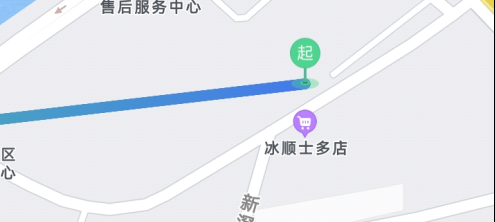
自定义marker,偏移anchor,默认是中间
firstMaker = MapHelper.getCommonMarkerOptions().position(latlngList?.first()) .icon(BitmapDescriptorFactory.fromResource(R.mipmap.ic_track_from)).anchor(0.5f,0.9f)







 扫一扫
扫一扫


 943
943

 被折叠的 条评论
为什么被折叠?
被折叠的 条评论
为什么被折叠?
 到【灌水乐园】发言





