



 本文深入解析Ribbon负载均衡器的特性和使用方法,涵盖其集成于Feign、支持多种协议及RPC框架等内容。通过实例展示如何配置和实现自定义负载均衡策略,包括Ping策略、负载均衡规则等。
Ribbon是一个有容错能力的客户端负载均衡器,支持HTTP\TCP\UDP协议,从前面Feign的源码可以看出来,默认Feign集成了Ribbon。下面是官方对Ribbon特性的一个简介。
Ribbon is a client side IPC library that is battle-tested in cloud. It provides the following features
Load balancing
Fault tolerance
Multiple protocol (HTTP, TCP, UDP) support in an asynchronous and reactive model
Caching and batching
值得注意的是Ribbon项目目前的状态为维护,也就是说官方不会有大规模程度的开发,提供新特性,理由是一方面Ribbon运行十分稳定,另一方面Netflex在研发基于gRPC的RPC框架,精力有限。
笔者也搜索了下有关RPC的项目,star数目在3000以上,用Java语言写的,发现有几个项目可以关注以下,如微博的motan,阿里巴巴的dubbo和谷歌的grpc,这些可以重点关注。
rpc in:readme stars:>3000 language:javaweibocom/motan
apache/dubbo
grpc/grpc-java
sofastack/sofa-boot
关于Spring与RPC的集成,Spring官方在2015年出了一篇文章描述spring boot如何集成谷歌的protocol buffers,不过反馈并不好,更多人希望这个功能集成在Spring的框架里,而不是在简单的CRUD操作里写一堆的controller。
Using Google Protocol Buffers with Spring MVC-based REST Services
有鉴于此,学习下dubbo在RPC方面的成果是很有益处的,有机会,笔者也会在未来的文章中加入在这一方面的探讨。
在讲Ribbon负载均衡实例之前还要说明一些参数,这样能更好地理解之后的演示代码。Ribbon的行为是由下面的七个Bean的行为所决定的,因此可以搭配不同的实现来满足负载均衡的要求,或者实现提供的接口来做自定义实现。
| Bean Type | Bean Name | Class Name | Description |
| IClientConfig | ribbonClientConfig | DefaultClientConfigImpl | defines the client configuration used by various APIs to initialize clients or load balancers and for method execution |
| IRule | ribbonRule | ZoneAvoidanceRule | defines a "Rule" for a LoadBalancer |
| IPing | ribbonPing | DummyPing | defines how we "ping" a server to check if its alive |
| ServerList<Server> | ribbonServerList | ConfigurationBasedServerList | defines the methods sed to obtain the list of servers |
| ServerListFilter<Server> | ribbonServerListFilter | ZonePreferenceServerListFilter | allows for filtering the configured or dynamically obtained list of candidate servers with desirable characteristics |
| ILoadBalancer | ribbonLoadBalancer | ZoneAwareLoadBalancer | defines the operations for a software loadbalancer |
| ServerListUpdater | ribbonServerListUpdater | PollingServerListUpdater | strategy for DynamicServerListLoadBalancer to use for different ways of doing dynamic server list updates |
举个例子,以IPing(Interface that defines how we "ping" a server to check if its alive)为例,它有6个实现类,通过Ping的行为的自定义,来确认连接状态。
| IPing的实现类 | Description | 描述 |
| AbstractLoadBalancerPing
| Class that provides the basic implementation of detmerining the "liveness" or suitability of a Server (a node) | 提供一个基本实现,就是返回一个true值 |
| DummyPing | Default simple implementation that marks the liveness of a Server | 默认实现,没有任何实际操作,就是返回一个true值 |
| NoOpPing | No Op Ping | 没有任何实际操作,就是返回一个true值 |
| PingConstant | A utility Ping Implementation that returns whatever its been set to return (alive or dead) | 工具类,用于返回设置好的参数值。也就是说我们可以通过自己的方式实现ping方法,然后设置对应的常量 |
| PingUrl | Ping implementation if you want to do a "health check" kind of Ping. This will be a "real" ping. | 货真价实的ping实现,虽然开销比查询Eureka的方式大,但是能确保获取的连接状态信息是准确的 |
| NIWSDiscoveryPing | "Ping" Discovery Client i.e. we dont do a real "ping". We just assume that the server is up if Discovery Client says so | 这个是假的“ping”,它从Eureka里的注册表确认是否服务器还是Up状态,如果是认为服务器还存活。 |
Ribbon作为负载均衡器,最重要的就是负载均衡策略,它提供7种负载策略,明细如下表。
| 策略类 | 命名 | 描述 |
| RandomRule | 随机策略 | 随机选择server |
| RoundRobinRule | 轮询策略 | 按顺序循环选择server |
| RetryRule | 重试策略 | 在一个配置时间段内当选择server不成功,则一直尝试选择一个可用的server |
| BestAvaibleRule | 最低并发策略 | 逐个考察server,如何server断路器打开,则忽略,在选择其中并发连接最低的server |
| AvailablityFilteringRule | 可用过滤策略 | 过滤掉一直连接失败并被标记为circuit tripped的server,过滤掉那些高并发连接的server(active connections超过配置的阈值) |
| ResponseTimeWeightedRule | 响应时间加权策略 | 根据server的响应时间分配权重。响应时间长,权重越低,被选择到的概率就越低;响应时间越短,权重越高,被选择到的概率越高。 |
| ZoneAvoidanceRule | 区域权衡策略 | 综合判断server所在区域的性能和server的可用性轮询选择server,并且判断一个AWS Zone的运行性能是否可用,剔除不可用的Zone中的所有Server |
这里开始进入正题,通过几个例子来帮助了解Ribbon的一些特性
1)入门实例
配置三个module:CLIENT, SERVER, LOADBALANCER
关于服务发现可以参考我之前的文章,这里重点着墨在负载均衡上。在Client中的controller添加如下方法,作为调用的真正方法实现。启动CLIENT服务时,配置两个端口,分别为1010和1020,以便查看Ribbon是否可以将请求切换到不同的服务上。
    @GetMapping("/add")
    public String add(Integer a, Integer b, HttpServletRequest request) {
        return " From port: " + request.getServerPort() + ", Result: " + (a + b);
    }
重点在LoadBalancer模块中controller的实现,此处通过RestTemplate.getForObject()的方法来调用真正的实现,即Client提供的服务。值得一说的是此处的url地址用的是服务名,这样避免了将host硬编码,提高编程灵活性。
package com.bruce.loadbalancer.controller;

import org.springframework.beans.factory.annotation.Autowired;
import org.springframework.web.bind.annotation.GetMapping;
import org.springframework.web.bind.annotation.RestController;
import org.springframework.web.client.RestTemplate;

/**
 * @Author: Bruce
 * @Date: 2019/7/7 21:58
 * @Version 1.0
 */
@RestController
public class BalanceController {

    @Autowired
    private RestTemplate restTemplate;

    @GetMapping("/add")
    public String add(Integer a, Integer b) {
        String result = restTemplate.getForObject("http://CLIENT/add?a=" + a + "&b=" + b, String.class);
        System.out.println(result);
        return result;
    }
}完整的代码(包括配置)可以查看我的GitHub,下面演示实例的效果
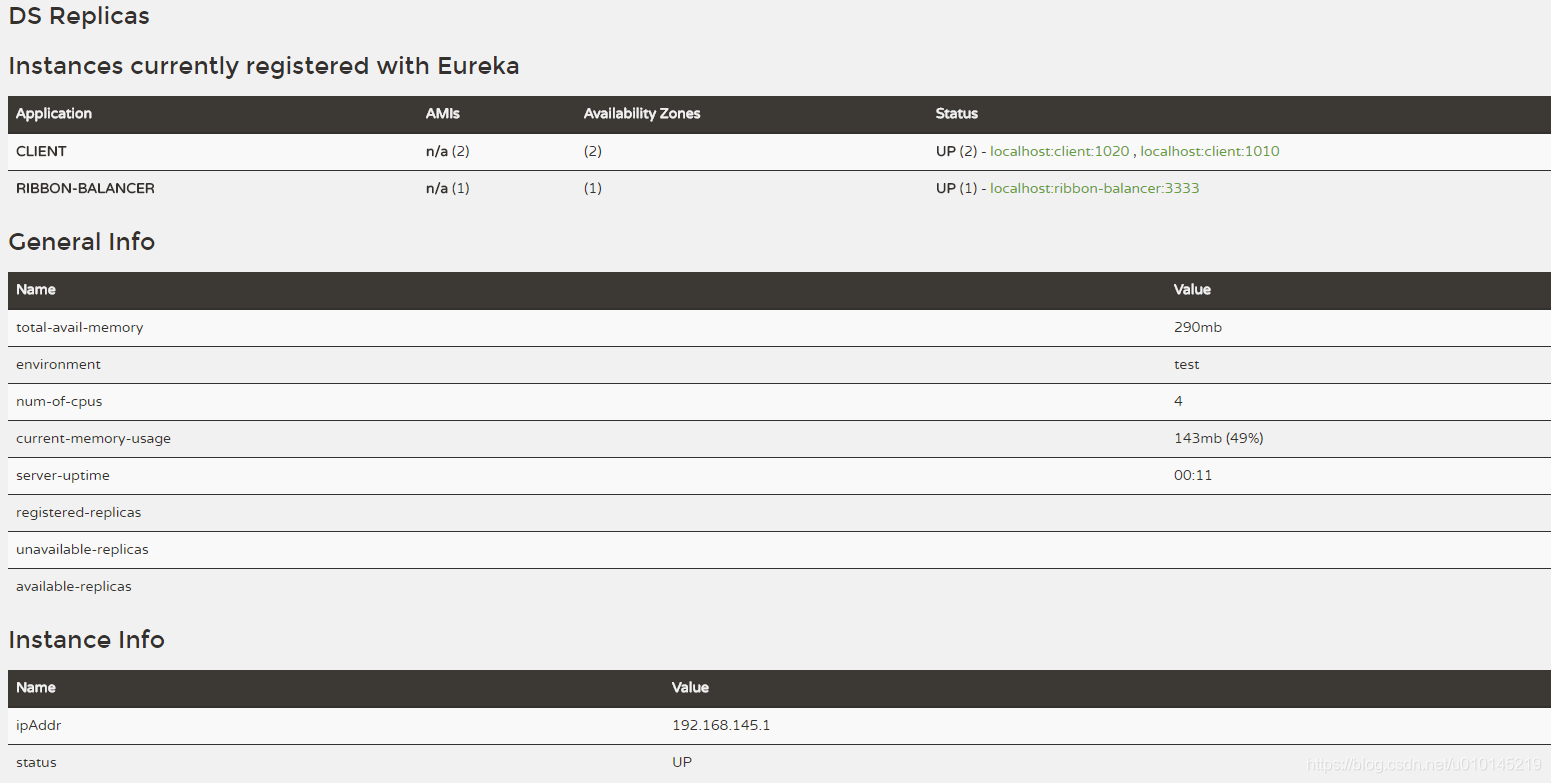
Eureka上注册了1020端口和1010端口的CLIENT服务
请求到端口1010

请求到端口1020

从上面的截图可以知道,请求确实被分配到不同的端口,成功实现负载均衡。
2)代码的方式实现定制化的负载均衡
在实际操作中,需要比较复杂的负载均衡实现,因此,通过代码的方式实现定制化的需求就不可避免。下面通过对刚刚的项目进行改造,Ping的策略为PingUrl(),轮询的策略为AvailabilityFilteringRule()。添加新的module:ConfiguredBalancer
在Client服务中,对controller进行改造,添加如下方法
    @GetMapping("/greeting")
    public String greeting(String name, HttpServletRequest request) {
        return " From port: " + request.getServerPort() +", Hello " + name;
    }
引导类中添加Ribbon客户端的名字以及自定义的配置类
@EnableDiscoveryClient
@SpringBootApplication
@RibbonClient(name = "configured-balancer", configuration = RibbonConfiguration.class)
public class ConfiguredbalancerApplication {

    public static void main(String[] args) {
        SpringApplication.run(ConfiguredbalancerApplication.class, args);
    }
}
自定义配置类,定义ping的策略和负载均衡的策略
public class RibbonConfiguration {

    @Autowired
    IClientConfig config;

    @Bean
    public IPing ribbonPing(IClientConfig config) {
        return new PingUrl();
    }

    @Bean
    public IRule ribbonRule(IClientConfig config) {
        return new AvailabilityFilteringRule();
    }
}
控制器调用Client服务,通过注解@LoadBalanced的方式实现服务调用的负载均衡
@RestController
public class ConfiguredBalancer {

    // 注解@LoadBalanced会自动实现调用服务的负载均衡
    @LoadBalanced
    @Bean
    RestTemplate restTemplate() {
        return new RestTemplate();
    }

    @Autowired
    RestTemplate restTemplate;

    @GetMapping("/greeting")
    public String greeting(String name) {
        // 通过服务名去调用HTTP请求,避免硬编码的模式将host固定下来
        String result = this.restTemplate.getForObject("http://CLIENT/greeting?name=" + name, String.class);
        System.out.println(result);
        return result;
    }
}
下面通过最终演示效果来了解Ribbon的特性
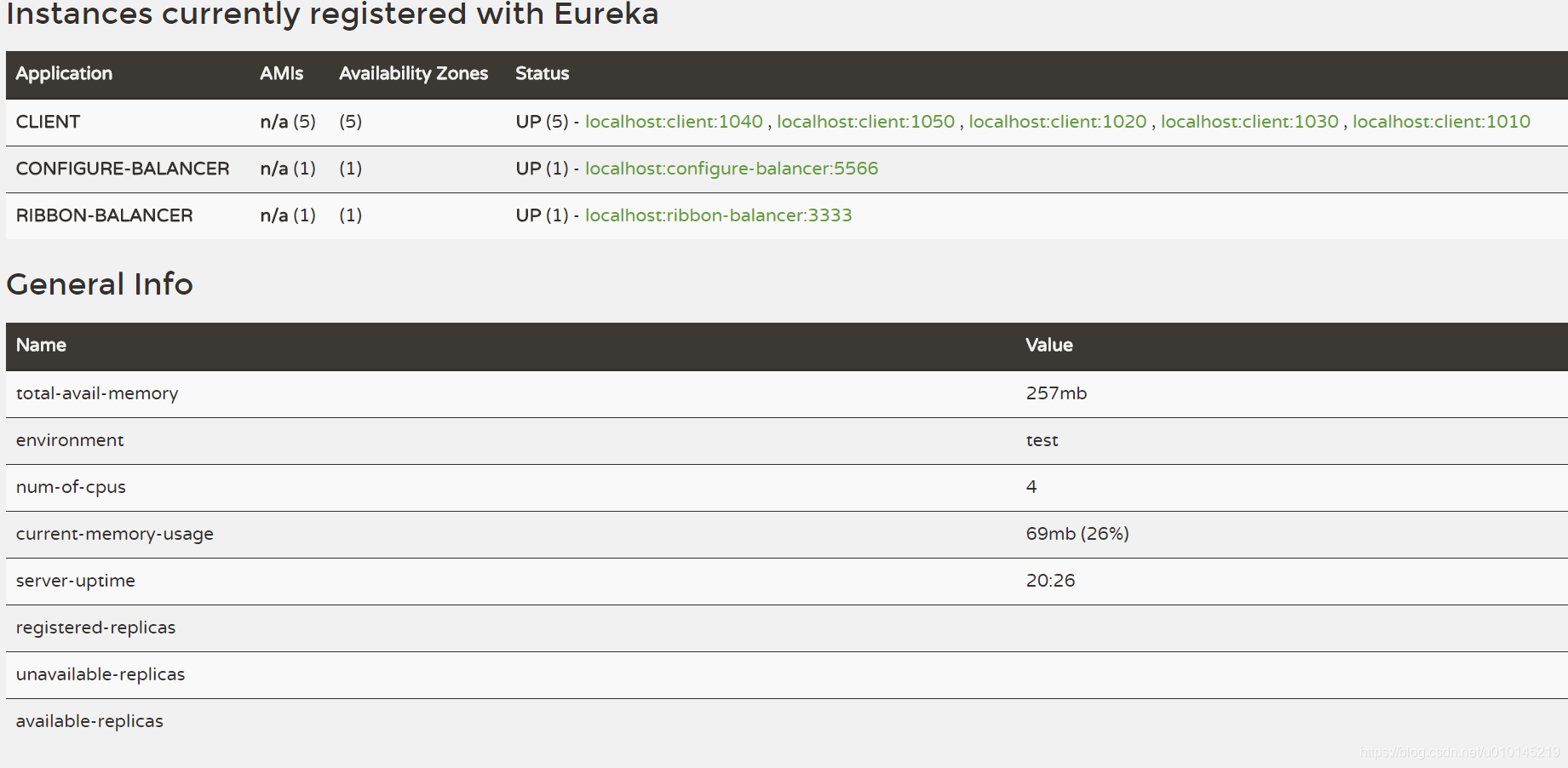
将Client服务的端口改为1020,1040,1050,此时可以从图中看出1010和1030仍然还是注册的状态,显然已经断开连接。关于Eureka没能及时反馈正确连接情况,可以看之前关于Eureka的文章。
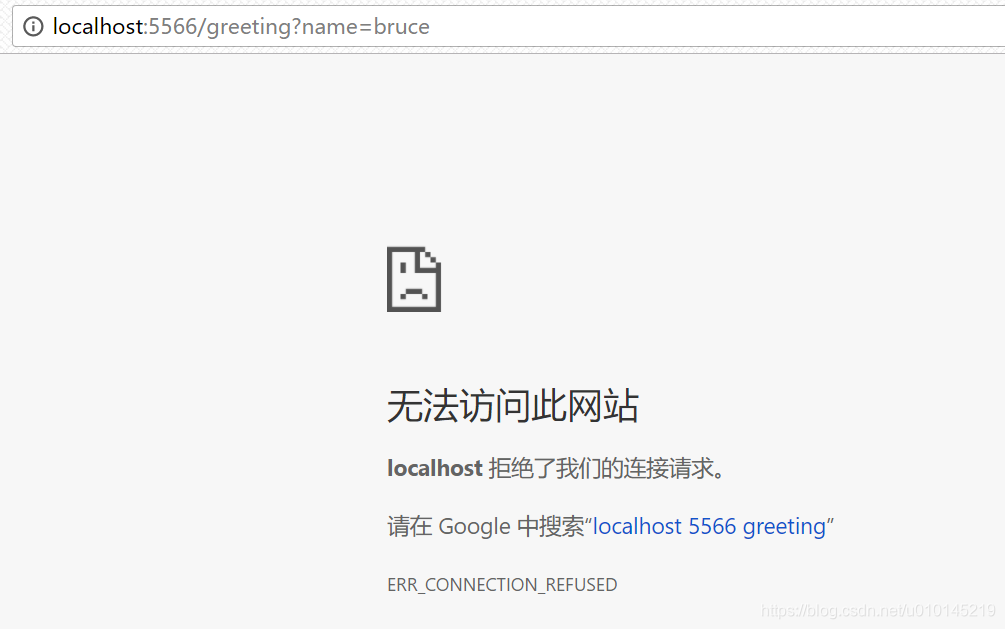
请求到1010端口,由于此时已经将1010端口的服务停掉,所以结果符合预期。
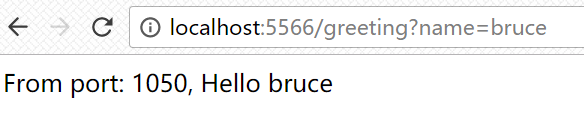
请求到1050端口
请求到1040端口
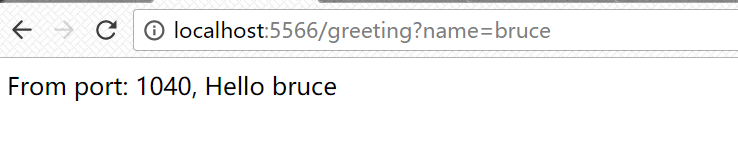
请求到1020端口
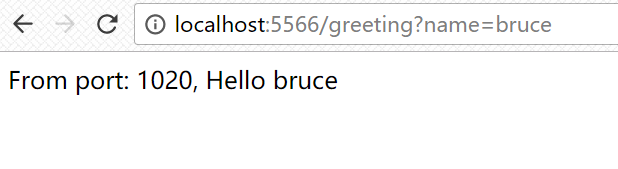
从上面的截图可以看出,Ribbon会不断的变换端口,将请求分配到不同的“服务器”上,达到了负载均衡的效果。
3)从配置文件中定义Ribbon
Ribbon也提供了从properties文件中定制化Ribbon行为的方式(前提是类要实现Ribbon提供的接口)
详情可以查看Spring Cloud Ribbon的文档
Client Side Load Balancer: Ribbon
或者是Ribbon的官方Wiki
还有许多关于Ribbon的特性都可以从官方文章中查到,笔者比较推荐将官方文档作为第一手资料。
例如,当服务提供的信息比较敏感,此时希望从Eureka的注册列表中剔除,可以在yml配置文件中增加
ribbon:
  eureka:
   enabled: false
如果不用Eureka,但是又需要在多个服务器中实现负载均衡,可以在yml配置文件中增加
stores:
  ribbon:
    listOfServers: example.com,google.com, http://localhost:1010, http://localhost:1020
Ribbon不是启动时就加载上下文,要到实际调用才创建上下文,那么如何调整呢?可以在application.yml配置中做如下添加
ribbon:
  eager-load:
    enabled: true
    clients: client1, client2, client3
还有如何配置Hystrix线程池,仅对某个服务定制化负载均衡策略,而不是全局实现,这些都可以在文档中看到,这些惊喜就留给读者自己去发现。
推荐阅读:
Introduction to Spring Cloud Rest Client with Netflix Ribbon





 扫一扫
扫一扫


 573
573

 被折叠的 条评论
为什么被折叠?
被折叠的 条评论
为什么被折叠?
 到【灌水乐园】发言





