



 本文分析了在不同机房扩容后,同一域名在部分主机上出现访问异常的问题。通过dig命令对比域名解析结果,结合route命令检查路由表,发现主机HB因缺少默认路由而无法访问目标域名,揭示了路由配置的重要性。
一、背景
最近在线上不同的机房扩容机器时,对同一个域名D的访问,在机房A扩容出来的主机HA可以访问,但是在机房B扩容出来的主机HB却无法访问。
二、问题排查
1、dig排查
在主机HA上dig域名D得到IP:ip_d_ha
在主机HB上dig域名D得到IP:ip_d_hb
2、route路由表查看
在主机HA上执行route -n,发现域名D对应的IP地址ip_d_ha所在的网段不在主机HA的路由表里,但是主机HA的默认路由表有一项默认路由,示例如下:

在主机HB执行route -n,发现域名D对应的IP地址ip_d_hb所在的网段既不在主机HB的路由表里,同时主机HB的默认路由表里也没有默认路由。
由此也可得出结论主机HB不能访问域名D是因为路由表有问题。
三、route命令
route命令用于显示和维护本机IP路由表,可使用man route查看详细帮助文档。
单独使用route命令,不带任何参数时,输出结果如下:
OUTPUT
The output of the kernel routing table is organized in the following columns
   Destination
          The destination network or destination host.

   Gateway
          The gateway address or '*' if none set.

   Genmask
          The netmask for the destination net; '255.255.255.255' for a host destination and '0.0.0.0' for the default route.

   Flags  Possible flags include
          U (route is up)
          H (target is a host)
          G (use gateway)
          R (reinstate route for dynamic routing)
          D (dynamically installed by daemon or redirect)
          M (modified from routing daemon or redirect)
          A (installed by addrconf)
          C (cache entry)
          !  (reject route)

   Metric The 'distance' to the target (usually counted in hops). It is not used by recent kernels, but may be needed by routing daemons.

   Ref    Number of references to this route. (Not used in the Linux kernel.)

   Use    Count of lookups for the route.  Depending on the use of -F and -C this will be either route cache misses (-F) or hits (-C).

   Iface  Interface to which packets for this route will be sent.
四、补充
net-toos网络工具集
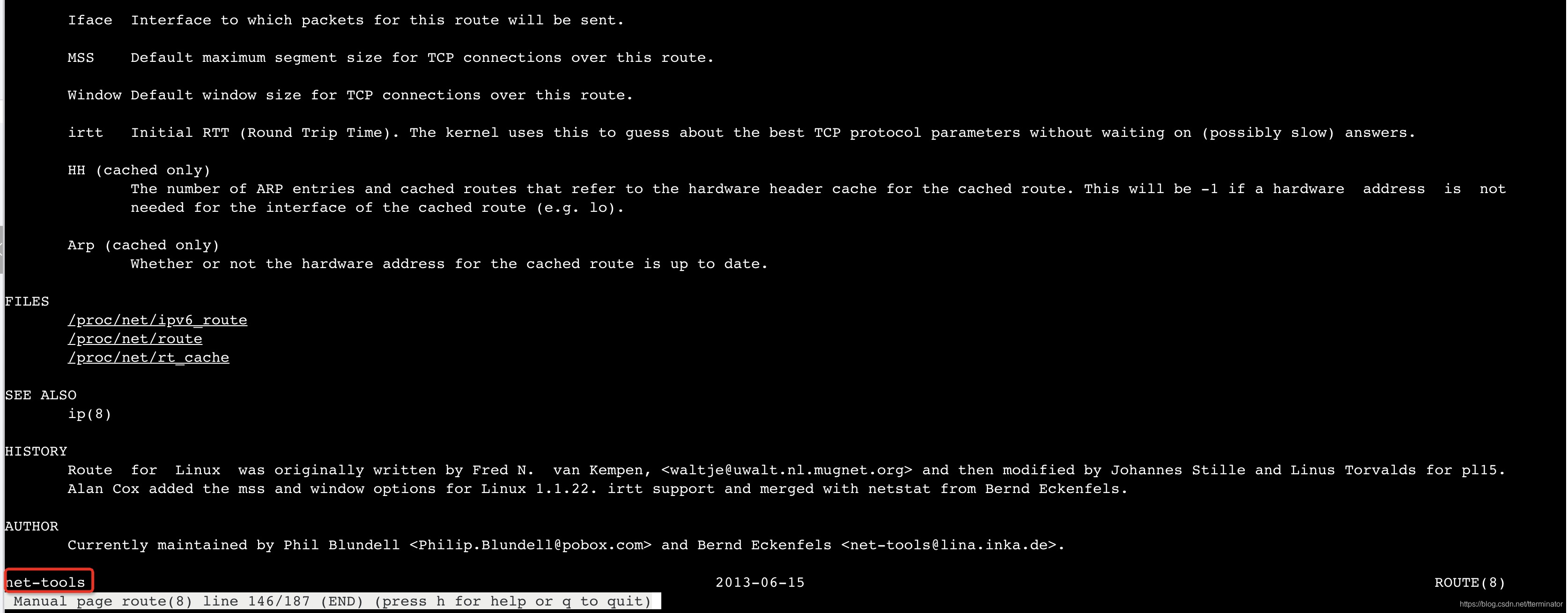
在man route帮忙文档的最底部,会显示route命令来源的工具集为net-tools,该工具集的homopage。
里面包含常见的命令:arp, hostname, ifconfig, netstat, rarp, route, plipconfig, slattach, mii-tool and iptunnel and ipmaddr。
该工具集特性如下:
- system tools for linux networking
- used in most Linux distributions





 扫一扫
扫一扫


 3528
3528

 被折叠的 条评论
为什么被折叠?
被折叠的 条评论
为什么被折叠?
 到【灌水乐园】发言





