



目录
2.定位left(左),right(右),top(上),bottom(下)
零、码仙励志
生活没有太多的十全十美,所有的酸甜苦辣都是最好的回忆
一、div和span

<head>
    <meta charset="utf-8">
    <style type="text/css">
    div{
        background-color:green;
    }
   span{
        background-color:green;
    }
    </style>
</head>

<body>
    <div>div是块级元素</div>
    <div>div是块级元素</div><br>
    <span>span是内联元素</span>
    <span>span是内联元素</span>
</body>
二、盒模型

<head>
    <meta charset="utf-8">
    <style type="text/css">
        div{
            background-color:green;
            margin:10px;
            padding:10px;
            border:solid 5px;
            width:50px;
            height:50px;
        }
    </style>
</head>

<body>
    <div>盒模型</div>
</body>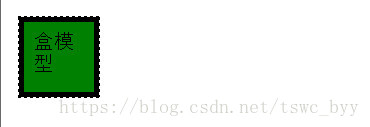
三、布局相关的属性
1.position 定位方式
2.定位left(左),right(右),top(上),bottom(下)

正常定位 relative
<head>
    <meta charset="utf-8">
    <style type="text/css">
        body{
            padding:0px;
            margin:0px;
        }
        div{
            background-color:green;
            width:80px;
            height:80px;
            position:relative;
            left:20px;
            top:30px;
        }
    </style>
</head>

<body>
    <div></div>
</body>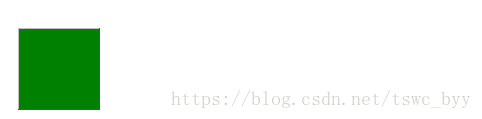
根据父元素进行定位 absolute
<head>
    <meta charset="utf-8">
    <style type="text/css">
        .a{
            background-color:green;
            width:180px;
            height:180px;
            position:relative;
            left:20px;
            top:30px;
        }
        .b{
            background-color:yellow;
            width:80px;
            height:80px;
            position:absolute;
            left:20px;
            top:30px;
        }
    </style>
</head>

<body>
    <div class="a">
    	<div class="b"></div>
    </div>
</body>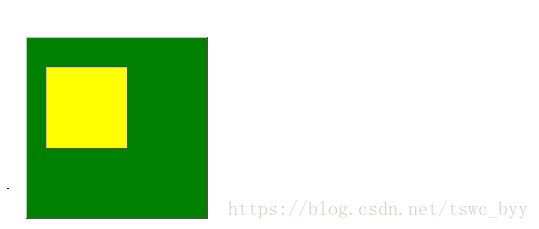
根据浏览器窗口进行定位 fixed
当拖动浏览器滚动条时在浏览器窗口中的位置不变
<head>
    <meta charset="utf-8">
    <style type="text/css">
        .a{
            background-color:green;
            width:180px;
            height:180px;
            position:fixed;
            left:20px;
            top:30px;
        }
    </style>
</head>

<body>
    <div class="a"></div>
</body>
3.z-index 层覆盖先后顺序(优先级)

默认z-index的值为0,z-index 的值越大,越在上面
默认效果:
<head>
    <meta charset="utf-8">
    <style type="text/css">
        .a{
            width:180px;
            height:80px;
            background-color:green;
            position:relative;
            left:10px;
            top:10px;
        }
        .b{
            width:100px;
            height:100px;
            background-color:yellow;
            position:fixed;
            color:#fff;
            top:10px;
        }
      </style>
</head>

<body>
    <div class="a"></div>
    <div class="b"></div>
</body>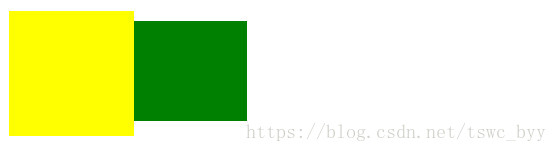
添加z-index后:
<head>
    <meta charset="utf-8">
    <style type="text/css">
        .a{
            width:180px;
            height:80px;
            background-color:green;
            position:relative;
            left:10px;
            top:10px;
            z-index:1;
        }
        .b{
            width:100px;
            height:100px;
            background-color:yellow;
            position:fixed;
            color:#fff;
            top:10px;
        }
      </style>
</head>

<body>
    <div class="a"></div>
    <div class="b"></div>
</body>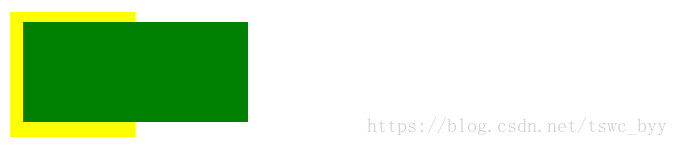
4.display 显示属性

默认效果:
<head>
    <meta charset="utf-8">
    <style type="text/css">
        div{
            background-color:green;
        }
        span{
            background-color:yellow;
        }
      </style>
</head>

<body>
    <div>div</div>
    <div>div</div>
    <div>div</div>
    <span>span</span>
    <span>span</span>
    <span>span</span>
</body>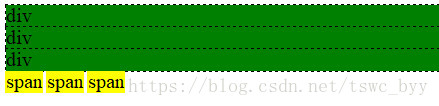
使用display效果:
<head>
    <meta charset="utf-8">
    <style type="text/css">
        div{
            background-color:green;
            display:inline;
        }
        span{
            background-color:yellow;
            display:block;
        }
      </style>
</head>

<body>
    <div>div</div>
    <div>div</div>
    <div>div</div>
    <span>span</span>
    <span>span</span>
    <span>span</span>
</body>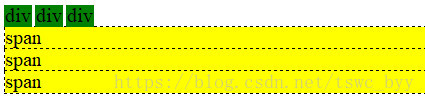
5.float 浮动属性

默认效果:
<head>
    <meta charset="utf-8">
    <style type="text/css">
        .da{
            background-color:green;
            width:200px;
            height:200px;
        }
        .left{
            background-color:yellow;
            width:90px;
            height:100px;
        }
        .right{
            background-color:red;
            width:90px;
            height:100px;
        }
      </style>
</head>

<body>
    <div class="da">
    	<div class="left"></div>
    	<div class="right"></div>
    </div>
</body>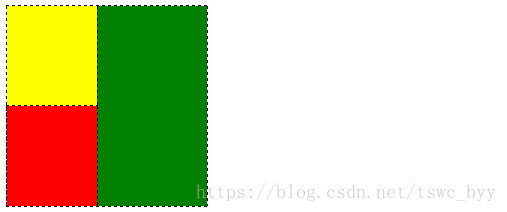
使用float以后:
<head>
    <meta charset="utf-8">
    <style type="text/css">
        .da{
            background-color:green;
            width:200px;
            height:200px;
        }
        .left{
            background-color:yellow;
            width:90px;
            height:100px;
            float:left;
        }
        .right{
            background-color:red;
            width:90px;
            height:100px;
            float:right;
        }
      </style>
</head>

<body>
    <div class="da">
    	<div class="left"></div>
    	<div class="right"></div>
    </div>
</body>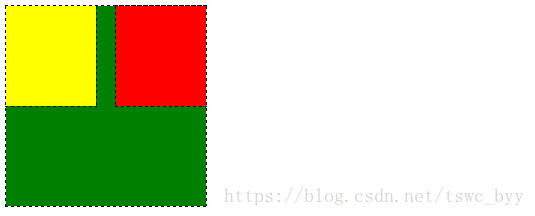
6.clear 清除浮动

默认效果:
<head>
    <meta charset="utf-8">
    <style type="text/css">
        .da{
            background-color:green;
            width:200px;
            height:200px;
        }
        .left{
            background-color:yellow;
            width:90px;
            height:100px;
            float:left;
        }
        .bottom{
            background-color:red;
            width:200px;
            height:100px;
        }
      </style>
</head>

<body>
    <div class="da">
    	<div class="left"></div>
    	<div class="bottom"></div>
    </div>
</body>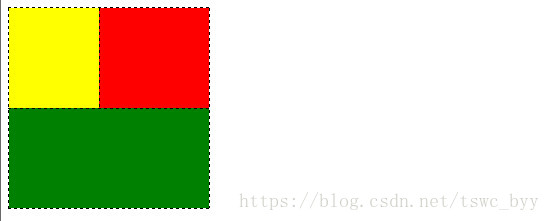
使用clear以后:
<head>
    <meta charset="utf-8">
    <style type="text/css">
        .da{
            background-color:green;
            width:200px;
            height:200px;
        }
        .left{
            background-color:yellow;
            width:90px;
            height:100px;
            float:left;
        }
        .bottom{
            background-color:red;
            width:200px;
            height:100px;
            clear:both;
        }
      </style>
</head>

<body>
    <div class="da">
    	<div class="left"></div>
    	<div class="bottom"></div>
    </div>
</body>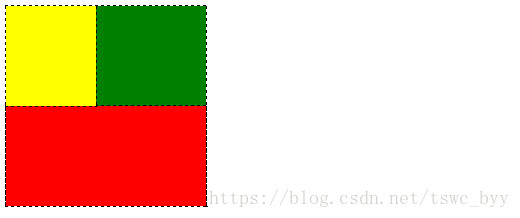
7.overflow 溢出处理

默认效果:
<head>
    <meta charset="utf-8">
    <style type="text/css">
        .da{
            background-color:green;
            width:200px;
            height:200px;
            font-size:40px;
        }
      </style>
</head>

<body>
    <div class="da">
    	码仙码仙码仙码仙码仙码仙码仙码仙码仙码仙码仙码仙码仙码仙码仙
    </div>
</body>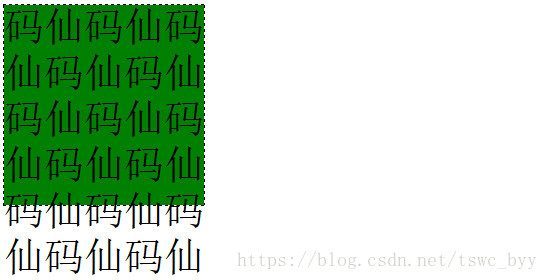
hidden
<head>
    <meta charset="utf-8">
    <style type="text/css">
        .da{
            background-color:green;
            width:200px;
            height:200px;
            font-size:40px;
            overflow:hidden;
        }
      </style>
</head>

<body>
    <div class="da">
    	码仙码仙码仙码仙码仙码仙码仙码仙码仙码仙码仙码仙码仙码仙码仙
    </div>
</body>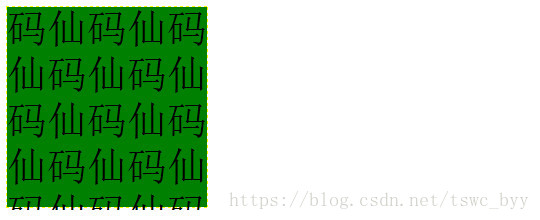
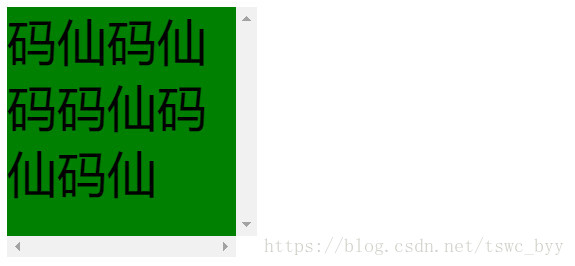
scroll
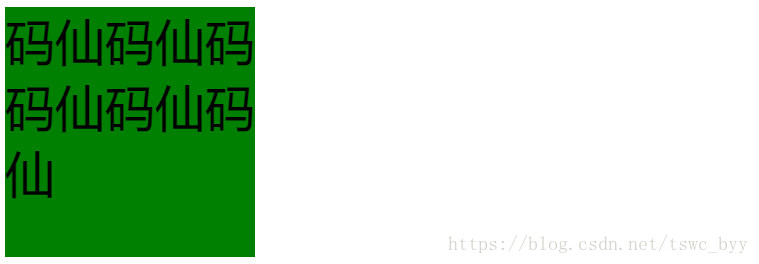
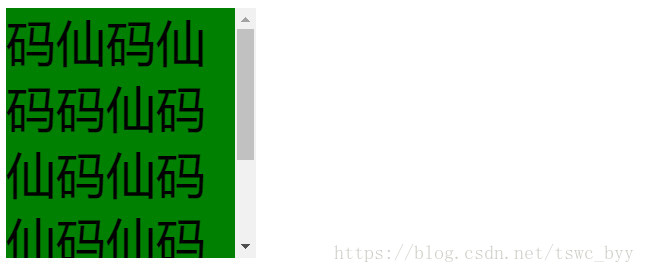
auto
本篇博客来自于麦子学院视频教程的总结以及笔记的整理,仅供学习交流,切勿用于商业用途,如有侵权,请联系博主删除,博主QQ:194760901






 扫一扫
扫一扫


 707
707

 被折叠的 条评论
为什么被折叠?
被折叠的 条评论
为什么被折叠?
 到【灌水乐园】发言





