


一.ant-design-pro v5版本
1.app.tsx中引入KeepAlive
import { KeepAlive } from 'react-activation';
2.在childrenRender中配置(红框中是不需要加入缓存的路由数据)
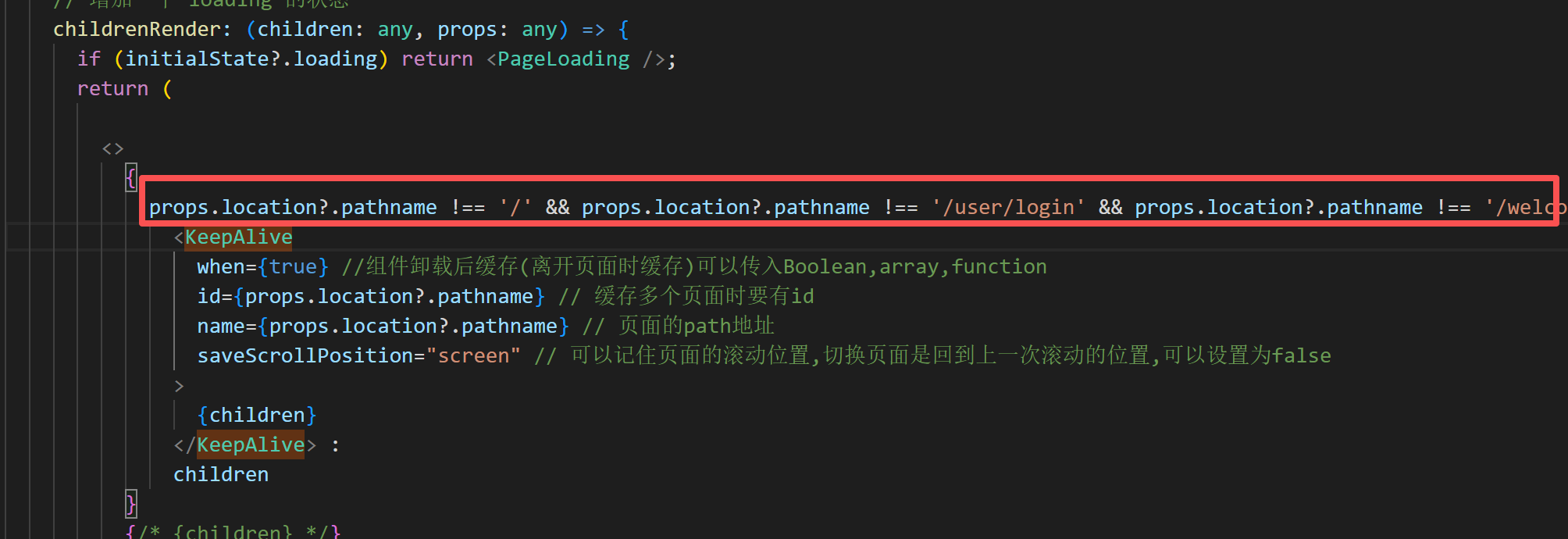
{
props.location?.pathname !== '/' && props.location?.pathname !== '/user/login' && props.location?.pathname !== '/welcome/welcome' ?
<KeepAlive
when={true} //组件卸载后缓存(离开页面时缓存)可以传入Boolean,array,function
id={props.location?.pathname} // 缓存多个页面时要有id
name={props.location?.pathname} // 页面的path地址
saveScrollPosition="screen" // 可以记住页面的滚动位置,切换页面是回到上一次滚动的位置,可以设置为false
>
{children}
</KeepAlive> :
children
}
3.清除缓存数据(有需要的话)
import { useAliveController } from 'react-activation';
const { dropScope } = useAliveController();
dropScope('路由数据');
二.ant-design-pro v6版本
1.安装依赖
npm install react-activation
# 或
yarn add react-activation
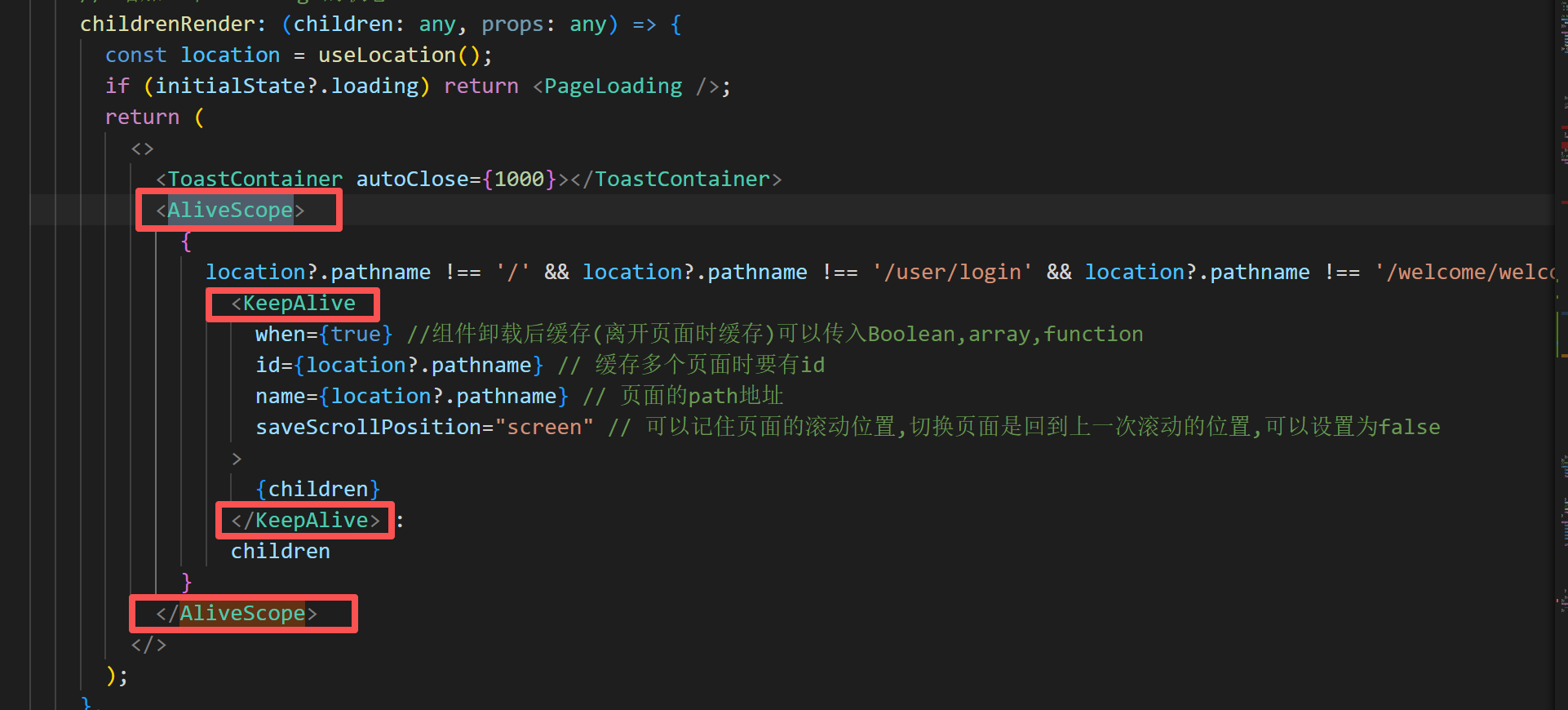
2.app.tsx中配置
import { KeepAlive, AliveScope } from 'react-activation';
import { useLocation } from '@umijs/max';
(keepAlive需要用AliveScope进行包裹,缓存才会生效)
3.清理缓存
import { useAliveController } from 'react-activation';
const { dropScope } = useAliveController();
dropScope('路由数据名称');





 扫一扫
扫一扫


 732
732

 被折叠的 条评论
为什么被折叠?
被折叠的 条评论
为什么被折叠?
 到【灌水乐园】发言





