


 本文介绍了当使用Git遇到本地新建分支无法直接推送到远程库的情况时的解决办法。通过设置分支跟踪信息,实现本地分支与远程分支的同步。
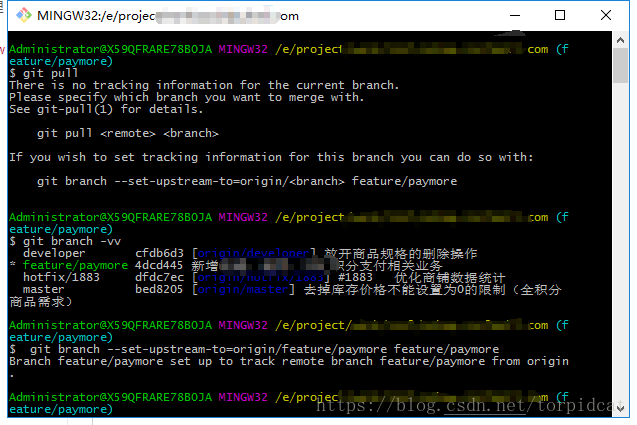
git 本地新建分支并推送到远程库时,报下列提示:
There is no tracking information for the current branch.
Please specify which branch you want to merge with.
See git-pull(1) for details.git pull <remote> <branch>
If you wish to set tracking information for this branch you can do so with:
git branch --set-upstream-to=origin/<branch> feature/paymore
意思大概是,远程服务器没有找到当前分支关联的对应代码,需要执行命令进行关联。
我本地分支名字是feature/paymore ,想同步到服务器的同名分支上,所以执行
git branch --set-upstream-to=origin/feature/paymore feature/paymore
来进行关联。
语法为:git branch --set-upstream-to=origin/<远程分支名> <本地分支名>






 扫一扫
扫一扫


 6391
6391

 被折叠的 条评论
为什么被折叠?
被折叠的 条评论
为什么被折叠?
 到【灌水乐园】发言





