



 本文详细介绍了Metricbeat的安装步骤及配置方法,包括安装授权、配置yum源、使用yum安装、设置开机自启动等过程,并对Metricbeat的配置文件进行了具体说明,如输出到Elasticsearch的主机设置、Kibana的主机设置以及启用仪表板。
官方文档: https://www.elastic.co/guide/en/beats/metricbeat/current/setup-repositories.html
一、安装步骤:
1.安装授权 (Download and install the public signing key):
sudo rpm --import https://packages.elastic.co/GPG-KEY-elasticsearch2.配置yum源(若在安装elk时配置过,则无需重复添加)
[elastic-6.x]
name=Elastic repository for 6.x packages
baseurl=https://artifacts.elastic.co/packages/6.x/yum
gpgcheck=1
gpgkey=https://artifacts.elastic.co/GPG-KEY-elasticsearch
enabled=1
autorefresh=1
type=rpm-md
3.yum安装
yum install metricbeat4.配置开机自启动
chkconfig --add metricbeat二、配置Metricbeat
vi /etc/metricbeat/metricbeat.yml修改output.elasticsearch:
output.elasticsearch:
  # Array of hosts to connect to.
  hosts: ["192.168.33.160:9200"]
修改setup.kibana:
setup.kibana:
  # Kibana Host
  # Scheme and port can be left out and will be set to the default (http and 5601)
  # In case you specify and additional path, the scheme is required: http://localhost:5601/path
  # IPv6 addresses should always be defined as: https://[2001:db8::1]:5601
  host: "192.168.33.160:5601"
修改dashboard参数为true
#============================== Dashboards =====================================
# These settings control loading the sample dashboards to the Kibana index. Loading
# the dashboards is disabled by default and can be enabled either by setting the
# options here, or by using the `-setup` CLI flag or the `setup` command.
#setup.dashboards.enabled: false
setup.dashboards.enabled: true
启动metricbeat服务
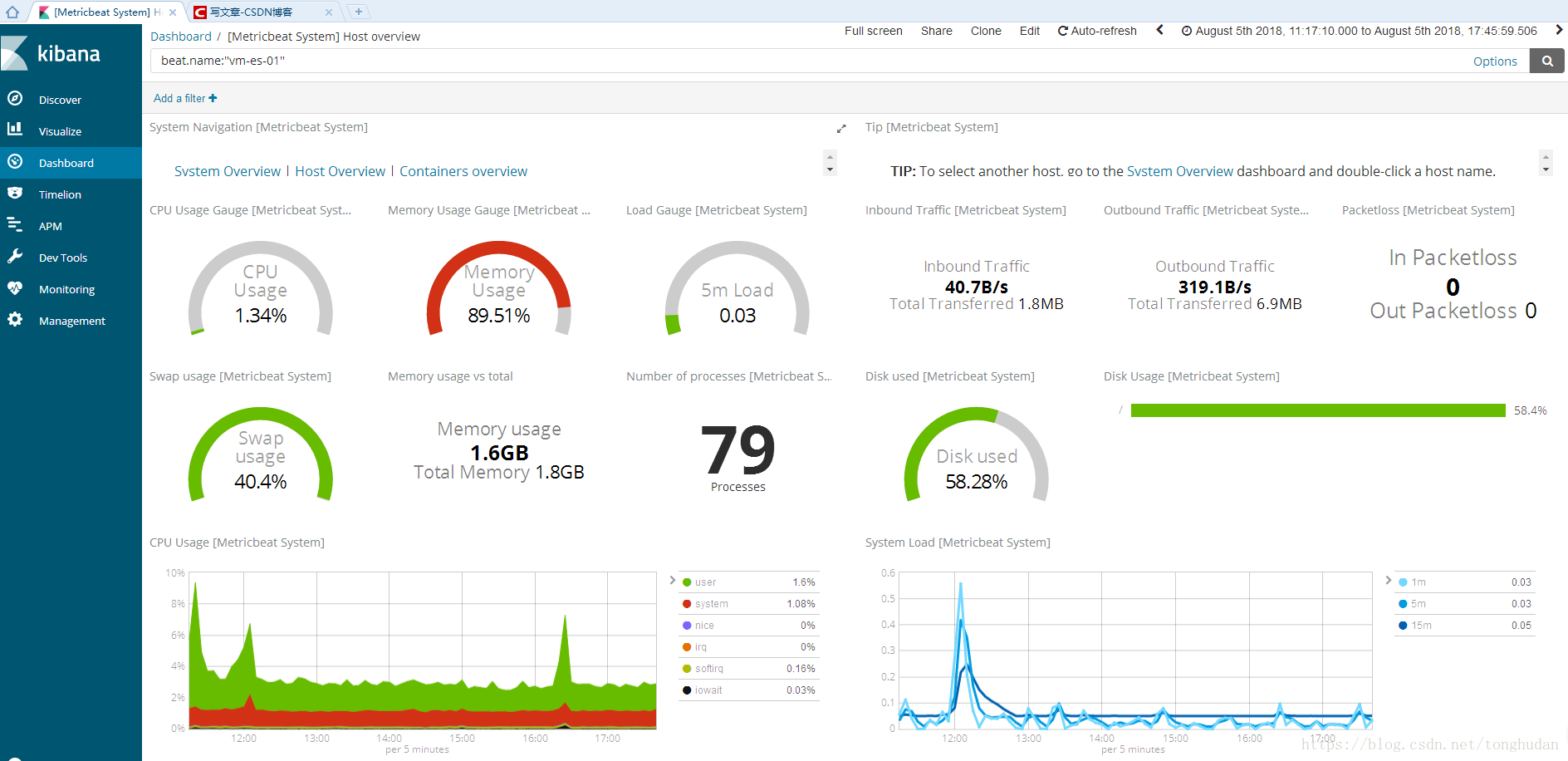
systemctl start metricbeat如下图所示





 扫一扫
扫一扫


 945
945

 被折叠的 条评论
为什么被折叠?
被折叠的 条评论
为什么被折叠?
 到【灌水乐园】发言





