


 本文展示了如何通过REST接口来查询和删除Elasticsearch中的数据。查询操作使用了wildcard查询,针对字段accountID匹配以v*开头的记录。删除操作则通过/_delete_by_query接口,同样基于wildcard查询,删除accountID以V*开头的文档。所有的操作都在Postman中进行了演示。
1、rest接口查询数据
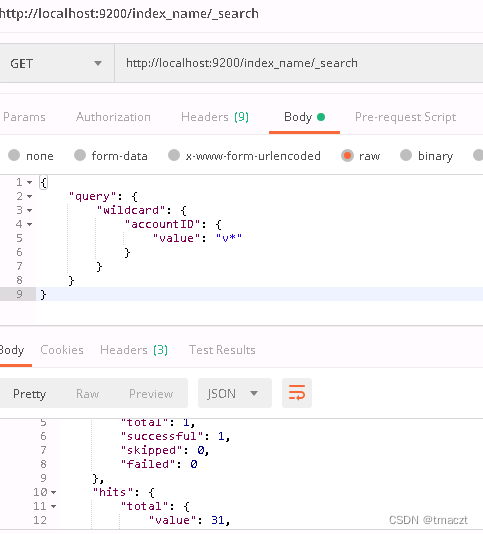
rest查询:
http://localhost:9200/index_name/_search
查询表达式:
{
    "query": {
        "wildcard": {
            "accountID": {
                "value": "v*"
            }
        }
    }
}
postman请求截图:
2、使用Rest接口删除数据
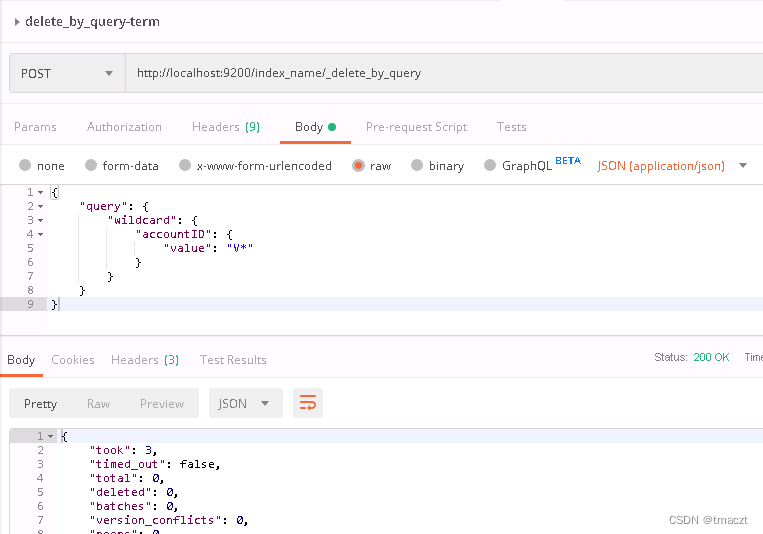
rest删除数据:
http://localhost:9200/index_name/_delete_by_query
查询表达式:
{
    "query": {
        "wildcard": {
            "accountID": {
                "value": "V*"
            }
        }
    }
}
postman请求截图:





 扫一扫
扫一扫


 2万+
2万+

 被折叠的 条评论
为什么被折叠?
被折叠的 条评论
为什么被折叠?
 到【灌水乐园】发言





