


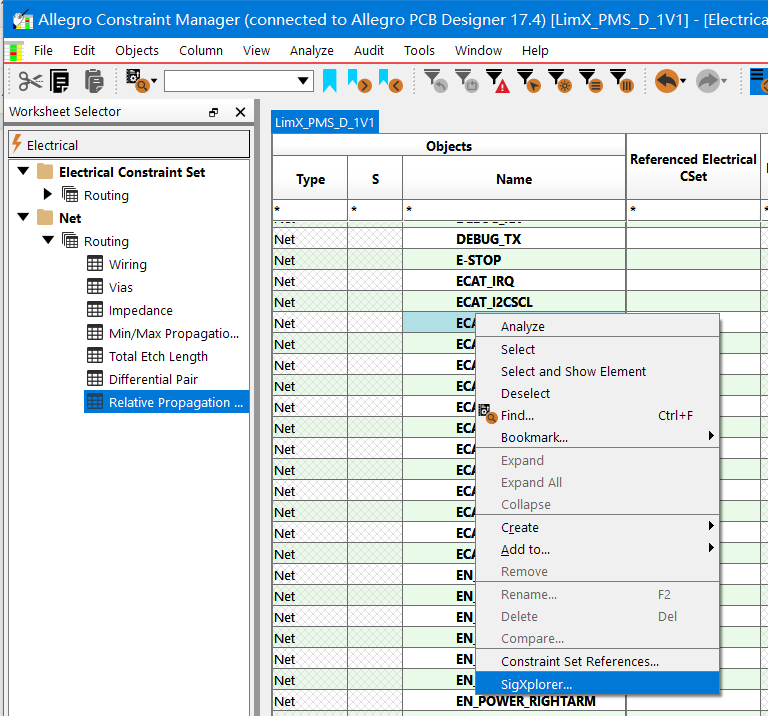
1,使用allegro17.4工具,做等长的,添加模型约束的时候,出现不能打开SigXploer工具问题。
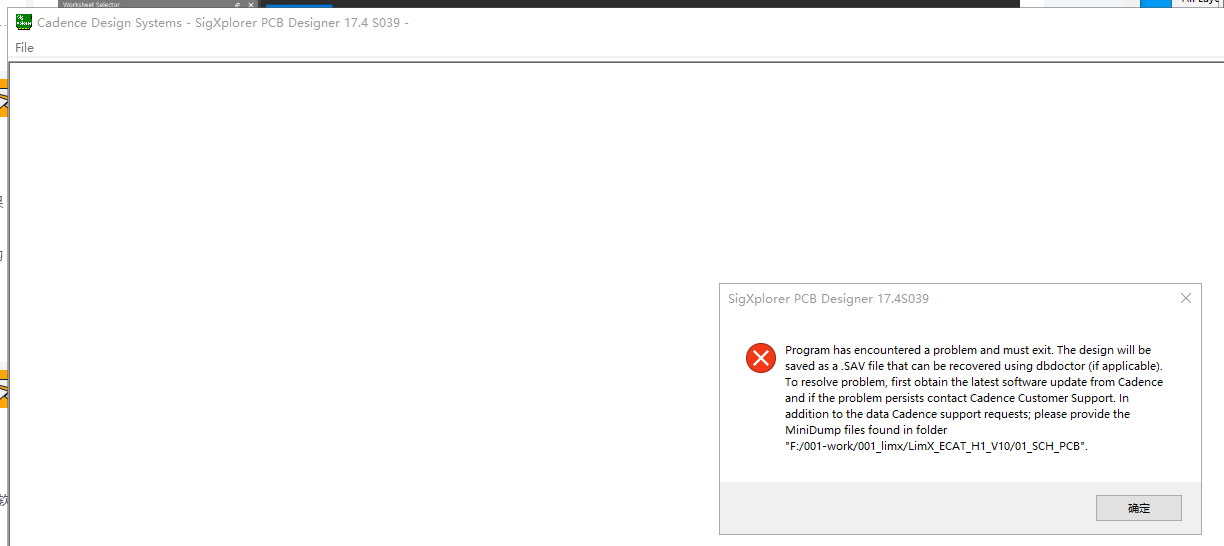
Program has encountered a problem and must exit. The design will besaved as a .SAV file that can be recovered using dbdoctor (if applicable)To resolve problem, first obtain the latest software update from Cadenceand if the problem persists contact Cadence Customer Support. Inaddition to the data Cadence support requests, please provide theMiniDump files found in folder"F:/001-work/001 limx/LimX ECAT H1 V10/01 SCH PCB".
2,尝试在安装目录下:D:\Cadence\SPB_17.4\tools\bin找到sigxp.exe,也不能打开;
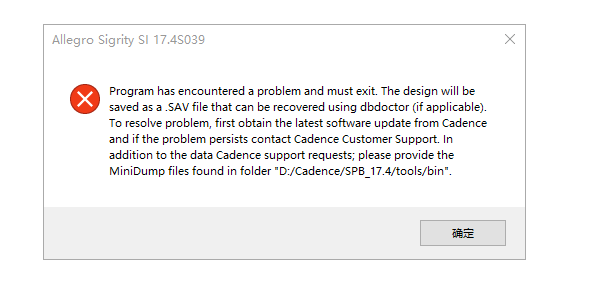
3,在网上找了下原因,说是用原始的env文件,才能打开。
4,尝试用如下,可以用。
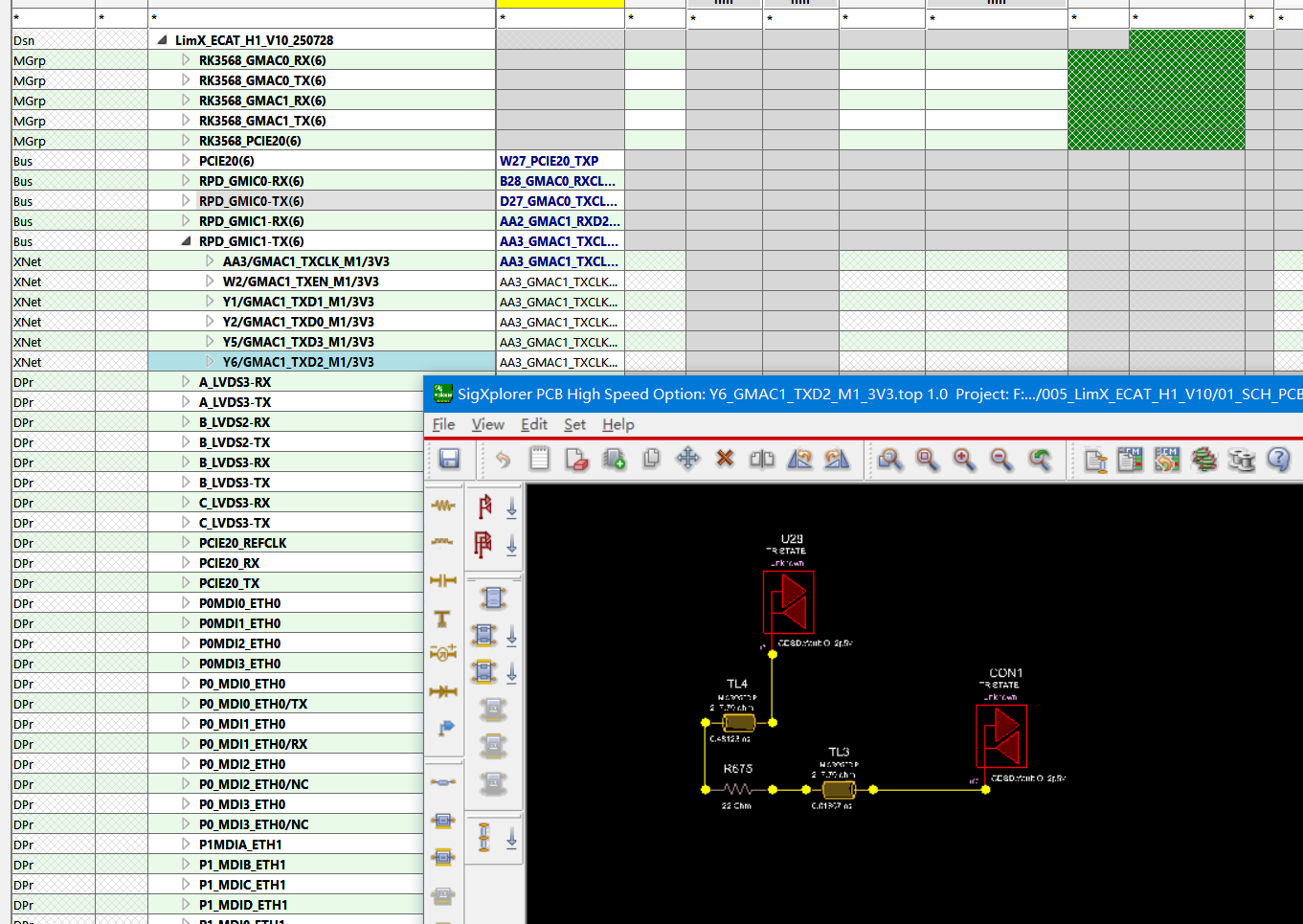
5,附件:ENV文件的内容:
#
# ALLEGRO GLOBAL Environment file
#
# The following variables are set by the software if not preset by user:
# CDS_SITE, ALLEGRO_SITE, TELENV, ALLEGRO_INSTALL_DIR,
# ALLEGRO_INSTALL_TOOLS, ALLEGRO_INSTALL_ROOT, ALLEGRO_TYPE,
# __UNIX (if UNIX), _PROGRAM, HOME
#
# You may set the Operating System variable:
# ALLEGRO_PCBENV <alternative directory>
# to overwrite the default of the user's pcbenv directory. This variable
# must be set at the OS level and has no effect if set in an Allegro env file.
# The directory given must exist. If no directory is found the system will
# fallback to its default location.
#
# The following variables are preset at startup, direct settings in env
# files will be overridden
# LOCALENV: seeded based upon <HOME>/pcbenv (or if set ALLEGRO_PCBENV)
# LOCALPATH: seeded based upon . LOCALENV, ALLEGRO_SITE, GLOBALPATH
# Variable names are case insensitive
#--------------------------------------------------------------------
# System Variables
set GLOBAL = $ALLEGRO_INSTALL_DIR/text
# change from LIBPATH because it conflicts with IBM's shared library
# environment variable
set ALIBPATH = $ALLEGRO_INSTALL_DIR/pcb_lib
set COMPLIBPATH = $ALLEGRO_INSTALL_DIR/allegrolib
set GLOBALPATH = . $GLOBAL
# Allegro Data Services Variable
set ADSPATH = $GLOBALPATH
# Present for compatiblity with older versions of Allegro.
ifnvar ALLEGRO_SITE "set ALLEGRO_SITE ."
ifnvar CDSPLAT "set CDSPLAT "
ifnvar ALLEGRO_INSTALL_DLL "set ALLEGRO_INSTALL_DLL "
#--------------------------------------------------------------------
# Configuration variables (Don't change)
set BMPPATH = . $ALLEGRO_SITE/icons $GLOBAL/icons $ALLEGRO_INSTALL_ROOT/share/fsp/legends $ALLEGRO_INSTALL_ROOT/tools/fsp/legends
set FORMPATH = . $ALLEGRO_SITE/forms $GLOBAL/forms
set MENUPATH = . $ALLEGRO_SITE/menus $GLOBAL/cuimenus
set WORKFLOWPATH = $ALLEGRO_SITE/workflows $GLOBAL/workflows
set DEMO_BOARD = $ALLEGRO_INSTALL_DIR/examples/board_design/Cadence_Demo.brd
set MATERIALPATH = . $LOCALENV $ALLEGRO_SITE $GLOBAL $GLOBAL/materials
set CAPATH = . $LOCALENV $ALLEGRO_SITE $ALLEGRO_INSTALL_DIR/channelanalysis
set AMIMODELPATH = . $LOCALENV $ALLEGRO_SITE/ami/$CDSPLAT $ALLEGRO_INSTALL_DIR/channelanalysis/ami/toolkit/dll/$CDSPLAT
#Configuration paths
set PRFEDITPATH = . $LOCALENV/configure/prfedit $ALLEGRO_SITE/configure/prfedit $ALLEGRO_INSTALL_DIR/configure/prfedit
set BATCHHELPPATH = . $ALLEGRO_INSTALL_DIR/batchhelp
set SPROUTEPATH = $ALLEGRO_INSTALL_DIR/configure/sproute
set HELPPATH = . $ALLEGRO_INSTALL_DIR/help $GLOBAL/help
set PDFPATH = . $ALLEGRO_INSTALL_DIR/help/pdf
# Graphics demo env
set IMAGEPATH = . $ALLEGRO_INSTALL_DIR/examples/image
# Allegro Plugin search path
set AXLPLUGINPATH = . $LOCALENV/$CDSPLAT $ALLEGRO_SITE/$CDSPLAT $ALLEGRO_INSTALL_DLL
# Library path for Interfaces
set INTERFACEPATH = $ALLEGRO_INSTALL_ROOT/share/library/interface
#--------------------------------------------------------------------
# Drawing font
set VECTORFONTPATH = . $GLOBAL
set ANSIFONT = ansifont
set KANJIFONTPATH = . $GLOBAL/fonts/kanji
set KANJIFONT1 = kanjifont1
set KANJIFONT2 = kanjifont2
#--------------------------------------------------------------------
# Display Variables
set display_backingstore on
# disable repair under ratsnests
set display_shapefill_analysis 1
# disable HTML datatips by default
set disable_html_datatip_style
# enable html as default for long message windows
set allegro_html
# enable the Qt HTML dialog by default (for versions which support Qt)
set allegro_html_qt
# enable ignoring dynamic shapes in etch edit
set etchedit_ignore_dynamic_shapes
# disable single threaded route vision
unset rv_single_thread
# enable via structures locked
set via_struct_auto_lock
# output new plctxt format to support embedded and zones
set place_text_version2
# Variable to translate Locale decimal point character. When set, translation
# will happen but remains "C" Locale for compatibility
set use_no_locale
# enable 45 degree snapping for Create Flow command
set create_flow_45_snapping
# enable Dynamic Alignment Guides
# set align_guides
set align_guides_component_origin
set align_guides_ratsnest
#--------------------------------------------------------------------
#--------------------------------------------------------------------
set compalib = $ALIBPATH/symbols $COMPLIBPATH/symbols
set topfilelib = $ALIBPATH/templates $COMPLIBPATH/templates
set signal_install_dir = $ALLEGRO_INSTALL_DIR/signal
set signal_optlib_dir = $signal_install_dir/optlib
set MODULEPATH = . $ALLEGRO_SITE/modules
set TILEPATH = . $ALLEGRO_SITE/modules
set WBPATH = . $ALLEGRO_SITE/wbtiers
set PADPATH = . symbols .. ../symbols $ALLEGRO_SITE/padstacks $compalib
set PSMPATH = . symbols .. ../symbols $ALLEGRO_SITE/symbols $compalib
set pcell_lib_path = $ALLEGRO_SITE/../../rfsip/sip_pcells . sip_pcells .. ../sip_pcells $ALLEGRO_INSTALL_DIR/../rfsip/sip_pcells
set TECHPATH = . $ALLEGRO_SITE/tech $GLOBAL/tech
set PARAMPATH = . $ALLEGRO_SITE/parameter
set TOPOLOGY_TEMPLATE_PATH = . templates .. ../templates $ALLEGRO_SITE/topology $topfilelib
set STEPPATH = . step ../step $ALLEGRO_SITE/step
set STEP_FACET_PATH = . step ../step $ALLEGRO_SITE/step
set STEP_MAPPING_PATH = . step ../step $ALLEGRO_SITE/step
set ICONPATH = $LOCALENV/toolbar_icons $ALLEGRO_SITE/toolbar_icons $GLOBAL/text/toolbar_icons
set IPC2581ATTRPATH = . $GLOBAL
set IPC2581SPEC_PATH = . $GLOBAL
set SYSTEM_ELEMENT_PATH = . step $ALLEGRO_SITE/step
# DFM Ravel Checker Rules installation directory
set DFM_RAV_PATH = . $ALLEGRO_INSTALL_DIR/dfm_ravel
# SigNoise data installation directory
set SIGNOISEPATH = . $LOCALENV $ALLEGRO_SITE/signal $signal_install_dir $signal_optlib_dir $GLOBAL
# SigNoise model variables.
set SI_MODEL_PATH = . $ALLEGRO_SITE/signal $signal_install_dir
set SI_MODEL_FILE_EXT = Generic_IBIS(ibs) IBIS_Buffer(buf) IBIS_EBD(ebd) IBIS_ICM(icm) IBIS_Pin_List(pin) IBIS_Package(pkg) Quad(mod) Generic_SPICE(spc) HSpice_Input(sp) HSpice_Output(lis) Spectre(spc) Touchstone(s?p,s??p,ts) DML(ndx,dml) Interconnect(iml) ABIML(abiml)
# ASI (Allegro Sigrity SI) installation directory -- Default location
set sigrity_legacy_3dem = .
#acc import path
set ACCPATH = $CDS_SITE/consmgr/compiler
#--------------------------------------------------------------------
# Non-HDL Supported Design Search Path Variables
set MISCPATH = . $ALLEGRO_SITE/misc $GLOBAL $CDS_SITE/cdssetup
set ARTPATH = . .. $ALLEGRO_SITE
set APTPATH = . .. $ALLEGRO_SITE
set CLIPPATH = .
set DCLPATH = . .. $ALIBPATH $COMPLIBPATH
set DEVPATH = . devices .. ../devices $ALLEGRO_SITE/devices $ALIBPATH/devices $COMPLIBPATH/devices
set DFAAUDITPATH = . $ALLEGRO_SITE/assembly $ALLEGRO_INSTALL_DIR/assembly
set DFACNSPATH = . dfa .. ../dfa $ALLEGRO_SITE/dfa
set NCDPATH = . .. $ALLEGRO_SITE/nclegend $GLOBAL/nclegend
set SCRIPTPATH = . $ALLEGRO_SITE/scripts $GLOBAL/script
set TEXTPATH = . $ALLEGRO_SITE/extracta $GLOBAL/views
set VIEWPATH = . $ALLEGRO_SITE/views
set XTALK_TABLE_PATH = . xtalk_tables .. ../xtalk_tables $ALLEGRO_SITE/xtalk $ALIBPATH/xtalk_tables
set WIZARD_TEMPLATE_PATH = $ALLEGRO_SITE/new_templates $ALLEGRO_INSTALL_DIR/pcb_lib/symbols/template
set LDFPATH = .
# System Configuration .scf file search path
set SCFPATH = . scfs .. ../scfs
# Display the headsup meter in a fixed position in the control panel.
set allegro_dynam_timing_fixedpos
# For IC Packaging tools (APD and SiP tools), the following defaults the
# HUD for the wirebond tools to updating 25 times per second.
set wirebond_hud_update_frequency 25
# By default, suppress bond wire DRCs that are 3D in nature but being
# checked in 2D. By default, the APD/SiP tools will only report wire
# violations if they occur over top of the end item (finger or pin) and
# the two wires are on different nets.
set wirebond_suppress_bondwire_drcs
# enable license caching for better toolswap performance
set allegro_license_caching
# set so MPS messages will only be sent to applications started
# with the same MPS session name. Not all Allegro applications
# Removing this change and letting the user set it in the environment
# as it created breakage in OrCAD
#set UNIQUE_MPS_SESSION 1
#--------------------------------------------------------------------
#--------------------------------------------------------------------
# alias
# May use function keys F2-F12, most Alpha-numberic keys with control
# modifier (although Control - C, V and X are reserved for copy, paste and cut)
# and Navigation Keys (Home, Up arrow, Esc, etc.) These items may be modifed
# by the following:
# Modifier Indicator Example
# Shift S SF2
# Control C (function keys) CF2
# Control ~ (alpha-numeric) ~N
# Meta A AF2
# Modifiers may be combined. Some examples:
# CSF2 Control-Shift F2
# ASF2 Meta-Shift F2
# CAF2 Control-Meta F2
# CASF2 Control-Meta-Shift F2
# ~SZ Control-Shift Z
# SUp Shift-Up Arrow
# CUp Control-Up Arrow
#
# funckey
# use the funckey when you wish to have alphanumeric keys operate
# like the Function keys when the cursor is in the Allegro canvas.
#
# Example -- following starts the move command without a Enter key
# funckey m move
#--------------------------------------------------------------------
# Bind roam operations to function keys
set roamInc = 96
funckey Up "roam y -$roamInc"
funckey Down "roam y $roamInc"
funckey Left "roam x -$roamInc"
funckey Right "roam x $roamInc"
# Bind incremental pick by grid unit functions to ctrl and shift--arrow keys
alias CUp "ipick 0; ipick_to_gridunit 0 +1"
alias CDown "ipick 0; ipick_to_gridunit 0 -1"
alias CLeft "ipick 0; ipick_to_gridunit -1"
alias CRight "ipick 0; ipick_to_gridunit +1"
alias SUp "move; ipick_to_gridunit 0 +1"
alias SDown "move; ipick_to_gridunit 0 -1"
alias SLeft "move; ipick_to_gridunit -1"
alias SRight "move; ipick_to_gridunit +1"
alias Pgup "layer up"
alias Pgdown "layer down"
# example of a funckey to emulate Layout capability
# The "-cursor" option can be added to any Allegro command with the pick familty
# and we utilize the position under the cursor when the command is execute. So
# this example would center the display to position under the cursor when the 'c' key
# is pressed.
# funckey c "zoom center; pick -cursor"
#--------------------------------------------------------------------
# F1 is normally reserved by the system for Help so we don't use it
alias F2 zoom fit
alias F3 spin
alias F4 move
alias F5 add connect
alias F6 slide
alias F7 done
alias F8 show element
alias F9 shape add
alias F10 shape select
alias F11 shape edit boundary
alias F12 shape void polygon
alias Esc cancel
alias Del delete
alias SF2 property edit
alias SF3 slide
alias SF4 show measure
alias SF5 copy
alias SF6 move
alias SF7 dehilight all
alias SF8 hilight pick
alias SF9 vertex
alias SF10 save_as temp
alias SF11 zoom previous
alias SF12 zoom world
alias CF2 next
alias CF5 color192
alias CF6 layer priority
alias CSF5 status
alias ~N new
alias ~O open
alias ~S save
alias ~D delete
alias ~Z undo
funckey + subclass -+
funckey - subclass --
#--------------------------------------------------------------------
# OTHER ALIASES
alias edps padedit
alias rps "replace padstack"
alias unplrp report unplaced
alias x pick
alias y pick l
alias ix ipick
alias iy ipick 0
alias reopen 'open -q $module'
alias revert 'open -q $module'
alias zc zoom center
# autoroam
alias sar set pcb_autoroam
alias uar unset pcb_autoroam
alias bubset 'settoggle shove_mode Off "Hug preferred" "Shove preferred"; options bubble_space $shove_mode'
alias ~B bubset
alias smoothset 'settoggle smooth_mode Off Minimal Full; options smooth_level $smooth_mode'
alias ~SB smoothset
funckey Z Shape Select
funckey R dehilight
funckey E hilight
funckey W Assign Color
funckey Q color192
funckey F mirror
funckey A Shape Add Rect
funckey S Shape Void Rectangle
funckey V show element
funckey + subclass -+
funckey - subclass --
funckey ' ' iangle 90
funckey T testprep manual
funckey G change
funckey B show measure
funckey 'nn' netin
funckey p padeditdb
funckey M replay G5
funckey K replay S1
funckey N replay S2
funckey C copy
funckey D Shape Edit Boundary
funckey z Shape Select
funckey r dehilight
funckey e hilight
funckey w Assign Color
funckey q color192
funckey f mirror
funckey a Shape Add Rect
funckey s Shape Void Rectangle
funckey v show element
funckey t testprep manual
funckey g change
funckey b show measure
funckey m replay G5
funckey k replay S1
funckey n replay S2
funckey h pop singletrace
funckey 1 cns
funckey 1 color192
funckey 2 status
funckey 3 color
funckey 4 define grid
funckey 5 prmed
funckey 11 options acon_line_width 10
funckey 12 options acon_line_width 15
funckey 21 options acon_line_width 20
funckey c copy
funckey d Shape Edit Boundary
alias 6 replay D:\Cadence\SPB_Data\scr\g1.scr
alias 7 replay D:\Cadence\SPB_Data\scr\g5.scr
alias 8 replay D:\Cadence\SPB_Data\scr\g10.scr
alias ~1 add line
alias ~2 text edit
alias ~3 add text
# Date Changed 20250730
#--------------------------------------------------------------------
# COMMAND DEFAULTS
# allow slide to work on arcs by default
set slide_arcs
# Compatibility aliases
alias window zoom
alias hilite hilight
alias dehilite dehilight
alias pickx pick
alias picky pick l
alias ipickx ipick
alias ipicky ipick 0
alias cdnshelp cdsdoc
#--------------------------------------------------------------------
# MOUSE WHEEL SUPPORT
# Environment Variables - Note quote variables so they are evaluated
# at button time not when this file is read.
# - _wheelcnt variable is set based upon number of detents wheel moved
# range is -4 to 4 (no 0)
# - sx1 and sy1 are cursor coordinates when wheel is moved
#
# Button values
# wheel_up: when wheel is moved up
# wheel_down: when wheel is moved down
# wheel: up/down if either of above 2 buttons are not assigned
#
# Keyboard modifiers (note we are case insensitive)
# S - shift key
# C - control key
# SC - shift and control
# Example: SCwheel - for wheel button assignment with both shift & control keys
#
# Button factor may be factorion (e.g. 0.5)
set buttonfactor = 1
button wheel_up "zoom in $buttonfactor"
button wheel_down "zoom out $buttonfactor"
button Cwheel_up "zoom in $buttonfactor"
button Cwheel_down "zoom out $buttonfactor"
# optional CDS_SITE location of env file
source -q $ALLEGRO_SITE/site.env
SIGRITY_EDA_DIR= C:\Cadence\Sigrity2024.1





 扫一扫
扫一扫


 5859
5859


 被折叠的 条评论
为什么被折叠?
被折叠的 条评论
为什么被折叠?
 到【灌水乐园】发言




