


 博客介绍了Android字体的下载与使用。提供了字体下载链接mirrors / Ice - Times / Android - ttf - download · GitCode,下载后有十几种字体。还说明了字体使用方法,可参考官方文档,也简单概括了在res目录新建font文件夹拷贝字体、重命名及新建lobster文件等操作。
字体下载链接
mirrors / Ice-Times / Android-ttf-download · GitCode、
下载好后里面有十几种字体
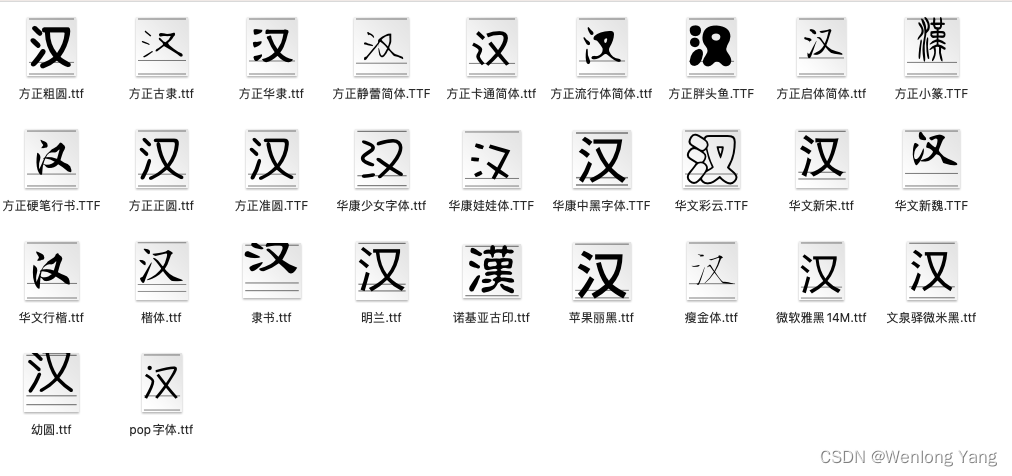
字体的使用
官方文档里面有介绍
https://developer.android.com/guide/topics/resources/font-resource?hl=zh-cn
我简单概括一下
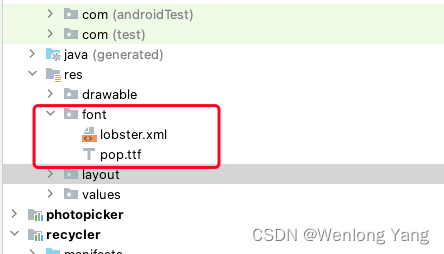
在res目录里面新建一个font文件夹,将需要的字体考入这个文件夹,根据需要重新命名
新建一个lobster文件
内容如下:
<?xml version="1.0" encoding="utf-8"?>
<font-family xmlns:android="http://schemas.android.com/apk/res/android">
    <font
        android:fontStyle="normal"
        android:fontWeight="400"
        android:font="@font/pop" />
    <font
        android:fontStyle="italic"
        android:fontWeight="400"
        android:font="@font/pop" />
</font-family>
使用
        <TextView
            android:fontFamily="@font/lobster"
            ....
        />
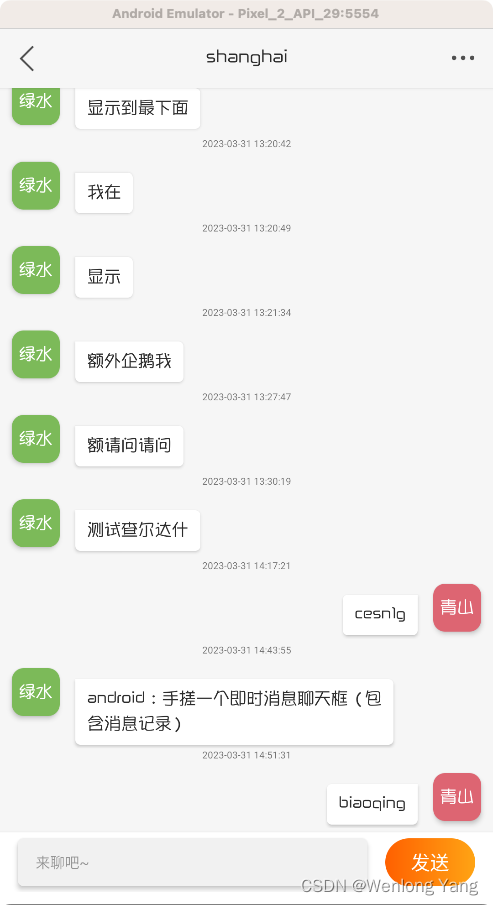
实现效果





 扫一扫
扫一扫


 1277
1277

 被折叠的 条评论
为什么被折叠?
被折叠的 条评论
为什么被折叠?
 到【灌水乐园】发言





