



 本文介绍在VMware虚拟机中设置Ubuntu系统共享文件夹的方法。通过安装open-vm-tools系列软件包,使用vmhgfs-fuse命令成功挂载共享文件夹,避免mount-tvmhgfs命令的挂载失败问题。
-
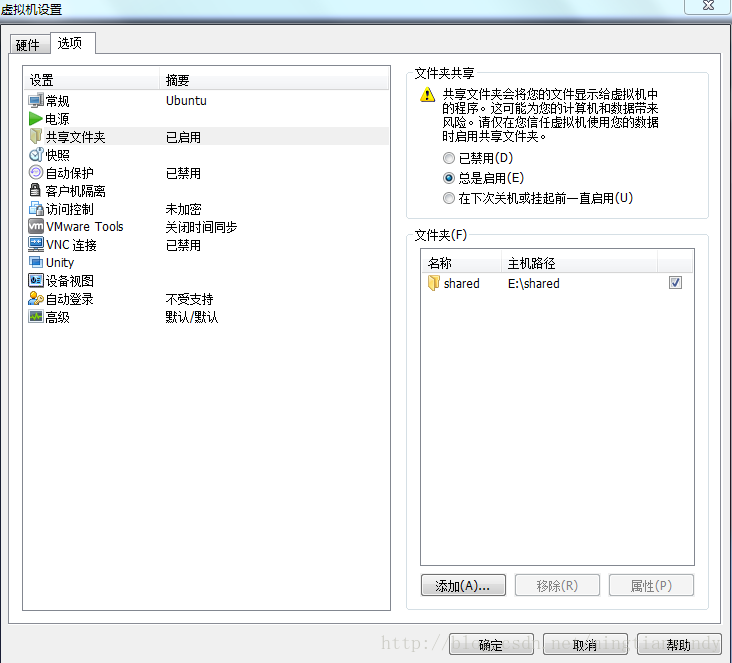
在vmware虚拟机中设置共享文件夹
-
虚拟机中的Ubuntu系统开机
-
此时你可能会发现在linux中的/mnt目录下出现hgfs 文件夹,但共享的文件没有显示,需进行以下操作
$su - root
#vmware-hgfsclient 该命令用于查看当前有哪些共享目录,这里我只使用了shared文件夹作为共享
#mount -t vmhgfs .host:/shared /mnt/hgfs  尝试将共享文件夹进行挂载
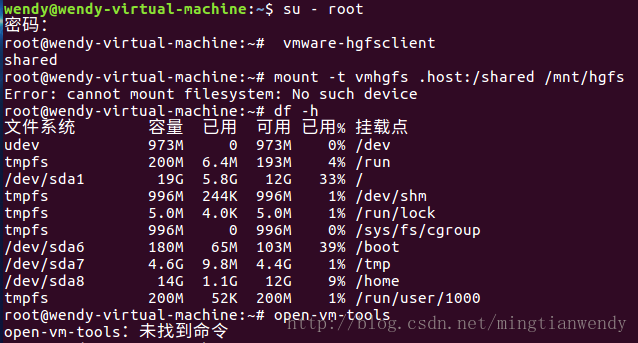
挂载失败。
看网上有人建议安装open-vm-dkms,失败。
最终的解决方法:
# apt-get install open-vm-tools
# apt-get install open-vm-tools-desktop
# apt-get install open-vm-tools-dkms
# vmhgfs-fuse .host:/shared /mnt/hgfs
每次重启后执行命令:vmhgfs-fuse .host:/share /mnt/
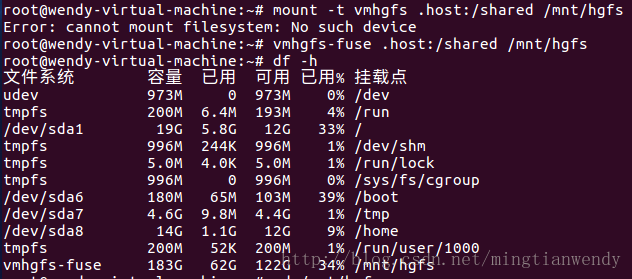
不要用mount -t vmhgfs .host:/shared /mnt/hgfs命令,可能它对应其他软件源,直接用vmhgfs-fuse命令完成挂载。
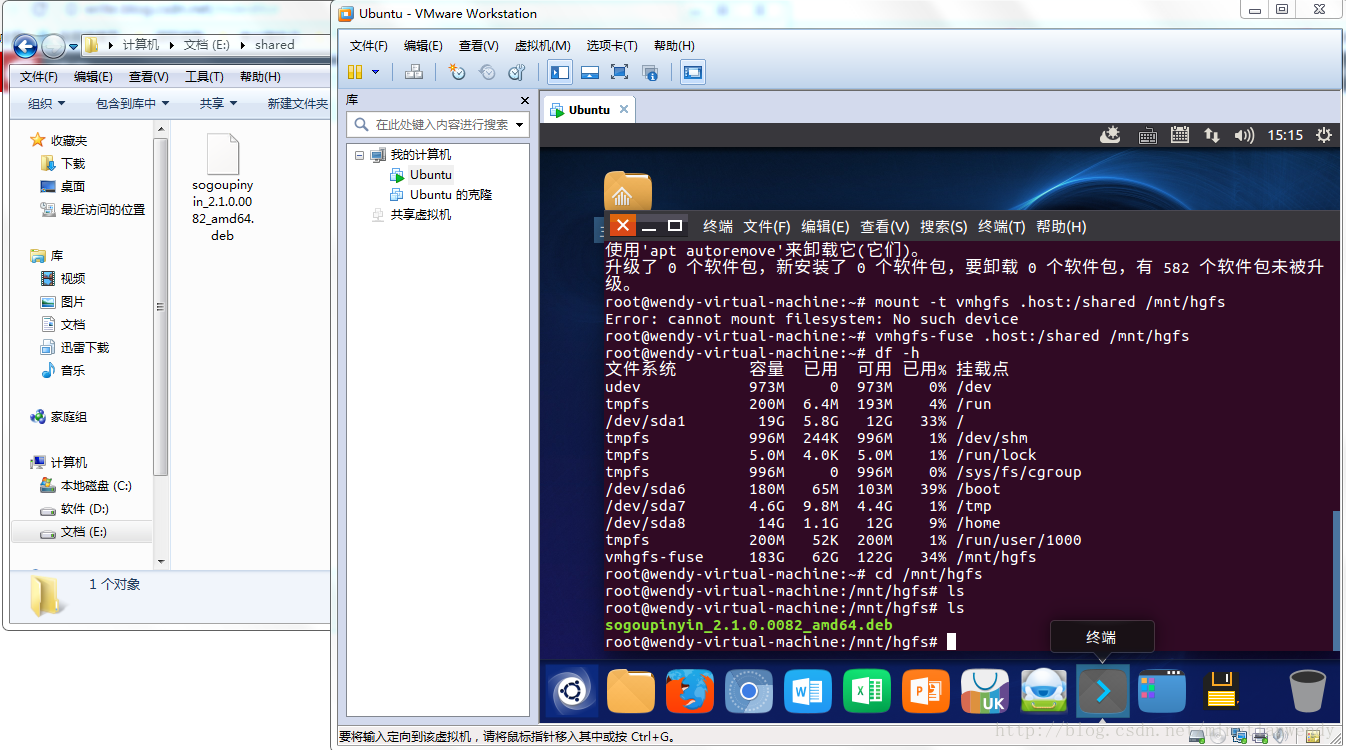
完成效果图。





 扫一扫
扫一扫


 7613
7613

 被折叠的 条评论
为什么被折叠?
被折叠的 条评论
为什么被折叠?
 到【灌水乐园】发言





