


背景
本课题聚焦基于SpringBoot+Vue的家政保洁预约系统设计与实现,核心目标是解决传统家政服务中供需对接低效、服务项目不透明、预约流程繁琐、服务质量难监管等行业痛点。系统定位为连接雇主与家政服务人员的一体化预约管理平台,支持雇主、家政人员、平台管理员多角色权限分级管控,实现家政保洁服务从需求发布到服务完成全流程的数字化运作。核心功能涵盖用户管理模块(雇主信息建档、家政人员资质审核与技能标签管理)、服务项目管理模块(保洁类型展示、价格标准公示、服务范围说明)、在线预约模块(服务时间选择、人员自主挑选、订单提交与确认)、服务跟踪模块(订单进度查询、服务过程反馈、完工验收)、评价与投诉模块(服务质量评分、意见提交、问题处理跟进)及数据统计模块(订单量趋势分析、服务满意度统计、热门服务排行)。技术层面以SpringBoot框架构建后端核心服务,负责业务逻辑处理、数据校验与接口封装;采用Vue框架搭建前端交互界面,保障预约操作与信息浏览的便捷性;结合Redis缓存高频访问的服务数据与订单信息、MySQL存储核心业务信息,全面提升系统响应效率与数据管理安全性。该系统可有效打破传统家政服务的信息壁垒,优化供需匹配效率,规范服务流程与质量管控,为家政行业的规范化、智能化发展提供有力技术支撑,具有显著的实用价值与广阔的应用前景。
前言
💗博主介绍:✌全网粉丝30W+,csdn特邀作者、博客专家、优快云新星计划导师、Java领域优质创作者,博客之星、掘金/华为云/阿里云/InfoQ等平台优质作者、专注于Java技术领域和学生毕业项目实战,高校老师/讲师/同行交流合作✌💗
💗主要内容:SpringBoot、Vue、SSM、HLMT、Jsp、PHP、Nodejs、Python、爬虫、数据可视化、小程序、安卓app、大数据、物联网、机器学习等设计与开发。
🍅 文末获取源码联系🍅
👇🏻 精彩专栏 推荐订阅👇🏻
2025-2026年最值得选的微信小程序毕业设计选题大全:100个热门选题推荐✅
2025-2026年最值得选的Java毕业设计选题大全:500个热门选题推荐✅
Java毕业设计项目精品实战案例《3000套》
微信小程序毕业设计项目精品案例《3000套》
🌟文末获取源码+数据库🌟
系统截图

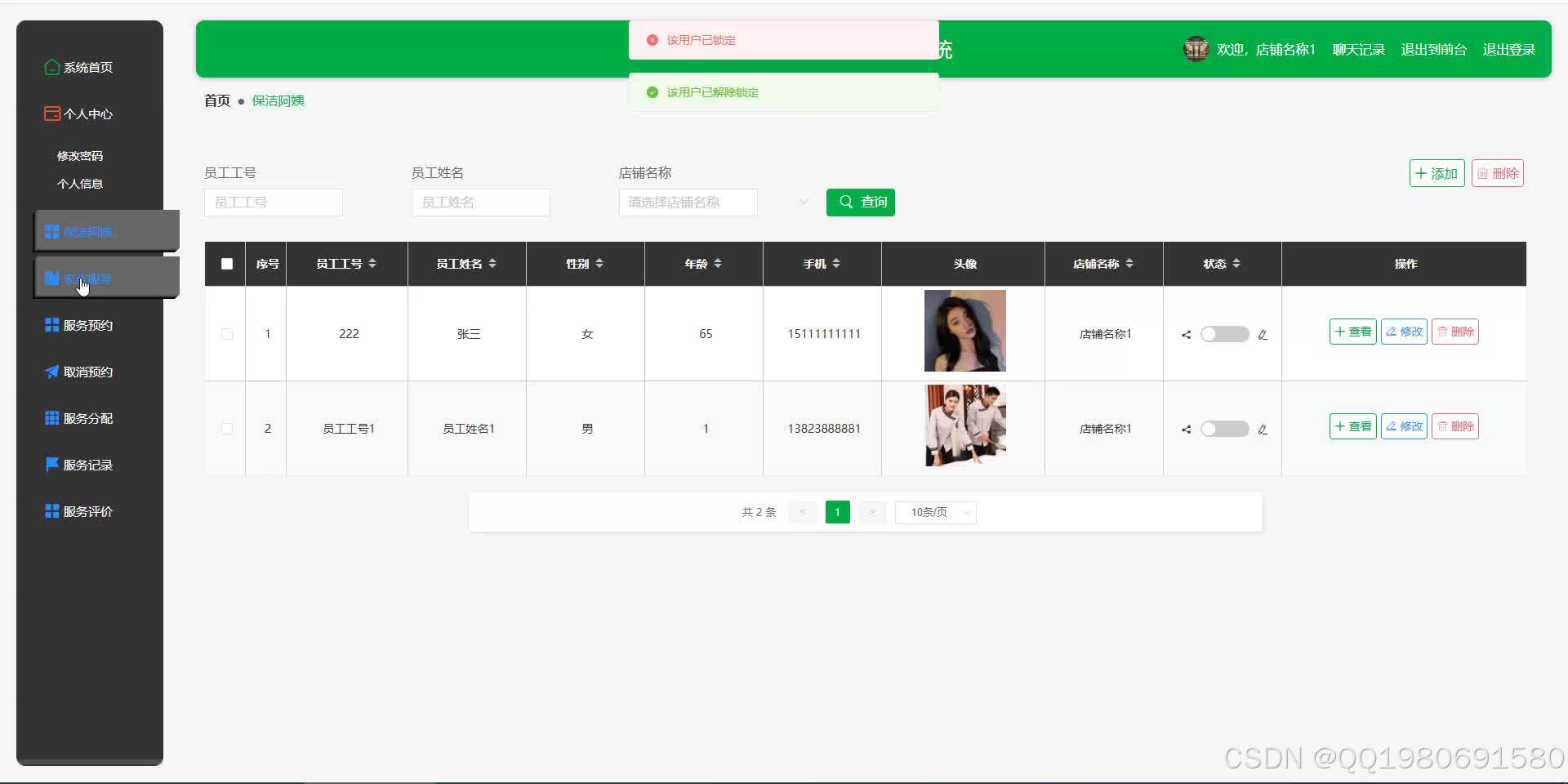
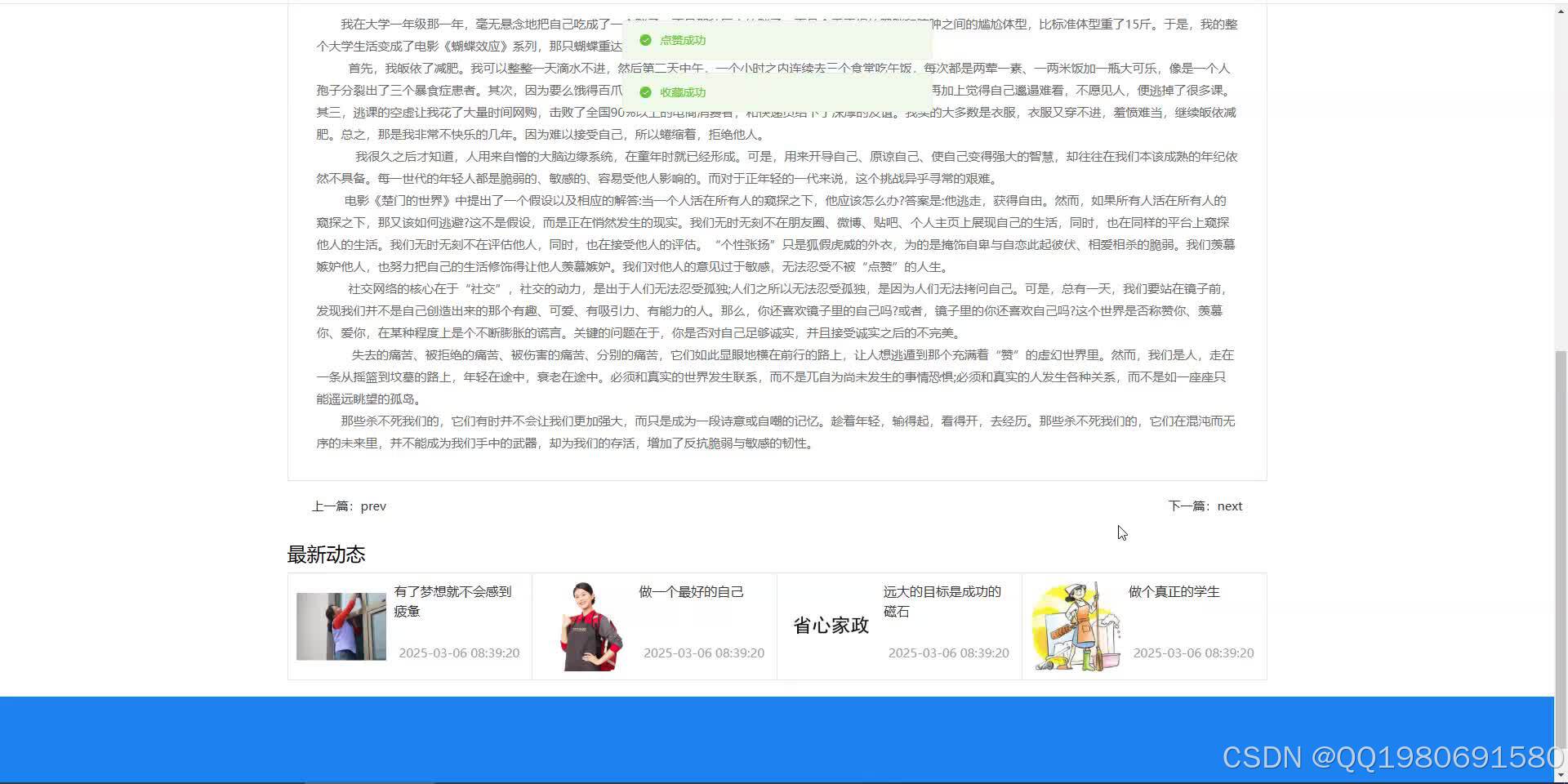

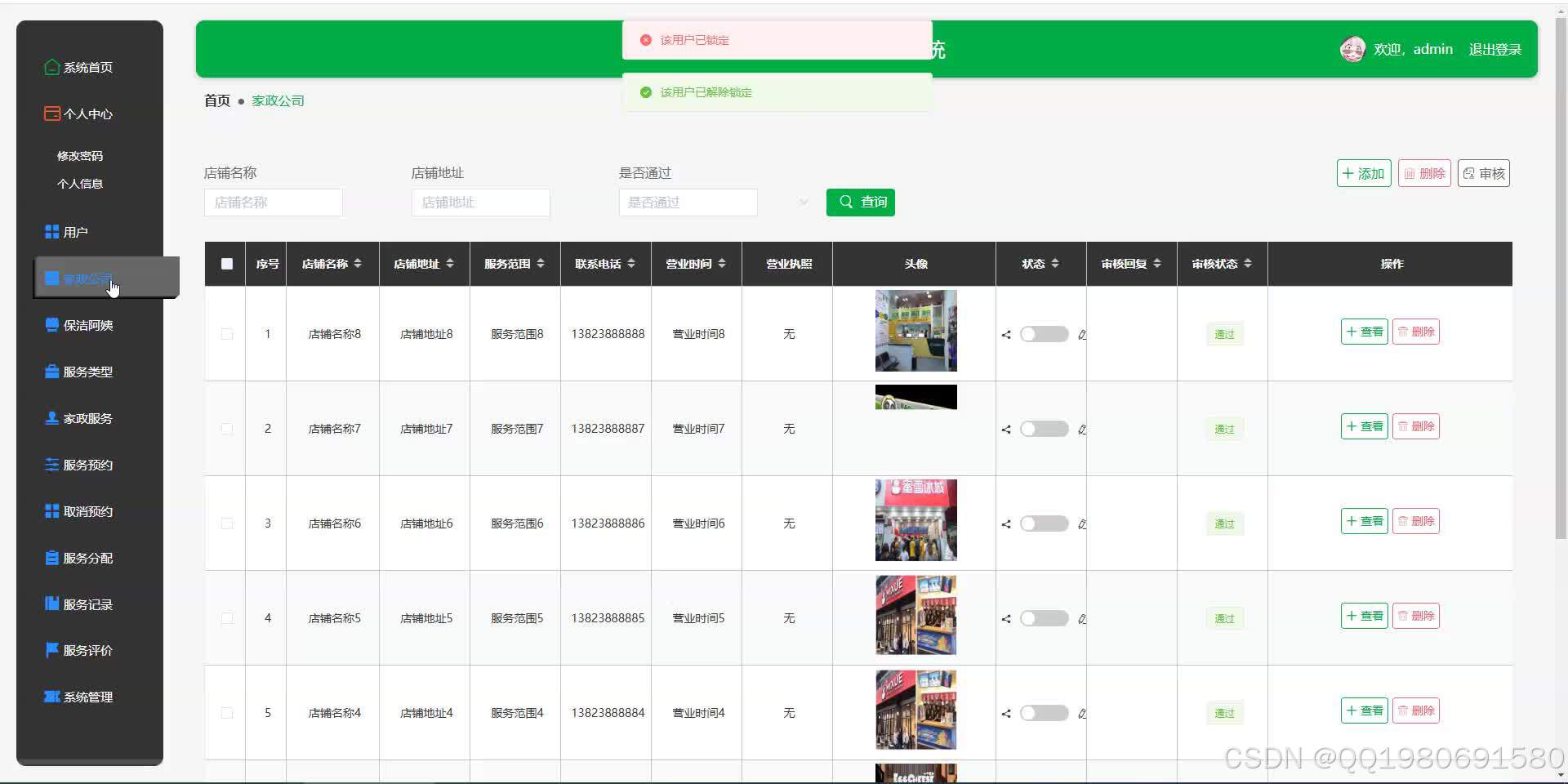
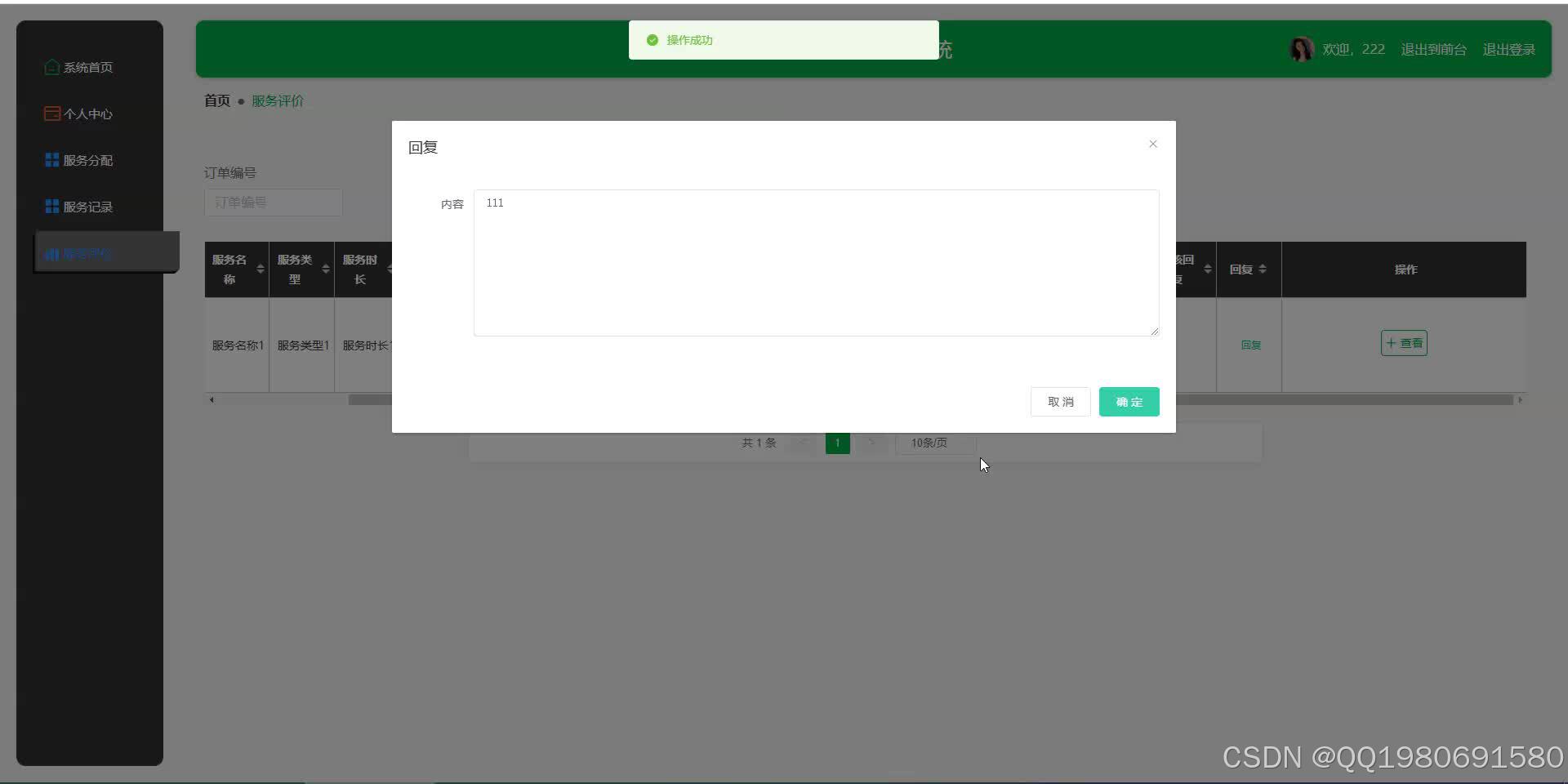
开发技术介绍
Java项目
Java项目前端Vue,后端java的ssm,springboot框架,数据库mysql,前后端分离。
Python项目
Java项目前端Vue,后端Python的flask,Django框架,数据库mysql,前后端分离。
核心代码
package com.controller;

import java.text.SimpleDateFormat;
import java.util.ArrayList;
import java.util.Arrays;
import java.util.Calendar;
import java.util.Map;
import java.util.HashMap;
import java.util.Iterator;
import java.util.Date;
import java.util.List;
import javax.servlet.http.HttpServletRequest;

import com.utils.ValidatorUtils;
import org.apache.commons.lang3.StringUtils;
import org.springframework.beans.factory.annotation.Autowired;
import org.springframework.format.annotation.DateTimeFormat;
import org.springframework.web.bind.annotation.PathVariable;
import org.springframework.web.bind.annotation.RequestBody;
import org.springframework.web.bind.annotation.RequestMapping;
import org.springframework.web.bind.annotation.RequestParam;
import org.springframework.web.bind.annotation.RestController;
import com.baomidou.mybatisplus.mapper.EntityWrapper;
import com.baomidou.mybatisplus.mapper.Wrapper;
import com.annotation.IgnoreAuth;

import com.entity.ChatEntity;
import com.entity.view.ChatView;

import com.service.ChatService;
import com.service.TokenService;
import com.utils.PageUtils;
import com.utils.R;
import com.utils.MD5Util;
import com.utils.MPUtil;
import com.utils.CommonUtil;


/**
 * 在线客服
 * 后端接口
 * @author
 * @email
 * @date 2021-03-13 12:49:51
 */
@RestController
@RequestMapping("/chat")
public class ChatController {
    @Autowired
    private ChatService chatService;


    /**
     * 后端列表
     */
    @RequestMapping("/page")
    public R page(@RequestParam Map<String, Object> params,ChatEntity chat,
		HttpServletRequest request){
    	if(!request.getSession().getAttribute("role").toString().equals("管理员")) {
    		chat.setUserid((Long)request.getSession().getAttribute("userId"));
    	}
        EntityWrapper<ChatEntity> ew = new EntityWrapper<ChatEntity>();
		PageUtils page = chatService.queryPage(params, MPUtil.sort(MPUtil.between(MPUtil.likeOrEq(ew, chat), params), params));

        return R.ok().put("data", page);
    }

    /**
     * 前端列表
     */
    @RequestMapping("/list")
    public R list(@RequestParam Map<String, Object> params,ChatEntity chat, HttpServletRequest request){
    	if(!request.getSession().getAttribute("role").toString().equals("管理员")) {
    		chat.setUserid((Long)request.getSession().getAttribute("userId"));
    	}
        EntityWrapper<ChatEntity> ew = new EntityWrapper<ChatEntity>();
		PageUtils page = chatService.queryPage(params, MPUtil.sort(MPUtil.between(MPUtil.likeOrEq(ew, chat), params), params));
        return R.ok().put("data", page);
    }

	/**
     * 列表
     */
    @RequestMapping("/lists")
    public R list( ChatEntity chat){
       	EntityWrapper<ChatEntity> ew = new EntityWrapper<ChatEntity>();
      	ew.allEq(MPUtil.allEQMapPre( chat, "chat"));
        return R.ok().put("data", chatService.selectListView(ew));
    }

	 /**
     * 查询
     */
    @RequestMapping("/query")
    public R query(ChatEntity chat){
        EntityWrapper< ChatEntity> ew = new EntityWrapper< ChatEntity>();
 		ew.allEq(MPUtil.allEQMapPre( chat, "chat"));
		ChatView chatView =  chatService.selectView(ew);
		return R.ok("查询在线客服成功").put("data", chatView);
    }

    /**
     * 后端详情
     */
    @RequestMapping("/info/{id}")
    public R info(@PathVariable("id") Long id){
        ChatEntity chat = chatService.selectById(id);
        return R.ok().put("data", chat);
    }

    /**
     * 前端详情
     */
    @RequestMapping("/detail/{id}")
    public R detail(@PathVariable("id") Long id){
        ChatEntity chat = chatService.selectById(id);
        return R.ok().put("data", chat);
    }

    /**
     * 后端保存
     */
    @RequestMapping("/save")
    public R save(@RequestBody ChatEntity chat, HttpServletRequest request){
    	chat.setId(new Date().getTime()+new Double(Math.floor(Math.random()*1000)).longValue());
    	//ValidatorUtils.validateEntity(chat);
    	if(StringUtils.isNotBlank(chat.getAsk())) {
			chatService.updateForSet("isreply=0", new EntityWrapper<ChatEntity>().eq("userid", request.getSession().getAttribute("userId")));
    		chat.setUserid((Long)request.getSession().getAttribute("userId"));
    		chat.setIsreply(1);
    	}
    	if(StringUtils.isNotBlank(chat.getReply())) {
    		chatService.updateForSet("isreply=0", new EntityWrapper<ChatEntity>().eq("userid", chat.getUserid()));
    		chat.setAdminid((Long)request.getSession().getAttribute("userId"));
    	}
        chatService.insert(chat);
        return R.ok();
    }

    /**
     * 前端保存
     */
    @RequestMapping("/add")
    public R add(@RequestBody ChatEntity chat, HttpServletRequest request){
    	chat.setId(new Date().getTime()+new Double(Math.floor(Math.random()*1000)).longValue());
    	//ValidatorUtils.validateEntity(chat);
    	chat.setUserid((Long)request.getSession().getAttribute("userId"));
    	if(StringUtils.isNotBlank(chat.getAsk())) {
			chatService.updateForSet("isreply=0", new EntityWrapper<ChatEntity>().eq("userid", request.getSession().getAttribute("userId")));
    		chat.setUserid((Long)request.getSession().getAttribute("userId"));
    		chat.setIsreply(1);
    	}
    	if(StringUtils.isNotBlank(chat.getReply())) {
    		chatService.updateForSet("isreply=0", new EntityWrapper<ChatEntity>().eq("userid", chat.getUserid()));
    		chat.setAdminid((Long)request.getSession().getAttribute("userId"));
    	}
        chatService.insert(chat);
        return R.ok();
    }

    /**
     * 修改
     */
    @RequestMapping("/update")
    public R update(@RequestBody ChatEntity chat, HttpServletRequest request){
        //ValidatorUtils.validateEntity(chat);
        chatService.updateById(chat);//全部更新
        return R.ok();
    }


    /**
     * 删除
     */
    @RequestMapping("/delete")
    public R delete(@RequestBody Long[] ids){
        chatService.deleteBatchIds(Arrays.asList(ids));
        return R.ok();
    }

    /**
     * 提醒接口
     */
	@RequestMapping("/remind/{columnName}/{type}")
	public R remindCount(@PathVariable("columnName") String columnName, HttpServletRequest request,
						 @PathVariable("type") String type,@RequestParam Map<String, Object> map) {
		map.put("column", columnName);
		map.put("type", type);

		if(type.equals("2")) {
			SimpleDateFormat sdf = new SimpleDateFormat("yyyy-MM-dd");
			Calendar c = Calendar.getInstance();
			Date remindStartDate = null;
			Date remindEndDate = null;
			if(map.get("remindstart")!=null) {
				Integer remindStart = Integer.parseInt(map.get("remindstart").toString());
				c.setTime(new Date());
				c.add(Calendar.DAY_OF_MONTH,remindStart);
				remindStartDate = c.getTime();
				map.put("remindstart", sdf.format(remindStartDate));
			}
			if(map.get("remindend")!=null) {
				Integer remindEnd = Integer.parseInt(map.get("remindend").toString());
				c.setTime(new Date());
				c.add(Calendar.DAY_OF_MONTH,remindEnd);
				remindEndDate = c.getTime();
				map.put("remindend", sdf.format(remindEndDate));
			}
		}

		Wrapper<ChatEntity> wrapper = new EntityWrapper<ChatEntity>();
		if(map.get("remindstart")!=null) {
			wrapper.ge(columnName, map.get("remindstart"));
		}
		if(map.get("remindend")!=null) {
			wrapper.le(columnName, map.get("remindend"));
		}


		int count = chatService.selectCount(wrapper);
		return R.ok().put("count", count);
	}


}
源码获取
文章下方名片联系我即可~
✌💗大家点赞、收藏、关注、评论啦 、查看✌💗
👇🏻获取联系方式👇🏻





 扫一扫
扫一扫


 638
638

 被折叠的 条评论
为什么被折叠?
被折叠的 条评论
为什么被折叠?
 到【灌水乐园】发言





