



简述实现过程:
服务器通过网址访问创建的工程->工程返回带有登录按钮的页面->服务器点击后返回工程跳转页面且后台获取一个code值->工程返回code值给服务器,服务器返回access_token->后台获取到额外信息(用户登录的ID,密码等)返回给服务器->服务器显示
具体实现过程:
搜索 百度网上开发者 中心

进入后点击登录,没有百度账号的先注册

点击 申请记录

点击 百度云官网
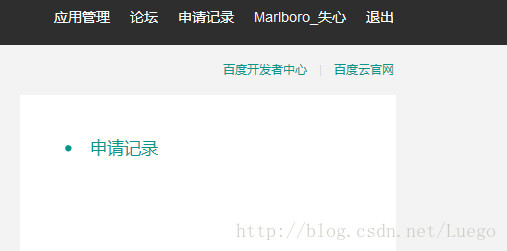
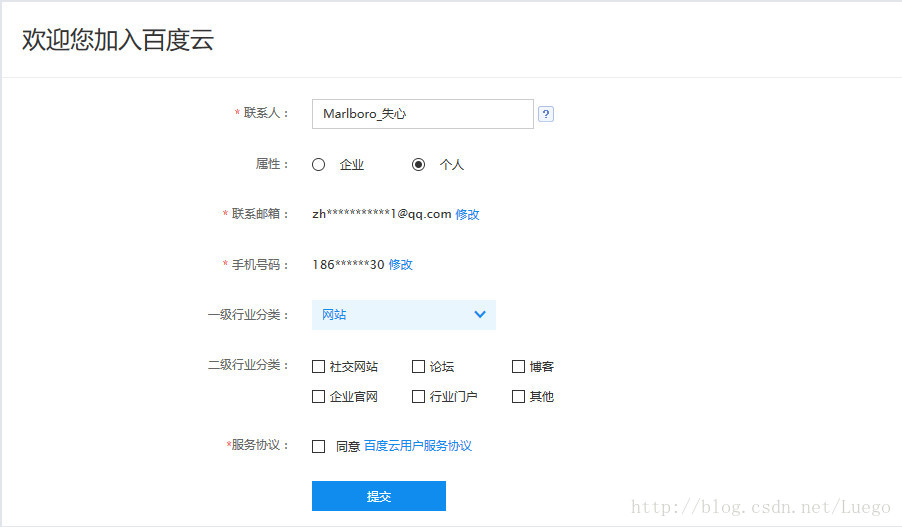
再次出现登录的界面,登录后出现提示,完善信息
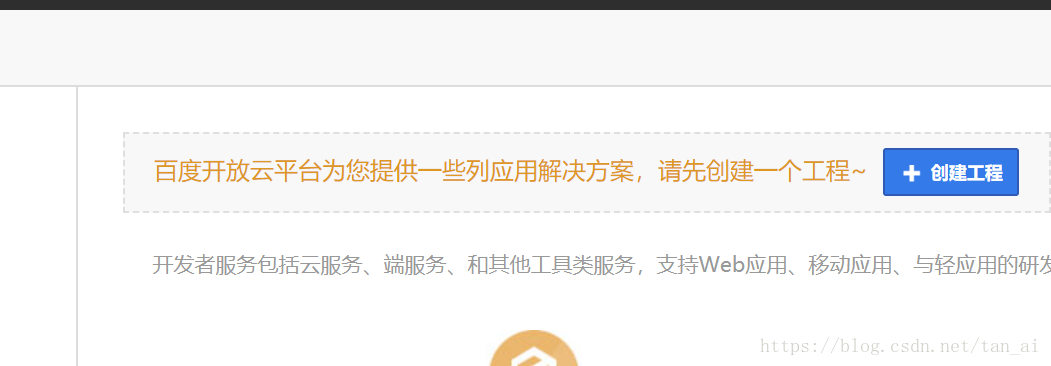
出现激活的提示,点击 创建工程
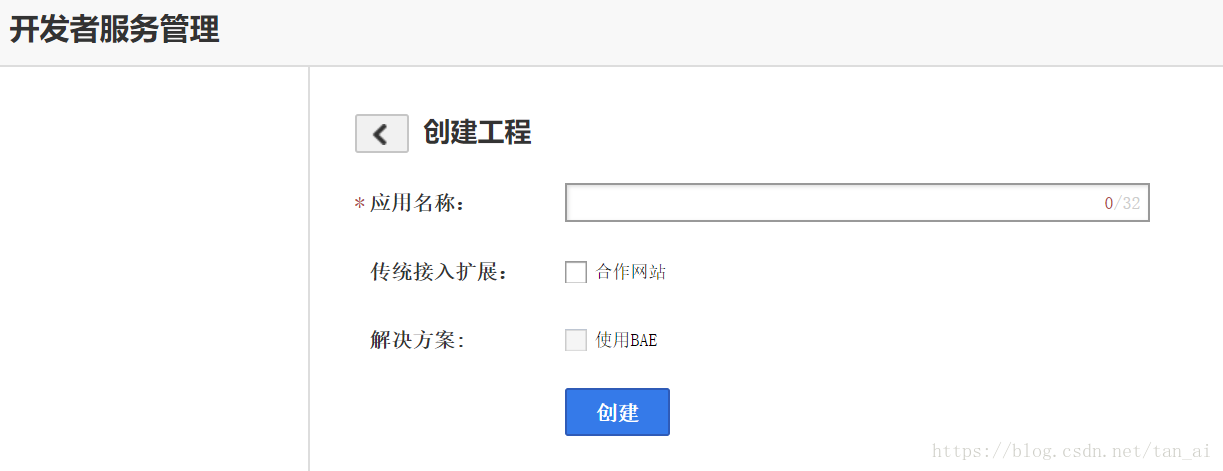
输入工程名,后两项可不选,按需求选择
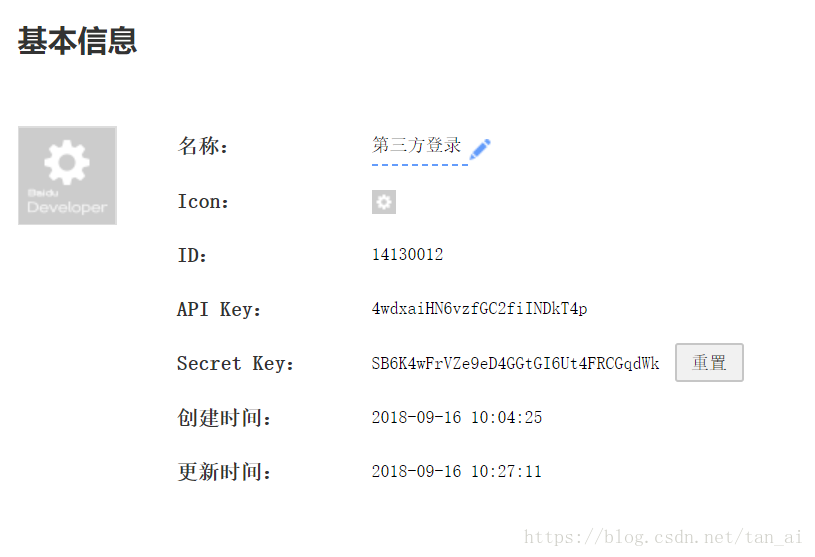
创建成功后会出现
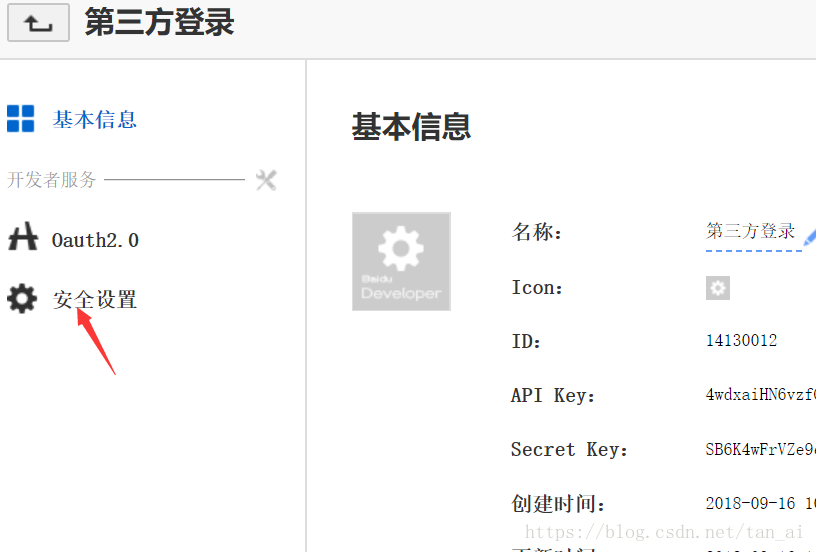
点击左边 安全设置 授权
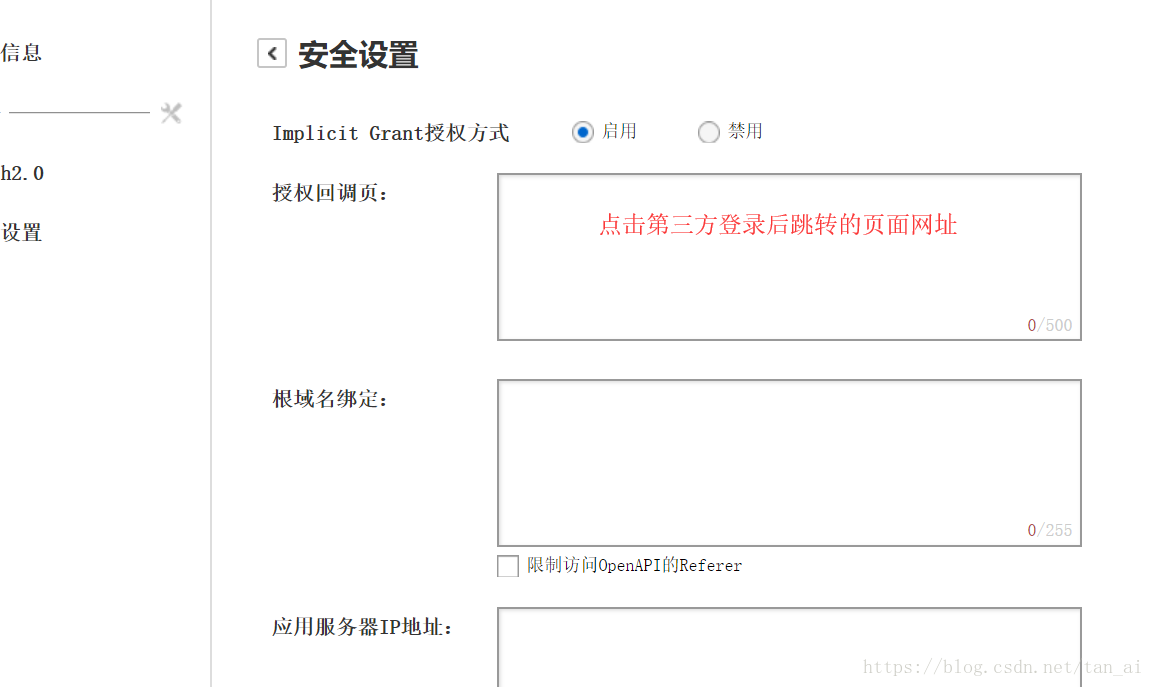
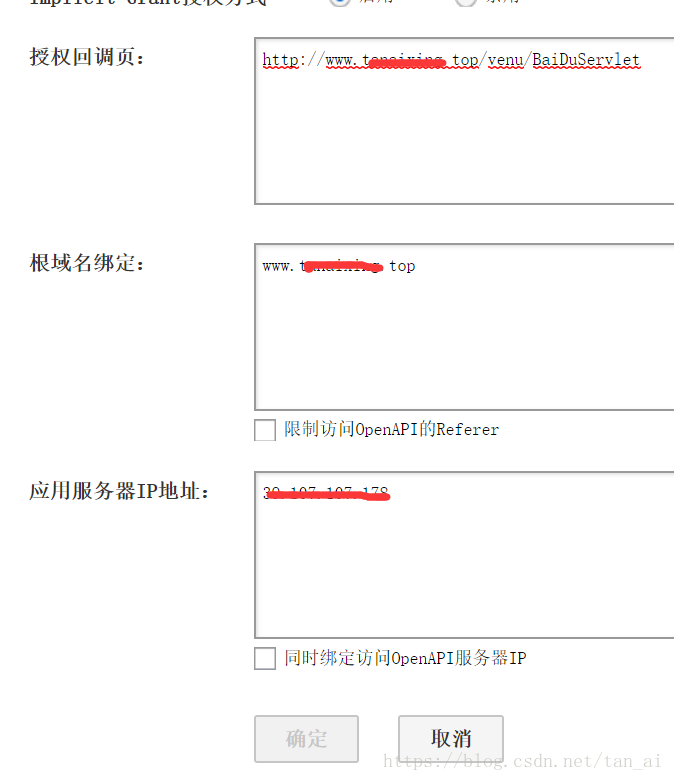
输入发布服务器的服务器信息,下面的限制访问可都不选,需保证与自己的项目一致
例如:
完成后出现提示
打开eclipse,创建web工程、Servlet文件(如:BaiDu.)
import java.io.IOException;
import java.util.Map;
import javax.servlet.ServletException;
import javax.servlet.http.HttpServlet;
import javax.servlet.http.HttpServletRequest;
import javax.servlet.http.HttpServletResponse;
import org.apache.http.HttpEntity;
import org.apache.http.HttpResponse;
import org.apache.http.client.methods.HttpGet;
import org.apache.http.impl.client.CloseableHttpClient;
import org.apache.http.impl.client.HttpClients;
import org.apache.http.util.EntityUtils;
import com.alibaba.fastjson.JSON;
import com.alibaba.fastjson.TypeReference;
public class BaiDuServlet extends HttpServlet {
private static final long serialVersionUID = 1L;
protected void doGet(HttpServletRequest request, HttpServletResponse response)
throws ServletException, IOException {
doPost(request, response);
}
protected void doPost(HttpServletRequest request, HttpServletResponse response)
throws ServletException, IOException {
String code = request.getParameter("code");
String redirect_uri = "http://www.tanaixing.top/venu/BaiDuServlet";
String client_secret = "SB6K4wFrVZe9eD4GGtGI6Ut4FRCGqdWk";
String client_id = "4wdxaiHN6vzfGC2fiINDkT4p";
String url1 = "https://openapi.baidu.com/oauth/2.0/token?grant_type=authorization_code&code=" + code
+ "&client_id=" + client_id + "&client_secret=" + client_secret + "&redirect_uri=" + redirect_uri + "";
String content1 = "";
try {
try {
//创建一个HttpClient对象
CloseableHttpClient httpClient = HttpClients.createDefault();
//创建一个Get请求
HttpGet getReq = new HttpGet(url1);
getReq.addHeader("Accept",
"text/html,application/xhtml+xml,application/xml;q=0.9,image/webp,*/*;q=0.8 ");
getReq.addHeader("Accept-Encoding", "gzip, deflate, sdch, br");
getReq.addHeader("Accept-Language", "zh-CN,zh;q=0.8");
getReq.addHeader("Cache-Control", "max-age=0");
getReq.addHeader("Connection", "keep-alive");
getReq.addHeader("Host", "openapi.baidu.com");
getReq.addHeader("User-Agent",
"Mozilla/5.0 (Windows NT 6.3; WOW64) AppleWebKit/537.36 (KHTML, like Gecko) Chrome/52.0.2743.116 Safari/537.36");
HttpResponse res = httpClient.execute(getReq);
HttpEntity entity = res.getEntity();
content1 = EntityUtils.toString(entity, "UTF-8");
} catch (Exception e) {
e.printStackTrace();
}
Map<String, Object> map = JSON.parseObject(content1, new TypeReference<Map<String, Object>>() {
});
String access_token = (String) map.get("access_token");
print(access_token, request, response);
}
public void print(String access_token,HttpServletRequest request, HttpServletResponse response) throws ServletException, IOException {
String content = "";
String url = "https://openapi.baidu.com/rest/2.0/passport/users/getInfo?access_token=" + access_token + "";
try{
//创建一个HttpClient对象
CloseableHttpClient httpClient = HttpClients.createDefault();
//创建一个Get请求
HttpGet getReq = new HttpGet(url2);
getReq.addHeader("Accept", "text/html,application/xhtml+xml,application/xml;q=0.9,image/webp,*/*;q=0.8 ");
getReq.addHeader("Accept-Encoding", "gzip, deflate, sdch, br");
getReq.addHeader("Accept-Language", "zh-CN,zh;q=0.8");
getReq.addHeader("Cache-Control", "max-age=0");
getReq.addHeader("Connection", "keep-alive");
getReq.addHeader("Host", "openapi.baidu.com");
getReq.addHeader("User-Agent", "Mozilla/5.0 (Windows NT 6.3; WOW64) AppleWebKit/537.36 (KHTML, like Gecko) Chrome/52.0.2743.116 Safari/537.36");
HttpEntity entity = httpClient.execute(getReq).getEntity();
content = EntityUtils.toString(entity, "UTF-8");
System.out.println(content);
} catch (Exception e) {
e.printStackTrace();
}
Map<String, Object> map = JSON.parseObject(content, new TypeReference<Map<String, Object>>() {});
System.out.println(map);
String baiduid = (String) map.get("userid");
System.out.println(baiduid);
//List list = JdbcUtils.getList(User.class, "select * from user where baiduid=" + baiduid);
// if (list.size() == 0) {
request.setAttribute("message", map);
request.getRequestDispatcher("/result.jsp").forward(request, response);
// } else {
// User user = (User) list.get(0);
// req.getSession().setAttribute("UserInfo", user);
// req.getRequestDispatcher("/success.jsp").forward(req, res);
// }
}
}
新建jsp(如:index.jsp)文件,写入:
<%@ page language="java" contentType="text/html; charset=UTF-8"
pageEncoding="UTF-8"%>
<!DOCTYPE html PUBLIC "-//W3C//DTD HTML 4.01 Transitional//EN" "http://www.w3.org/TR/html4/loose.dtd">
<html>
<head>
<meta http-equiv="Content-Type" content="text/html; charset=UTF-8">
<title>Insert title here</title>
</head>
<script type="text/javascript">
function bdlogin(){
location.href="https://openapi.baidu.com/oauth/2.0/authorize?response_type=code&client_id=4wdxaiHN6vzfGC2fiINDkT4p&redirect_uri=http://www.tanaixing.top/venu/BaiDuServlet&display=popup";
}
</script>
<body>
<input type="button" value="百度登录" onclick="bdlogin()">
</body>
</html>
再新建一个jsp文件(服务器输出信息),写入:
<%@ page language="java" contentType="text/html; charset=utf-8" pageEncoding="UTF-8"%>
<!DOCTYPE html PUBLIC "-//W3C//DTD HTML 4.01 Transitional//EN" "http://www.w3.org/TR/html4/loose.dtd">
<html>
<head>
<meta http-equiv="Content-Type" content="text/html; charset=ISO-8859-1">
<title>Insert title here</title>
</head>
<body>
<%=request.getAttribute("message") %>
</body>
</html>





 扫一扫
扫一扫


 20万+
20万+


 到【灌水乐园】发言



