



我们终于能够开始我们的主题了,关于应用程序怎么写.可以根据自己的需要如后台运行执行进程保护指令让自己的进程无敌都可以,以下为代码
LyService.cpp:
#include <iostream>
#include <string>

#include "driverInit.h"
#include "encryption.h"

#define debugMode false

HANDLE hDevice = nullptr;

int init();

void menu() {
	printf("1. Get data\n");
	printf("2. Send data\n");
	printf("3. Exit\n");
}

void test() {
	int choice = 0;
	while (choice != 3) {
		menu();
		std::cin >> choice;
		switch (choice) {
		case 1:
		{
			std::string data;
			data = read_kernel_service(1024);
			std::cout << "Received data: " << data << std::endl;
			break;
		}
		case 2:
		{
			std::string data;
			std::cout << "Enter data to send: ";
			std::cin.ignore();
			getline(std::cin, data);
			std::string encryptedData = encryption::encrypt(data);
			std::string result = data + encryptedData;
			write_kernel_service(result, result.length());
			break;
		}
		case 3:
			exit(0);
			break;
		default:
			std::cout << "Invalid choice" << std::endl;
			break;
		}
	}
}

int main(int argc, char* argv[]) {

	if (init() != 0 && debugMode == false) {
		return 1;
	}
	test();
	return 0;
}

int init() {
	hDevice = CreateFileA(
		"\\\\.\\LyKernelService",
		GENERIC_READ | GENERIC_WRITE,
		0,
		nullptr,
		OPEN_EXISTING, FILE_ATTRIBUTE_NORMAL,
		nullptr
	);
	if (hDevice == INVALID_HANDLE_VALUE) {
		CloseHandle(hDevice);
		std::cout << "Failed to open device" << std::endl;
		return 1;
	}
	return 0;
}
我们正式的结束了!接下来为软件部分测试:
先对驱动签名就行,可以向微软申请签名,
文件属性即签名
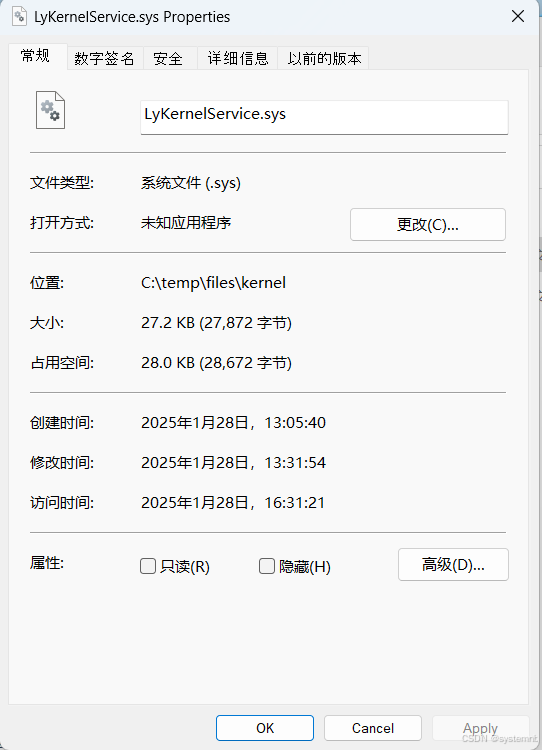
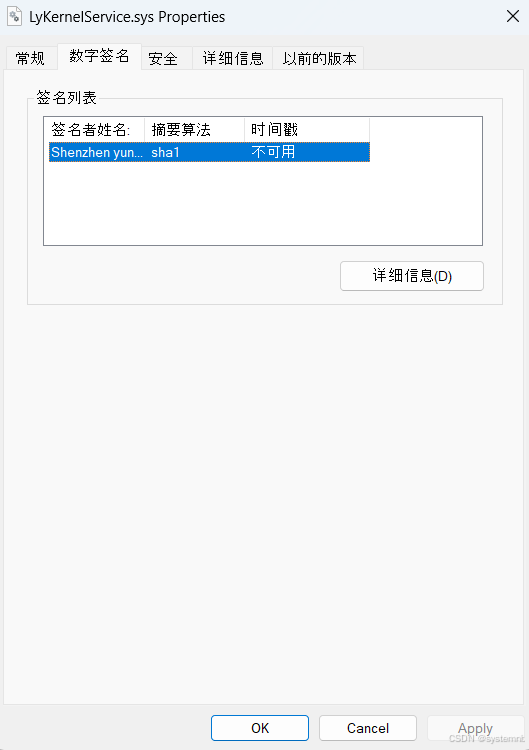
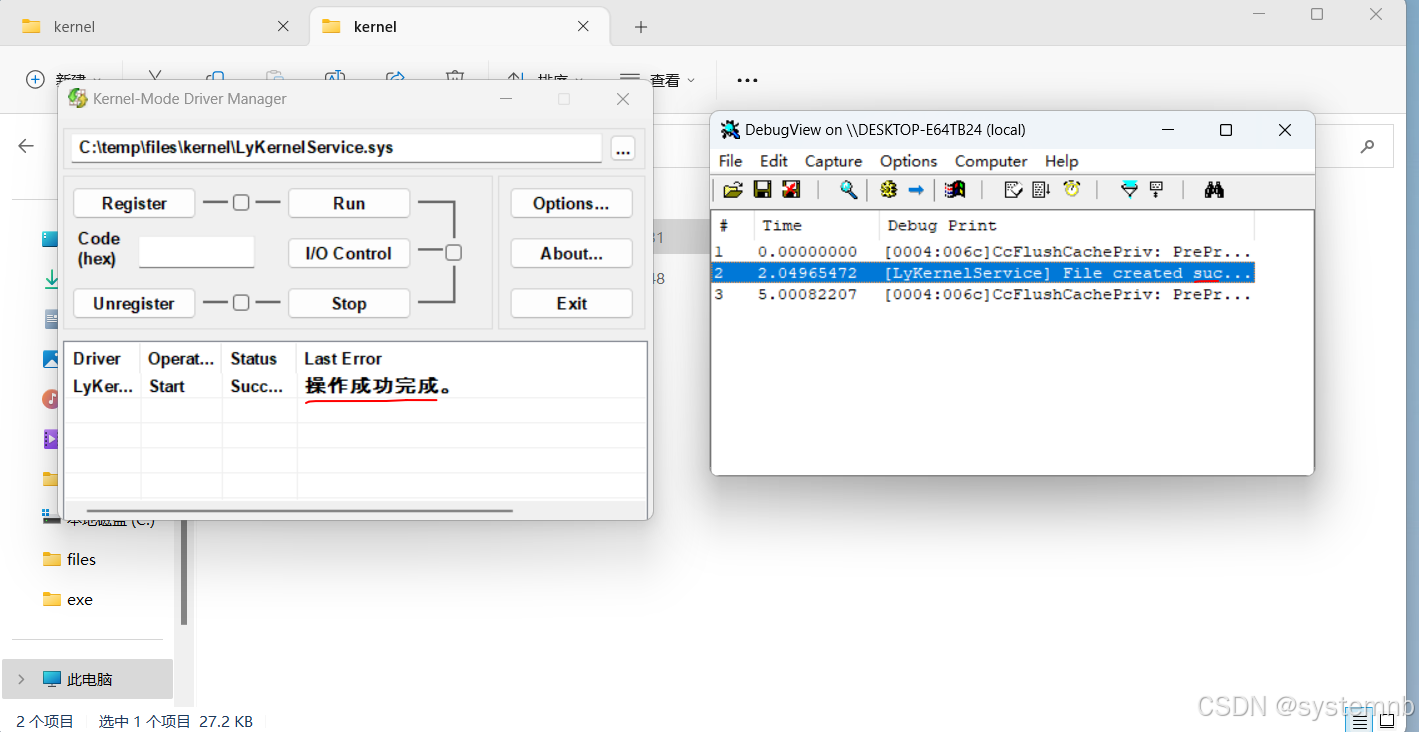
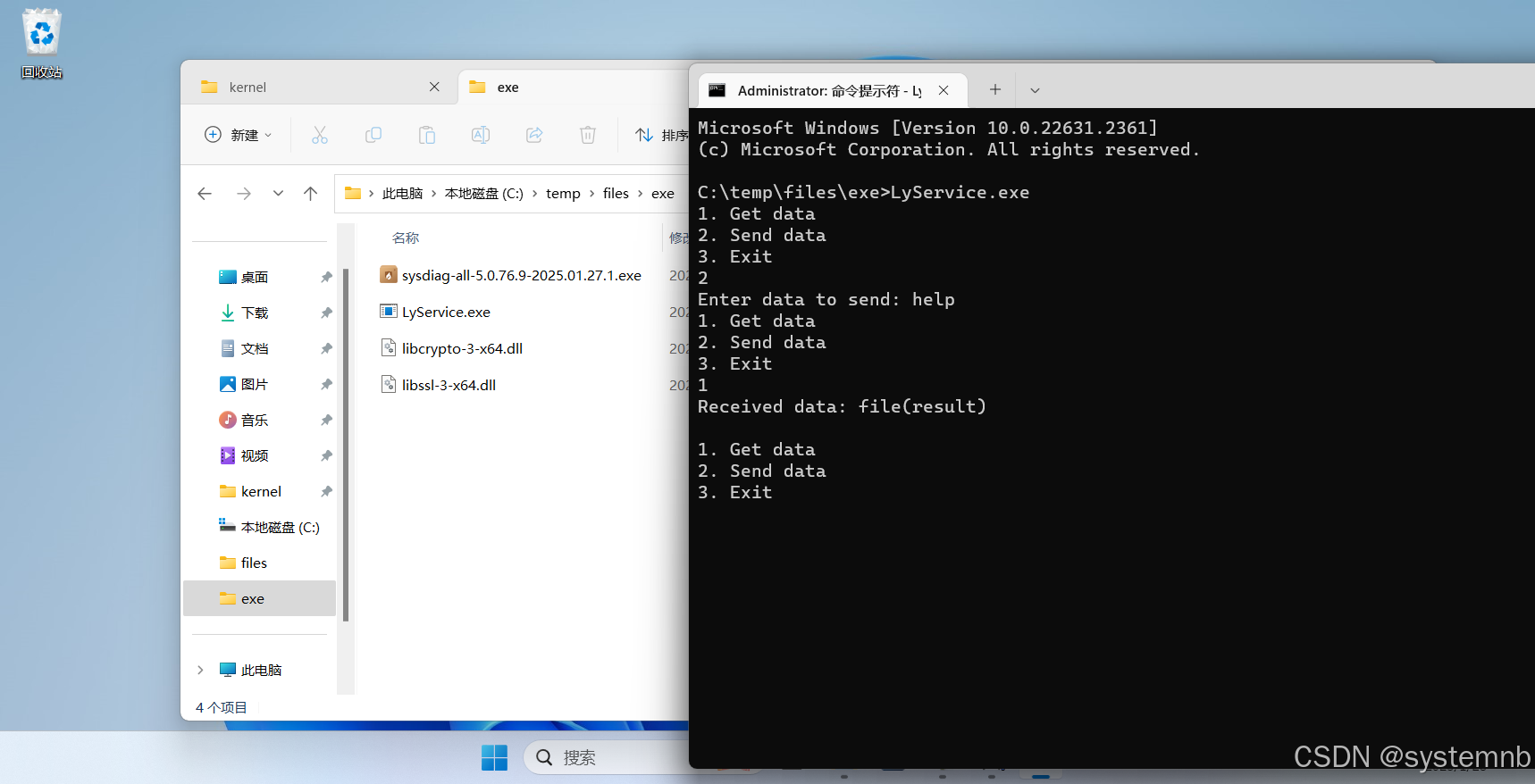
使用对应软件运行,可以看到正常运行
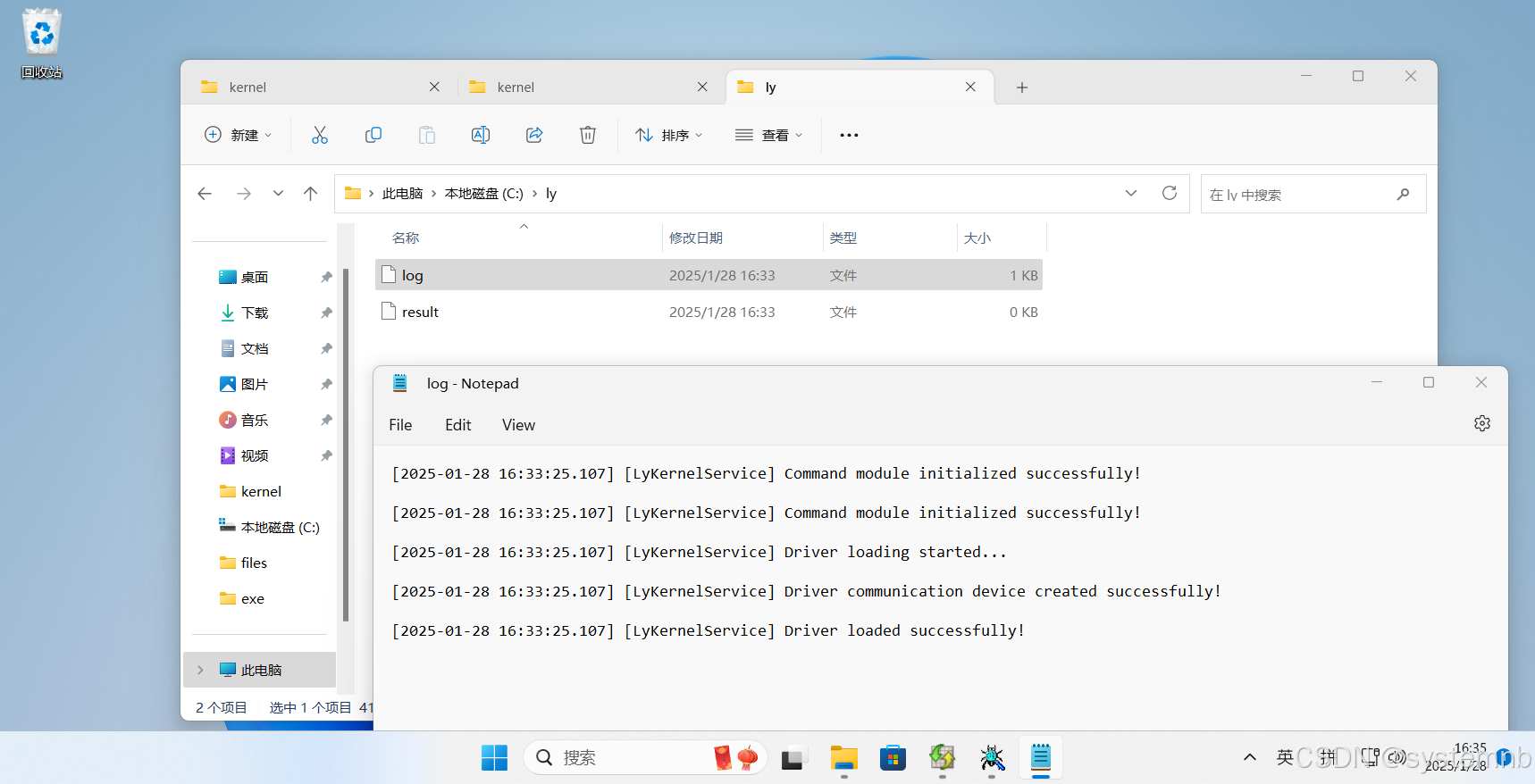
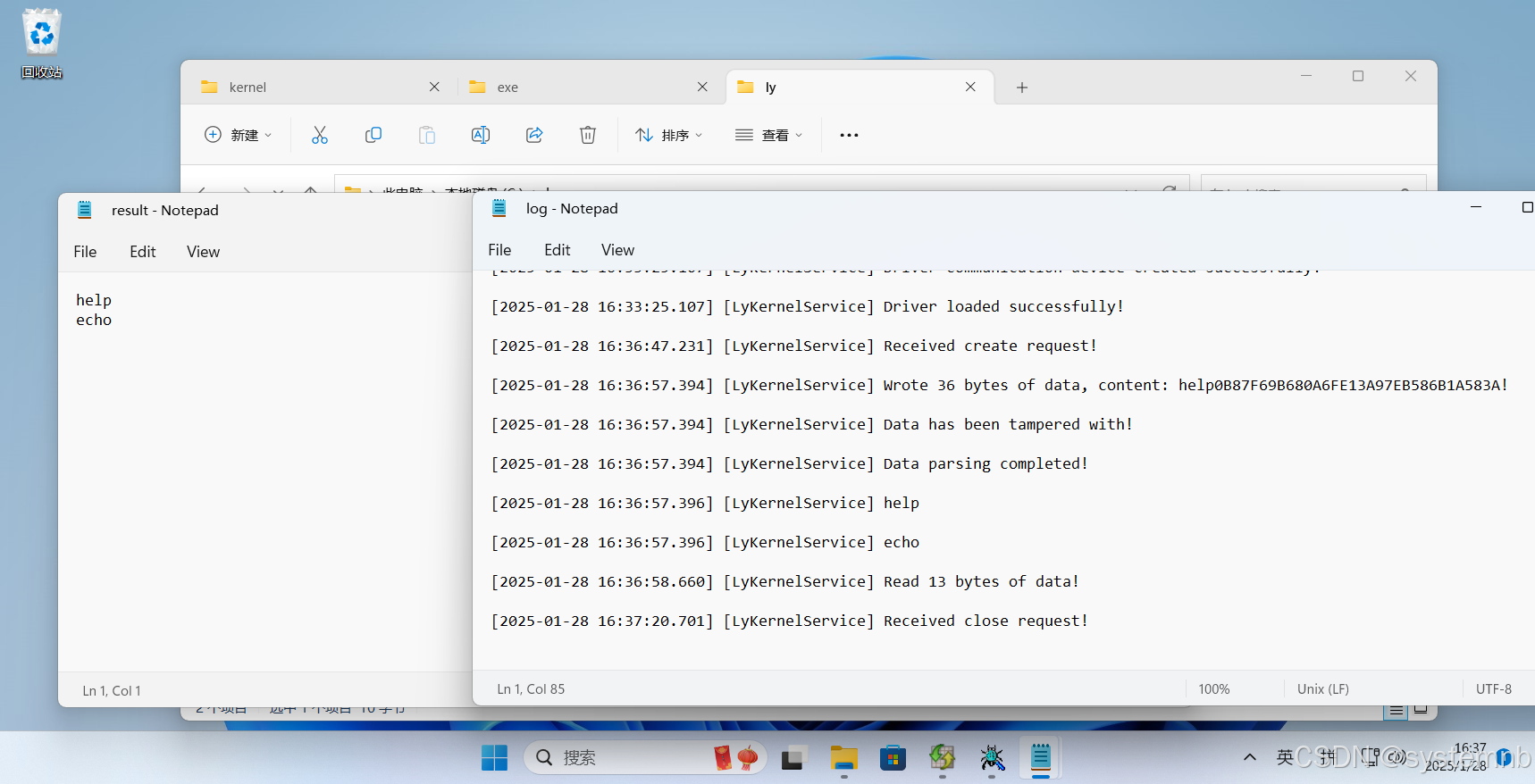
已在对应文件添加日记等
指令执行
至此我们的程序正式完成!!!





 扫一扫
扫一扫


 被折叠的 条评论
为什么被折叠?
被折叠的 条评论
为什么被折叠?
 到【灌水乐园】发言





