


 本文介绍了在Mac上使用PyCharm学习Python爬虫时,遇到pyecharts库导入问题的解决过程。包括如何在PyCharm中手动添加第三方库,指定版本安装,以及解决pip下载超时的技巧。
from urllib import request
from urllib import parse
from http.cookiejar import CookieJar


import requests
from bs4 import BeautifulSoup
from pyecharts.charts.basic_charts.bar import Bar
from pyecharts import options as opts


headers={
    'User-Agent':'Mozilla/5.0 (Macintosh; Intel Mac OS X 10_15_3) AppleWebKit/537.36 (KHTML, like Gecko) Chrome/83.0.4103.97 Safari/537.36'
   ,'Referer':'https://pan.baidu.com/s/1R_Ab0_Zv_p_Vm1VVZQZsmA'
}


#登陆
#1。创建一个cookiejar
#cookiejar=CookieJar()
url=['https://sjz.lianjia.com/ershoufang/hy1f2f5sf1l3l2l4a2a3a4/','https'
'://hz.lianjia.com/ershoufang/tt9de2f1f2f3f4f5sf1l1a1/','https://sx.lianji'
'a.com/ershoufang/tt4f1f2f3f4f5sf1l1/','https://bj.lianjia.com/ershoufang/'
'tt9hy1f1f2f3f4f5sf1l1a1/','https://sh.lianjia.com/ershoufang/tt9f1f2f3f4f'
'5sf1l1a1/','https://sz.lianjia.com/ershoufang/tt9f1f2f3f4f5sf1l1a1/','http'
's://cd.lianjia.com/ershoufang/tt9f1f2f3f4f5sf1l1a1/','https://hrb.lianjia.co'
'm/ershoufang/tt9f1f2f3f4f5sf1l1a1/','https://tj.lianjia.com/ershoufang/tt9hy1'
'f1f2f3f4f5sf1l1a1/']


urls=[]
ending={'sx':0,'sjz':0,'hz':0,'bj':0,'sh':0,'sz':0,'cd':0,'hrb':0,'tj':0}
attr=[]
v1=[]
tran={0:'sx',1:'sjz',2:'hz',3:'bj',4:'sh',5:'sz',6:'cd',7:'hrb',8:'tj'}
zhongwen={'sx':'绍兴','sjz':'石家庄','hz':'杭州','bj':'北京','sh':'上海','sz':
  '深圳','cd':'成都','hrb':'哈尔滨','tj':'天津'}


def get_url(url):
        res=requests.get(url,headers=headers)
        soup1=BeautifulSoup(res.content,'lxml')
#一室 50m2一下 必看好房 普通住宅 普通装修
        a=soup1.select('.sellListContent>li>a')
        for i in range(len(a)):
             urls.append(a[i].get('href'))
        return urls


def get_money(urls):
    lenth=len(urls)
    total=0
    for i in range(lenth):
        resp=requests.get(urls[i],headers=headers)
        soup2 = BeautifulSoup(resp.content, 'html.parser')
        price=soup2.find('span',class_='total')
        total= total+eval((price.next_element))
    return lenth,total


def main():
    for i in range(len(url)):
        urls=get_url(url[i])
        print('正在解析')
        print(zhongwen[tran[i]])
        count,money=get_money(urls)
        ending[tran[i]]=(money/count)
        print(money)
        print(count)
        urls.clear()
        attr.append(zhongwen[tran[i]])
        v1.append((int)(money/count))


    bar=Bar()
    bar.add_xaxis(attr)
    bar.add_yaxis("房价",v1)
    bar.set_global_opts(title_opts=opts.TitleOpts(title="各地平均房价统计---单位为万元", subtitle="2020年6月"))
    bar.render()


main()
这是我出学习python爬虫的第一个代码
在写这个代码的时候安装pyecharts库遇到了不小的问题,pyecharts在版本上对于函数语法的更新,并且其chats文件夹,bar.py文件都有改动,博主再尝试使用网上的方法安装pyecharts版本为0.1.9.4时,其语法如下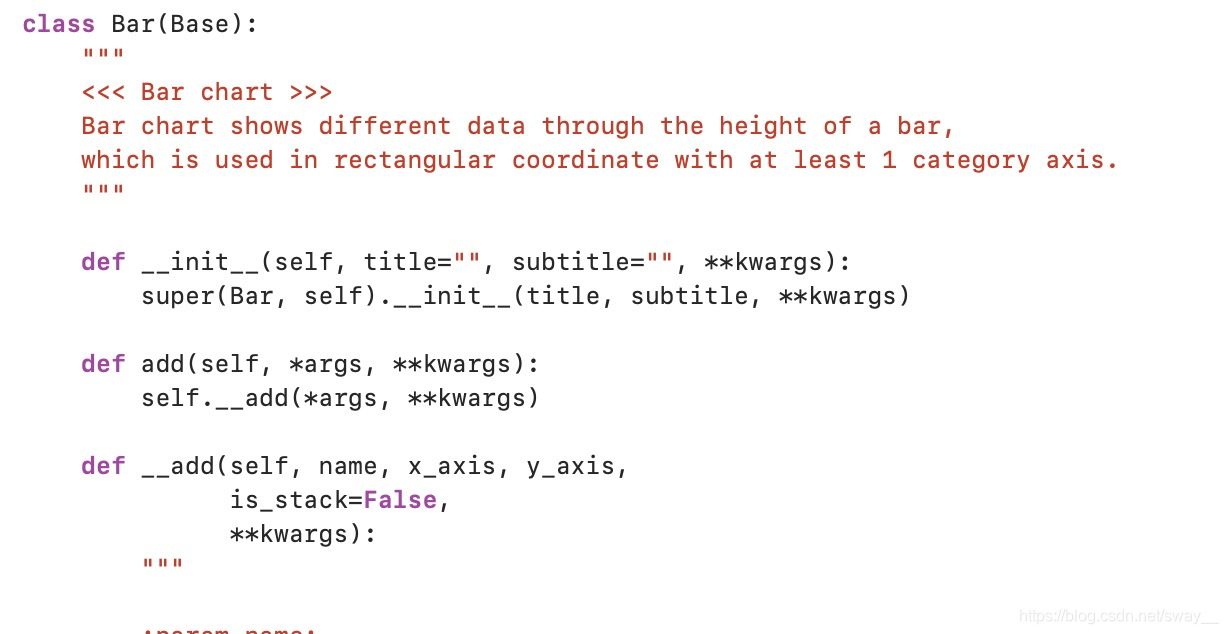 但在pycharm中使用时出现了一些问题,于是就去下了pyecharts最新的版本,但时pycharm无论如何都找不到pyecharts包,博主在这个问题上无论是哪个版本的pyecharts都一样,最后终于在网络上寻找到了方法,方法如下。
1.先打开pycharm
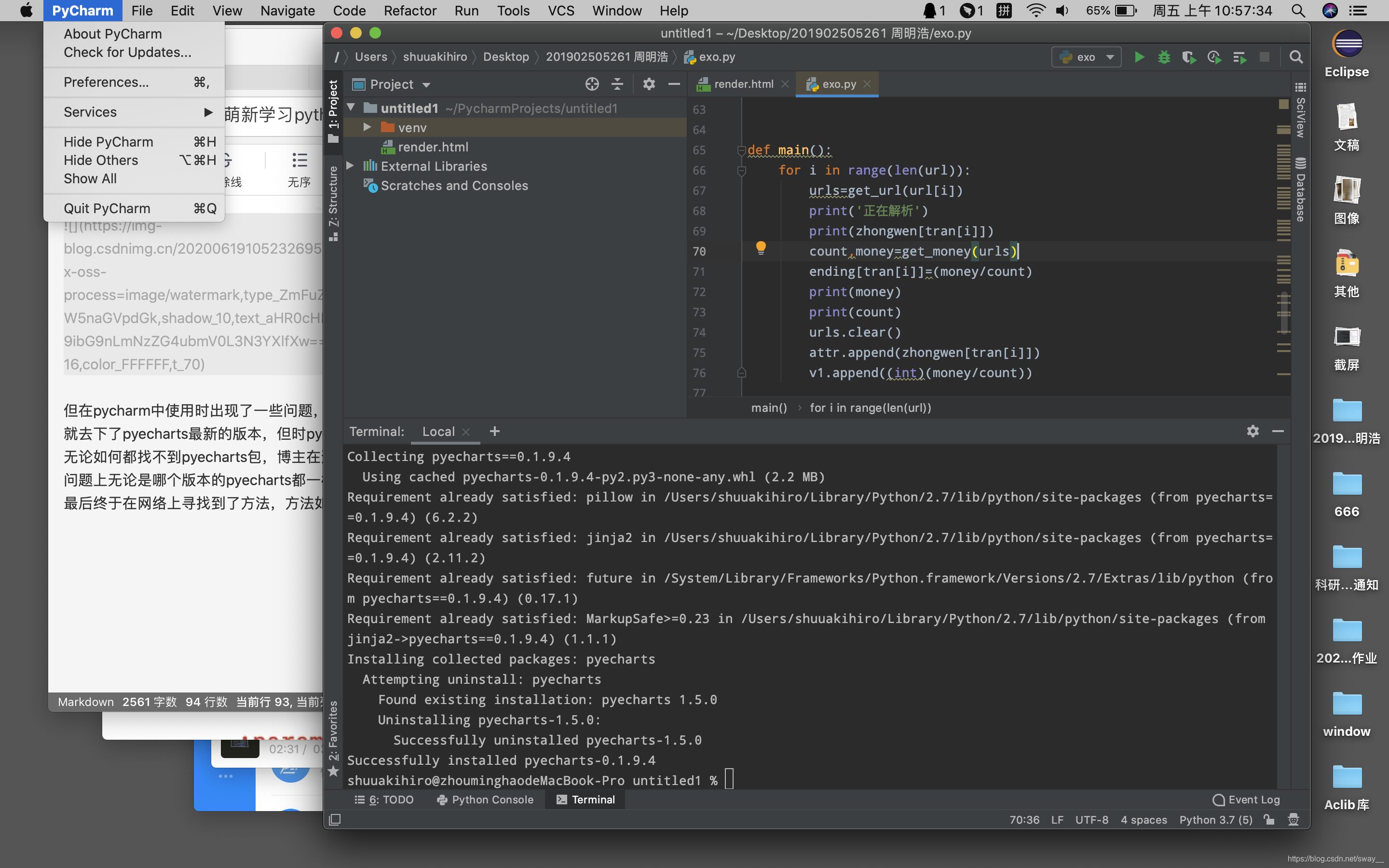
2.选择preference出现该页面,由于windows的第三方库时在左侧,而mac是在底部,当时找了半天=。=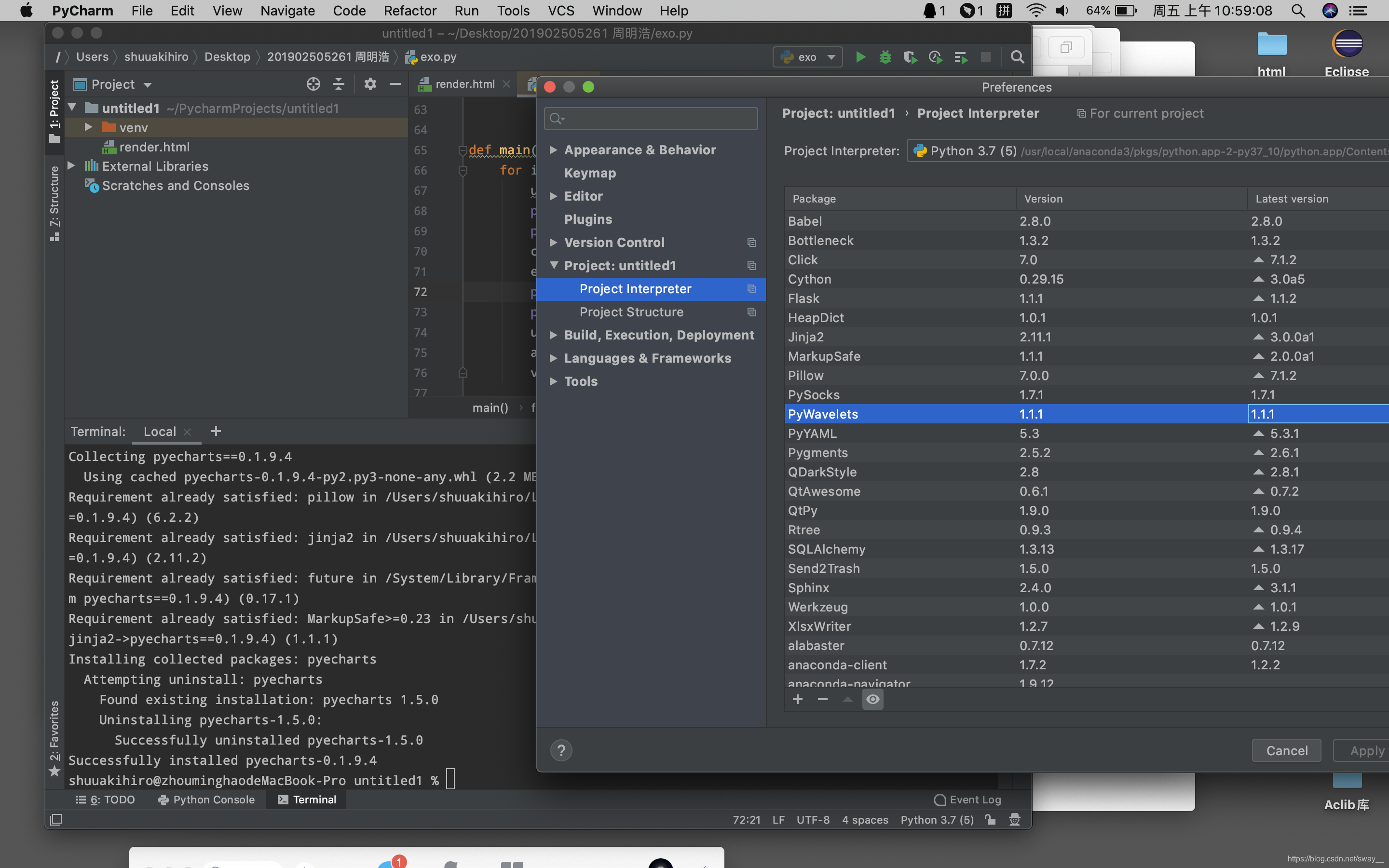
3.点击底部的+符号,并输入需要导入的第三方库,然后点击下方的install package就OK了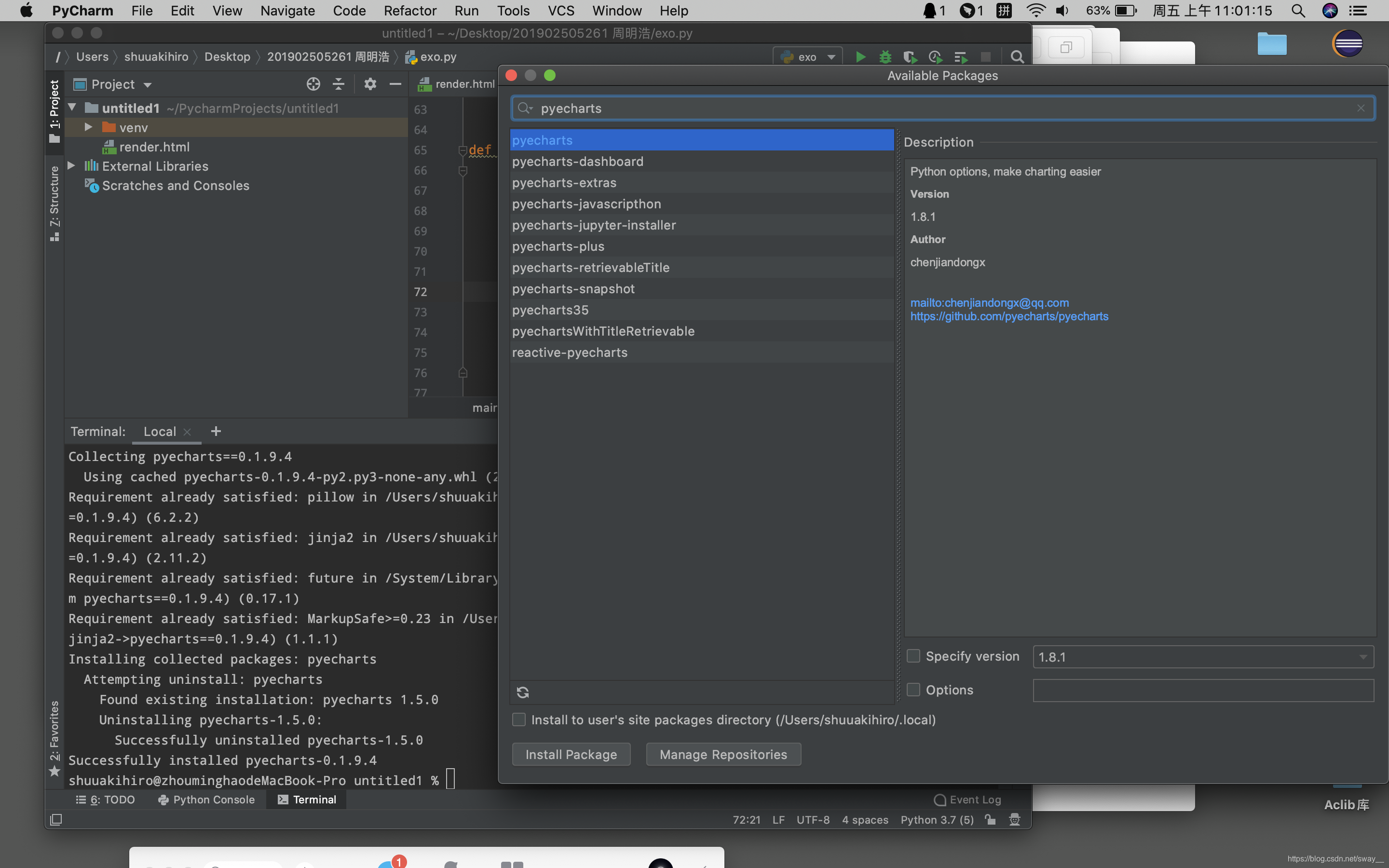
4.在导入pyecharts的bar pie 函数的时候需要层级调用,方法就和博主第三方库导入方法一样。
在使用pip下载pyecharts时,可以选择版本下载,例如下载版本为0.1.9.4的pyecharts,如果不指明,就应该是下载最新版本的吧。
pip install pyecharts==0.1.9.4
下面提供一些语法,在下载第三方库是,如果下载速度过慢,可能会超时并报错,这有一个加长时间的pip install 语法
pip --default-timeout=1000 install-U库名
举例:
pip --default-timeout=1000 install-’
'U pyecharts
'是换行链接符 这个语法并没有亲测,若有帮助,那是最好
如果是使用mac上的brew的小伙伴 可以使用brew上的语法来安装pip 再使用pip下载py的第三方库
这是一位博主使用brew安装pip的方法
https://www.cnblogs.com/xingzc/p/7463182.html
brew由于下载国外的是在太慢 网速也有许多优质国内镜像源提供一搜即可。~~~s
此外再加上一个更改pycharm的python版本修改方法。
与上方导入第三方库相同的操作到达preferences页面,点击右边的小齿轮,会出现show all和add
add是自己从文件路径中找取python文件,show all是根据已经找到的py版本选取,博主只使用过add方法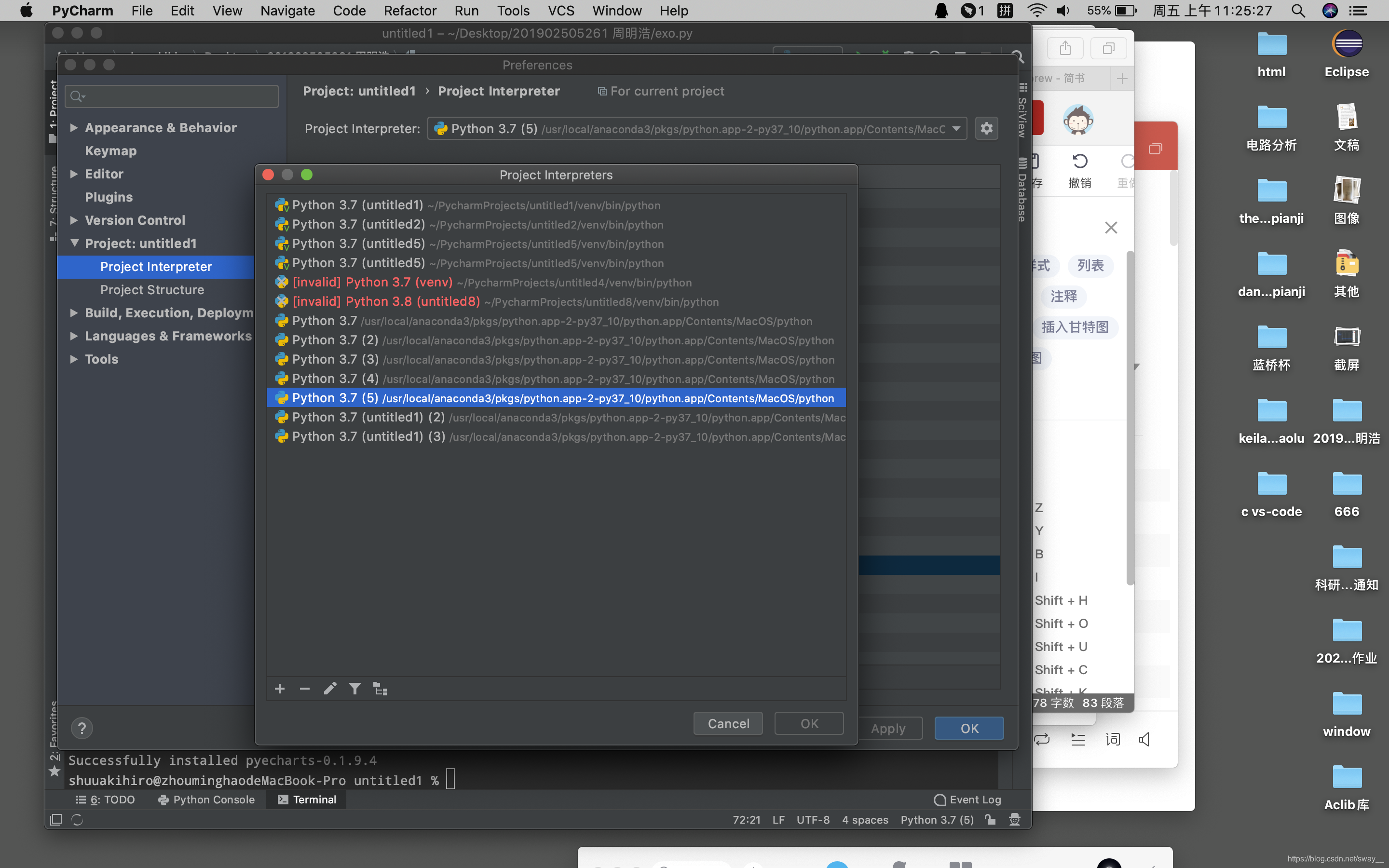






 扫一扫
扫一扫


 被折叠的 条评论
为什么被折叠?
被折叠的 条评论
为什么被折叠?
 到【灌水乐园】发言





