



 本文介绍如何在IntelliJ IDEA中配置Maven使用阿里云镜像,以加速依赖包的下载速度。通过创建并配置settings.xml文件,将maven仓库地址更改为阿里云的公共仓库。
IDEA默认的maven下载地址:https://repo.maven.apache.org/maven2 下载maven的依赖包非常的慢,现在需要修改为国内的镜像,这样下载就很快。
第一步:找到maven的地址,IDEA默认maven的安装地址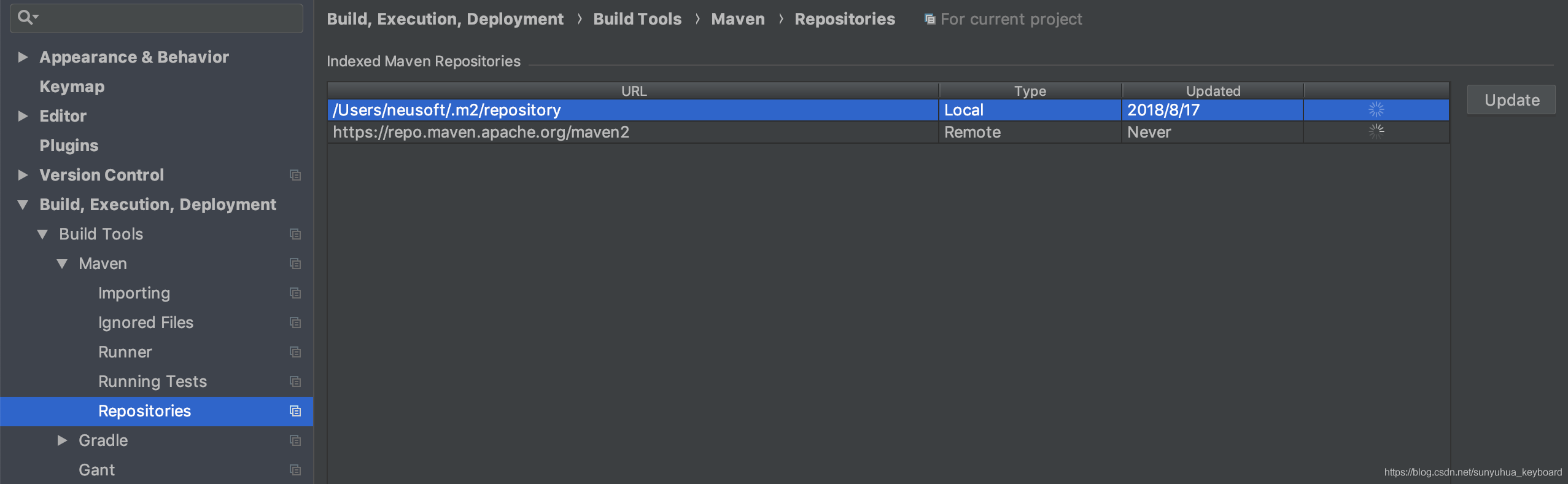
2、建立settings.xml
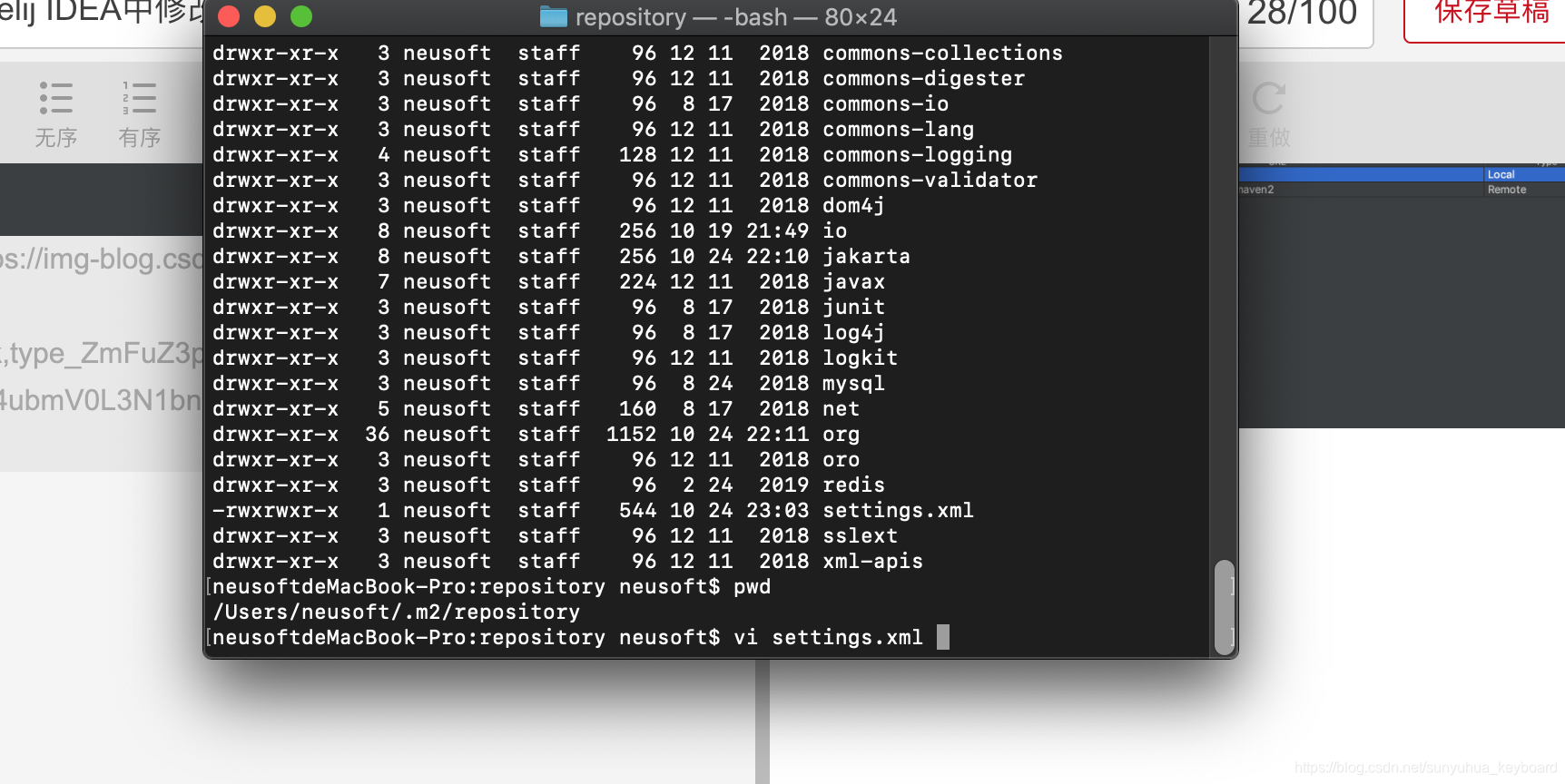
settings.xml的内容如下:
<settings xmlns="http://maven.apache.org/SETTINGS/1.0.0"
      xmlns:xsi="http://www.w3.org/2001/XMLSchema-instance"
      xsi:schemaLocation="http://maven.apache.org/SETTINGS/1.0.0
                          https://maven.apache.org/xsd/settings-1.0.0.xsd">

      <mirrors>
        <mirror>
            <id>alimaven</id>
            <name>aliyun maven</name>
            <url>http://maven.aliyun.com/nexus/content/groups/public/</url>
            <mirrorOf>central</mirrorOf>
        </mirror>
      </mirrors>
</settings>
3、重启IDEA





 扫一扫
扫一扫


 1144
1144

 被折叠的 条评论
为什么被折叠?
被折叠的 条评论
为什么被折叠?
 到【灌水乐园】发言





