





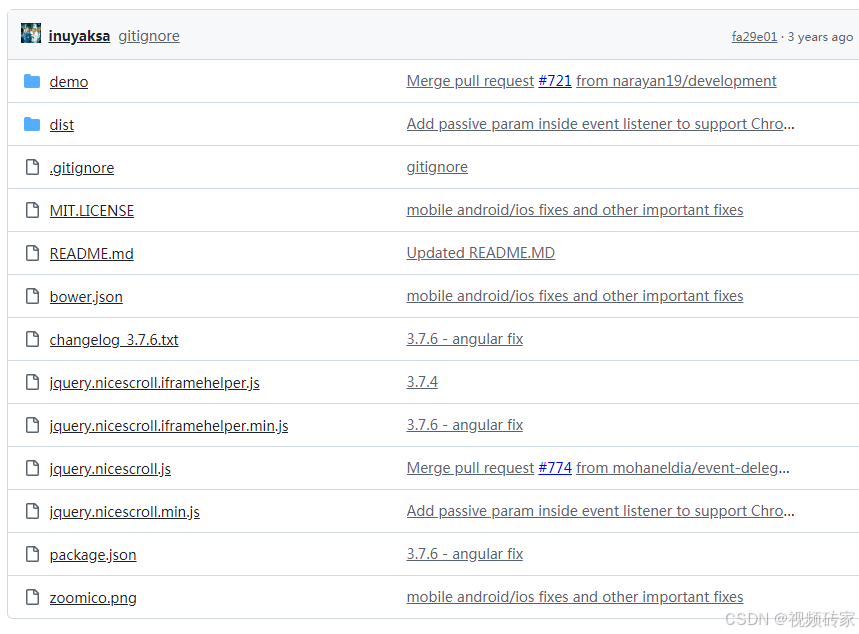
源文件注释:
$("#thisdiv").niceScroll({
    cursorcolor: "#424242", // change cursor color in hex
    cursoropacitymin: 0, // change opacity when cursor is inactive (scrollabar "hidden" state), range from 1 to 0
    cursoropacitymax: 1, // change opacity when cursor is active (scrollabar "visible" state), range from 1 to 0
    cursorwidth: "5px", // cursor width in pixel (you can also write "5px")
    cursorborder: "1px solid #fff", // css definition for cursor border
    cursorborderradius: "5px", // border radius in pixel for cursor
    zindex: "auto" | [number], // change z-index for scrollbar div
    scrollspeed: 60, // scrolling speed
    mousescrollstep: 40, // scrolling speed with mouse wheel (pixel)
    touchbehavior: false, // DEPRECATED!! use "emulatetouch"
    emulatetouch: false, // enable cursor-drag scrolling like touch devices in desktop computer
    hwacceleration: true, // use hardware accelerated scroll when supported
    boxzoom: false, // enable zoom for box content
    dblclickzoom: true, // (only when boxzoom=true) zoom activated when double click on box
    gesturezoom: true, // (only when boxzoom=true and with touch devices) zoom activated when pinch out/in on box
    grabcursorenabled: true // (only when touchbehavior=true) display "grab" icon
    autohidemode: true, // how hide the scrollbar works, possible values:
      true | // hide when no scrolling
      "cursor" | // only cursor hidden
      false | // do not hide,
      "leave" | // hide only if pointer leaves content
      "hidden" | // hide always
      "scroll", // show only on scroll
    background: "", // change css for rail background
    iframeautoresize: true, // autoresize iframe on load event
    cursorminheight: 32, // set the minimum cursor height (pixel)
    preservenativescrolling: true, // you can scroll native scrollable areas with mouse, bubbling mouse wheel event
    railoffset: false, // you can add offset top/left for rail position
    bouncescroll: false, // (only hw accell) enable scroll bouncing at the end of content as mobile-like
    spacebarenabled: true, // enable page down scrolling when space bar has pressed
    railpadding: { top: 0, right: 0, left: 0, bottom: 0 }, // set padding for rail bar
    disableoutline: true, // for chrome browser, disable outline (orange highlight) when selecting a div with nicescroll
    horizrailenabled: true, // nicescroll can manage horizontal scroll
    railalign: right, // alignment of vertical rail
    railvalign: bottom, // alignment of horizontal rail
    enabletranslate3d: true, // nicescroll can use css translate to scroll content
    enablemousewheel: true, // nicescroll can manage mouse wheel events
    enablekeyboard: true, // nicescroll can manage keyboard events
    smoothscroll: true, // scroll with ease movement
    sensitiverail: true, // click on rail make a scroll
    enablemouselockapi: true, // can use mouse caption lock API (same issue on object dragging)
    cursorfixedheight: false, // set fixed height for cursor in pixel
    hidecursordelay: 400, // set the delay in microseconds to fading out scrollbars
    directionlockdeadzone: 6, // dead zone in pixels for direction lock activation
    nativeparentscrolling: true, // detect bottom of content and let parent to scroll, as native scroll does
    enablescrollonselection: true, // enable auto-scrolling of content when selection text
    cursordragspeed: 0.3, // speed of selection when dragged with cursor
    rtlmode: "auto", // horizontal div scrolling starts at left side
    cursordragontouch: false, // drag cursor in touch / touchbehavior mode also
    oneaxismousemode: "auto", // it permits horizontal scrolling with mousewheel on horizontal only content, if false (vertical-only) mousewheel don't scroll horizontally, if value is auto detects two-axis mouse
    scriptpath: "" // define custom path for boxmode icons ("" => same script path)
    preventmultitouchscrolling: true // prevent scrolling on multitouch events
    disablemutationobserver: false // force MutationObserver disabled,
    enableobserver: true // enable DOM changing observer, it tries to resize/hide/show when parent or content div had changed
    scrollbarid: false // set a custom ID for nicescroll bars
});
中文注释
$("#thisdiv").niceScroll({
    cursorcolor: "#424242", // 改变光标颜色为十六进制值
    cursoropacitymin: 0, // 当光标不活动(滚动条处于“隐藏”状态)时改变透明度,范围从 1 到 0
    cursoropacitymax: 1, // 当光标活动(滚动条处于“可见”状态)时改变透明度,范围从 1 到 0
    cursorwidth: "5px", // 以像素为单位的光标宽度(你也可以写 "5px")
    cursorborder: "1px solid #fff", // 光标边框的 CSS 定义
    cursorborderradius: "5px", // 光标的边框圆角(像素)
    zindex: "auto" | [number], // 改变滚动条 div 的 z-index 值
    scrollspeed: 60, // 滚动速度
    mousescrollstep: 40, // 鼠标滚轮滚动速度(像素)
    touchbehavior: false, // 已弃用!! 使用 "emulatetouch"
    emulatetouch: false, // 在桌面电脑上启用像触摸设备一样的拖拽滚动
    hwacceleration: true, // 如果支持,使用硬件加速滚动
    boxzoom: false, // 启用内容框的缩放
    dblclickzoom: true, // (只有当 boxzoom=true 时) 双击框激活缩放
    gesturezoom: true, // (只有当 boxzoom=true 且是触摸设备时) 通过捏合手势缩放框
    grabcursorenabled: true // (只有当 touchbehavior=true 时) 显示“抓取”图标
    autohidemode: true, // 如何隐藏滚动条,可能的值:
        true | // 没有滚动时隐藏
        "cursor" | // 只隐藏光标
        false | // 不隐藏
        "leave" | // 只有当指针离开内容时隐藏
        "hidden" | // 总是隐藏
        "scroll", // 只在滚动时显示
    background: "", // 改变滚动条背景的 CSS
    iframeautoresize: true, // 在 load 事件时自动调整 iframe 大小
    cursorminheight: 32, // 设置最小光标高度(像素)
    preservenativescrolling: true, // 你可以用鼠标滚动原生的可滚动区域,冒泡鼠标滚轮事件
    railoffset: false, // 你可以为滚动条轨道的位置添加顶部/左侧偏移
    bouncescroll: false, // (仅限硬件加速) 在内容末尾启用像移动设备一样的滚动回弹效果
    spacebarenabled: true, // 按下空格键启用向下翻页滚动
    railpadding: { top: 0, right: 0, left: 0, bottom: 0 }, // 设置滚动条轨道的内边距
    disableoutline: true, // 对于 Chrome 浏览器,禁用选择 div 时的外轮廓(橙色高亮)
    horizrailenabled: true, // nicescroll 可以管理水平滚动
    railalign: right, // 垂直滚动条的对齐方式
    railvalign: bottom, // 水平滚动条的对齐方式
    enabletranslate3d: true, // nicescroll 可以使用 CSS translate 来滚动内容
    enablemousewheel: true, // nicescroll 可以管理鼠标滚轮事件
    enablekeyboard: true, // nicescroll 可以管理键盘事件
    smoothscroll: true, // 平滑滚动
    sensitiverail: true, // 点击滚动条轨道进行滚动
    enablemouselockapi: true, // 可以使用鼠标捕获锁定 API(与对象拖动问题相同)
    cursorfixedheight: false, // 设置固定像素的光标高度
    hidecursordelay: 400, // 设置滚动条淡出延迟(微秒)
    directionlockdeadzone: 6, // 激活方向锁定的死区(像素)
    nativeparentscrolling: true, // 检测内容底部并允许父元素滚动,如同原生滚动一样
    enablescrollonselection: true, // 当选择文本时启用内容自动滚动
    cursordragspeed: 0.3, // 使用光标拖动选择时的速度
    rtlmode: "auto", // 水平 div 滚动从左侧开始
    cursordragontouch: false, // 在触摸/touchbehavior 模式下也拖动光标
    oneaxismousemode: "auto", // 如果内容仅为水平滚动,则允许使用鼠标滚轮进行水平滚动;如果为 false(仅垂直),则鼠标滚轮不进行水平滚动;如果值为 auto,则检测双轴鼠标
    scriptpath: "" // 定义 boxmode 图标的自定义路径("" => 与脚本路径相同)
    preventmultitouchscrolling: true // 阻止多点触摸事件上的滚动
    disablemutationobserver: false // 强制禁用 MutationObserver
    enableobserver: true // 启用 DOM 更改观察器,当父元素或内容 div 更改时尝试调整大小/隐藏/显示
    scrollbarid: false // 为 nicescroll 滚动条设置自定义 ID
});
这是一个系列教程:
- 单个视频生成二维码教程,请点击查看单视频二维码教程>>
- 多个视频生成列表二维码教程,请点击查看列表二维码教程>>
- 为视频添加密码观看权限教程,请点击查看密码观看权限教程>>





 扫一扫
扫一扫


 被折叠的 条评论
为什么被折叠?
被折叠的 条评论
为什么被折叠?
 到【灌水乐园】发言





