 VS2013中使用Duilib库创建Win32应用的步骤


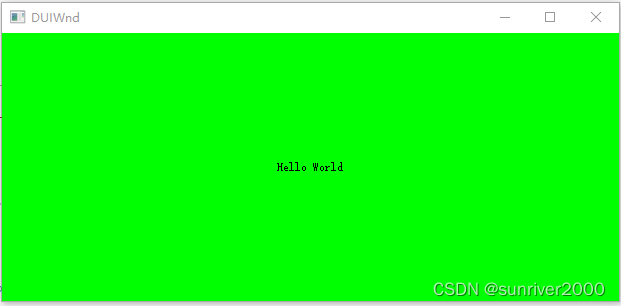
 该文详细介绍了如何在VisualStudio2013中创建一个基于Duilib库的Win32应用程序。首先,将Duilib库复制到项目文件夹内,然后新建一个选择ATL的Win32项目,接着添加必要的代码以实现窗口和按钮功能,最后配置项目属性并成功编译运行显示HelloWorld的窗口。
环境
VS版本:VS2013
步骤
Duilib库
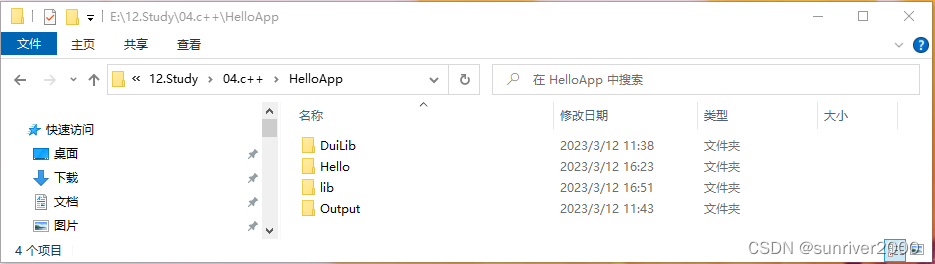
1、新建HelloApp文件夹,把Duilib复制到HelloApp文件夹内。
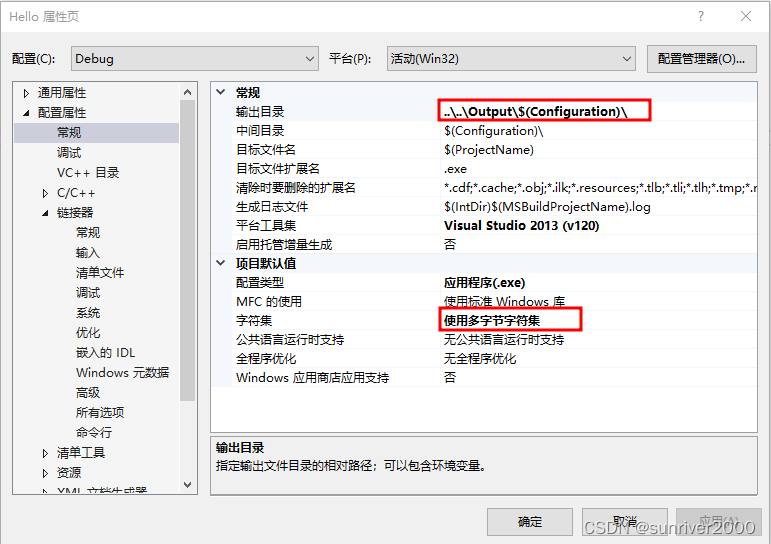
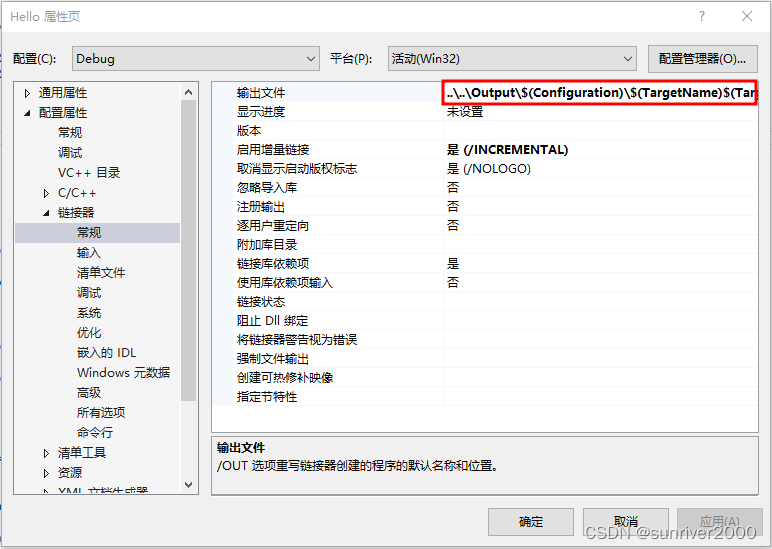
2、设置项目属性。
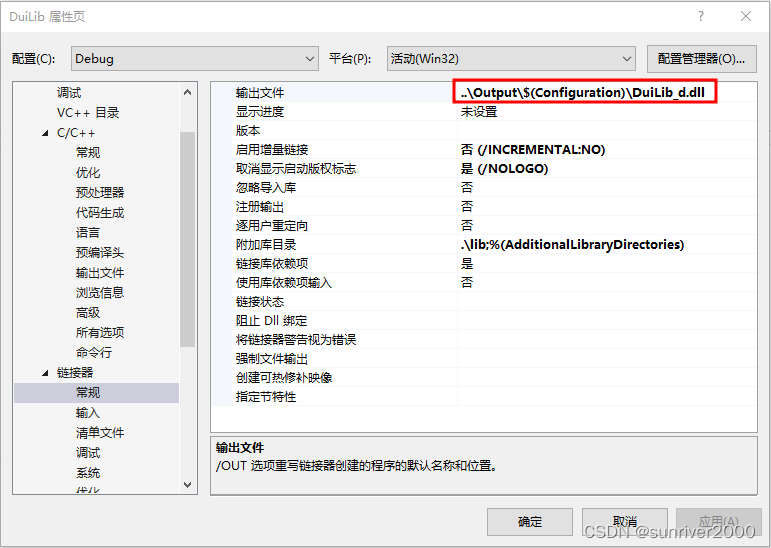
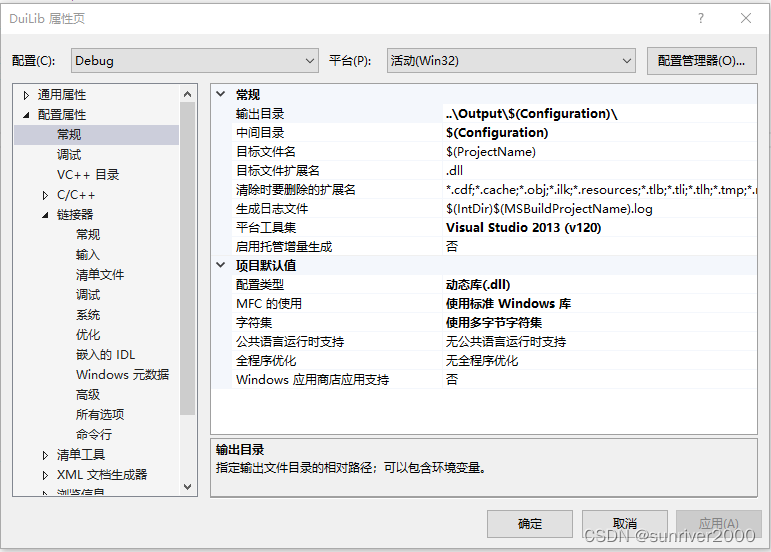
Duilib实例工程
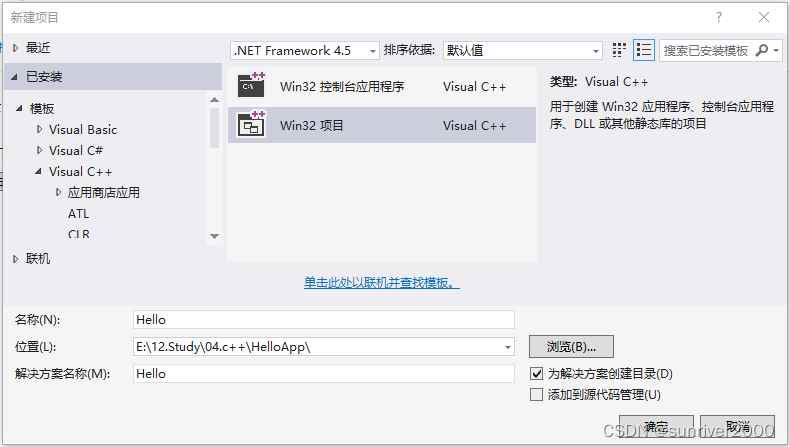
1、在HelloApp文件夹内新建【Win32项目】,名称为Hello。
【ATL】勾上。 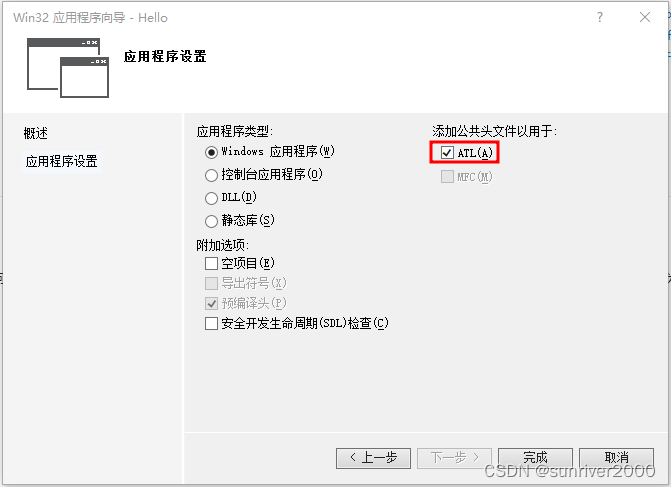
2、在Hello.cpp裁剪代码,如下。
#include "stdafx.h"
#include "Hello.h"

int APIENTRY _tWinMain(_In_ HINSTANCE hInstance,
	_In_opt_ HINSTANCE hPrevInstance,
	_In_ LPTSTR    lpCmdLine,
	_In_ int       nCmdShow)
{
	UNREFERENCED_PARAMETER(hPrevInstance);
	UNREFERENCED_PARAMETER(lpCmdLine);

	return 0;
}
3、添加代码。
#include "..\..\DuiLib\UIlib.h"

using namespace DuiLib;

#ifdef _DEBUG
#   ifdef _UNICODE
#       pragma comment(lib, "..\\..\\Lib\\DuiLib_ud.lib")
#   else
#       pragma comment(lib, "..\\..\\Lib\\DuiLib_d.lib")
#   endif
#else
#   ifdef _UNICODE
#       pragma comment(lib, "..\\Lib\\DuiLib_u.lib")
#   else
#       pragma comment(lib, "..\\Lib\\DuiLib.lib")
#   endif
#endif
class CDuiFrameWnd :public CWindowWnd, public INotifyUI
{
public:
virtual LPCTSTR GetWindowClassName() const
{
return _T("DUIMainFrame");
}
virtual void Notify(TNotifyUI& msg)
{
if (msg.sType == _T("click"))
{
if (msg.pSender->GetName() == _T("btnHello"))
{
::MessageBox(NULL, _T("我是按钮"), _T("点击了按钮"), NULL);
}
}
}
virtual LRESULT HandleMessage(UINT uMsg, WPARAM wParam, LPARAM lParam)
{
LRESULT lRes = 0;
if (uMsg == WM_CREATE)
{
CControlUI* pWnd = new CButtonUI;
pWnd->SetName(_T("btnHello"));
pWnd->SetText(_T("Hello World"));
pWnd->SetBkColor(0xFF00FF00);
m_PaintManager.Init(m_hWnd);
m_PaintManager.AttachDialog(pWnd);
m_PaintManager.AddNotifier(this);
return lRes;
}
if (m_PaintManager.MessageHandler(uMsg, wParam, lParam, lRes))
{
return lRes;
}
return __super::HandleMessage(uMsg, wParam, lParam);
}
protected:
CPaintManagerUI m_PaintManager;
};修改WinMain。
int APIENTRY _tWinMain(_In_ HINSTANCE hInstance,
                     _In_opt_ HINSTANCE hPrevInstance,
                     _In_ LPTSTR    lpCmdLine,
                     _In_ int       nCmdShow)
{
	UNREFERENCED_PARAMETER(hPrevInstance);
	UNREFERENCED_PARAMETER(lpCmdLine);

	CPaintManagerUI::SetInstance(hInstance);

	CDuiFrameWnd duiFrame;
	duiFrame.Create(NULL, _T("DUIWnd"), UI_WNDSTYLE_FRAME, WS_EX_WINDOWEDGE);
	duiFrame.ShowModal();

	return 0;
}
4、修改项目属性。
编译与运行
1、编译前的HelloApp文件夹布局。
2、运行。
下载:https://download.youkuaiyun.com/download/sunriver2000/87564491?spm=1001.2014.3001.5503





 扫一扫
扫一扫


 2116
2116

 被折叠的 条评论
为什么被折叠?
被折叠的 条评论
为什么被折叠?
 到【灌水乐园】发言





