



转载自:http://www.jianshu.com/p/69752106ee07
点击顶部工程名 --> 左侧Target --> BuildSettings --> Apple LLVM 7.1 -Language-Objective C 下面的 Weak References in Manual Retain Release 设置为YES. 然后common+B编译运行一下就可以了
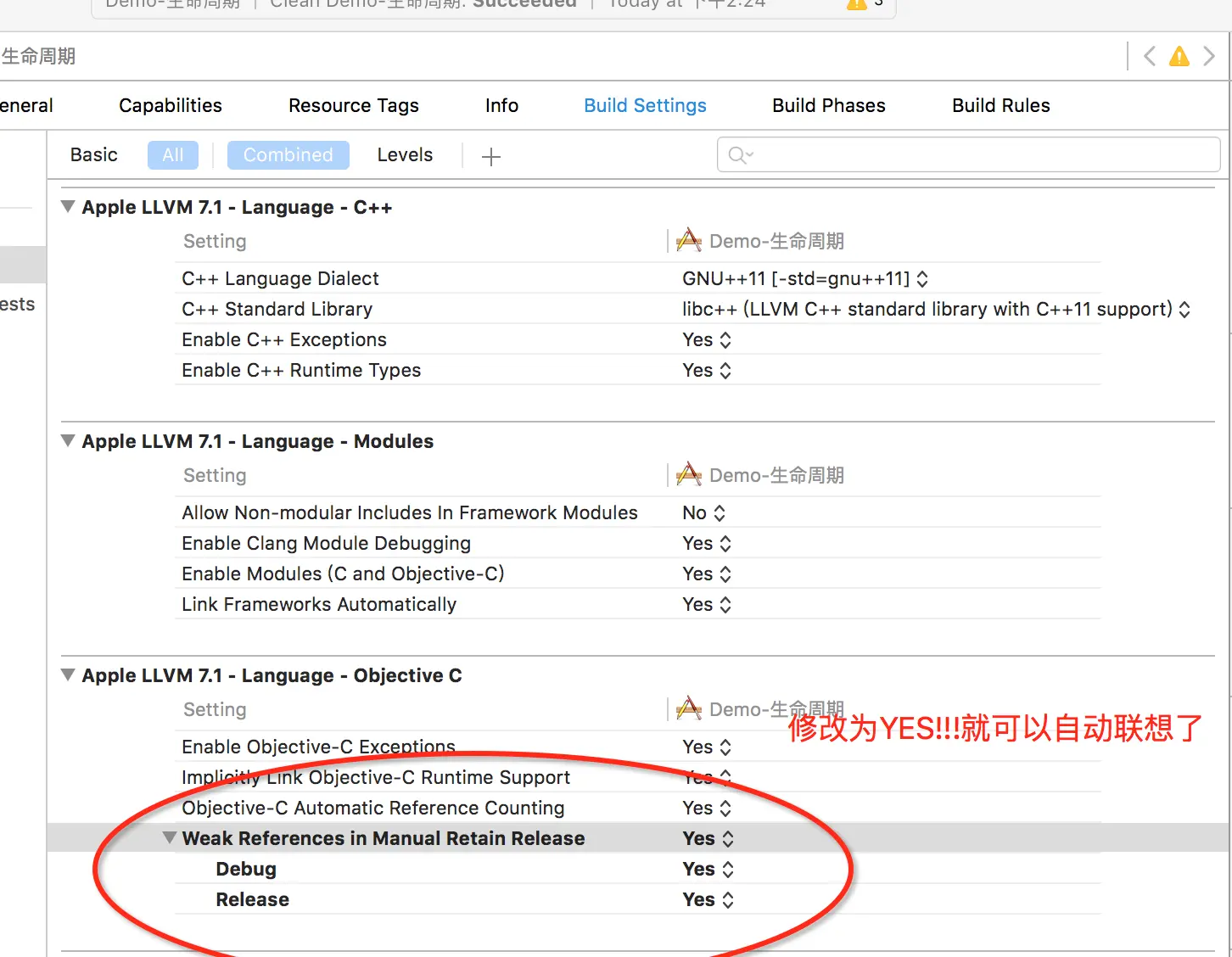
原因不知,但是确实有作用,还在受此困扰的同学赶紧用起来!
 本文介绍了一种解决Objective-C中弱引用问题的方法,通过在Xcode的Build Settings中将Weak References in Manual Retain Release设置为YES来解决,适用于受此问题困扰的开发者。
转载自:http://www.jianshu.com/p/69752106ee07
点击顶部工程名 --> 左侧Target --> BuildSettings --> Apple LLVM 7.1 -Language-Objective C 下面的 Weak References in Manual Retain Release 设置为YES. 然后common+B编译运行一下就可以了

 被折叠的 条评论
为什么被折叠?
被折叠的 条评论
为什么被折叠?
 到【灌水乐园】发言








 扫一扫
扫一扫


 553
553


