


简介
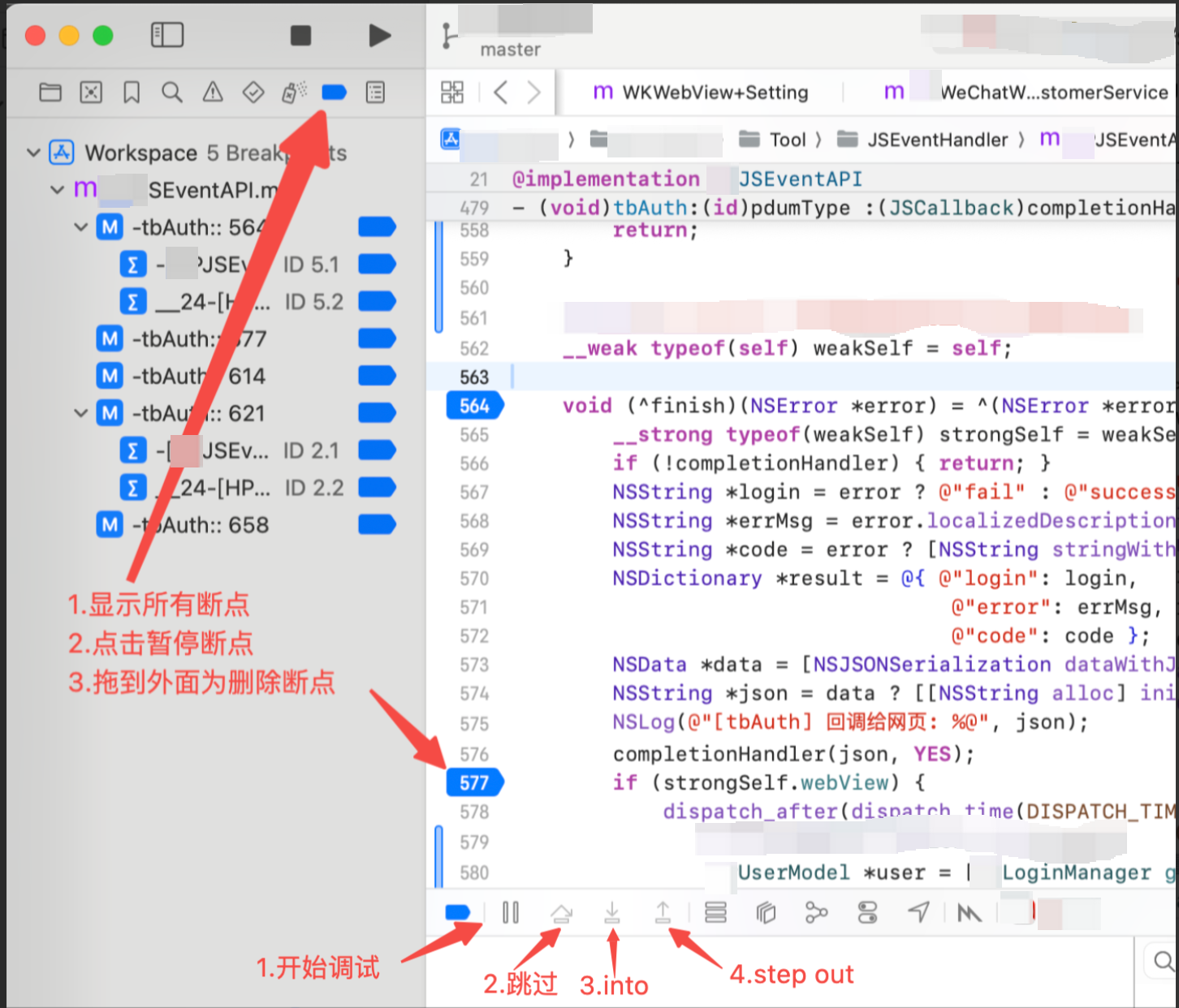
使用xcode 进行开发时,用于debug 调试的技巧。
一、调试
二、查询指令
-
lldb 命令查看
p &charA.ch #查看对象charA中属性ch的变量的类型 与 值 ,当为'\0'时代表为空字符 po &charA.ch #只打印值 -
界面查看
xcode/菜单/debug/Debug Workflow/View Memory


-
控制台打印
std::cout<<"The Leeter charA"<<charA.ch<<" "<<charA.number<<std:endl; std::cout<<"The Size:"<<sizeof(charA)<<std::endl; // 打印函数 charA.print(); union ascii{ void print(){ std::cout<<"ch:"<<ch<<" number:"<<number<<std::endl; } }
三、修改指令
expression chartA.number=66
-
lldb临时修改变量的值





 扫一扫
扫一扫


 1237
1237

 被折叠的 条评论
为什么被折叠?
被折叠的 条评论
为什么被折叠?
 到【灌水乐园】发言





