



 本文详细介绍iOS应用中两个界面间的数据传递方法,包括正向传递和反向传递(协议法),并提供具体代码实现,帮助开发者理解并掌握界面间数据交互的核心技巧。
第一种:正传,即将第一个界面上的值传递给第二个界面
思路:
- 第二个界面的ViewController里定义一个属性NSString *str
- 在第一个界面跳转第二个界面的button点击事件中将第二个界面实例化,并将要传递的信息赋值给str
- 第二个界面中接收str赋值给需要的对象
代码:
ViewController.m 里:
- (void)viewDidLoad {
    [super viewDidLoad];

    _textField1 = [[UITextField alloc] initWithFrame:CGRectMake(50, 300, 200, 50)];
    [self.view addSubview:_textField1];
    _textField1.layer.masksToBounds = YES;
    _textField1.layer.borderWidth = 2;
    _textField1.layer.cornerRadius = 5;
    _textField1.layer.borderColor = [UIColor blackColor].CGColor;

    _button = [UIButton buttonWithType:UIButtonTypeRoundedRect];
    [self.view addSubview:_button];
    _button.frame = CGRectMake(100, 370, 100, 50);
    _button.backgroundColor = [UIColor orangeColor];
    [_button setTitle:@"up" forState:UIControlStateNormal];
    [_button addTarget:self action:@selector(press) forControlEvents:UIControlEventTouchDown];

}
//button点击事件
- (void)press{
    TwoViewController *two = [[TwoViewController alloc] init];
    two.str = _textField1.text;
    [self presentViewController:two animated:NO completion:nil];
}
TwoViewController.m 里:
 _textField2 = [[UITextField alloc] initWithFrame:CGRectMake(50, 300, 200, 50)];
    [self.view addSubview:_textField2];
    _textField2.text = _str;
第二种:反传,即将第二个界面上的值传递给第一个界面(协议法)
思路:
- 在第二个界面.h 文件中声明协议
- 在第一个界面.h 文件中代理协议
- 在第一个界面.m 文件中使用协议方法,在跳转界面函数中声明代理
- 在第二个界面中使用协议委托传值
第一个界面称为代理对象 ,第二个界面称为委托对象
代码:
在第二个界面.h 文件中声明协议
#import <UIKit/UIKit.h>

NS_ASSUME_NONNULL_BEGIN
//协议定义
@protocol TwoDelegate <NSObject>
//协议方法
- (void)pass:(NSString *)str;

@end

@interface TwoViewController : UIViewController

@property UITextField *textField2;
@property NSString *str;
@property UIButton *button;
//协议代理
@property id <TwoDelegate> twoDelegate;

@end
在第一个界面.h 中代理协议
#import <UIKit/UIKit.h>
#import "TwoViewController.h"

@interface ViewController : UIViewController
<
TwoDelegate
>

@property UITextField *textField1;
@property UIButton *button;

@end
在第一个界面.m 文件中使用协议方法,在跳转界面函数中声明代理(此处我点击button事件跳转界面)
#import "ViewController.h"
#import "TwoViewController.h"

@interface ViewController ()

@end

@implementation ViewController

- (void)viewDidLoad {
    [super viewDidLoad];
    // Do any additional setup after loading the view.

    _textField1 = [[UITextField alloc] initWithFrame:CGRectMake(50, 300, 200, 50)];
    [self.view addSubview:_textField1];
    _textField1.layer.masksToBounds = YES;
    _textField1.layer.borderWidth = 2;
    _textField1.layer.cornerRadius = 5;
    _textField1.layer.borderColor = [UIColor blackColor].CGColor;

    _button = [UIButton buttonWithType:UIButtonTypeRoundedRect];
    [self.view addSubview:_button];
    _button.frame = CGRectMake(100, 370, 100, 50);
    _button.backgroundColor = [UIColor orangeColor];
    [_button setTitle:@"up" forState:UIControlStateNormal];
    [_button addTarget:self action:@selector(press) forControlEvents:UIControlEventTouchDown];

}
//button点击事件
- (void)press{
    TwoViewController *two = [[TwoViewController alloc] init];
    //设置第二个窗口中的delegate为第一个窗口的self
    two.twoDelegate = self;
    [self presentViewController:two animated:NO completion:nil];
}

//执行代理方法
- (void)pass:(NSString *)str {
    _textField1.text = str;
}
在第二个界面中使用协议委托传值
- (void)viewDidLoad {
    [super viewDidLoad];
    // Do any additional setup after loading the view.

    self.view.backgroundColor = [UIColor whiteColor];

    _textField2 = [[UITextField alloc] initWithFrame:CGRectMake(50, 300, 200, 50)];
    [self.view addSubview:_textField2];
    _textField2.text = _str;
    _textField2.layer.masksToBounds = YES;
    _textField2.layer.borderWidth = 2;
    _textField2.layer.cornerRadius = 5;
    _textField2.layer.borderColor = [UIColor blackColor].CGColor;

    _button = [UIButton buttonWithType:UIButtonTypeRoundedRect];
    [self.view addSubview:_button];
    _button.frame = CGRectMake(100, 370, 100, 50);
    _button.backgroundColor = [UIColor orangeColor];
    [_button setTitle:@"back" forState:UIControlStateNormal];
    [_button addTarget:self action:@selector(press) forControlEvents:UIControlEventTouchDown];

}

- (void)press{
    [self dismissViewControllerAnimated:NO completion:nil];
    //代理执行协议
    if([_twoDelegate respondsToSelector:@selector(pass:)]){
        [_twoDelegate pass:_textField2.text];
    }
}
第二种方法的理解可以参考UITableView中协议上使用,唯一的区别在于协议是自己定义的
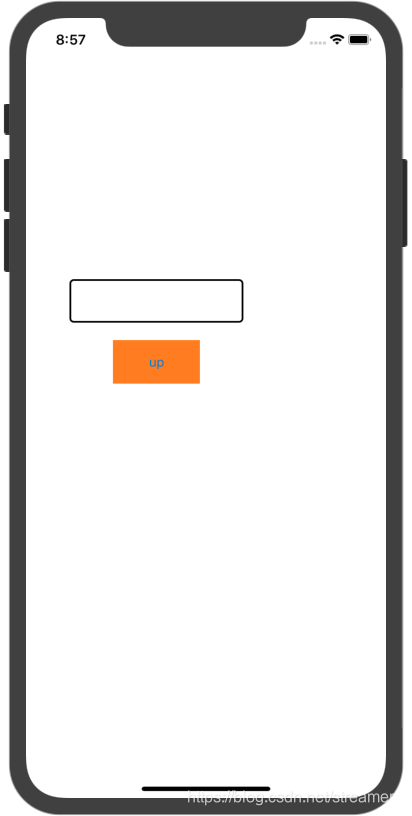
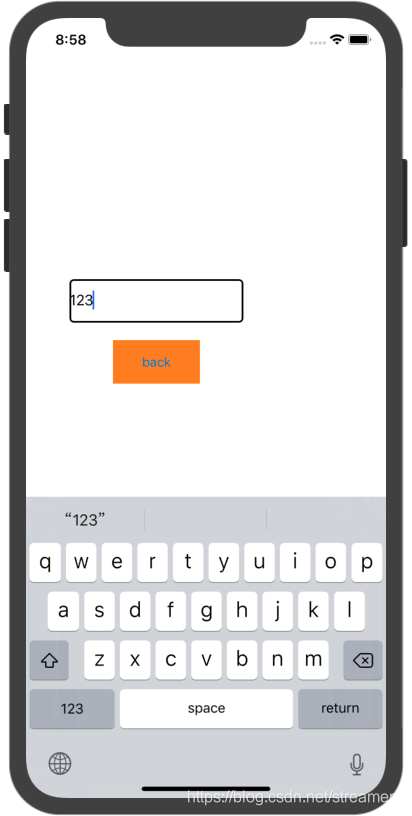
效果图可能不大看的出来是传值过去的,但还是放上吧
刚开始时界面一:
点击up进入界面二并输入值:
点击back回到界面一:
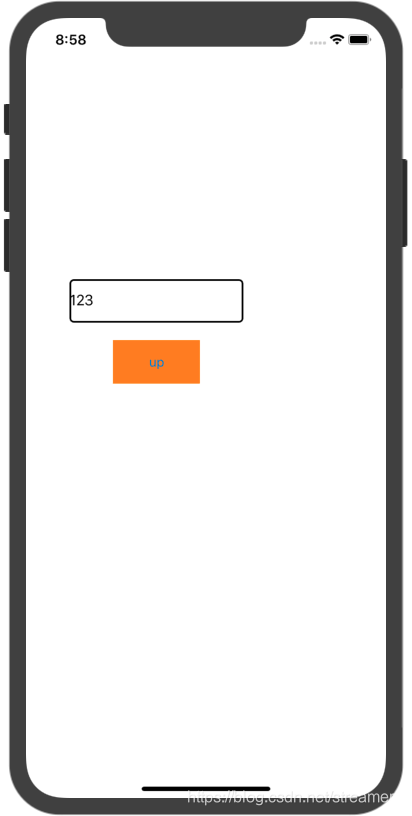
值就传给界面一啦!





 扫一扫
扫一扫


 1532
1532

 被折叠的 条评论
为什么被折叠?
被折叠的 条评论
为什么被折叠?
 到【灌水乐园】发言





