


资料编号:188
一:功能介绍
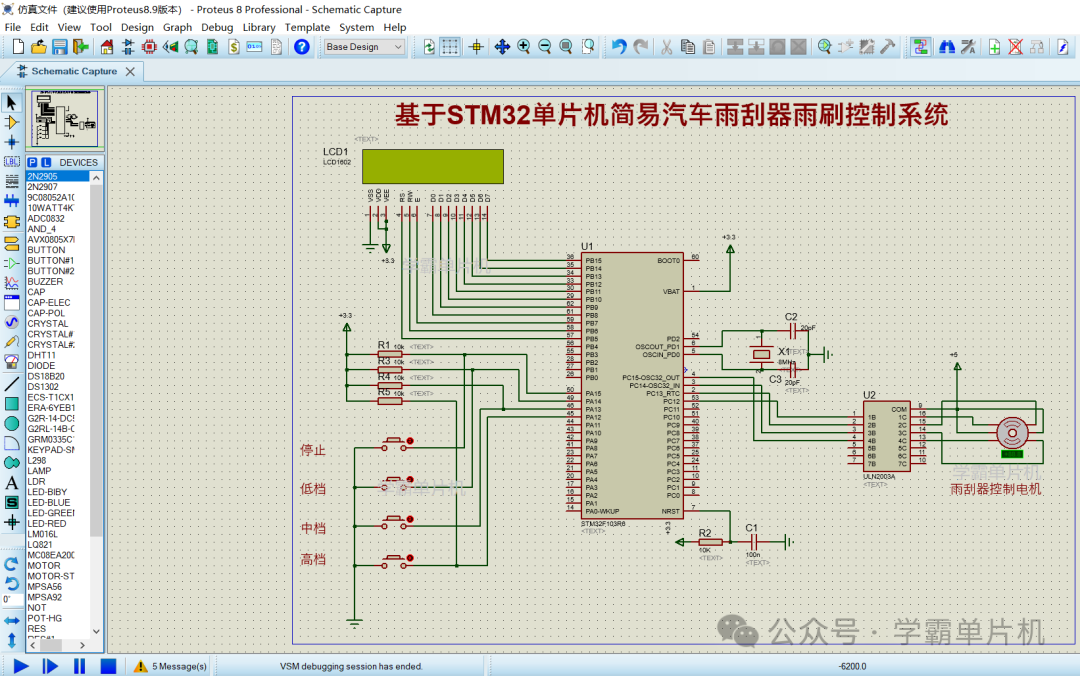
1、采用stm32单片机+LCD1602显示屏+按键+ULN2003驱动芯片+步进电机,制作一个基于STM32单片机简易汽车雨刮器雨刷控制系统Proteus仿真;
2、可以通过控制步进电机转速达到控制雨刷的速度;
3、可以通过按键调节雨刷的快慢和停止,分为停止、低速、中速、高速四个挡位;
4、LCD1602可以显示当前的挡位状态;
二:仿真演示视频+程序简要讲解(程序有中文注释,新手容易看懂)
188-基于STM32单片机简易汽车雨刮器雨刷控制系统Proteus仿真+源程序
三:设计软件介绍
本设计使用C语言编程设计,程序代码采用keil5编写,程序有中文注释,新手容易看懂,仿真采用Proteus软件进行仿真,演示视频使用的是Proteus8.9版本;资料包里有相关软件包,可自行下载安装。
四:程序打开方法
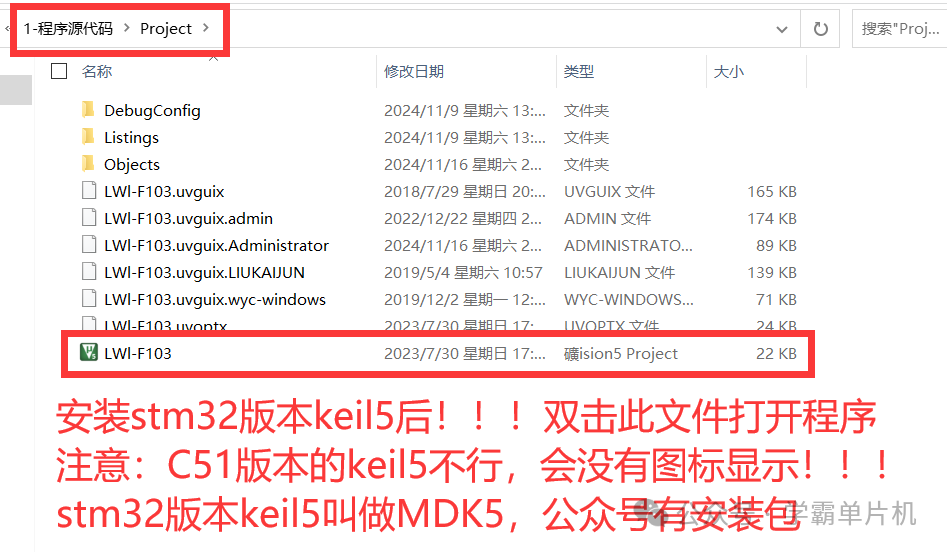
特别注意:下载资料包以后一定要先解压! !!(建议解压到桌面上,文件路径太深会导致程序打开异常),解压后再用keil5打开。
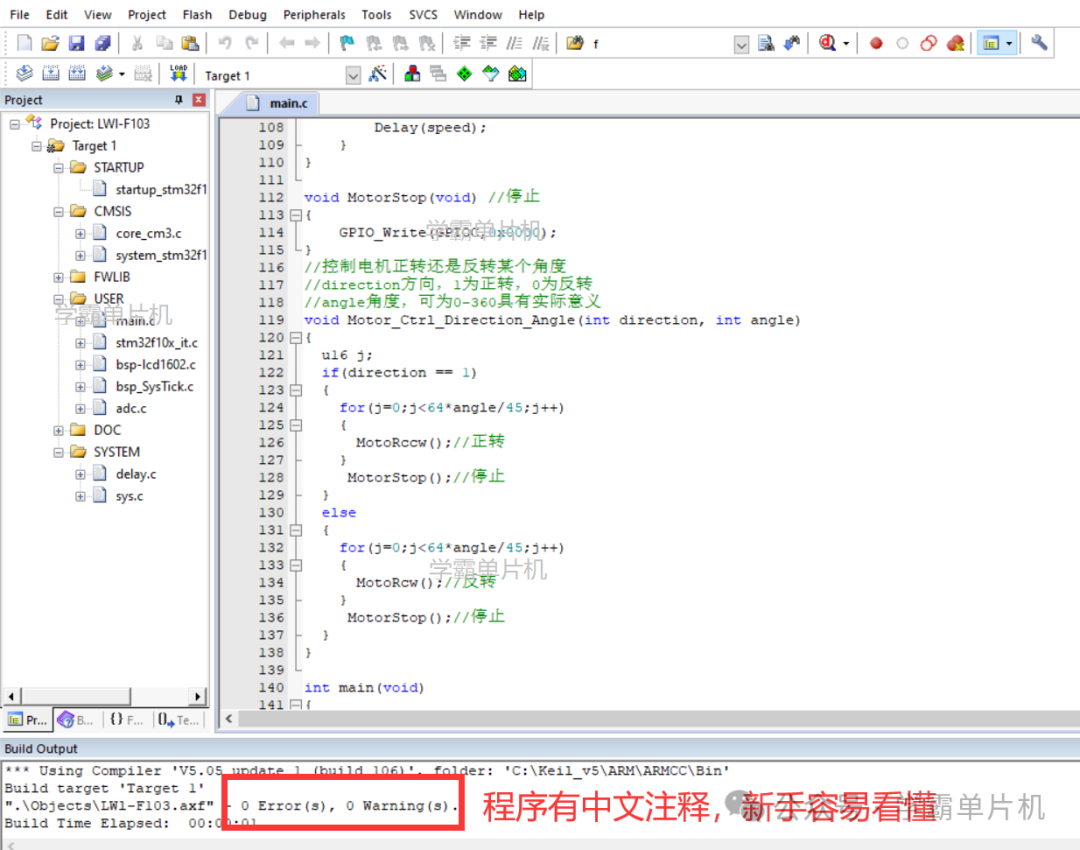
程序部分展示,有中文注释,新手容易看懂
void GPIO_Configuration(void)
{
  GPIO_InitTypeDef GPIO_InitStructure;
  RCC_APB2PeriphClockCmd(RCC_APB2Periph_GPIOA|RCC_APB2Periph_GPIOB|RCC_APB2Periph_GPIOC,ENABLE);
  //LCD1602 管脚
  GPIO_InitStructure.GPIO_Pin =  GPIO_Pin_8| GPIO_Pin_9| GPIO_Pin_10| GPIO_Pin_11| GPIO_Pin_12| GPIO_Pin_13| GPIO_Pin_14| GPIO_Pin_15;
  GPIO_InitStructure.GPIO_Speed = GPIO_Speed_2MHz;
  GPIO_InitStructure.GPIO_Mode = GPIO_Mode_Out_OD;
  GPIO_Init(GPIOB, &GPIO_InitStructure);
  GPIO_InitStructure.GPIO_Pin = GPIO_Pin_7 |GPIO_Pin_6|GPIO_Pin_5;
  GPIO_InitStructure.GPIO_Speed = GPIO_Speed_2MHz;
  GPIO_InitStructure.GPIO_Mode = GPIO_Mode_Out_PP;
  GPIO_Init(GPIOB, &GPIO_InitStructure);
  GPIO_InitStructure.GPIO_Pin = GPIO_Pin_0 |GPIO_Pin_1|GPIO_Pin_2|GPIO_Pin_3|GPIO_Pin_12 |GPIO_Pin_13|GPIO_Pin_14|GPIO_Pin_15;
  GPIO_InitStructure.GPIO_Speed = GPIO_Speed_2MHz;
  GPIO_InitStructure.GPIO_Mode = GPIO_Mode_Out_PP;
  GPIO_Init(GPIOC, &GPIO_InitStructure);
    //按键
  GPIO_InitStructure.GPIO_Pin = GPIO_Pin_11|GPIO_Pin_12| GPIO_Pin_13| GPIO_Pin_14| GPIO_Pin_15;
  GPIO_InitStructure.GPIO_Speed = GPIO_Speed_2MHz;
  GPIO_InitStructure.GPIO_Mode = GPIO_Mode_IPU;;
  GPIO_Init(GPIOA, &GPIO_InitStructure);

  GPIO_InitStructure.GPIO_Pin = GPIO_Pin_0 |GPIO_Pin_1;
  GPIO_InitStructure.GPIO_Speed = GPIO_Speed_2MHz;
  GPIO_InitStructure.GPIO_Mode = GPIO_Mode_Out_PP;
  GPIO_Init(GPIOA, &GPIO_InitStructure);
}
void Delay(uint i)
{
  for (;i>0;i--)
    {uint j=20000;while(--j);}
}
void MotoRcw(void)  //反转
{
    int  i;

    for(i=0;i<4;i++)
    {
        GPIO_Write(GPIOC,phasecw[i]);
        Delay(speed);
    }
}


void MotoRccw(void)  //正转
{
    int i;
    for(i=0;i<4;i++)
    {
        GPIO_Write(GPIOC,phaseccw[i]);
        Delay(speed);
    }
}


void MotorStop(void) //停止
{
    GPIO_Write(GPIOC,0x0000);
}
//控制电机正转还是反转某个角度
//direction方向,1为正转,0为反转
//angle角度,可为0-360具有实际意义
void Motor_Ctrl_Direction_Angle(int direction, int angle)
{
  u16 j;
  if(direction == 1)
  {
    for(j=0;j<64*angle/45;j++)
    {
      MotoRccw();//正转
    }
     MotorStop();//停止
  }
  else
  {
    for(j=0;j<64*angle/45;j++)
    {
      MotoRcw();//反转
    }
     MotorStop();//停止
  }
}


int main(void)
{
  int i=0;
  RCC_SYSCLKConfig(RCC_SYSCLKSource_HSI);
  GPIO_Configuration();//初始化
  Init1602();
  WrByte1602(0,2,'Z'); //字符显示
  WrByte1602(0,3,'h');
  WrByte1602(0,4,'u');
  WrByte1602(0,5,'a');
  WrByte1602(0,6,'n');
  WrByte1602(0,7,'g');
  WrByte1602(0,8,'t');
  WrByte1602(0,9,'a');
  WrByte1602(0,10,'i');
  WrByte1602(0,11,':');
  WrByte1602(0,12,' ');
  WrByte1602(0,13,' ');
  WrByte1602(0,14,'0');


  delay_ms(500);
  while(1)
  {


    if(PAin(15)==0) //停止
    {
    i=0;
    WrByte1602(0,12,' ');
    WrByte1602(0,13,' ');
    WrByte1602(0,14,'0');
    }
  if(PAin(14)==0)//低挡
  {
    i=1;
    WrByte1602(0,12,' ');
    WrByte1602(0,13,' ');
    WrByte1602(0,14,'1');
  }


  if(PAin(13)==0)//中档
  {
    i=2;
    WrByte1602(0,12,' ');
    WrByte1602(0,13,' ');
    WrByte1602(0,14,'2');
  }
  if(PAin(12)==0)//高档
  {
    i=3;
    WrByte1602(0,12,' ');
    WrByte1602(0,13,' ');
    WrByte1602(0,14,'3');
  }


  if(i==1)//第1档运行
  {
    speed=12;
  }
  if(i==2) //第2档运行
  {
    speed=8;
  }
  if(i==3) //第3档运行
  {
    speed=4;
  }
  if(i==0)
  {
     MotorStop();//停止
  }
  else          //开启雨刮器
  {
    MotoRccw();//正转
    MotoRcw();//反转
  }
  }
}
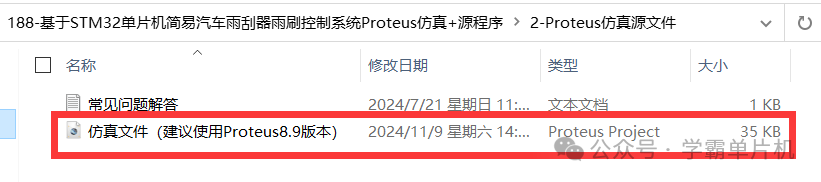
五:仿真文件(采用Proteus打开)
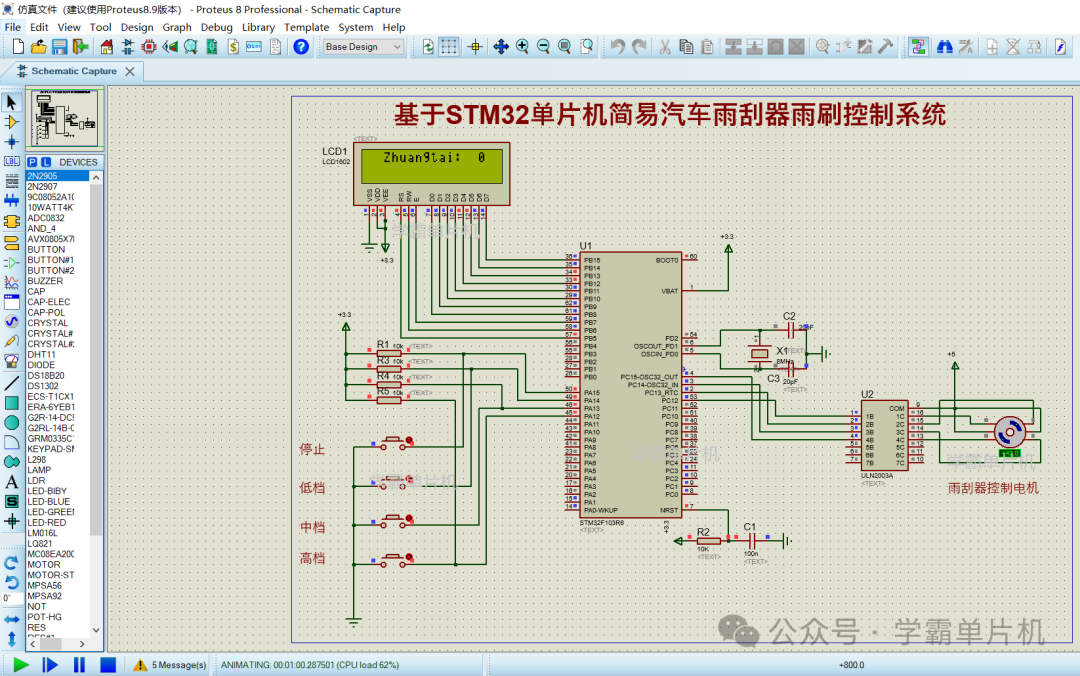
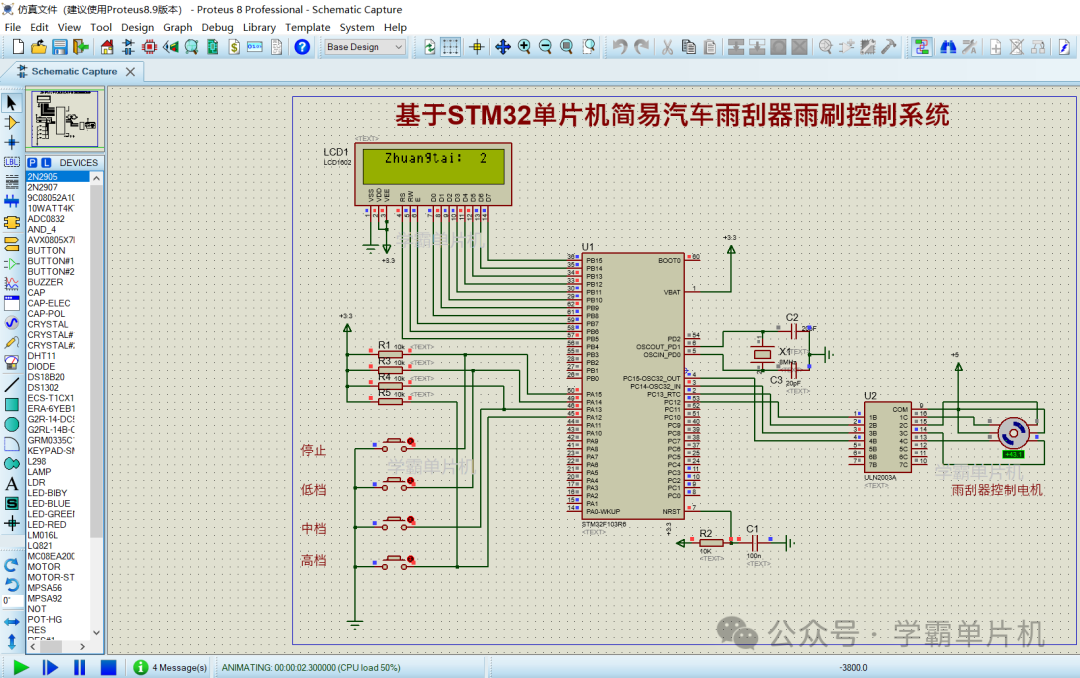
六:资料清单展示(文件中包含的相关资料)
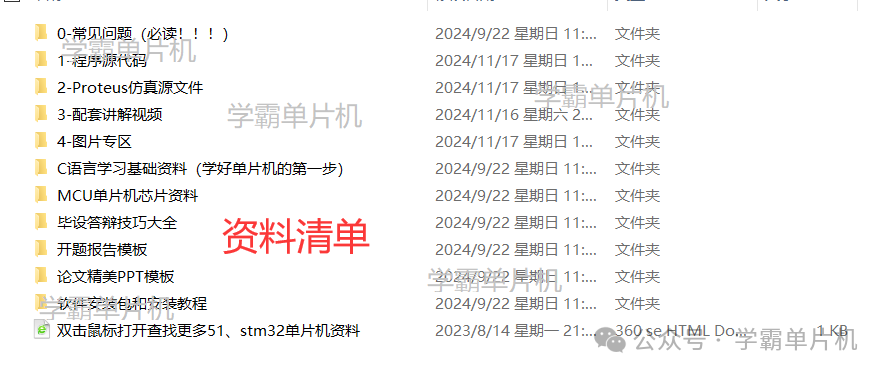
百度网盘资料包下载链接





 扫一扫
扫一扫


 1418
1418

 被折叠的 条评论
为什么被折叠?
被折叠的 条评论
为什么被折叠?
 到【灌水乐园】发言





