


Django 是一个基于 Python 的高级、全栈的 Web 应用程序框架,它遵循 “包含一切” (Batteries Included) 的设计哲学。它的主要目标是帮助开发者快速、简洁地构建复杂、数据驱动的网站。
Django 的核心思想是DRY (Don't Repeat Yourself) 和约定优于配置,它提供了构建一个完整网站所需的大部分组件,让你可以专注于业务逻辑,而无需重复造轮子。
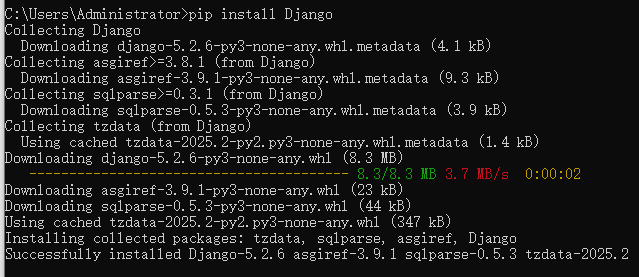
安装Django
pip install Django
查看版本
py -m django --version

一、创建一个基本的投票应用程序
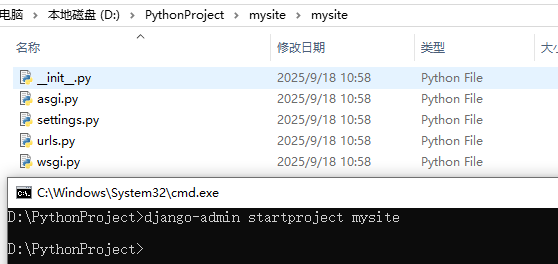
创建项目
django-admin startproject mysite
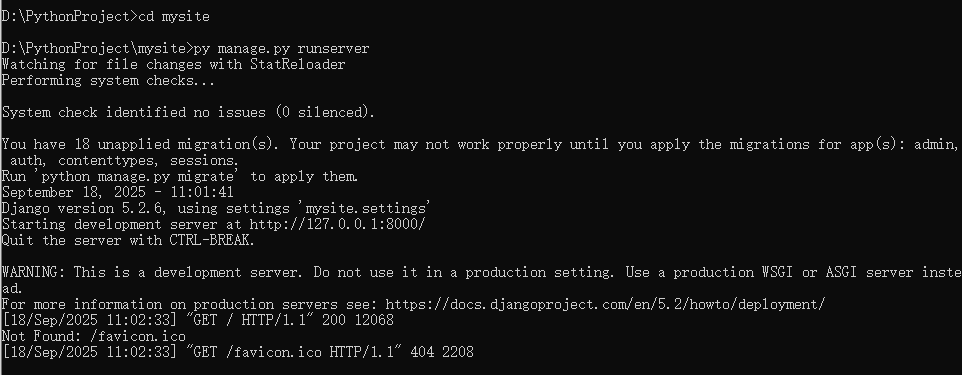
运行服务
py manage.py runserver
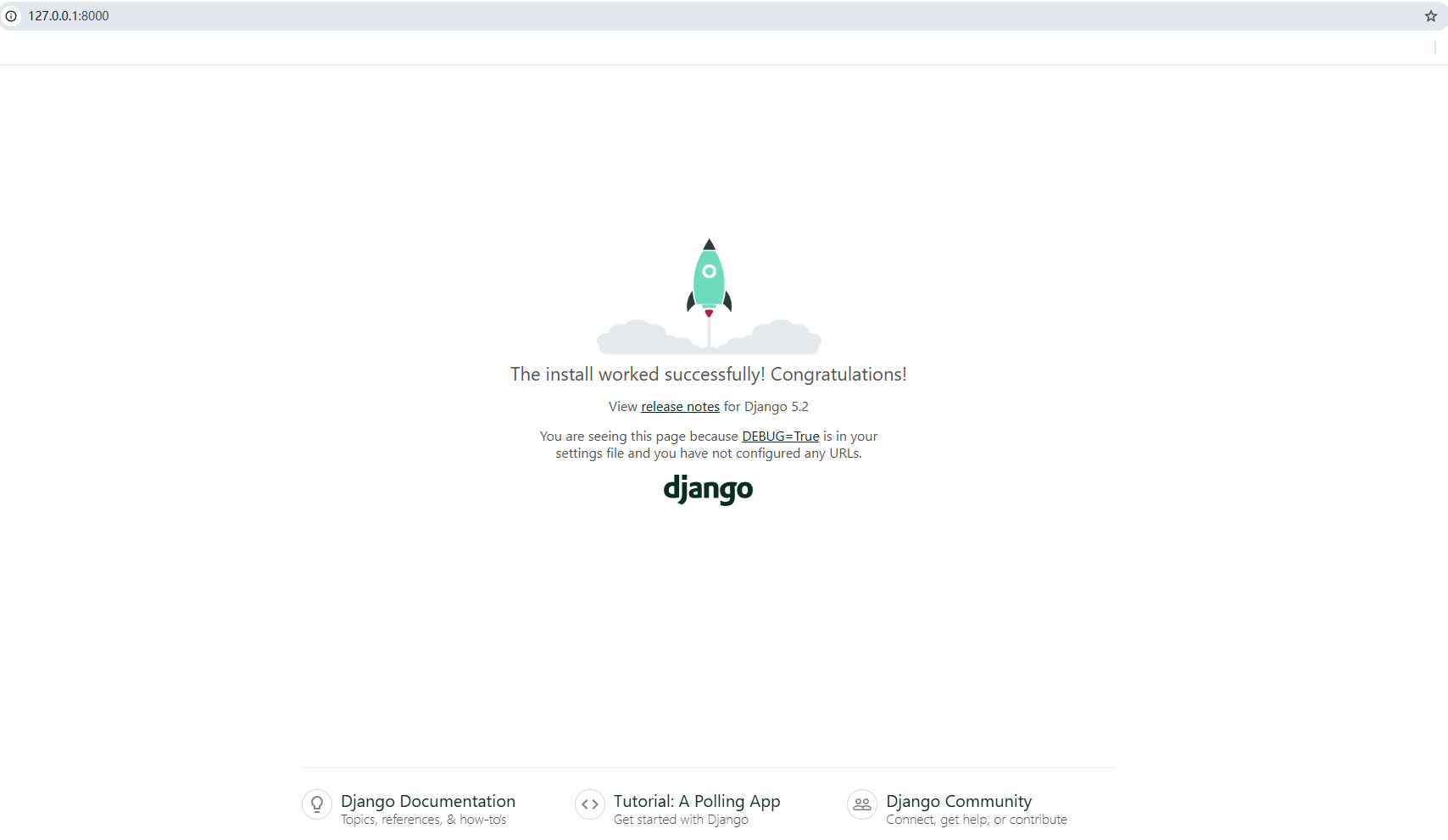
访问
更换端口
py manage.py runserver 8080
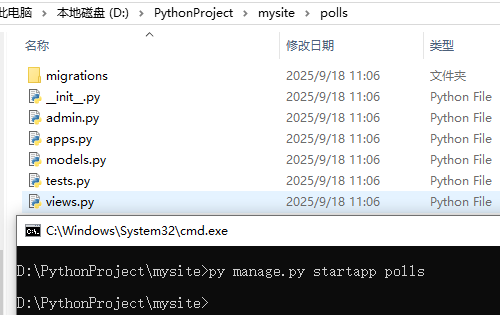
创建应用
py manage.py startapp polls
编写视图
polls/views.py
from django.http import HttpResponse

def index(request):
    return HttpResponse("Hello, world. You're at the polls index.")
polls/urls.py
from django.urls import path

from . import views

urlpatterns = [
    path('', views.index, name='index'),
]
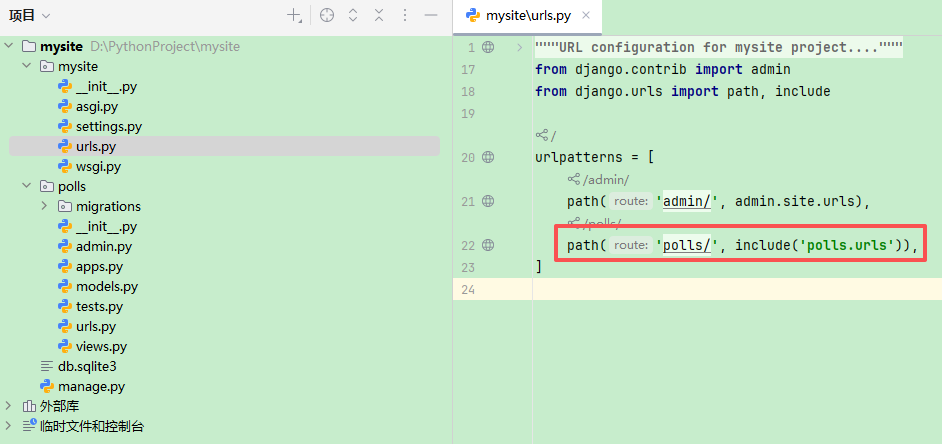
mysite/urls.py 文件的 urlpatterns列表里插入一个 include()
from django.contrib import admin
from django.urls import path, include

urlpatterns = [
    path('admin/', admin.site.urls),
    path('polls/', include('polls.urls')),
]
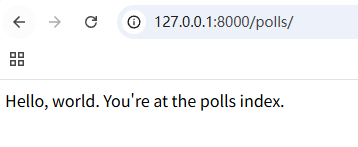
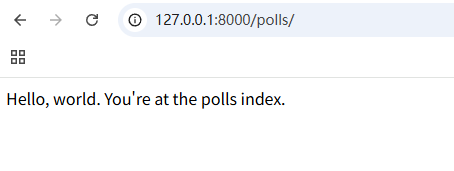
验证
py manage.py runserver
二、数据库配置
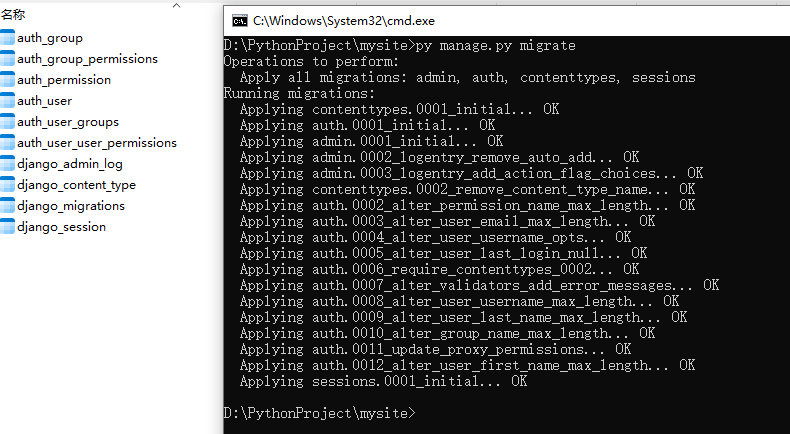
Django 有一个自动执行数据库迁移并同步管理你的数据库结构的命令 - 这个命令是 migrate
py manage.py migrate
创建模型
polls/models.py
from django.db import models

class Question(models.Model):
    question_text = models.CharField(max_length=200)
    pub_date = models.DateTimeField('date published')

class Choice(models.Model):
    question = models.ForeignKey(Question, on_delete=models.CASCADE)
    choice_text = models.CharField(max_length=200)
    votes = models.IntegerField(default=0)
激活模型
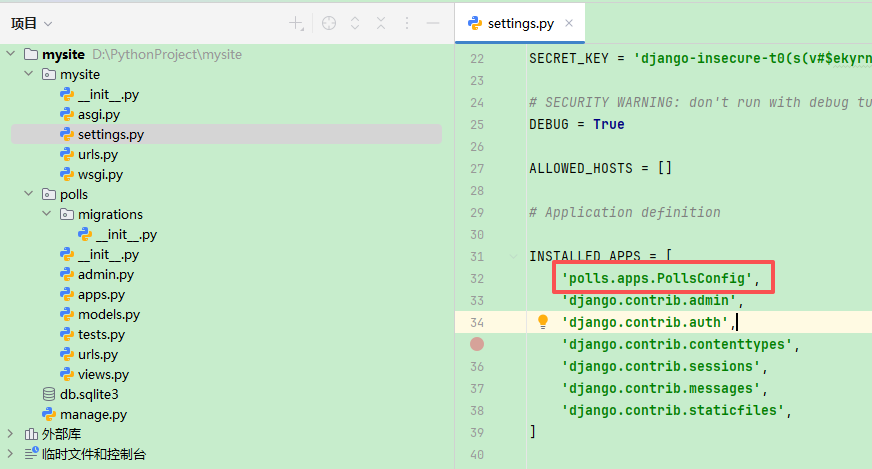
在文件 mysite/settings.py 中 INSTALLED_APPS 子项添加'polls.apps.PollsConfig'
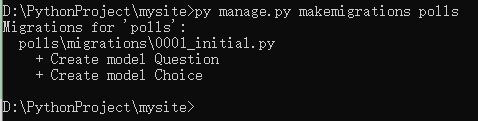
生成迁移文件
py manage.py makemigrations polls
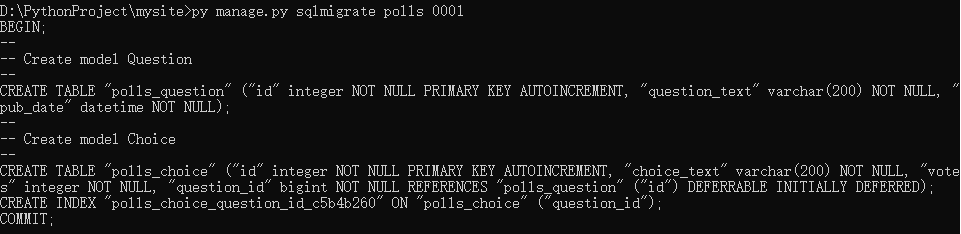
sqlmigrate 命令接收一个迁移的名称,然后返回对应的 SQL:
py manage.py sqlmigrate polls 0001
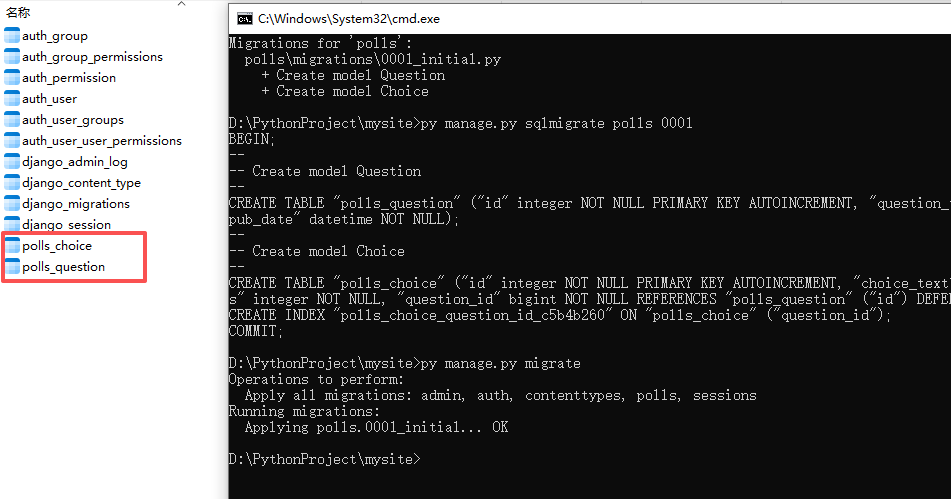
应用数据库迁移
再次运行 migrate命令,在数据库里创建新定义的模型的数据表
py manage.py migrate
API
py manage.py shell
In [1]: from polls.models import Choice, Question

In [2]: Question.objects.all()
Out[2]: <QuerySet []>

In [3]: from django.utils import timezone

In [4]: q = Question(question_text="What's new?", pub_date=timezone.now())

In [5]: q.save()

In [6]: q.id
Out[6]: 1

In [7]:  q.question_text
Out[7]: "What's new?"

In [8]: q.pub_date
Out[8]: datetime.datetime(2025, 9, 18, 7, 22, 50, 305522, tzinfo=datetime.timezone.utc)

In [9]: q.question_text = "What's up?"

In [10]: q.save()

In [11]: Question.objects.all()
Out[11]: <QuerySet [<Question: Question object (1)>]>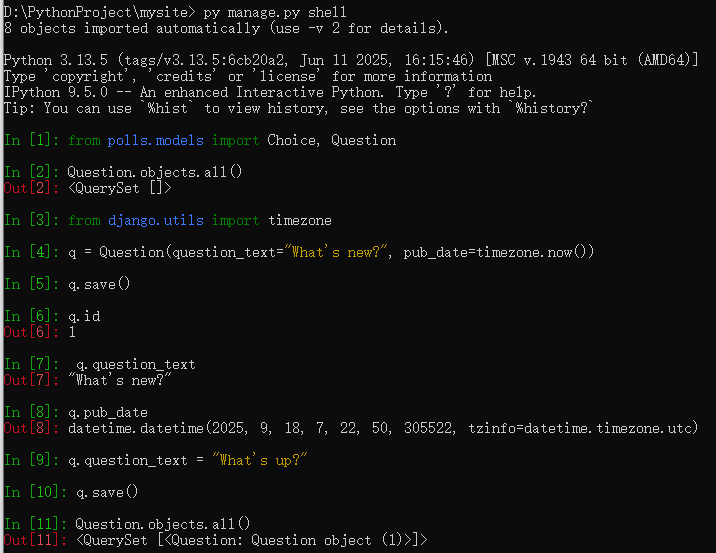
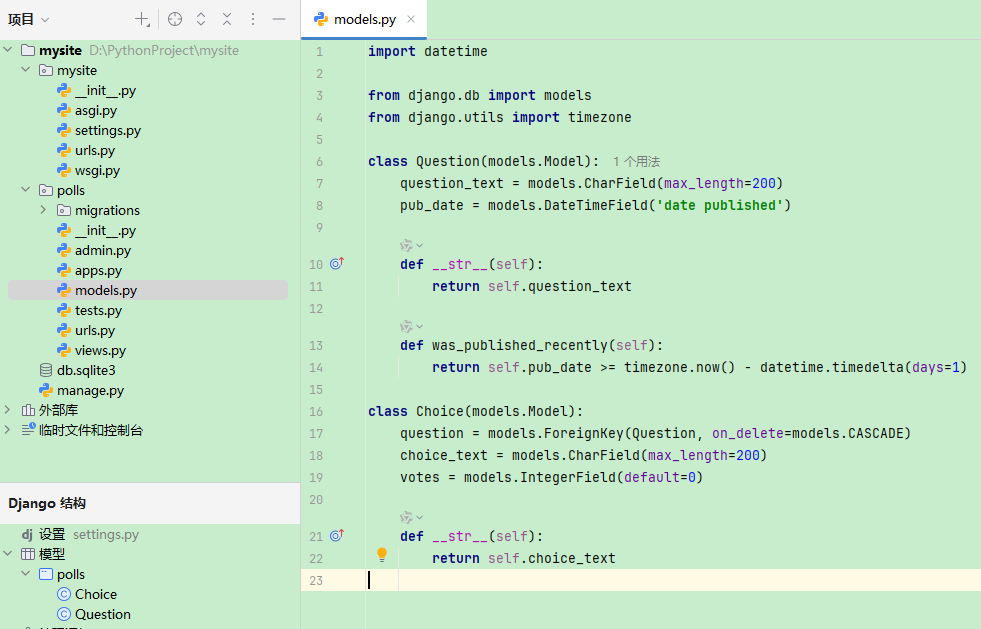
给模型增加 __str__()
import datetime

from django.db import models
from django.utils import timezone

class Question(models.Model):
    question_text = models.CharField(max_length=200)
    pub_date = models.DateTimeField('date published')

    def __str__(self):
        return self.question_text

    def was_published_recently(self):
        return self.pub_date >= timezone.now() - datetime.timedelta(days=1)

class Choice(models.Model):
    question = models.ForeignKey(Question, on_delete=models.CASCADE)
    choice_text = models.CharField(max_length=200)
    votes = models.IntegerField(default=0)

    def __str__(self):
        return self.choice_text
python manage.py shell命令再次打开 Python 交互式命令行
In [1]: Question.objects.all()
Out[1]: <QuerySet [<Question: What's up?>]>

In [2]: q = Question.objects.get(pk=1)

In [3]: q.was_published_recently()
Out[3]: True

In [4]: q.choice_set.all()
Out[4]: <QuerySet []>

In [5]: q.choice_set.create(choice_text='Not much', votes=0)
Out[5]: <Choice: Not much>

In [6]: q.choice_set.create(choice_text='The sky', votes=0)
Out[6]: <Choice: The sky>

In [7]: c = q.choice_set.create(choice_text='Just hacking again', votes=0)

In [8]:  c.question
Out[8]: <Question: What's up?>

In [9]: q.choice_set.all()
Out[9]: <QuerySet [<Choice: Not much>, <Choice: The sky>, <Choice: Just hacking again>]>

In [10]: q.choice_set.count()
Out[10]: 3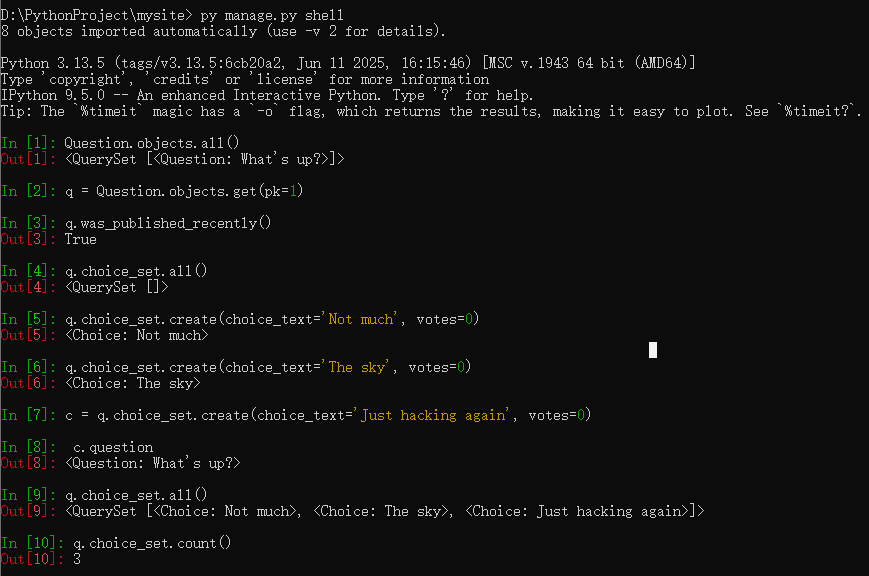
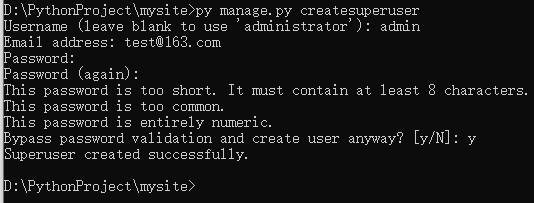
创建管理员账号
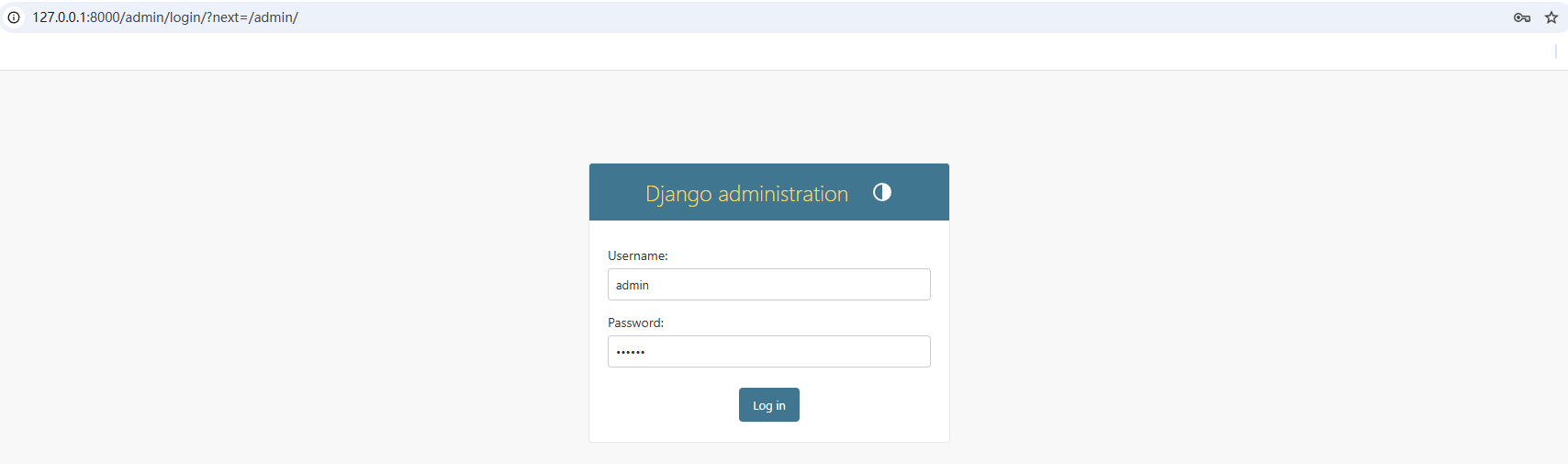
py manage.py createsuperuser
启动
py manage.py runserver
访问

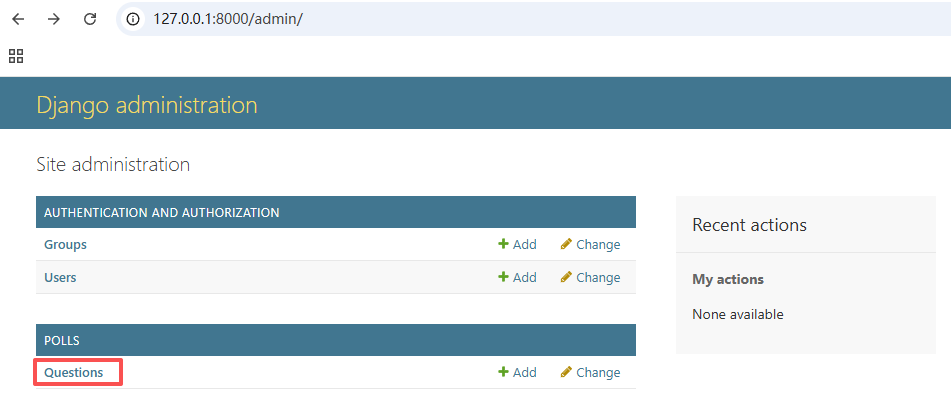
向管理页面中加入投票应用
polls/admin.py
from django.contrib import admin

from .models import Question

admin.site.register(Question)
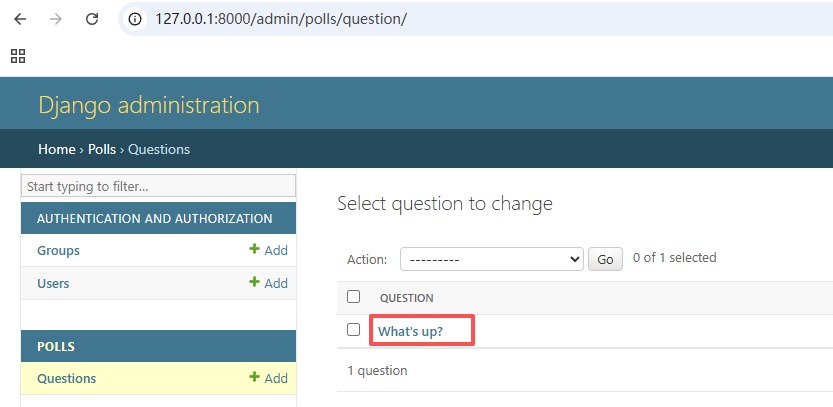
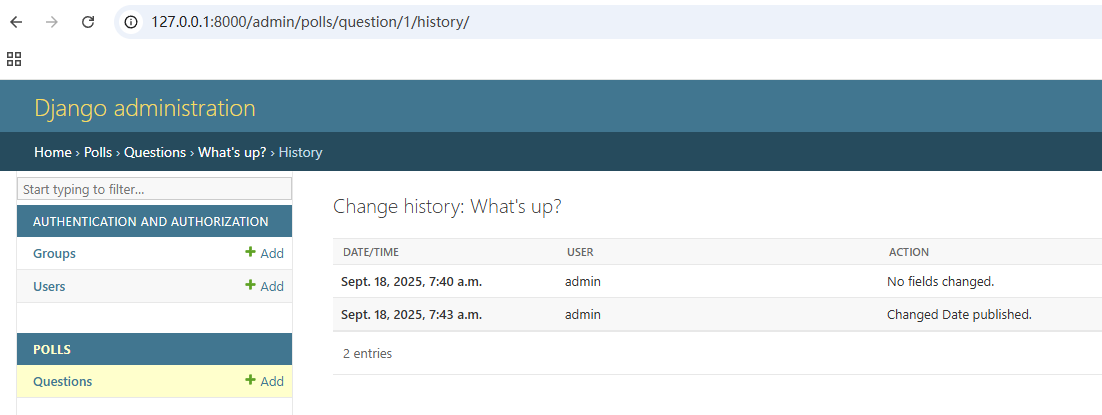
修改保存
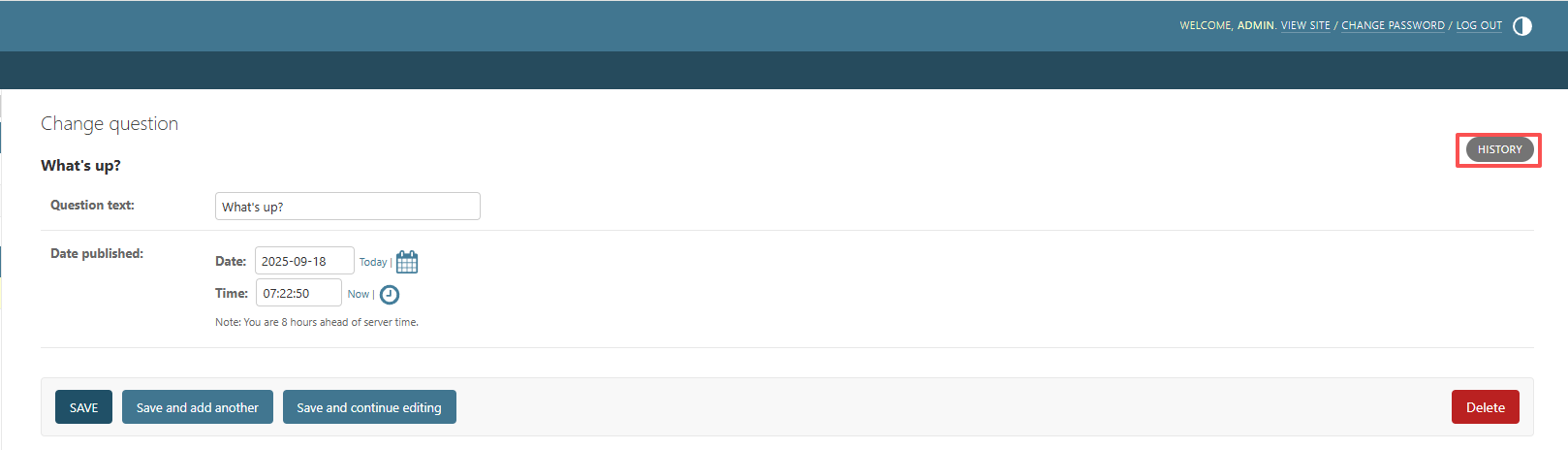
查看历史
三、编写更多视图
Django 中的视图的概念是「一类具有相同功能和模板的网页的集合」
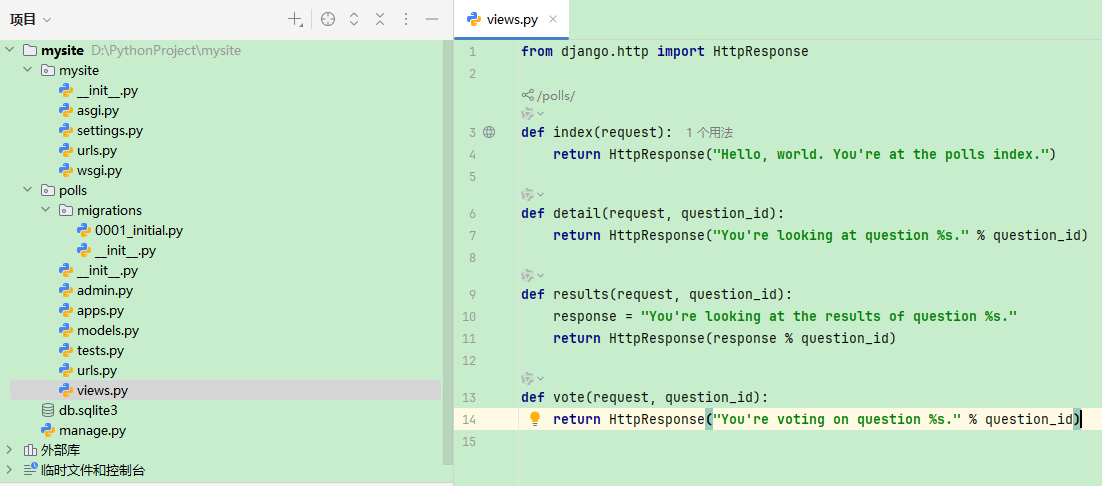
polls/views.py
from django.http import HttpResponse

def index(request):
    return HttpResponse("Hello, world. You're at the polls index.")

def detail(request, question_id):
    return HttpResponse("You're looking at question %s." % question_id)

def results(request, question_id):
    response = "You're looking at the results of question %s."
    return HttpResponse(response % question_id)

def vote(request, question_id):
    return HttpResponse("You're voting on question %s." % question_id)
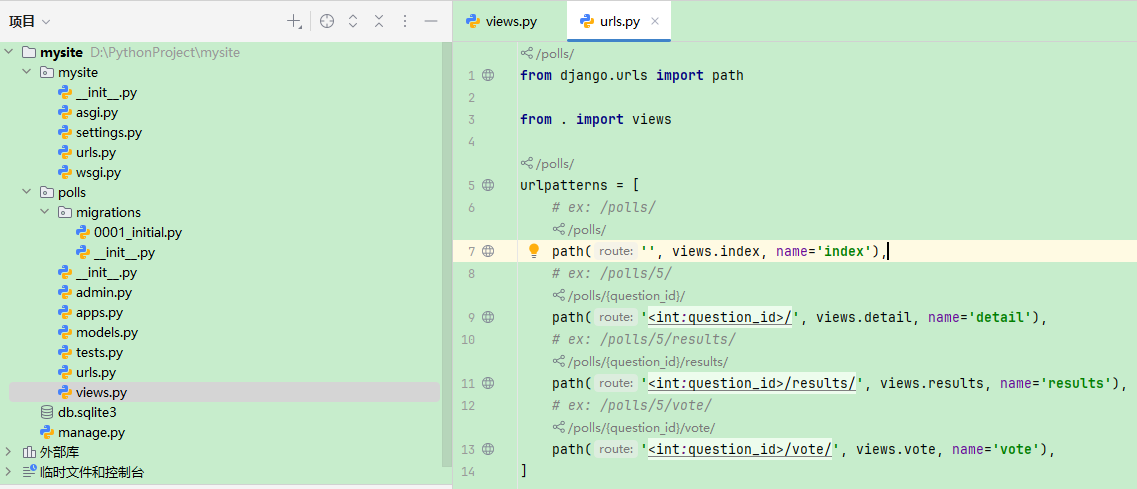
polls.urls
from django.urls import path

from . import views

urlpatterns = [
    # ex: /polls/
    path('', views.index, name='index'),
    # ex: /polls/5/
    path('<int:question_id>/', views.detail, name='detail'),
    # ex: /polls/5/results/
    path('<int:question_id>/results/', views.results, name='results'),
    # ex: /polls/5/vote/
    path('<int:question_id>/vote/', views.vote, name='vote'),
]
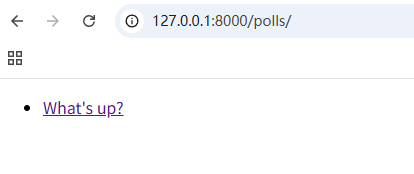
我们在 index() 函数里插入了一些新内容,让它能展示数据库里以发布日期排序的最近 5 个投票问题,以空格分割
polls/views.py
from django.http import HttpResponse
from django.template import loader

from .models import Question

def index(request):
    latest_question_list = Question.objects.order_by('-pub_date')[:5]
    template = loader.get_template('polls/index.html')
    context = {
        'latest_question_list': latest_question_list,
    }
    return HttpResponse(template.render(context, request))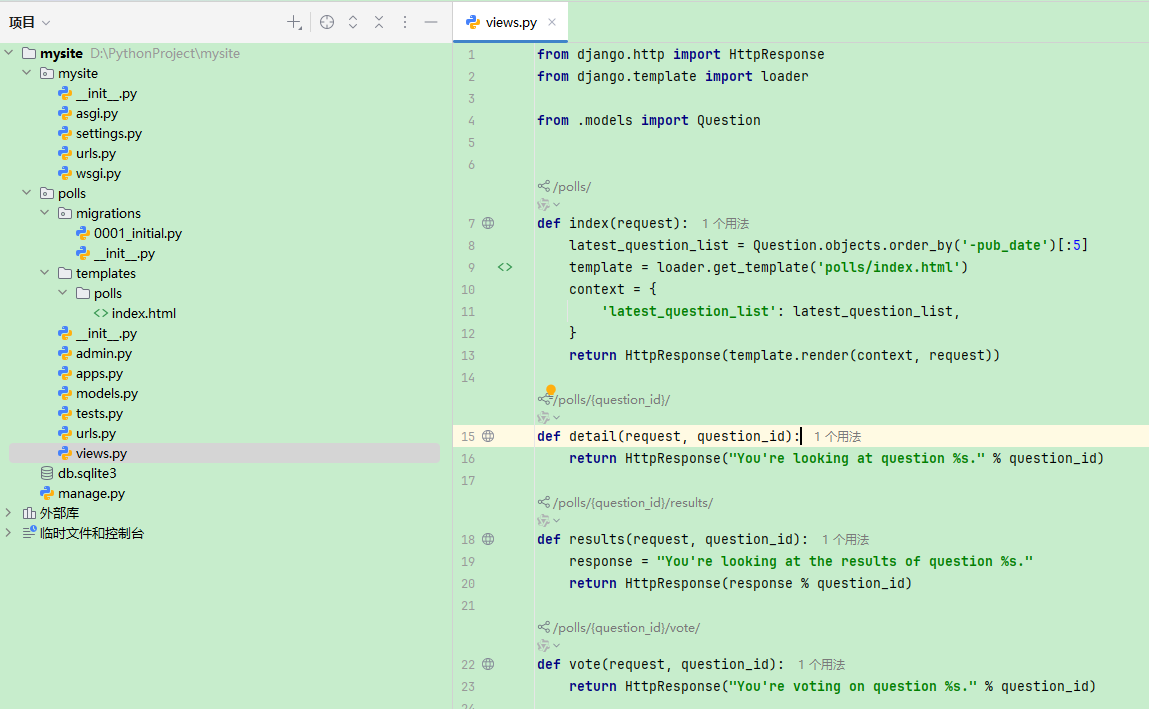
polls/templates/polls/index.html
{% if latest_question_list %}
    <ul>
        {% for question in latest_question_list %}
            <li><a href="/polls/{{ question.id }}/">{{ question.question_text }}</a></li>
        {% endfor %}
    </ul>
{% else %}
    <p>No polls are available.</p>
{% endif %}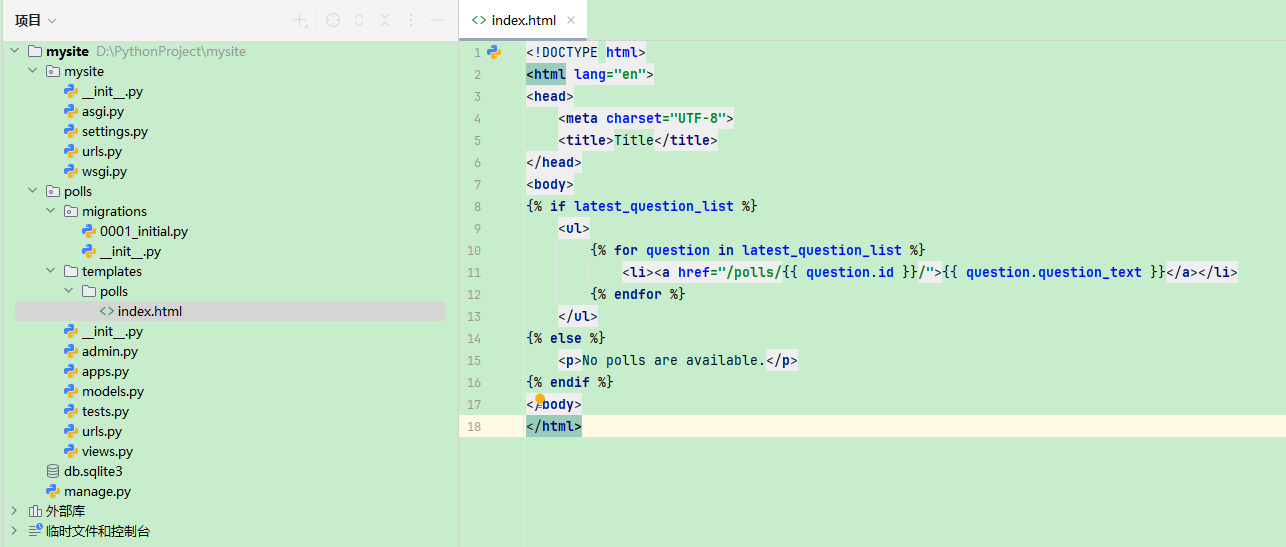
抛出404错误
from django.http import Http404
from django.shortcuts import render

from .models import Question

def detail(request, question_id):
    try:
        question = Question.objects.get(pk=question_id)
    except Question.DoesNotExist:
        raise Http404("Question does not exist")
    return render(request, 'polls/detail.html', {'question': question})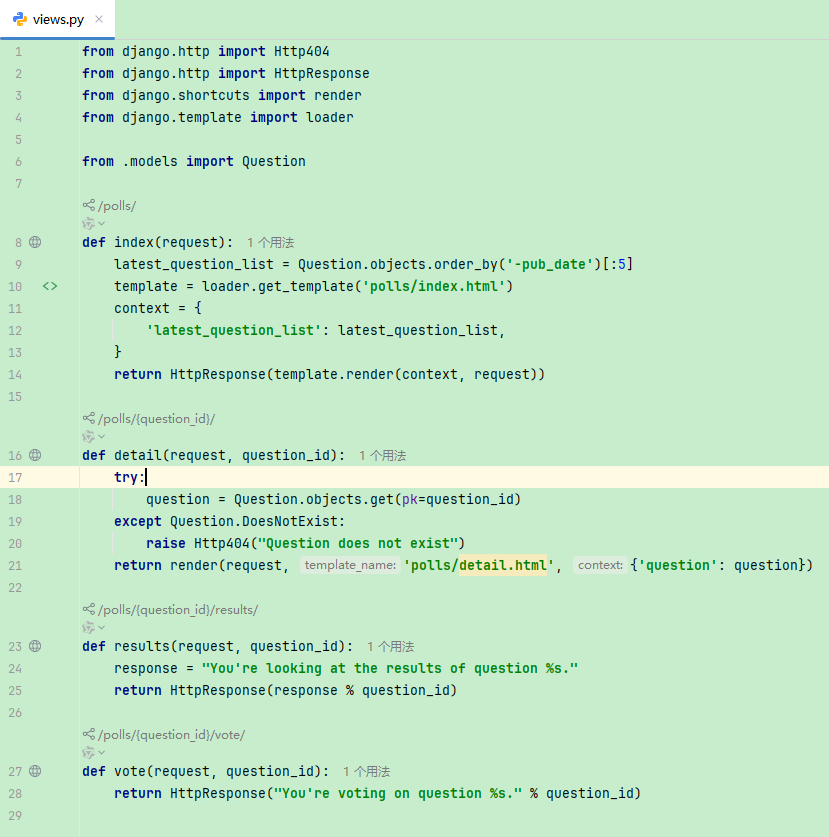
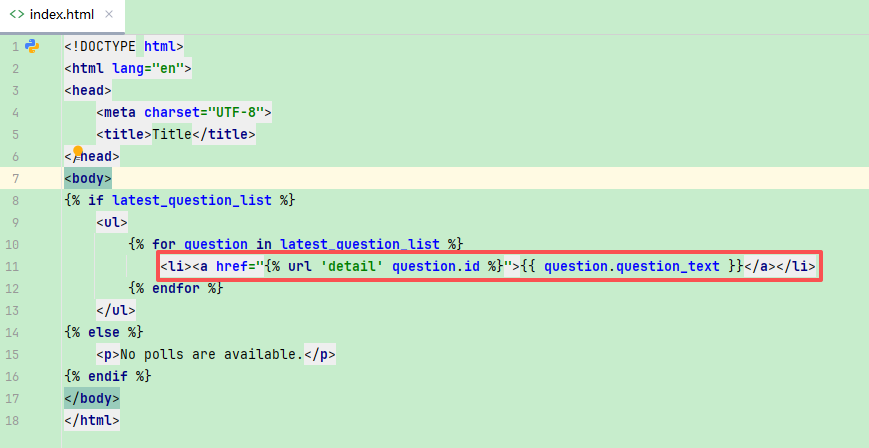
去除模板中的硬编码URL
<li><a href="{% url 'detail' question.id %}">{{ question.question_text }}</a></li>
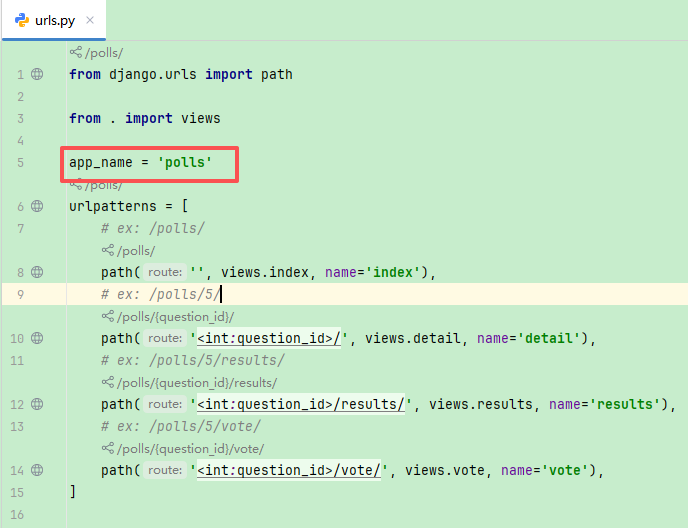
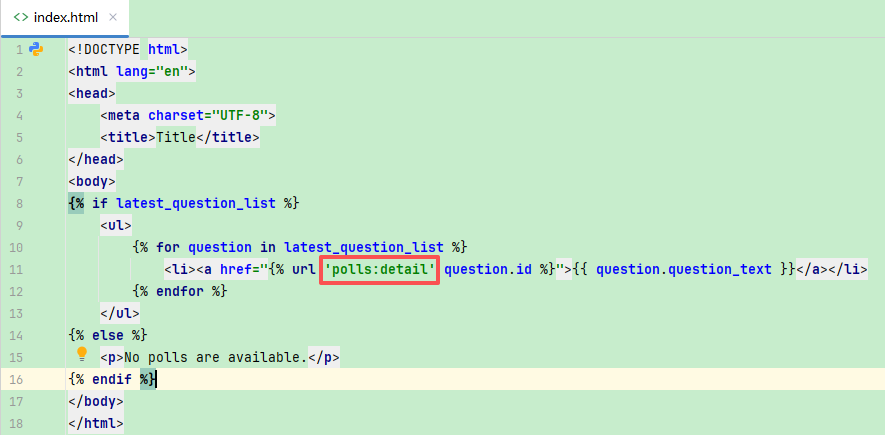
为URL名称添加命名空间
app_name = 'polls'
四、编写一个简单的表单
详情
polls/detail.html
<form action="{% url 'polls:vote' question.id %}" method="post">
    {% csrf_token %}
    <fieldset>
        <legend><h1>{{ question.question_text }}</h1></legend>
        {% if error_message %}<p><strong>{{ error_message }}</strong></p>{% endif %}
        {% for choice in question.choice_set.all %}
            <input type="radio" name="choice" id="choice{{ forloop.counter }}" value="{{ choice.id }}">
            <label for="choice{{ forloop.counter }}">{{ choice.choice_text }}</label>

        {% endfor %}
    </fieldset>
    <input type="submit" value="Vote">
</form>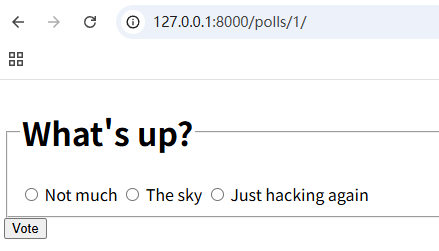
投票
创建了一个 vote() 函数
from django.http import HttpResponse, HttpResponseRedirect
from django.shortcuts import get_object_or_404, render
from django.urls import reverse

from .models import Choice, Question

def vote(request, question_id):
    question = get_object_or_404(Question, pk=question_id)
    try:
        selected_choice = question.choice_set.get(pk=request.POST['choice'])
    except (KeyError, Choice.DoesNotExist):
        # Redisplay the question voting form.
        return render(request, 'polls/detail.html', {
            'question': question,
            'error_message': "You didn't select a choice.",
        })
    else:
        selected_choice.votes += 1
        selected_choice.save()
        # Always return an HttpResponseRedirect after successfully dealing
        # with POST data. This prevents data from being posted twice if a
        # user hits the Back button.
        return HttpResponseRedirect(reverse('polls:results', args=(question.id,)))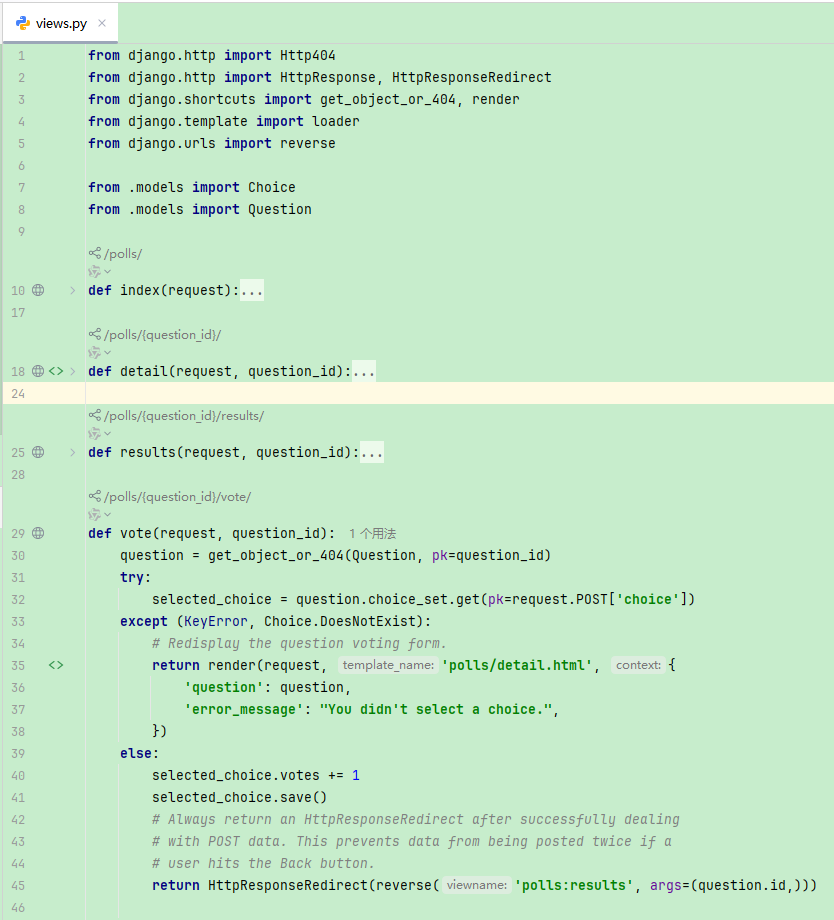
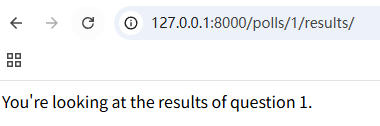
结果
from django.shortcuts import get_object_or_404, render


def results(request, question_id):
    question = get_object_or_404(Question, pk=question_id)
    return render(request, 'polls/results.html', {'question': question})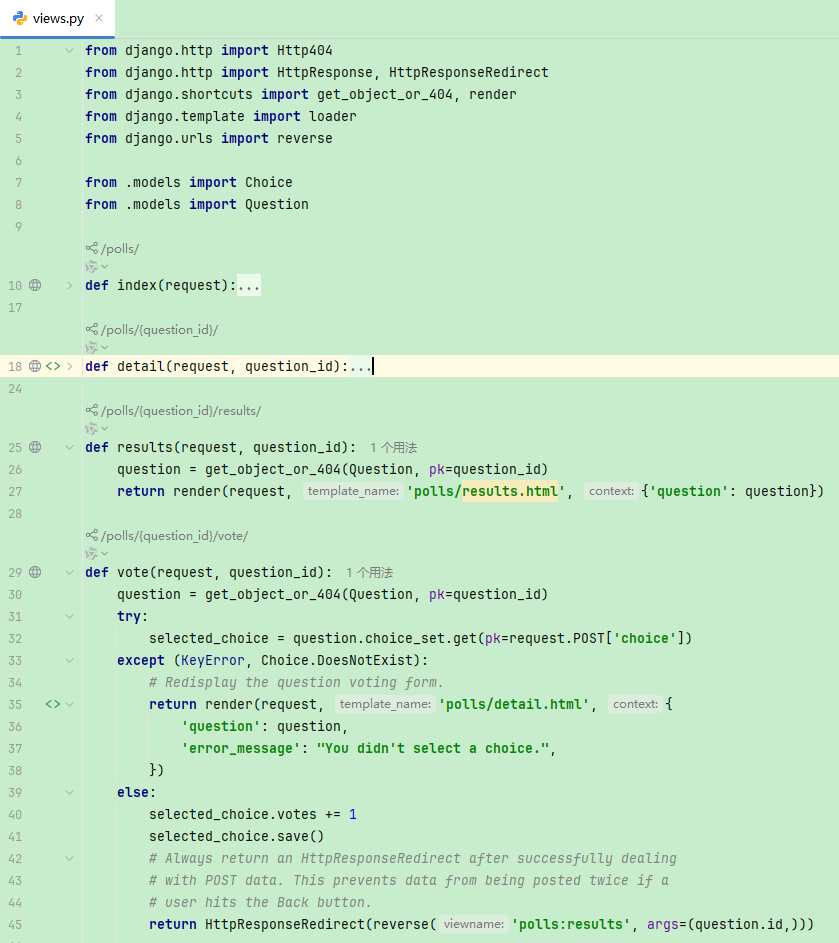
polls/results.html
<h1>{{ question.question_text }}</h1>

<ul>
    {% for choice in question.choice_set.all %}
        <li>{{ choice.choice_text }} -- {{ choice.votes }} vote{{ choice.votes|pluralize }}</li>
    {% endfor %}
</ul>

<a href="{% url 'polls:detail' question.id %}">Vote again?</a>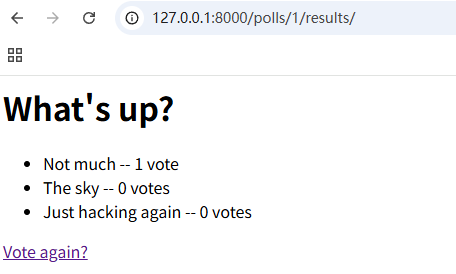
使用通用视图
polls/urls.py
from django.urls import path

from . import views

app_name = 'polls'
urlpatterns = [
    path('', views.IndexView.as_view(), name='index'),
    path('<int:pk>/', views.DetailView.as_view(), name='detail'),
    path('<int:pk>/results/', views.ResultsView.as_view(), name='results'),
    path('<int:question_id>/vote/', views.vote, name='vote'),
]
polls/views.py
from django.http import HttpResponseRedirect
from django.shortcuts import get_object_or_404, render
from django.urls import reverse
from django.views import generic

from .models import Choice, Question

class IndexView(generic.ListView):
    template_name = 'polls/index.html'
    context_object_name = 'latest_question_list'

    def get_queryset(self):
        """Return the last five published questions."""
        return Question.objects.order_by('-pub_date')[:5]

class DetailView(generic.DetailView):
    model = Question
    template_name = 'polls/detail.html'

class ResultsView(generic.DetailView):
    model = Question
    template_name = 'polls/results.html'

def vote(request, question_id):
    question = get_object_or_404(Question, pk=question_id)
    try:
        selected_choice = question.choice_set.get(pk=request.POST['choice'])
    except (KeyError, Choice.DoesNotExist):
        # Redisplay the question voting form.
        return render(request, 'polls/detail.html', {
            'question': question,
            'error_message': "You didn't select a choice.",
        })
    else:
        selected_choice.votes += 1
        selected_choice.save()
        # Always return an HttpResponseRedirect after successfully dealing
        # with POST data. This prevents data from being posted twice if a
        # user hits the Back button.
        return HttpResponseRedirect(reverse('polls:results', args=(question.id,)))
五、自动化测试
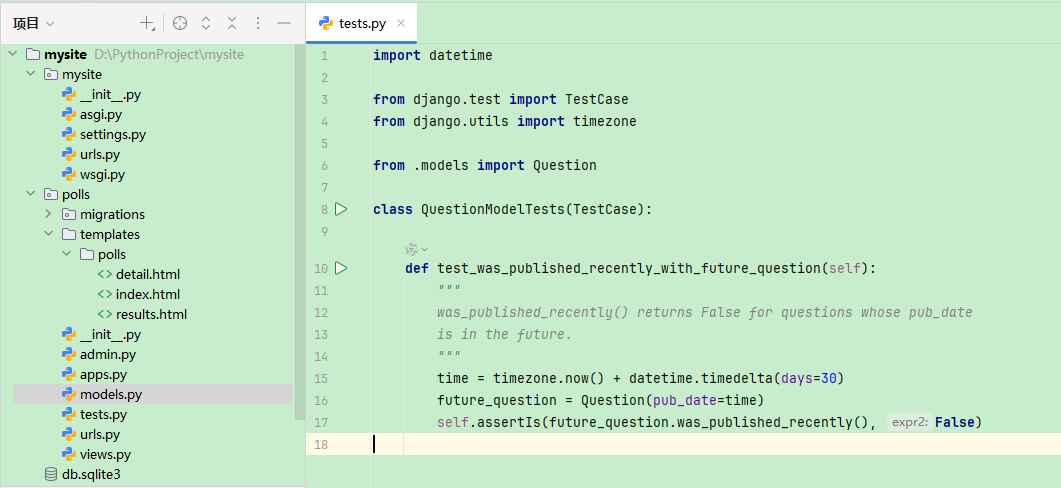
tests.py
import datetime

from django.test import TestCase
from django.utils import timezone

from .models import Question

class QuestionModelTests(TestCase):

    def test_was_published_recently_with_future_question(self):
        """
        was_published_recently() returns False for questions whose pub_date
        is in the future.
        """
        time = timezone.now() + datetime.timedelta(days=30)
        future_question = Question(pub_date=time)
        self.assertIs(future_question.was_published_recently(), False)
运行测试
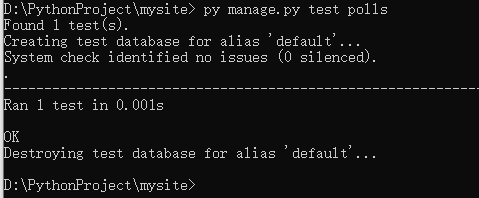
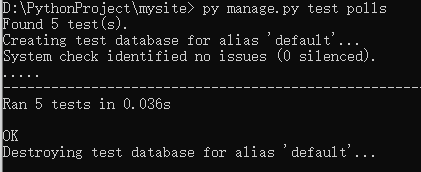
py manage.py test polls
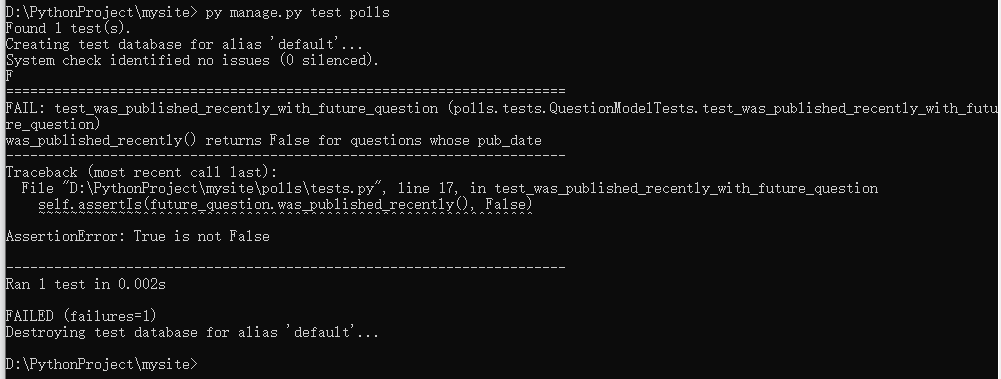
修复这个bug
models.py
def was_published_recently(self):
    now = timezone.now()
    return now - datetime.timedelta(days=1) <= self.pub_date <= now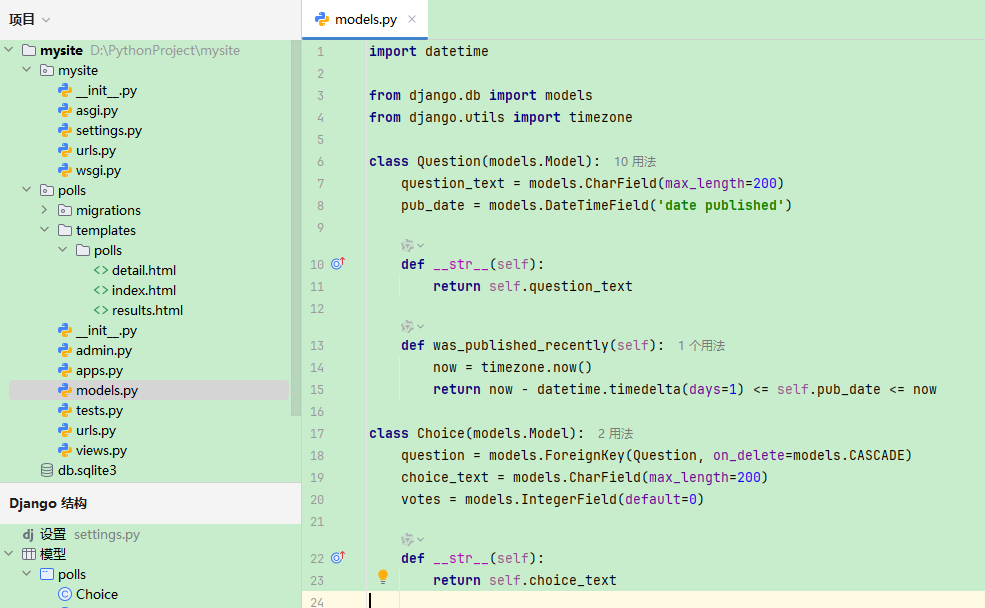
更全面的测试
import datetime

from django.test import TestCase
from django.utils import timezone

from .models import Question

class QuestionModelTests(TestCase):

    def test_was_published_recently_with_future_question(self):
        """
        was_published_recently() returns False for questions whose pub_date
        is in the future.
        """
        time = timezone.now() + datetime.timedelta(days=30)
        future_question = Question(pub_date=time)
        self.assertIs(future_question.was_published_recently(), False)

    def test_was_published_recently_with_old_question(self):
        """
        was_published_recently() returns False for questions whose pub_date
        is older than 1 day.
        """
        time = timezone.now() - datetime.timedelta(days=1, seconds=1)
        old_question = Question(pub_date=time)
        self.assertIs(old_question.was_published_recently(), False)

    def test_was_published_recently_with_recent_question(self):
        """
        was_published_recently() returns True for questions whose pub_date
        is within the last day.
        """
        time = timezone.now() - datetime.timedelta(hours=23, minutes=59, seconds=59)
        recent_question = Question(pub_date=time)
        self.assertIs(recent_question.was_published_recently(), True)
测试视图
在 shell 中配置测试环境
py manage.py shell
In [1]: from django.test.utils import setup_test_environment
In [2]: setup_test_environment()
In [3]: from django.test import Client
In [4]: client = Client()
In [5]: response = client.get('/')
Not Found: /
In [6]: response.status_code
Out[6]: 404
In [7]: from django.urls import reverse
In [8]: response = client.get(reverse('polls:index'))
In [9]: response.status_code
Out[9]: 200
In [10]: response.content
Out[10]: b'\n <ul>\n \n <li><a href="/polls/1/">What's up?</a></li>\n \n </ul>\n'
In [11]: response.context['latest_question_list']
Out[11]: <QuerySet [<Question: What's up?>]>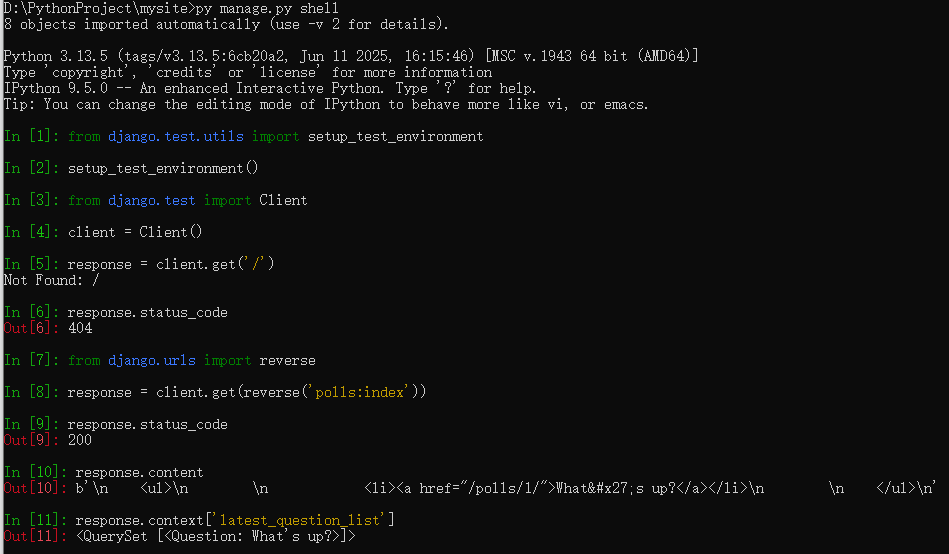
改善视图代码
from django.utils import timezone

class IndexView(generic.ListView):
    template_name = 'polls/index.html'
    context_object_name = 'latest_question_list'

    def get_queryset(self):
        """
        Return the last five published questions (not including those set to be
        published in the future).
        """
        return Question.objects.filter(pub_date__lte=timezone.now()).order_by('-pub_date')[:5]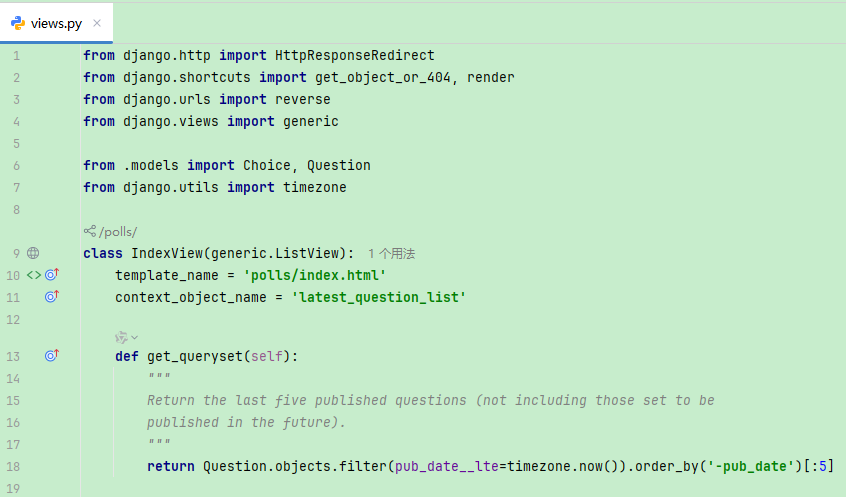
测试新视图
import datetime

from django.test import TestCase
from django.urls import reverse
from django.utils import timezone

from .models import Question

def create_question(question_text, days):
    """
    Create a question with the given `question_text` and published the
    given number of `days` offset to now (negative for questions published
    in the past, positive for questions that have yet to be published).
    """
    time = timezone.now() + datetime.timedelta(days=days)
    return Question.objects.create(question_text=question_text, pub_date=time)

class QuestionIndexViewTests(TestCase):
    def test_no_questions(self):
        """
        If no questions exist, an appropriate message is displayed.
        """
        response = self.client.get(reverse('polls:index'))
        self.assertEqual(response.status_code, 200)
        self.assertContains(response, "No polls are available.")
        self.assertQuerySetEqual(response.context['latest_question_list'], [])

    def test_past_question(self):
        """
        Questions with a pub_date in the past are displayed on the
        index page.
        """
        question = create_question(question_text="Past question.", days=-30)
        response = self.client.get(reverse('polls:index'))
        self.assertQuerySetEqual(
            response.context['latest_question_list'],
            [question],
        )

    def test_future_question(self):
        """
        Questions with a pub_date in the future aren't displayed on
        the index page.
        """
        create_question(question_text="Future question.", days=30)
        response = self.client.get(reverse('polls:index'))
        self.assertContains(response, "No polls are available.")
        self.assertQuerySetEqual(response.context['latest_question_list'], [])

    def test_future_question_and_past_question(self):
        """
        Even if both past and future questions exist, only past questions
        are displayed.
        """
        question = create_question(question_text="Past question.", days=-30)
        create_question(question_text="Future question.", days=30)
        response = self.client.get(reverse('polls:index'))
        self.assertQuerySetEqual(
            response.context['latest_question_list'],
            [question],
        )

    def test_two_past_questions(self):
        """
        The questions index page may display multiple questions.
        """
        question1 = create_question(question_text="Past question 1.", days=-30)
        question2 = create_question(question_text="Past question 2.", days=-5)
        response = self.client.get(reverse('polls:index'))
        self.assertQuerySetEqual(
            response.context['latest_question_list'],
            [question2, question1],
        )
六、自定义应用的界面和风格
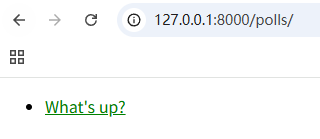
polls/static/polls/style.css
li a {
    color: green;
}
polls/templates/polls/index.html
{% load static %}

<link rel="stylesheet" type="text/css" href="{% static 'polls/style.css' %}">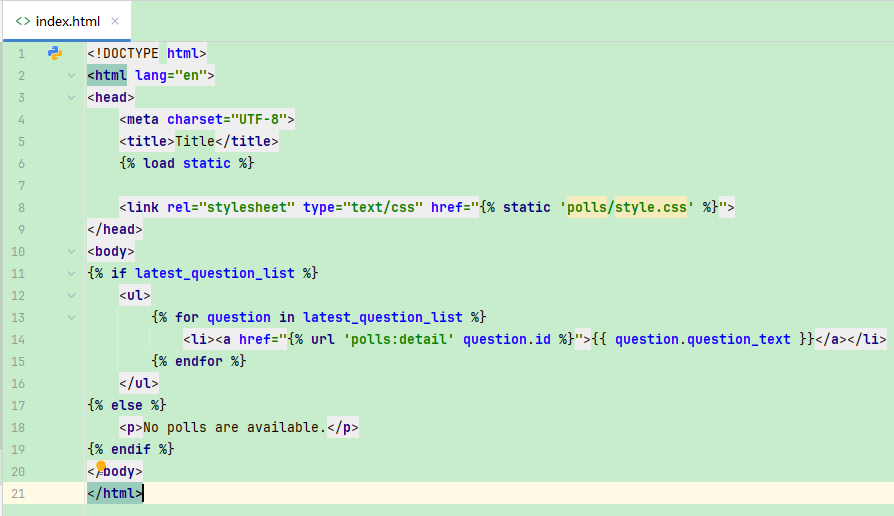
添加一个背景图
body {
    background: white url("images/bg.png") no-repeat;
}
七、自定义后台表单
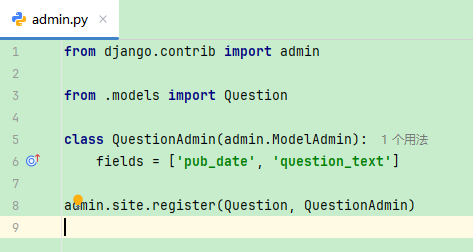
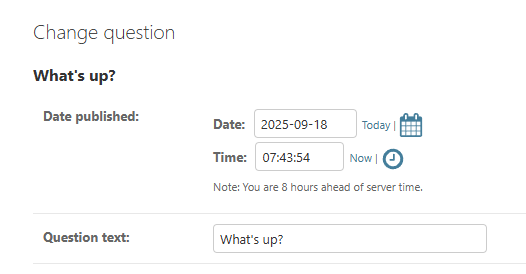
from django.contrib import admin

from .models import Question

class QuestionAdmin(admin.ModelAdmin):
    fields = ['pub_date', 'question_text']

admin.site.register(Question, QuestionAdmin)
拆分为字段集
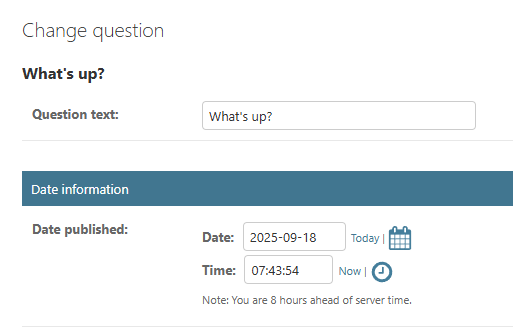
class QuestionAdmin(admin.ModelAdmin):
    fieldsets = [
        (None, {'fields': ['question_text']}),
        ('Date information', {'fields': ['pub_date']}),
    ]
添加关联的对象
from django.contrib import admin

from .models import Choice, Question

class QuestionAdmin(admin.ModelAdmin):
    fieldsets = [
        (None, {'fields': ['question_text']}),
        ('Date information', {'fields': ['pub_date']}),
    ]

admin.site.register(Question, QuestionAdmin)

admin.site.register(Choice)

from django.contrib import admin

from .models import Choice, Question

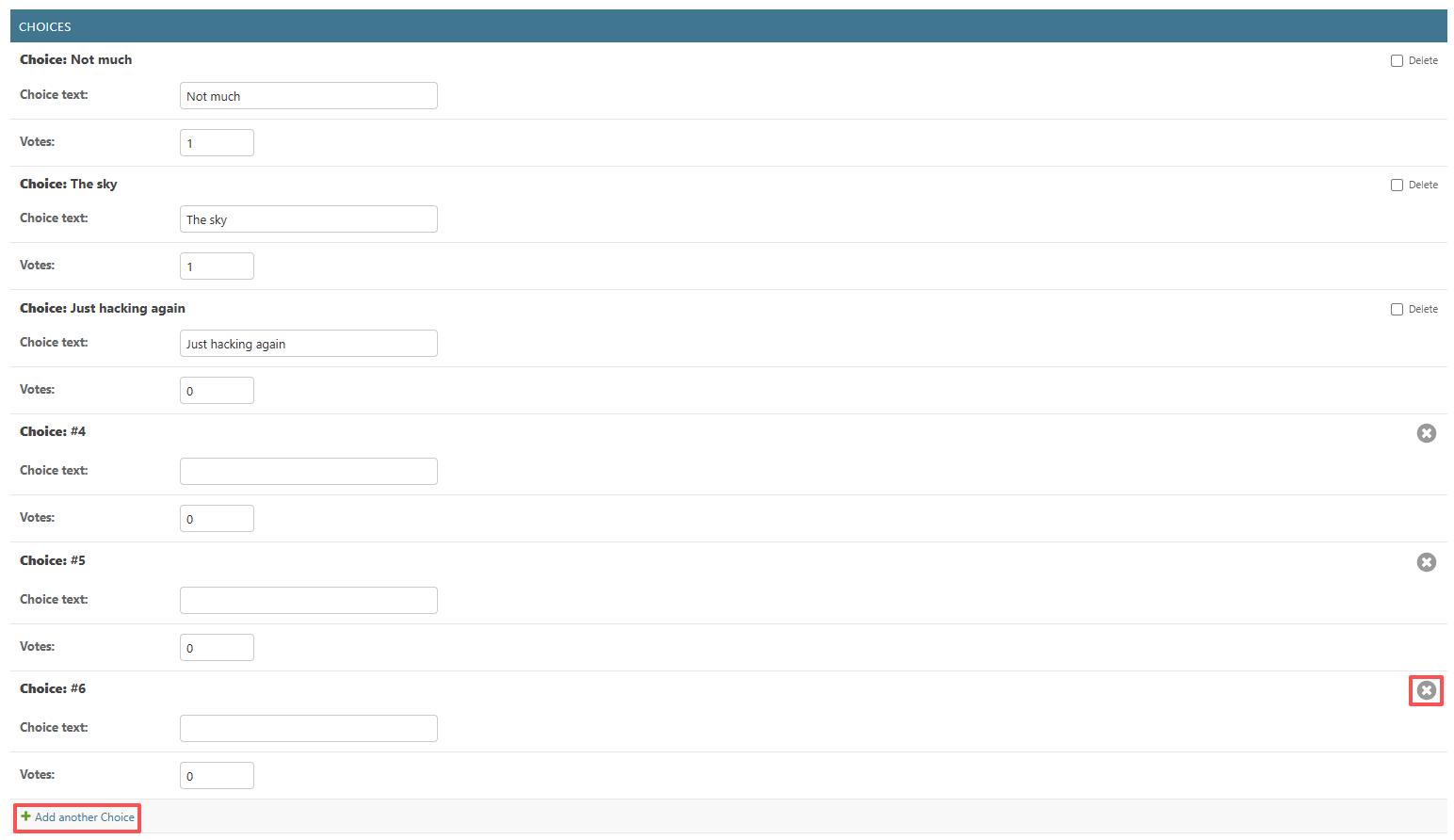
class ChoiceInline(admin.StackedInline):
    model = Choice
    extra = 3

class QuestionAdmin(admin.ModelAdmin):
    fieldsets = [
        (None, {'fields': ['question_text']}),
        ('Date information', {'fields': ['pub_date'], 'classes': ['collapse']}),
    ]
    inlines = [ChoiceInline]

admin.site.register(Question, QuestionAdmin)
class ChoiceInline(admin.TabularInline):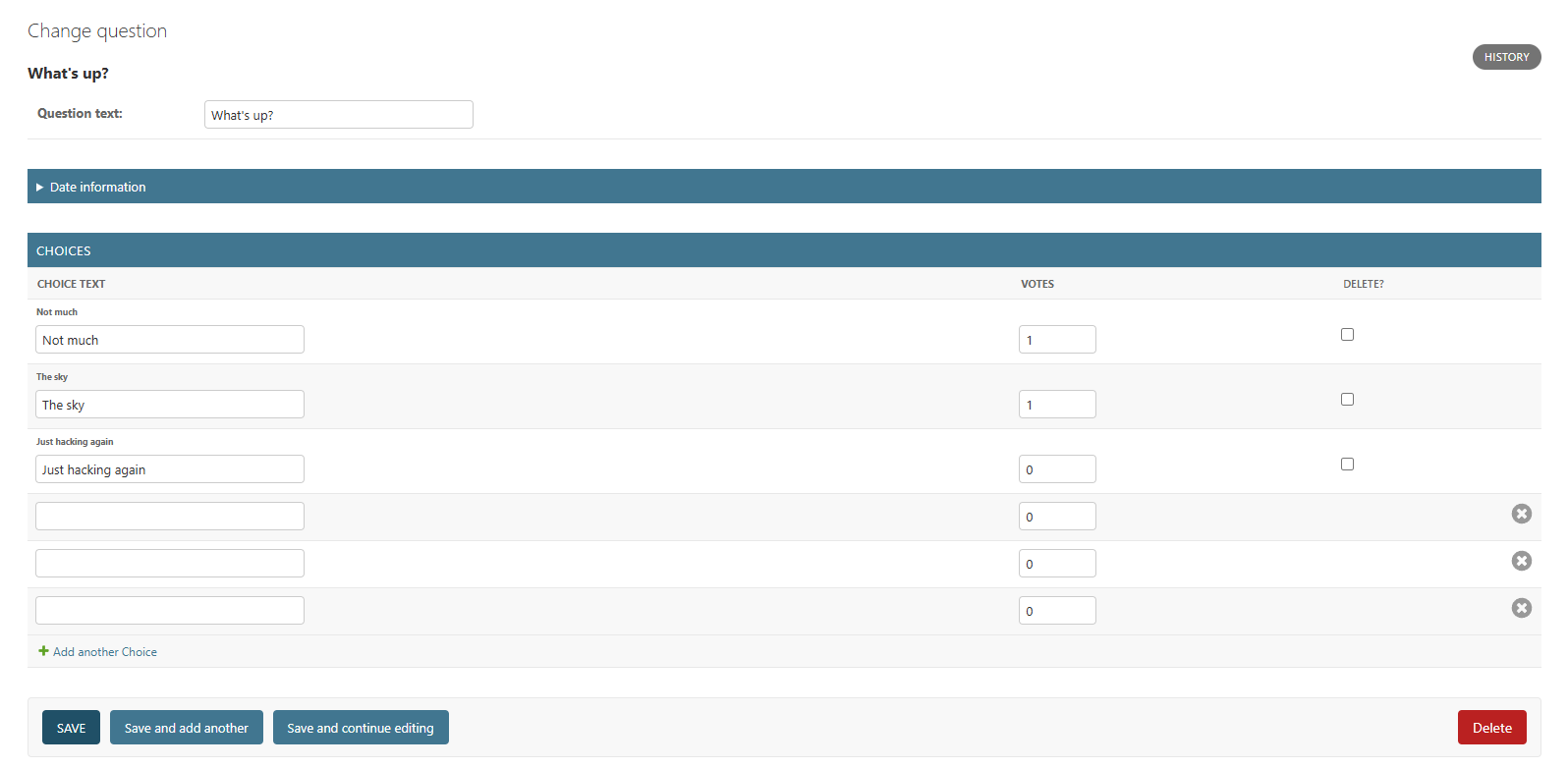
自定义后台更改列表
list_display = ('question_text', 'pub_date', 'was_published_recently')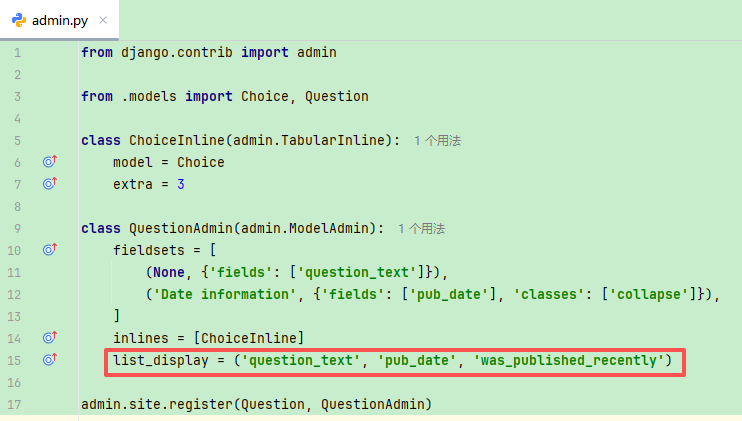

polls/models.py使用 display() 装饰器
from django.contrib import admin

class Question(models.Model):
    # ...
    @admin.display(
        boolean=True,
        ordering='pub_date',
        description='Published recently?',
    )
    def was_published_recently(self):
        now = timezone.now()
        return now - datetime.timedelta(days=1) <= self.pub_date <= now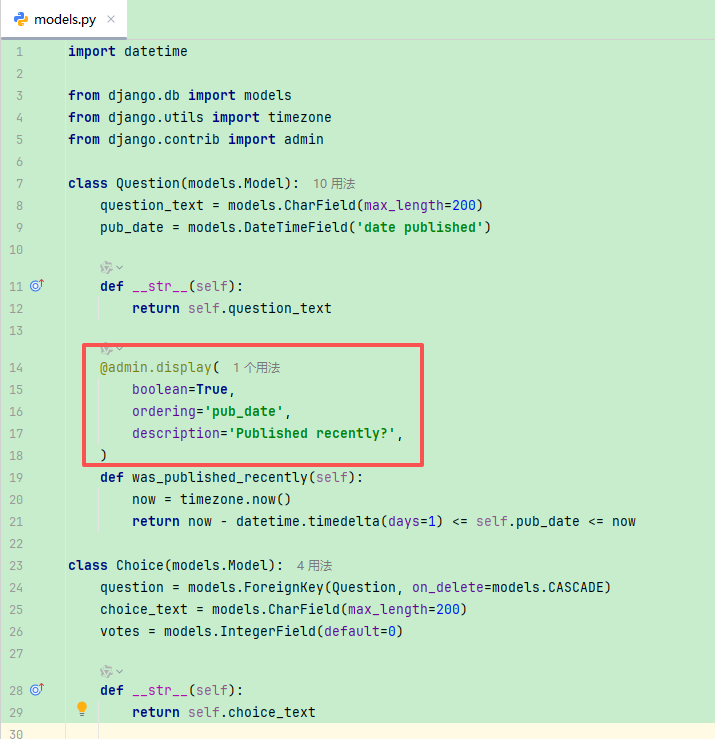
polls/admin.py
list_filter = ['pub_date']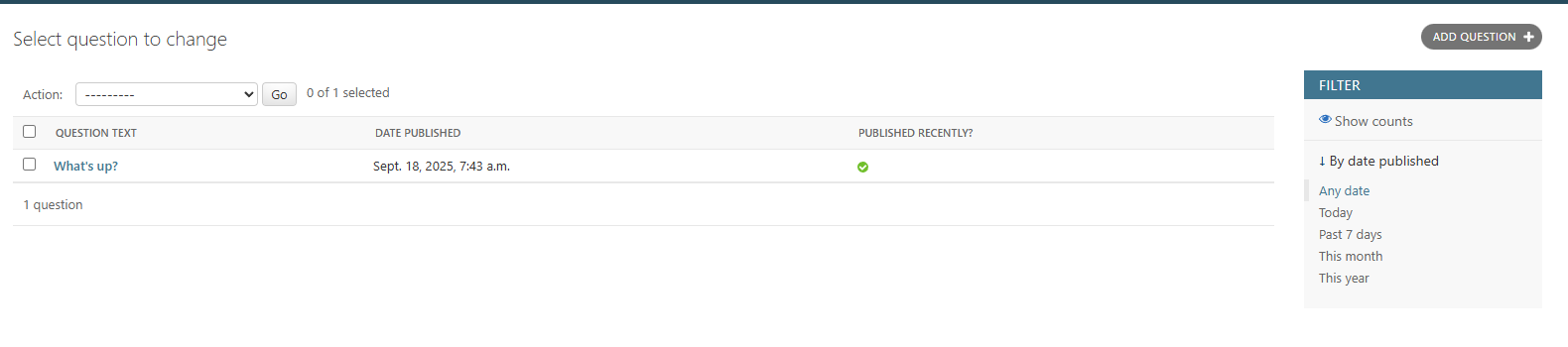
search_fields = ['question_text']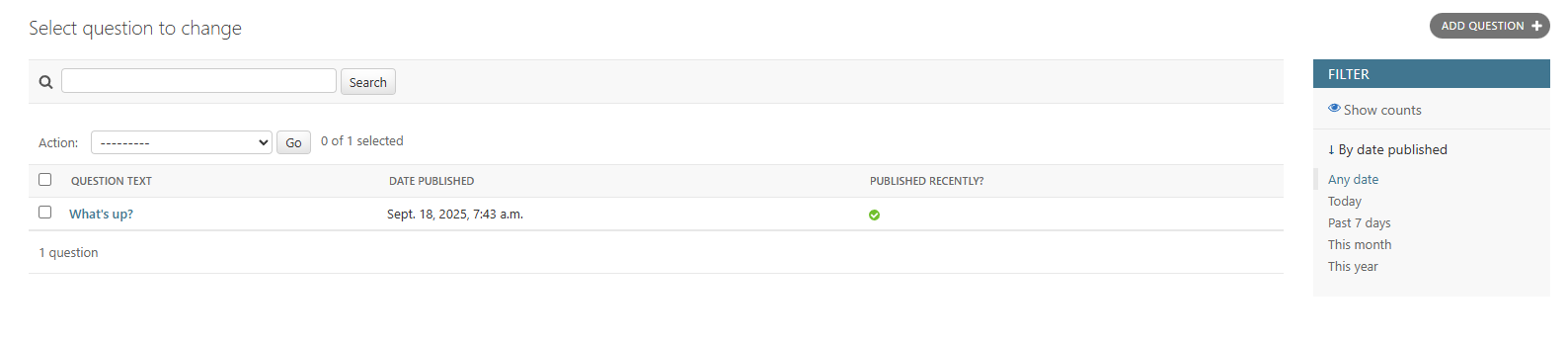
自定义后台界面和风格
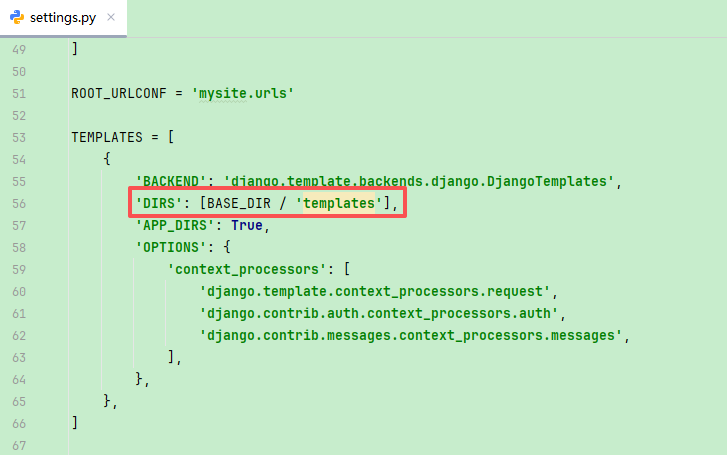
mysite/settings.py在 TEMPLATES 设置中添加 DIRS 选项
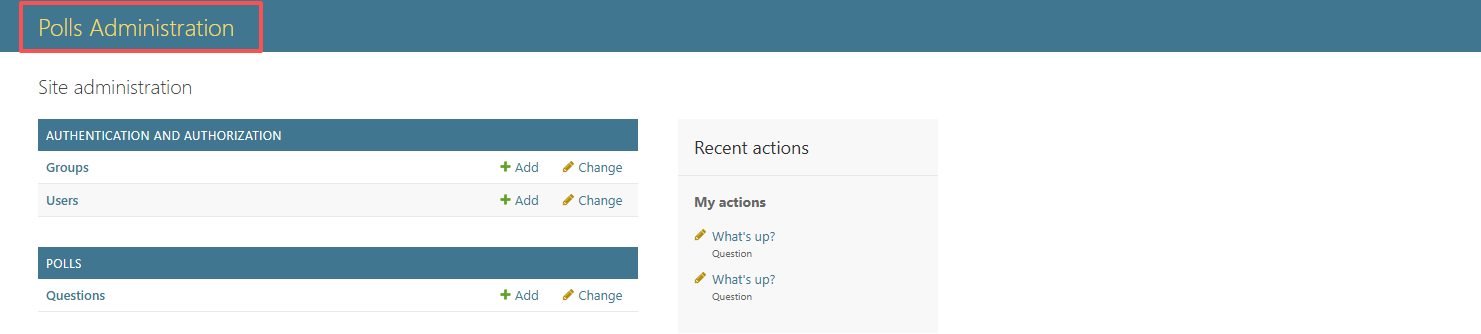
在 templates 目录内创建名为 admin 的目录,随后,将存放 Django 默认模板的目录(django/contrib/admin/templates)内的模板文件 admin/base_site.html 复制到这个目录内
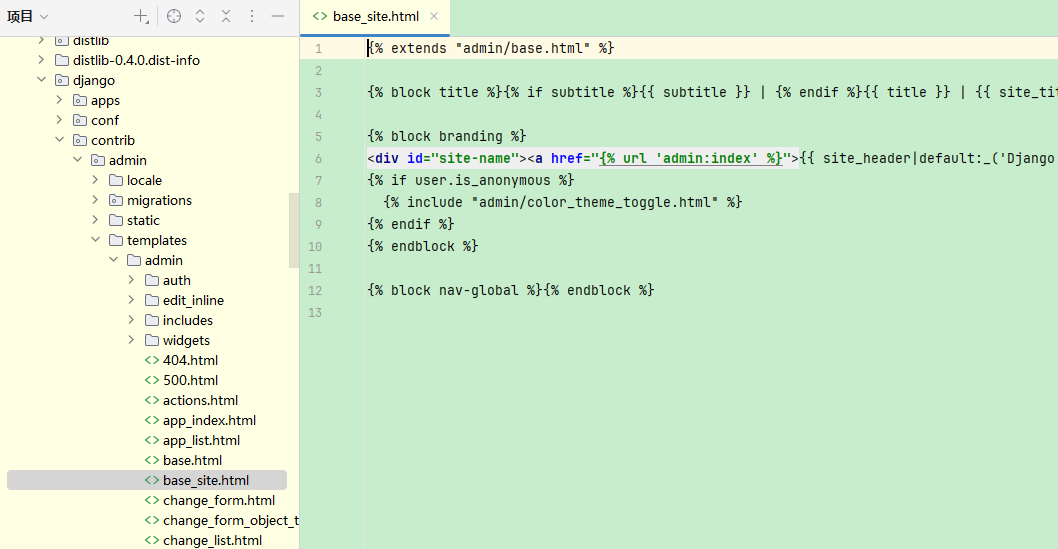
{% block branding %}
<h1 id="site-name"><a href="{% url 'admin:index' %}">Polls Administration</a></h1>
{% endblock %}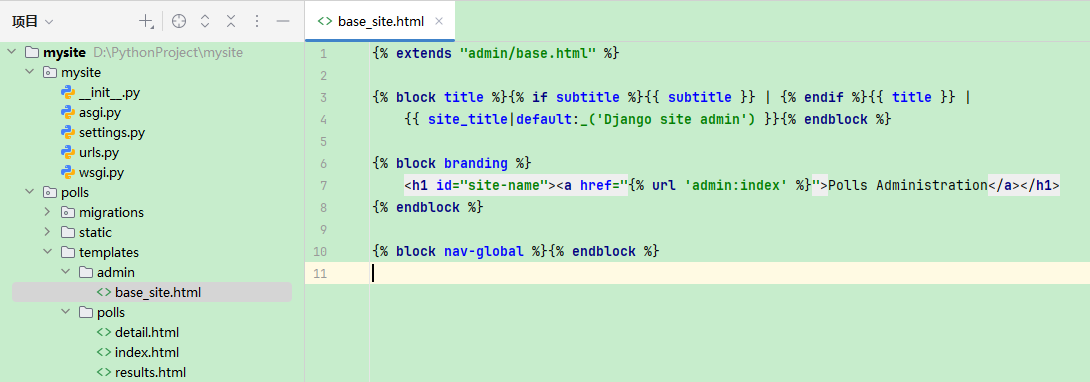
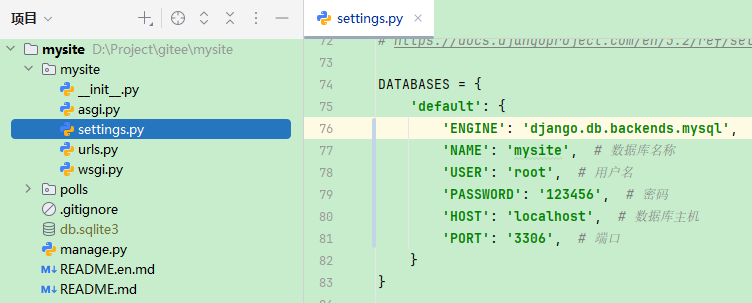
切换MySQL数据库
settings.py
DATABASES = {
    'default': {
        'ENGINE': 'django.db.backends.mysql',  # 数据库引擎
        'NAME': 'mysite',  # 数据库名称
        'USER': 'root',  # 用户名
        'PASSWORD': '123456',  # 密码
        'HOST': 'localhost',  # 数据库主机
        'PORT': '3306',  # 端口
    }
}
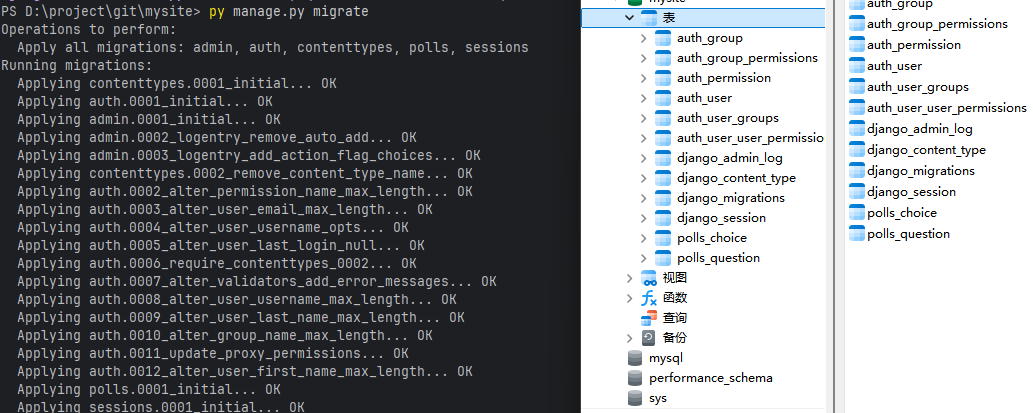
py manage.py migrate





 扫一扫
扫一扫


 4万+
4万+

 被折叠的 条评论
为什么被折叠?
被折叠的 条评论
为什么被折叠?
 到【灌水乐园】发言





