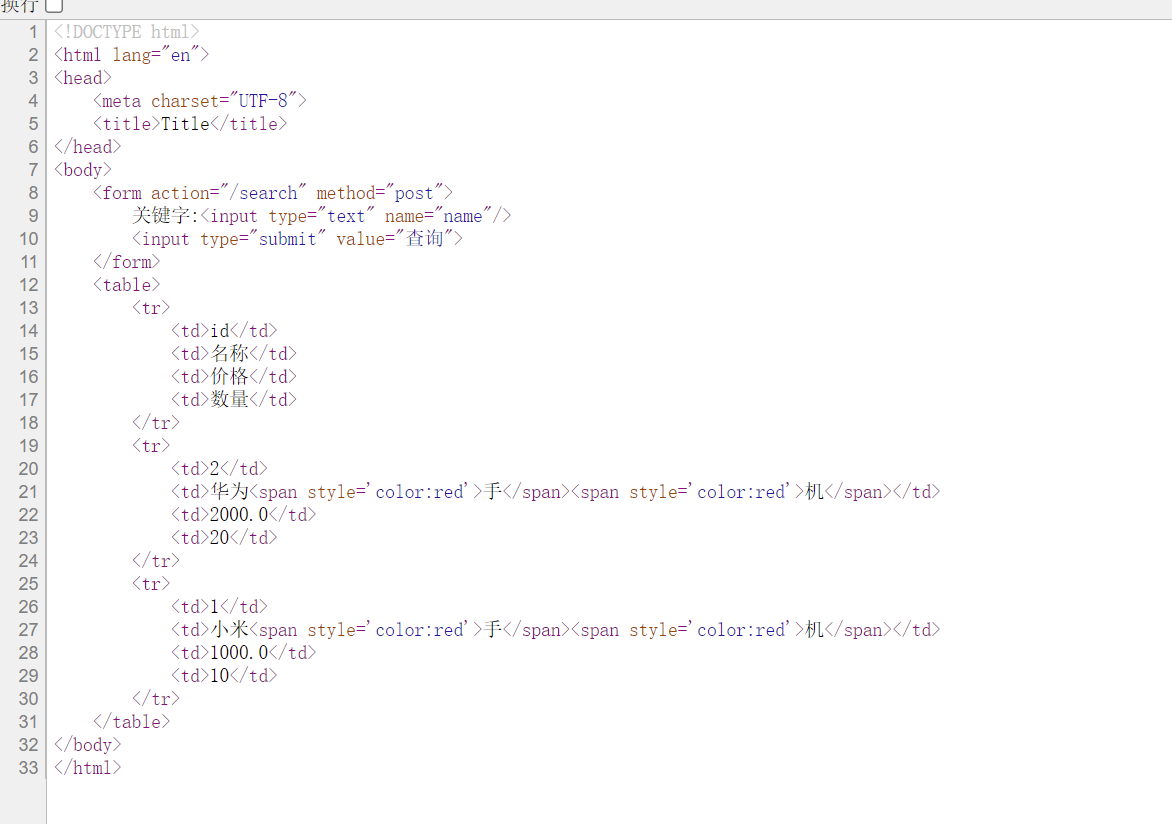
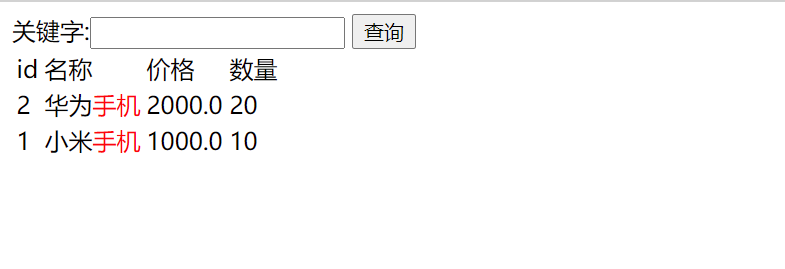
2021-07-16 ElasticSearch字体高亮部分,无法实现。

本文讲述了作者在网页开发中遇到的字体高亮问题,通过查看源代码、HTML标签检查和代码修正,详细介绍了如何在Thymeleaf模板中实现文本高亮的方法。

问题描述:无法在网页上实现字体高亮。
在这里插入图片描述
以下是我写的html

<!DOCTYPE html>
<html lang="en" xmlns:th="http://www.thymeleaf.org">
<head>
    <meta charset="UTF-8">
    <title>Title</title>
</head>
<body>
    <form action="/search" method="post">
        关键字:<input type="text" name="name"/>
        <input type="submit" value="查询">
    </form>
    <table>
        <tr>
            <td>id</td>
            <td>名称</td>
            <td>价格</td>
            <td>数量</td>
        </tr>
        <tr th:each="g:${goods}">
            <td th:text="${g.id}">id</td>
            <td th:text="${g.name}">名称</td>
            <td th:text="${g.price}">价格</td>
            <td th:text="${g.count}">数量</td>
        </tr>
    </table>
</body>
</html>

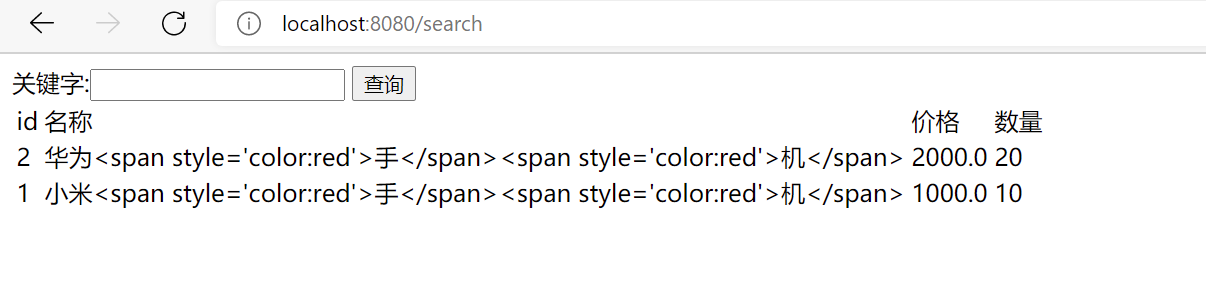
1:查看网页源代码,右键选择查看
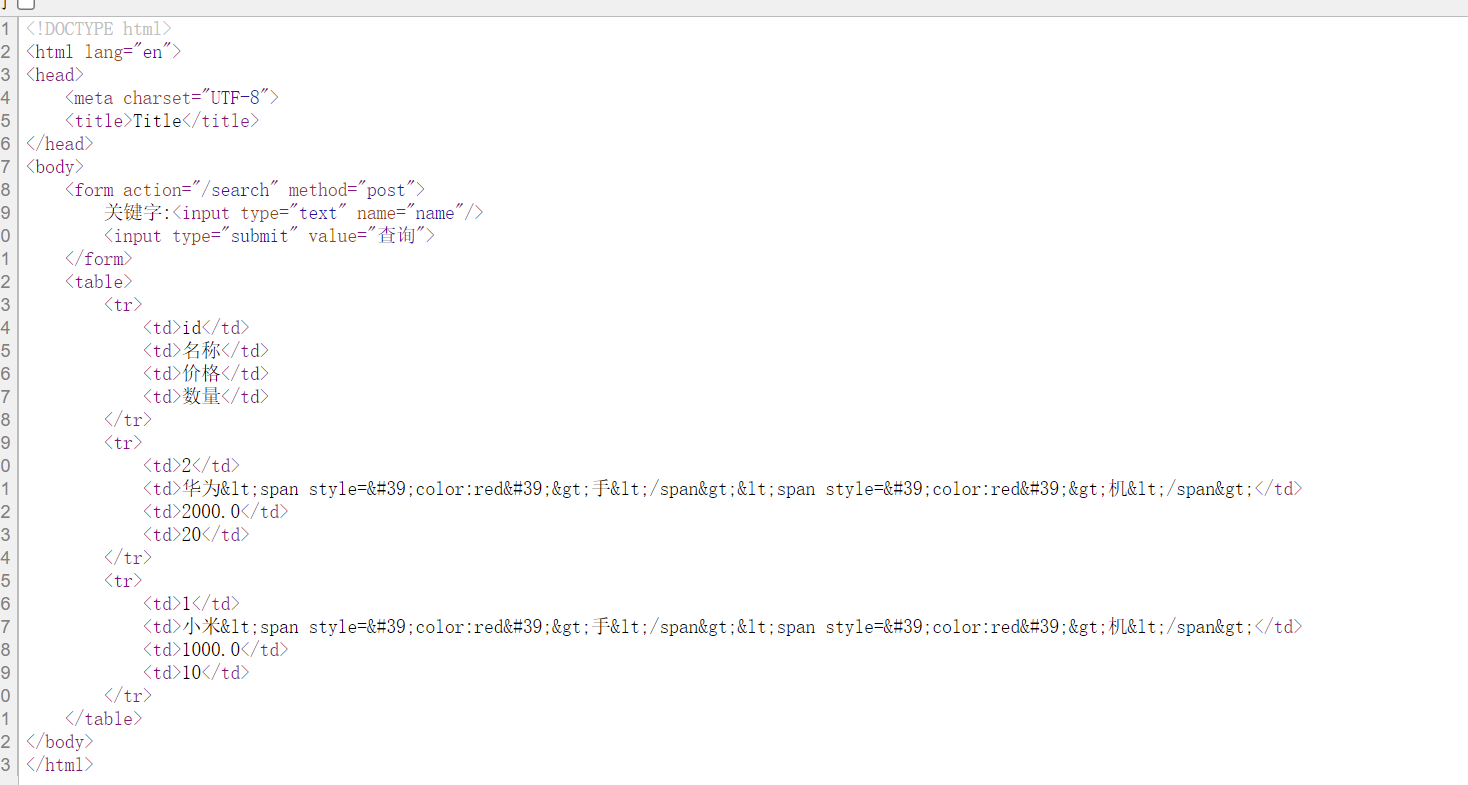
在这里插入图片描述
在这里可以发现字体并没有实现高亮转换
2查看HTML标签,发现少添加***u***。(给高亮部分,因未在HTML标签中添加u导致页面无法展示出预期效果)
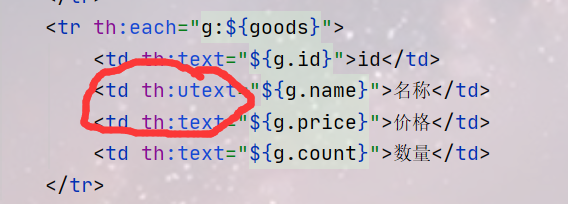
在这里插入图片描述

3.重新运行一下工程,刷新网页源代码,这时候已经修正。
在这里插入图片描述
在这里插入图片描述
在此,希望对各位读者有所帮助。

在 RuoYiCloud 中使用 `easy-es` 进行高亮搜索时,处理高亮标签样式可以按照以下方式进行: #### 1. 设置高亮标签 在构建高亮查询时,可以通过 `HighlightQuery` 来设置高亮的前后标签,这些标签会包裹在搜索结果中匹配的关键字上。示例代码如下: ```java import org.dromara.easyes.core.conditions.LambdaEsQueryWrapper; import org.dromara.easyes.core.conditions.select.HighlightQuery; import org.dromara.easyes.core.conditions.select.SFunction; import org.dromara.easyes.core.metadata.Highlight; import org.dromara.easyes.core.metadata.Hit; import org.springframework.stereotype.Service; import java.util.List; @Service public class NotificationService { private final NotificationMapper notificationMapper; public NotificationService(NotificationMapper notificationMapper) { this.notificationMapper = notificationMapper; } public List<Hit<Notification>> highlightSearch(String keyword) { LambdaEsQueryWrapper<Notification> wrapper = new LambdaEsQueryWrapper<>(); wrapper.match(Notification::getContent, keyword); HighlightQuery<Notification> highlightQuery = new HighlightQuery<>(); highlightQuery.field(Notification::getContent) .preTags("<span style='color:red;'>") // 设置前置标签 .postTags("</span>"); // 设置后置标签 Highlight highlight = highlightQuery.build(); return notificationMapper.highLightSearch(wrapper, highlight); } } ``` 上述代码中,通过 `preTags` 方法设置了前置标签为 `<span style='color:red;'>`,通过 `postTags` 方法设置了后置标签为 `</span>`,这样匹配到的关键字就会被红色字体显示。 #### 2. 前端处理高亮内容 在前端接收到包含高亮标签的搜索结果后,直接渲染这些 HTML 标签即可。例如,在使用 Thymeleaf 模板引擎的 Spring Boot 项目中,可以这样显示高亮内容: ```html <!DOCTYPE html> <html xmlns:th="http://www.thymeleaf.org"> <head> <meta charset="UTF-8"> <title>Notification Search Result</title> </head> <body> <h1>Search Results</h1> <ul> <li th:each="hit : ${searchResults}"> <p th:utext="${hit.getHighlightFieldValue('content')}"></p> </li> </ul> </body> </html> ``` 这里使用了 `th:utext` 指令,它会将 HTML 标签解析并渲染,从而实现高亮样式的显示。
评论 2
成就一亿技术人!
拼手气红包6.0元
还能输入1000个字符
 
红包 添加红包
表情包 插入表情
 条评论被折叠 查看
添加红包

请填写红包祝福语或标题

红包个数最小为10个

红包金额最低5元

当前余额3.43前往充值 >
需支付:10.00
成就一亿技术人!
领取后你会自动成为博主和红包主的粉丝 规则
hope_wisdom
发出的红包

打赏作者

A smirK squirrel

你的鼓励将是我创作的最大动力

¥1 ¥2 ¥4 ¥6 ¥10 ¥20
扫码支付:¥1
获取中
扫码支付

您的余额不足,请更换扫码支付或充值

打赏作者

实付
使用余额支付
点击重新获取
扫码支付
钱包余额 0

抵扣说明:

1.余额是钱包充值的虚拟货币,按照1:1的比例进行支付金额的抵扣。
2.余额无法直接购买下载,可以购买VIP、付费专栏及课程。

余额充值