



 博客介绍了Redis主从服务器的配置过程。先运行master主服务器,在从服务器目录修改端口号并运行,再切换到从服务器端口,还给出了设置密码的代码示例,最后提到要给Redis设置名字。
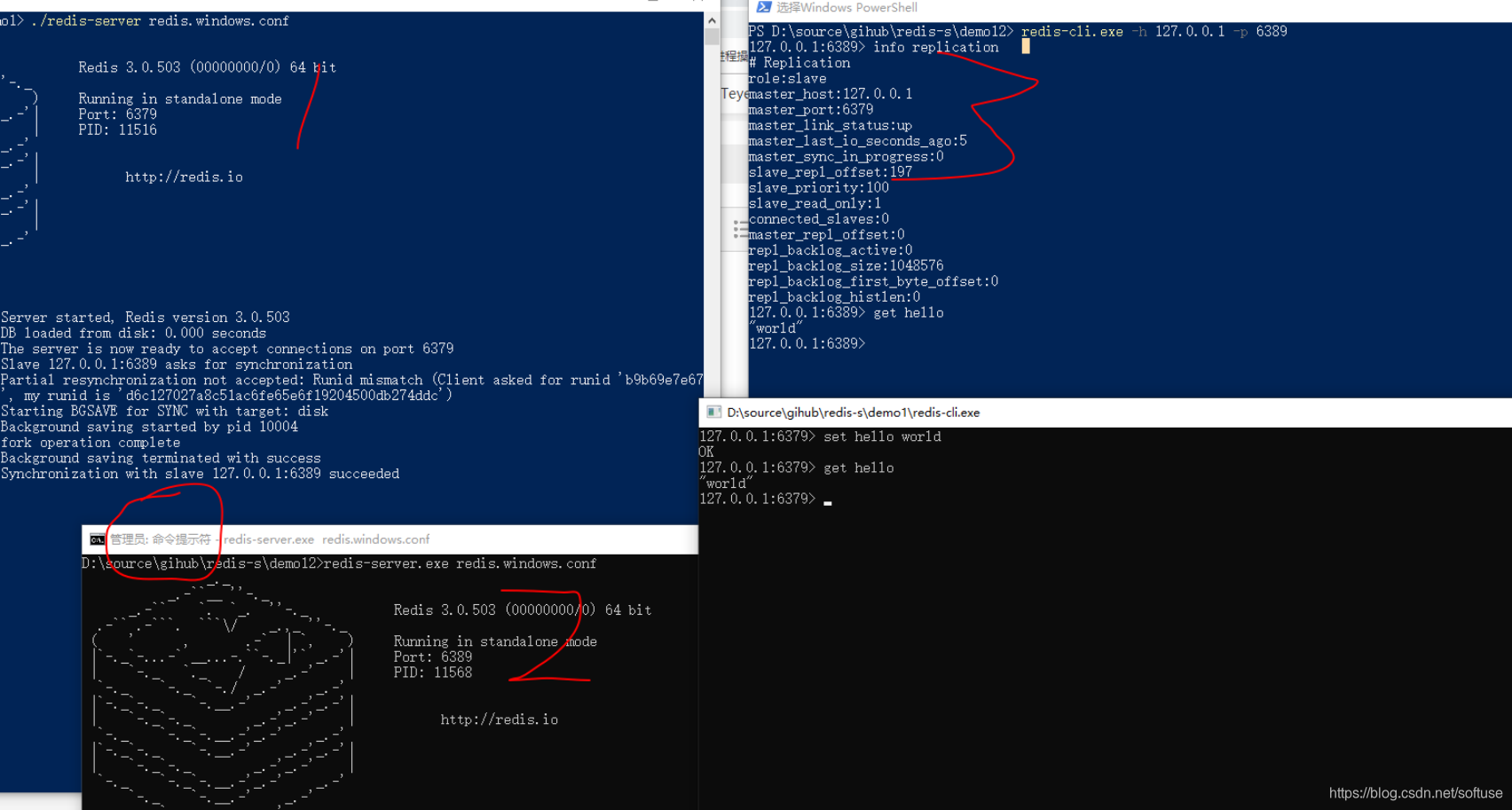
1. 主服务器: 先运行master服务器
2. 从服务器目录:在redis.windows.conf中修改端口号 并运行
3. 在从服务器目录: 运行 redis-cli.exe -h 127.0.0.1 -p 6389 切换到从服务器端口
/* 设置密码
config set requirepass 123
auth 123
*/
4. 给redis设置名字
# 新连接默认没有名字

redis 127.0.0.1:6379> CLIENT GETNAME
(nil)

# 设置名字

redis 127.0.0.1:6379> CLIENT SETNAME hello-world-connection
OK

# 返回名字

redis 127.0.0.1:6379> CLIENT GETNAME
"hello-world-connection"

# 在客户端列表中查看

redis 127.0.0.1:6379> CLIENT LIST
addr=127.0.0.1:36851
fd=5
name=hello-world-connection     # <- 名字
age=51
...
# 清除名字
redis 127.0.0.1:6379> CLIENT SETNAME        # 只用空格是不行的!
(error) ERR Syntax error, try CLIENT (LIST | KILL ip:port)

redis 127.0.0.1:6379> CLIENT SETNAME ""     # 必须双引号显示包围
OK

redis 127.0.0.1:6379> CLIENT GETNAME        # 清除完毕
(nil)





 扫一扫
扫一扫


 1828
1828

 被折叠的 条评论
为什么被折叠?
被折叠的 条评论
为什么被折叠?
 到【灌水乐园】发言





