


 本文介绍了解决使用PluginRegistration.exe更新DLL时出现的错误Plug-in assembly does not contain the required types or assembly content cannot be updated的方法。主要原因是已注册的DLL中包含了本地DLL缺失的类。提供了手动比对和使用XrmToolBox工具进行自动比对两种解决方案。
1. 问题描述:
使用PluginRegistration.exe 更新dll时报错:Plug-in assembly does not contain the required types or assembly content cannot be updated.
2. 原因:
已注册的dll中包含本地dll缺失的类,即Plugin
3. 解决方案:
如果Assembly中包含的Plugin较少,则可以一一比对,选中已注册的dll中多出来的Plugin,右击,选择Unregister即可
如果Assembly中包含的Plugin较多,无法肉眼比对,则使用XrmToolBox工具中的Delta plugin:Local Assembly vs CRM 插件进行比对
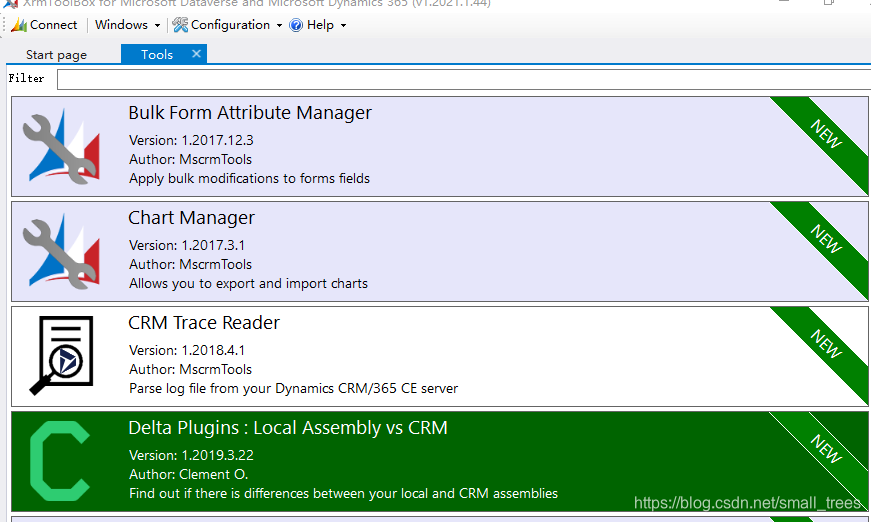
工具使用步骤:
1. 如果没有XrmToolBox 先下载此工具,GitHub网址:https://github.com/MscrmTools/XrmToolBox/releases
2. 打开之后,在弹出的Plugin store中搜索 Delta,install安装到本地
3. 安装完毕后,进入Tools tab页面,点击进入插件工具,提示需要先连接CRM环境
4. 点击Load CRM Assemblies,左边窗口选择需要比对的项,右边点击Load your local assembly,加载本地dll
< 最低0.47元/天 解锁文章






 扫一扫
扫一扫


 1981
1981

 被折叠的 条评论
为什么被折叠?
被折叠的 条评论
为什么被折叠?
 到【灌水乐园】发言





