


 本文介绍了如何使用PyTorch库中的convolution操作,包括设置输入矩阵、调整卷积核形状、设置stride和padding,以及演示了不同参数对输出结果的影响。
2.利用reshape改变 x 的shape以满足input的参数
convolution
官方文档
1.设置输入矩阵和卷积核
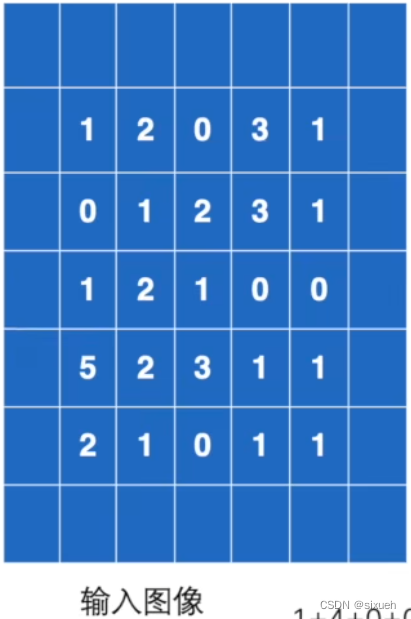
import torch

# 二维矩阵的输入
input = torch.tensor([[1, 2, 0, 3, 1],
                  [0, 1, 2, 3, 1],
                  [1, 2, 1, 0, 0],
                  [5, 2, 3, 1, 1],
                  [2, 1, 0, 1, 1]])

kernel = torch.tensor([[1, 2, 1],
                       [0, 1, 0],
                       [2, 1, 0]])
input需要是这种shape

input:输入
weight:核
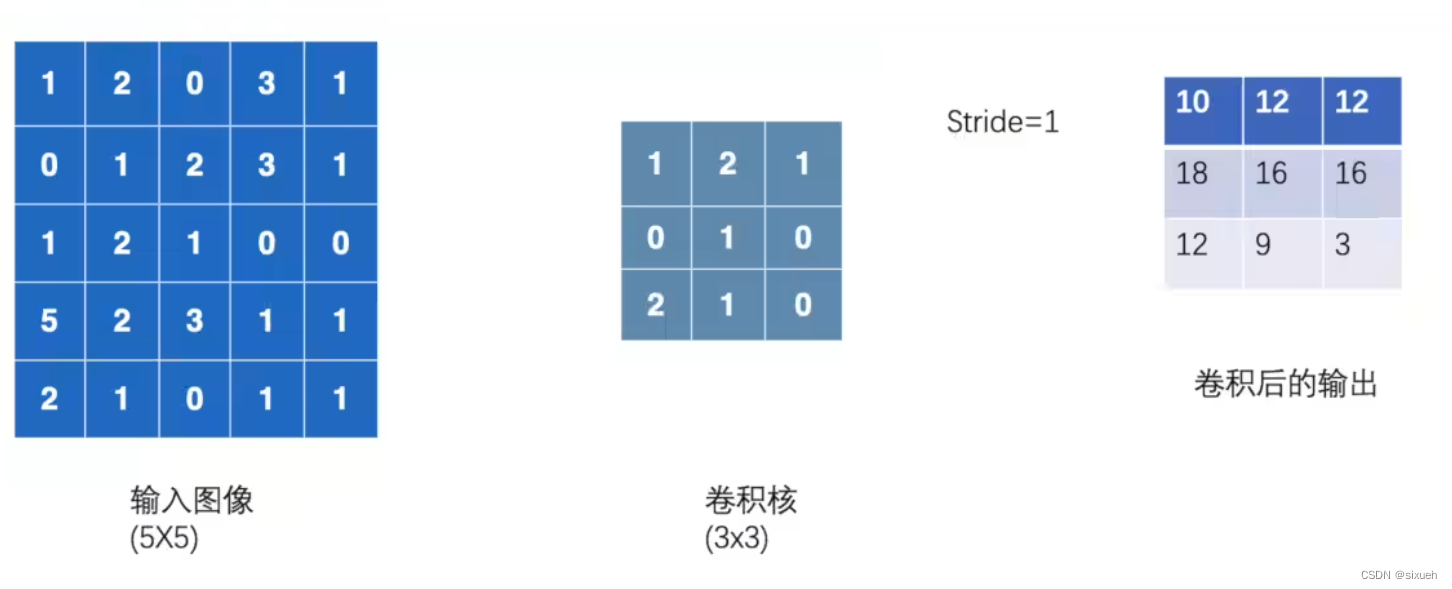
stride:核每次移动的步数
2.利用reshape改变 x 的shape以满足input的参数
input = torch.reshape(input, (1, 1, 5, 5))
kernel = torch.reshape(kernel, (1, 1, 3, 3))
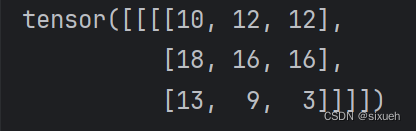
3.调用conv2d,并查看输出结果
import torch.nn.functional as F
output = F.conv2d(input1, kernel, stride=1)
print(output)
输出
4.stride:核每次移动的步数
stride=1时: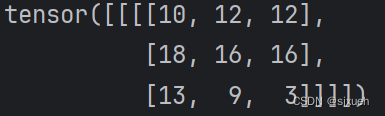
stride=2时: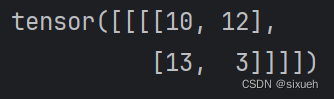
5.padding:在输入的边上填充数据
完整代码
import torch
import torch.nn.functional as F

# 二维矩阵的输入
input1 = torch.tensor([[1, 2, 0, 3, 1],
                  [0, 1, 2, 3, 1],
                  [1, 2, 1, 0, 0],
                  [5, 2, 3, 1, 1],
                  [2, 1, 0, 1, 1]])

kernel = torch.tensor([[1, 2, 1],
                       [0, 1, 0],
                       [2, 1, 0]])

input1 = torch.reshape(input1, (1, 1, 5, 5))
kernel = torch.reshape(kernel, (1, 1, 3, 3))

# print(input1.shape)  # 输出input和kernel的shape
# print(kernel.shape)  # 满足conv2d的参数要求

# stride=1
output = F.conv2d(input1, kernel, stride=1)
print(output)
# stride=2
output2 = F.conv2d(input1, kernel, stride=2)
print(output2)
# padding
output3 = F.conv2d(input1, kernel, stride=1, padding=1)
print(output3)





 扫一扫
扫一扫


 被折叠的 条评论
为什么被折叠?
被折叠的 条评论
为什么被折叠?
 到【灌水乐园】发言





