


 本文详述了在忘记MySQL数据库登录密码时的解决步骤:先停止mariadb服务,通过安全模式绕过授权,然后更新root用户的密码,最后重启服务并验证新密码的有效性。
如果我们忘记数据库的登录密码,在登录过程中,认证失败,该怎么办呢???
[root@shareserver ~]# mysql  -uroot -plee
ERROR 1045 (28000): Access denied for user 'root'@'localhost' (using password: YES)
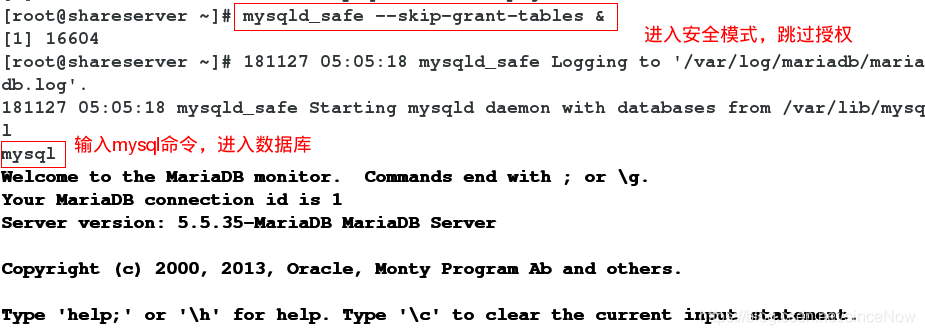
首先,关闭数据库mariadb服务,进入安全模式,跳过授权这一步,输入mysql命令进入到数据库中
[root@shareserver ~]# systemctl stop mariadb
[root@shareserver ~]# mysqld_safe --skip-grant-tables &   ##进入安全模式,跳过授权
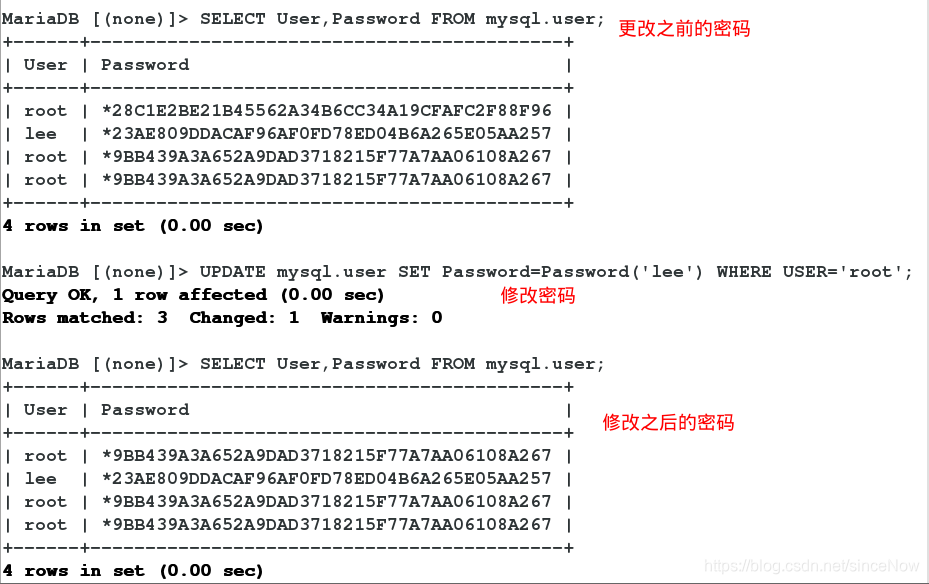
其次,修改数据库的密码
MariaDB [(none)]> UPDATE mysql.user SET PASSWORD=password('lee') WHERE USER='root';
Query OK, 1 row affected (0.00 sec)
Rows matched: 3  Changed: 1  Warnings: 0
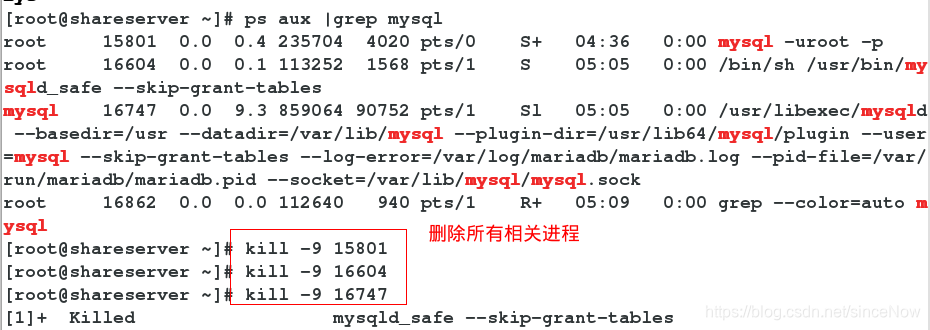
最后,退出数据库,查看并删除和mysql相关的所有进程,并重新开启数据库服务
[root@shareserver ~]# ps aux |grep mysql      ##删除和mysql相关的所有进程
[root@shareserver ~]# systemctl start mariadb      ##开启服务
重新登录检测
[root@shareserver ~]# mysql -uroot -plee ##登陆

此时登陆成功!!!!





 扫一扫
扫一扫


 1892
1892

 被折叠的 条评论
为什么被折叠?
被折叠的 条评论
为什么被折叠?
 到【灌水乐园】发言





