



 本文档记录了在使用pytest时遇到的'Nomodulenamedpytest'错误,问题源于系统默认Python解释器与PyCharm所选解释器不一致。解决方案是确保在PyCharm中使用的Python解释器与系统默认的一致,并在正确环境中安装pytest。通过设置PyCharm的PythonInterpreter并安装pytest,最终成功运行测试用例。
No module named pytest
问题:
写了一个pytest的配置文件,想在命令行通过pytest启动配置文件来运行测试用例。报错:No module named pytest
排查:
pytest我肯定是安装过了,但是为什么还会找不到该模块。我打开pycharm的Python Interpreter查看确实是有的
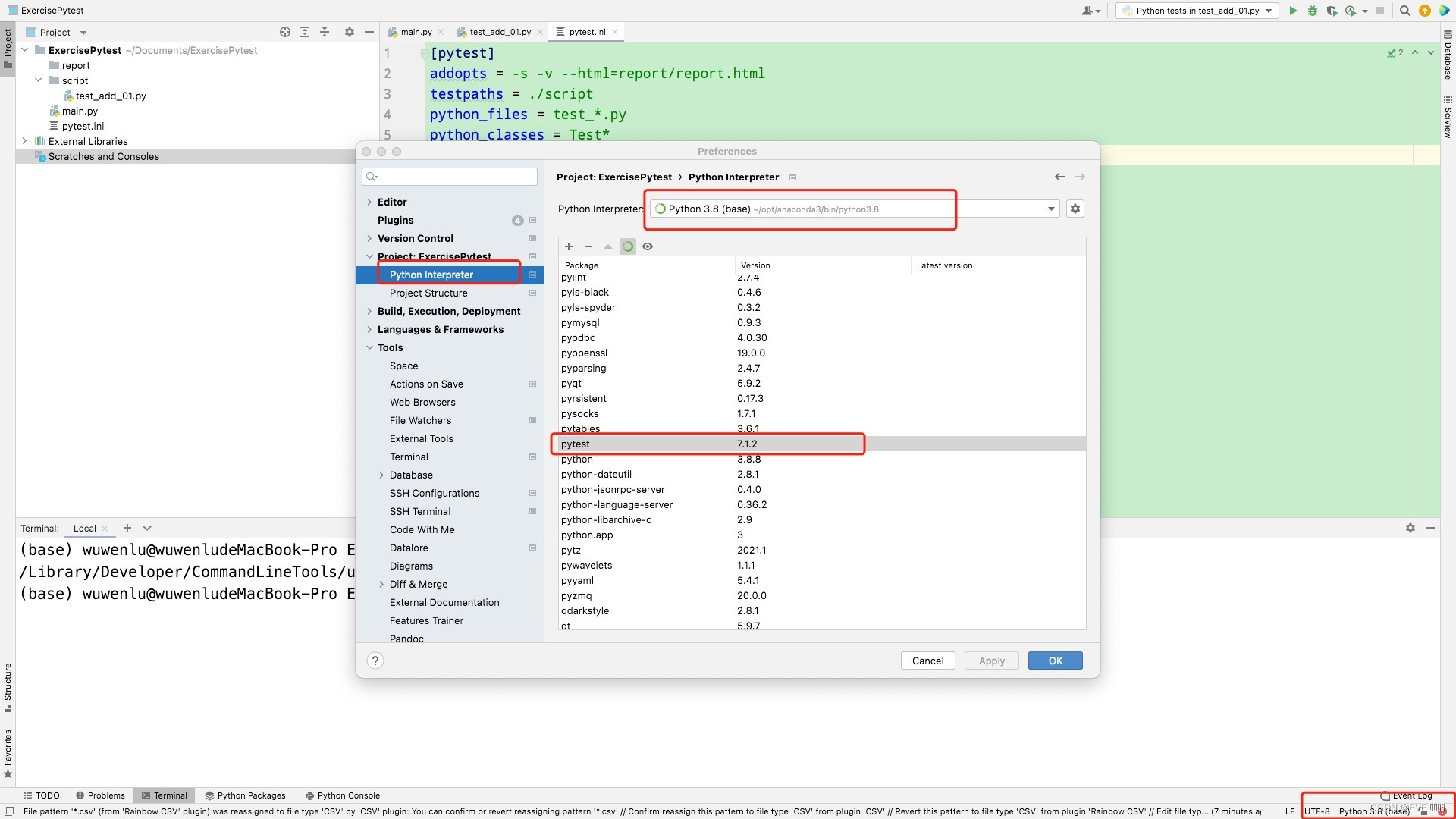
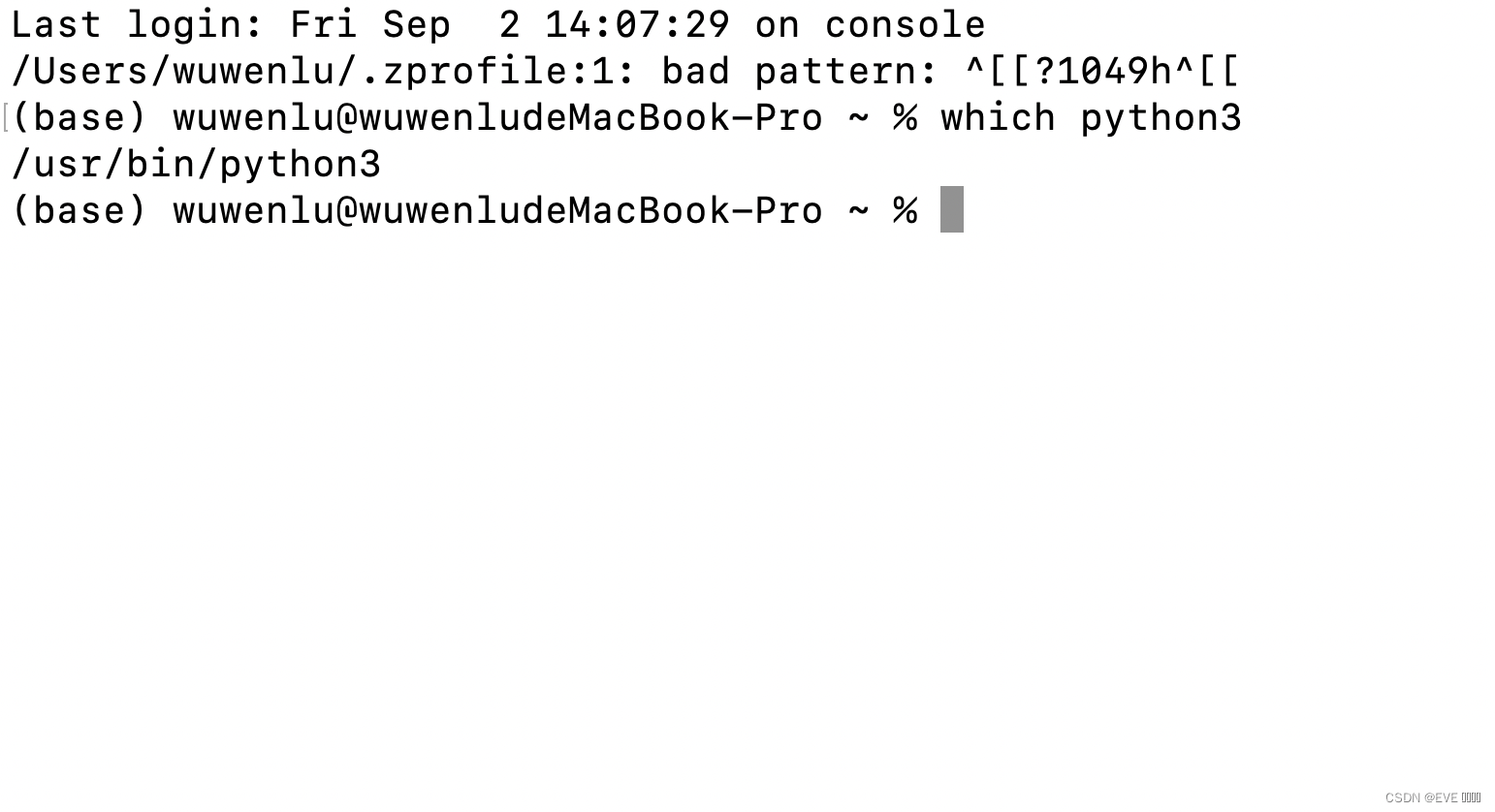
于是在终端输入:
which python3
原因
系统默认解释器和pycharm选择的解释器不是同一个,系统默认的那个python解释器里没有安装pytest
解决
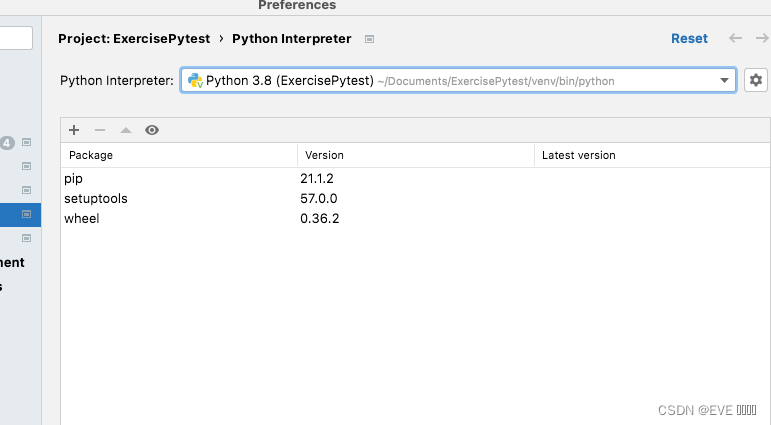
系统默认python3解释器是在/usr/bin/python3下,我回到pycharm——Preferences——Python Interpreter——右上角设置——+号——Vitualenv Environment——New Environment——Base Interpreter选择在该/usr/bin/python3目录下的python解释器。
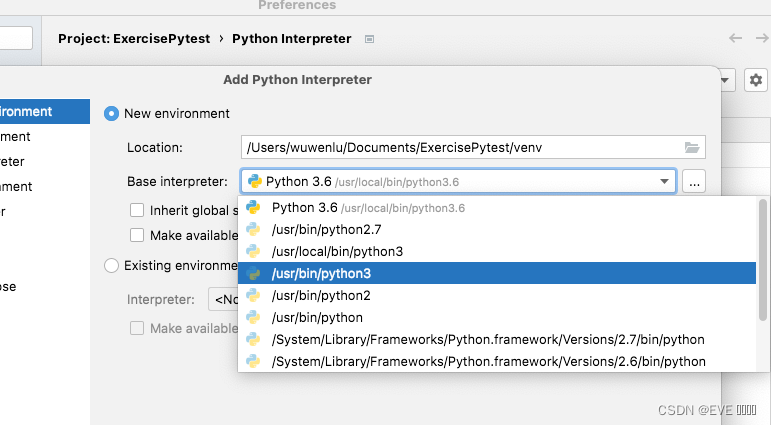
发现果然没有pytest
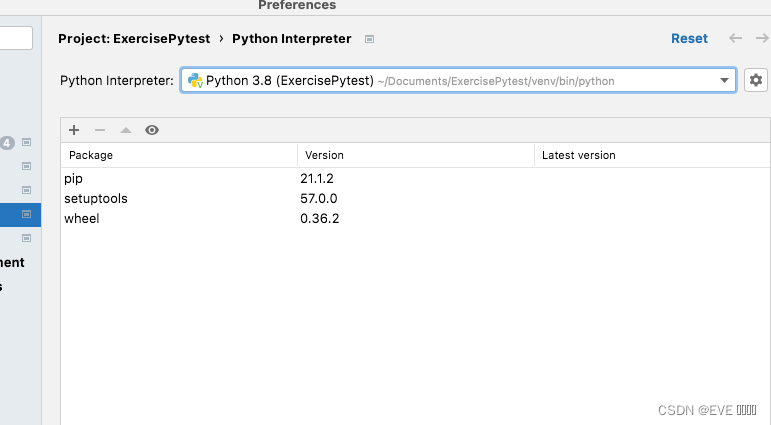
点击左上角+号,搜索pytest点击install可成功安装。Terminal中输入:
pytest可成功运行
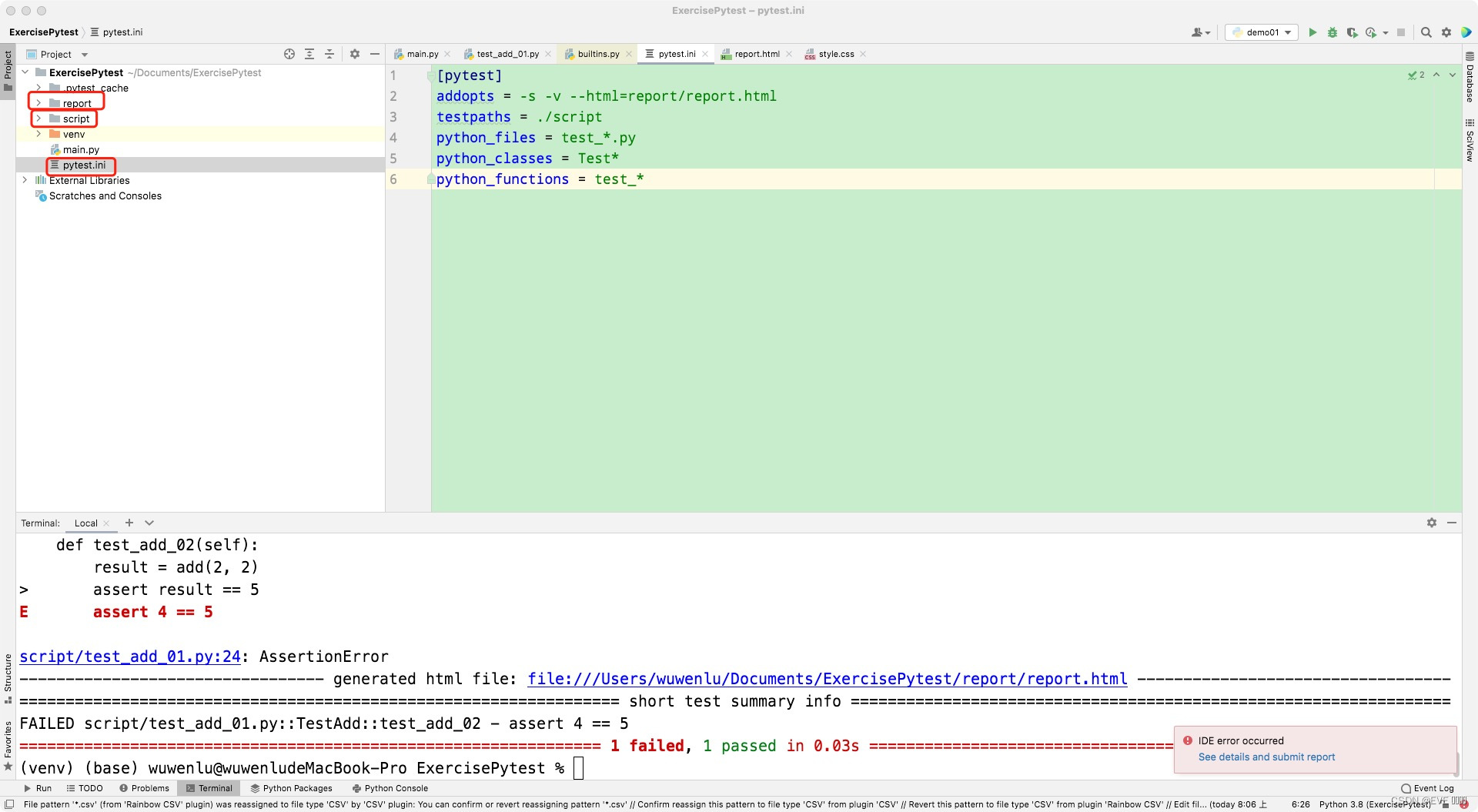
test_add_01.py:
def add(x, y):
    return x + y


class TestAdd:

    def setup(self):
        print("测试用例开始执行")

    def test_add_01(self):
        result = add(1, 2)
        assert result == 3

    def test_add_02(self):
        result = add(2, 2)
        assert result == 5

    def teardown(self):
        print("测试用例执行结束")





 扫一扫
扫一扫


 2507
2507

 被折叠的 条评论
为什么被折叠?
被折叠的 条评论
为什么被折叠?
 到【灌水乐园】发言





