



 本文介绍了如何使用npm安装Vue3脚手架,创建项目时选择手动并启用typescript。详细讲解了Vue3的setup函数、响应式数据处理以及模板语法。还探讨了Vue3的生命周期、watch的使用,并对比了reactive和toRefs的差异。此外,文章还提及了vueui用于图形界面和新引入的watchEffect功能。
- 安装vue3脚手架
npm i -g @vue/cli
- 如何支持typescript
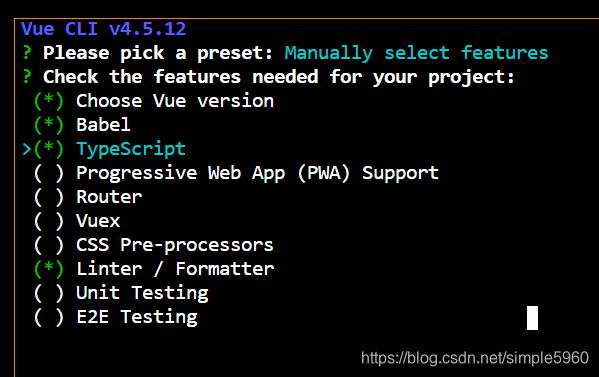
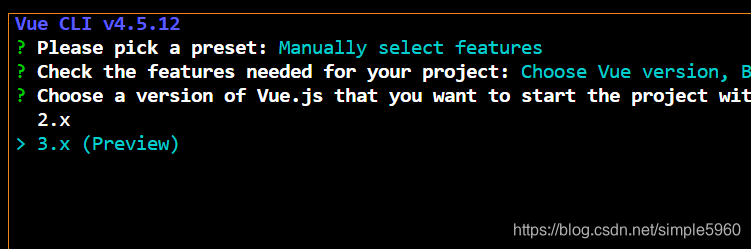
在创建项目的时候如vue create fileName 选择manmully,然后用空格选中typescript选项
- 使用vue3的图形界面
vue ui
- 语法高亮支持
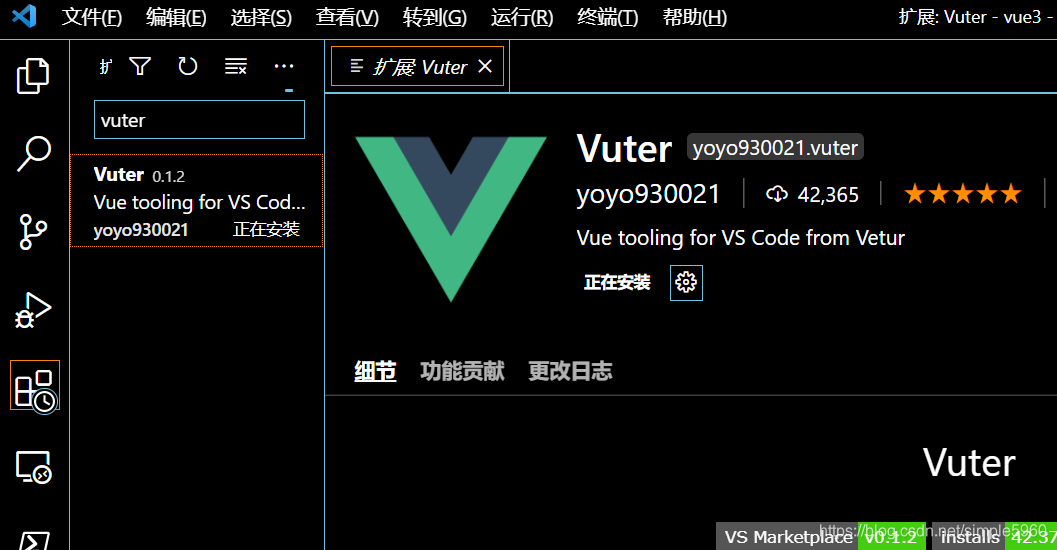
下载vuter
- 新语法
import {reactive,toRefs} from 'vue';
interface dataProps{
  arr:string[],
  selectedItem:string,
  selectItem:(index:number)=>void
}
export default ({
  name: 'App',
  setup() {
    //setup函数相当于vue2中的data和methods
    //废弃的beforeCeate和created就相当于setup了
    console.log("setup");
    //reactive传入普通对象,返回代理得响应式对象
    const data:dataProps=reactive({
      arr:["simple","listen","babel"],
      selectedItem:"",
      selectItem:(index:number)=>{
        data.selectedItem=data.arr[index];
      }
    })
    return{
      //toRefs将reactive返回的对象进行包装,让普通数据成为响应式的数据
      ...toRefs(data)
    }
  }
});
如果使用reactive的话
<template>
  <div>
  <img alt="Vue logo" src="./assets/logo.png">
  <h2>Test</h2>
  <div>
    <button
    v-for="(item,index) in data.arr"
    :key="index"
    @click="data.selectItem(index)"
    >{{item}}</button>
  </div>
  <h2>hello我的名字是{{data.selectedItem}}</h2>
  </div>

</template>

<script lang="ts">
import { ref,reactive} from 'vue';
export default ({
  name: 'App',
  setup() {
    const data=reactive({
      arr:["simple","listen","babel"],
      selectedItem:"",
      selectItem:(index:number)=>{
        data.selectedItem=data.arr[index];
      }
    })
    return{
      data
    }
  }
});
</script>

<style>
#app {
  font-family: Avenir, Helvetica, Arial, sans-serif;
  -webkit-font-smoothing: antialiased;
  -moz-osx-font-smoothing: grayscale;
  text-align: center;
  color: #2c3e50;
  margin-top: 60px;
}
</style>
如果不想写复杂的data,使用ToRefs函数
import { ref,reactive,toRefs} from 'vue';
interface dataProps{
  arr:string[],
  selectedItem:string,
  selectItem:(index:number)=>void
}
export default ({
  name: 'App',
  setup() {
    const data:dataProps=reactive({
      arr:["simple","listen","babel"],
      selectedItem:"",
      selectItem:(index:number)=>{
        data.selectedItem=data.arr[index];
      }
    })

    return{
      ...toRefs(data)
    }
  }
});
生命周期
1.setup()
2.onBeforeMount()
3.onMounted
4.onBeforeUpdate
5.onUpdated
6.onBeforeUnMount
7.onUnMounted
8.onRenderTracked==追踪组件的一些变化
9.onRenderTriggered
watch的使用
watch(variableName,(newValue,oldValue)=>{
})
setup
setup执行的时机
在beforeCreate之前执行(一次), 此时组件对象还没有创建
this是undefined, 不能通过this来访问data/computed/methods / props
其实所有的composition API相关回调函数中也都不可以
setup的返回值
一般都返回一个对象: 为模板提供数据, 也就是模板中可以直接使用此对象中的所有属性/方法
返回对象中的属性会与data函数返回对象的属性合并成为组件对象的属性
返回对象中的方法会与methods中的方法合并成功组件对象的方法
如果有重名, setup优先
注意:
一般不要混合使用: methods中可以访问setup提供的属性和方法, 但在setup方法中不能访问data和methods
setup不能是一个async函数: 因为返回值不再是return的对象, 而是promise, 模板看不到return对象中的属性数据
setup的参数
setup(props, context) / setup(props, {attrs, slots, emit})
props: 包含props配置声明且传入了的所有属性的对象
attrs: 包含没有在props配置中声明的属性的对象, 相当于 this.$attrs
slots: 包含所有传入的插槽内容的对象, 相当于 this.$slots
emit: 用来分发自定义事件的函数, 相当于 this.$emit
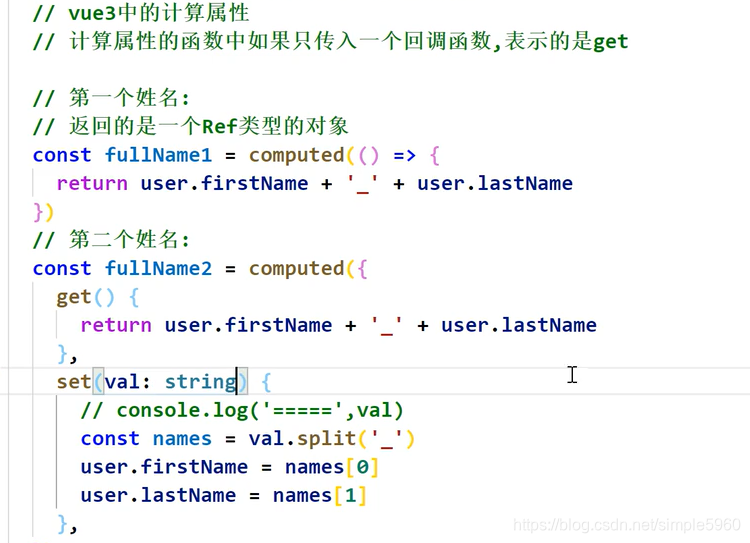
vue3中的计算属性
vue3的watch
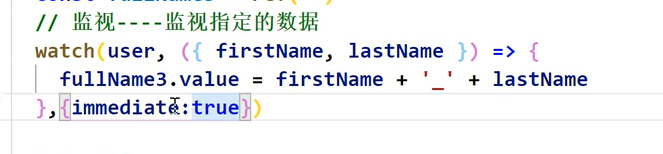
watch第二个参数设置为immediate:true会在页面第一次进入的时候就执行
deep深度监视就是监视的可能是嵌套对象,确保监视到每一个对象的属性
user是响应式的数据,但是user里面的数据不是响应式的,所以要让watch监视他们,就需要用个函数将他们返回

vue3的watchEffect
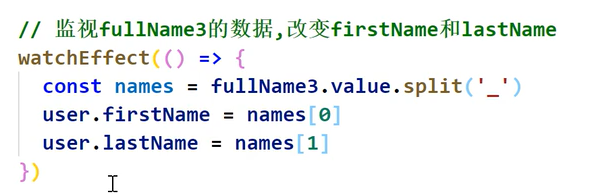
可以监视多个数据,不用像watch那样指定监视谁,而且第一次加载页面就会执行的





 扫一扫
扫一扫


 6222
6222

 被折叠的 条评论
为什么被折叠?
被折叠的 条评论
为什么被折叠?
 到【灌水乐园】发言





