



 本文详细介绍如何在Windows环境下使用VisualStudio2017配置OpenGL开发环境,包括GLFW和GLAD库的下载、编译及使用步骤。
OpenGL 开发环境配置(Windows) - Visual Studio 2017 + GLFW + GLAD 详细图文教程
大部分 OpenGL 是直接面向设备商的,如果开发者需要使用 OpenGL 进行开发,一般需要使用已有的库,本文使用的是GLFW,它提供了一些渲染物体所需的最低限度的接口。
同时,我们还需要 GLAD,因为 OpenGL 只是一个标准/规范,具体的实现是由驱动开发商针对特定显卡实现的,对于开发者而言,GLAD 也可以让开发更为方便。
准备条件
- 操作系统:Windows 10
- 编译器:Visual Studio 2017(VC++ 2017)
- CMake 工具
- GLFW库
- GLAD库
Visual Studio和CMake的安装略去
相关链接:
Visual Studio官网
CMake官网下载
配置步骤
Step1. 下载并编译GLFW库
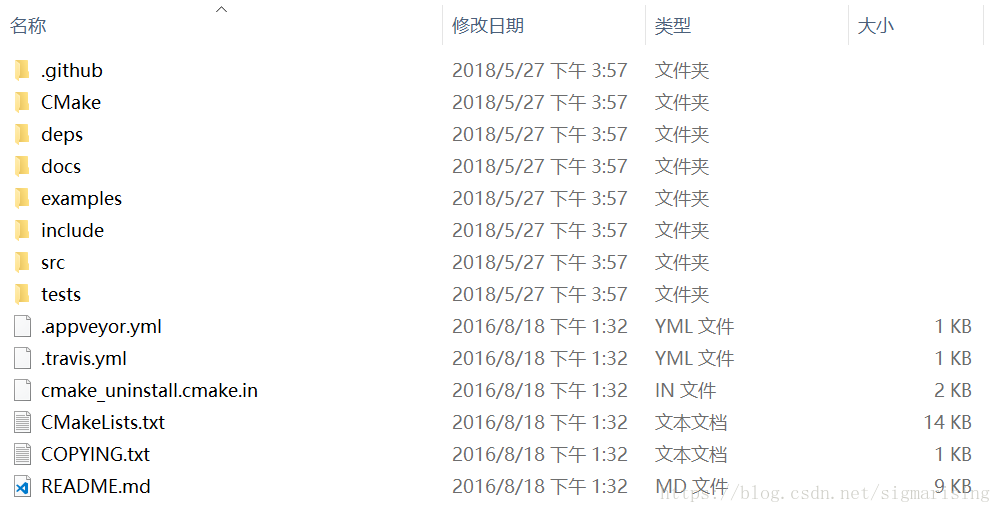
首先访问GLFW官网下载页,下载源代码并解压,如下图所示
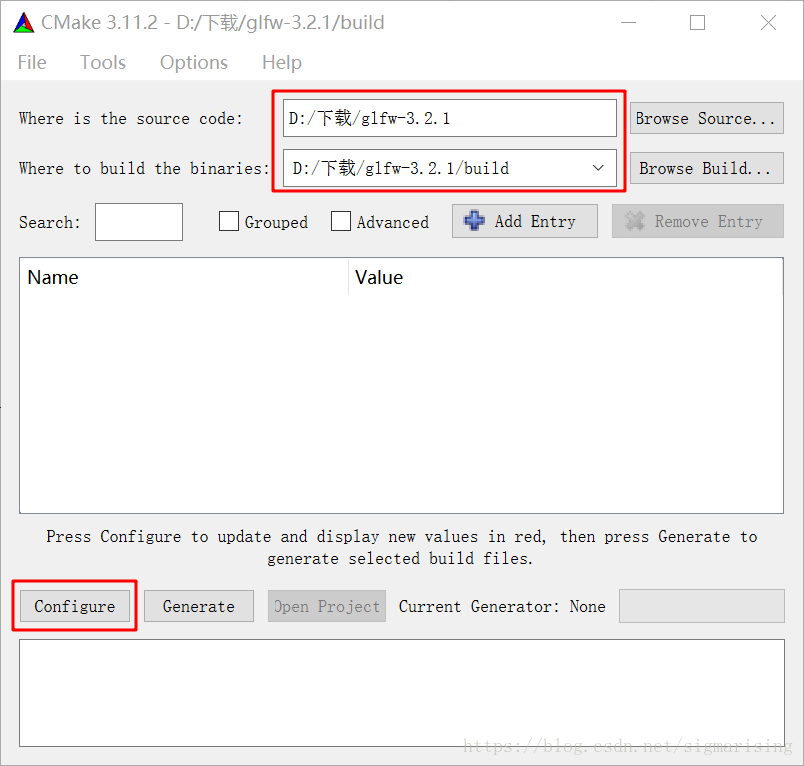
接下来打开CMake程序,设置source code为GLFW解压目录,build目录为GLFW解压目录下新建的build文件夹:
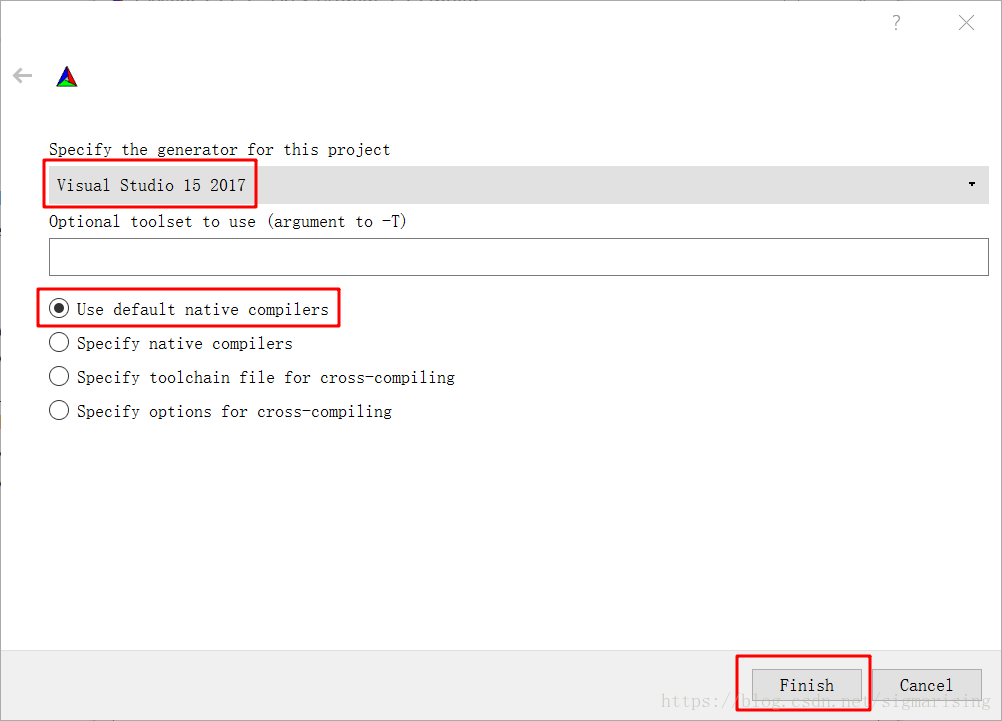
点击configure,默认即可:
再次点击configure按钮:
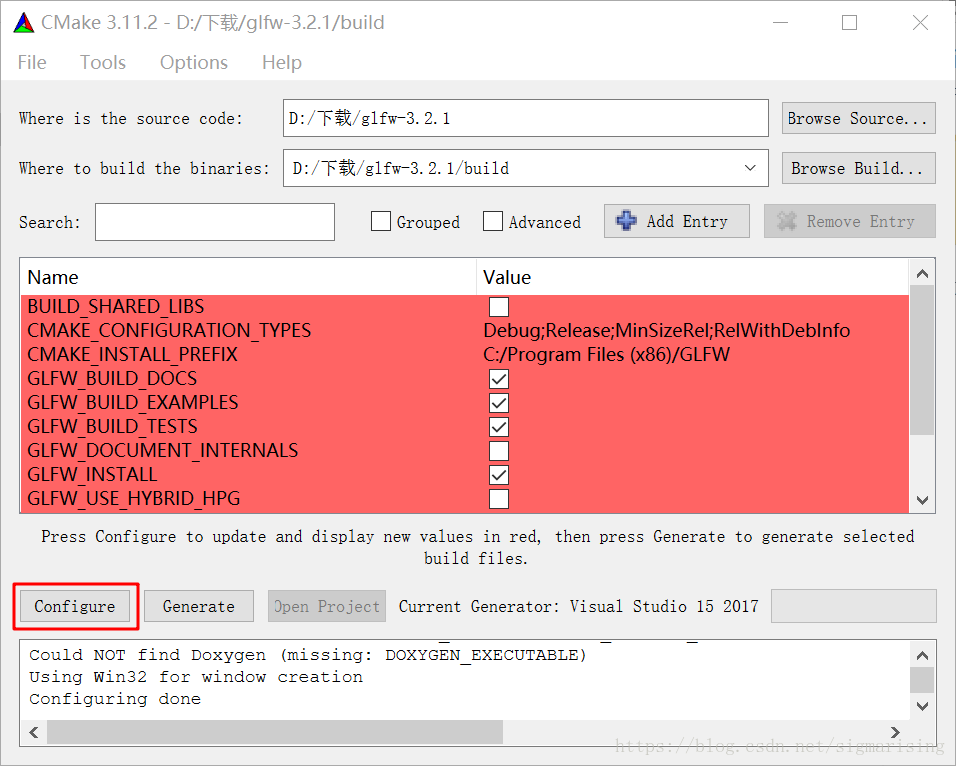
最后点击Generate:
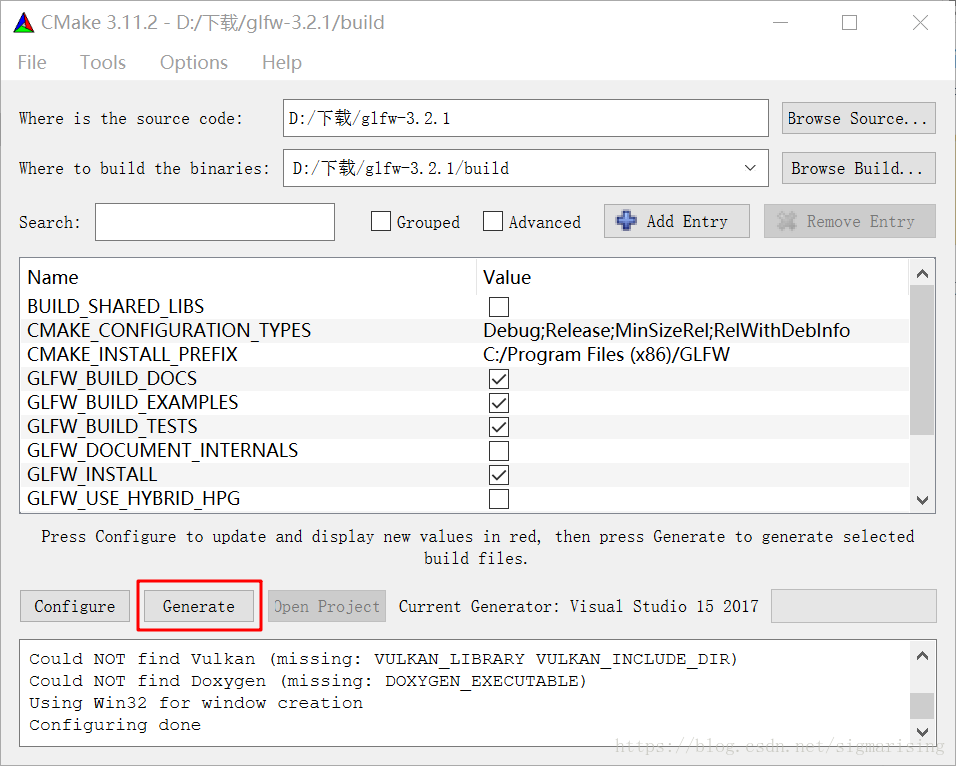
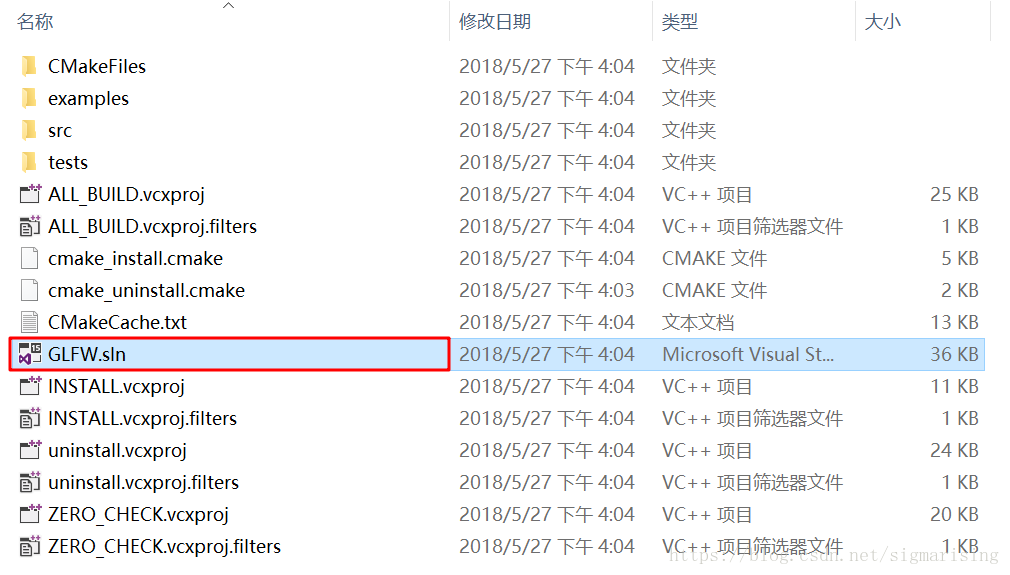
可以在build目录下生成Visual Studio的解决方案:
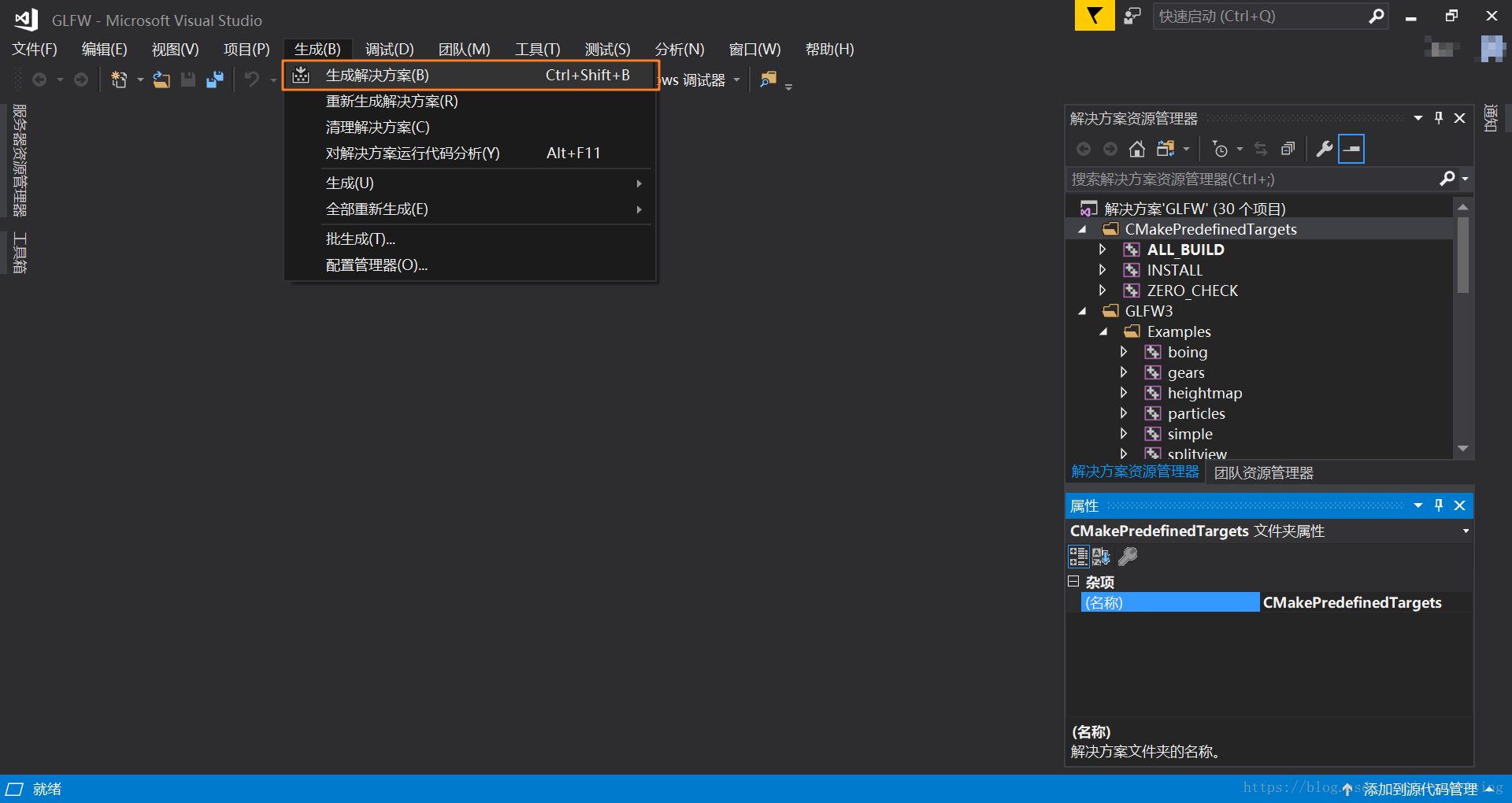
打开解决方案,直接编译即可:
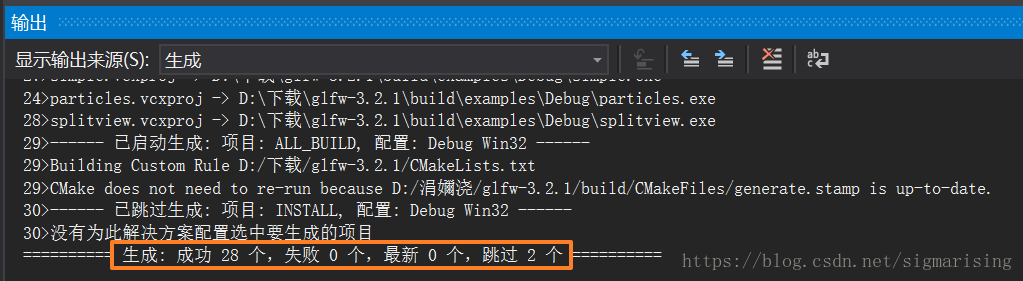
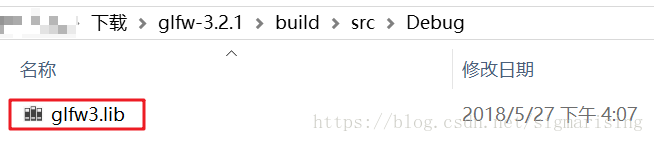
在build\src\Debug\目录下得到编译后的库文件:
Step2. 下载GLAD库
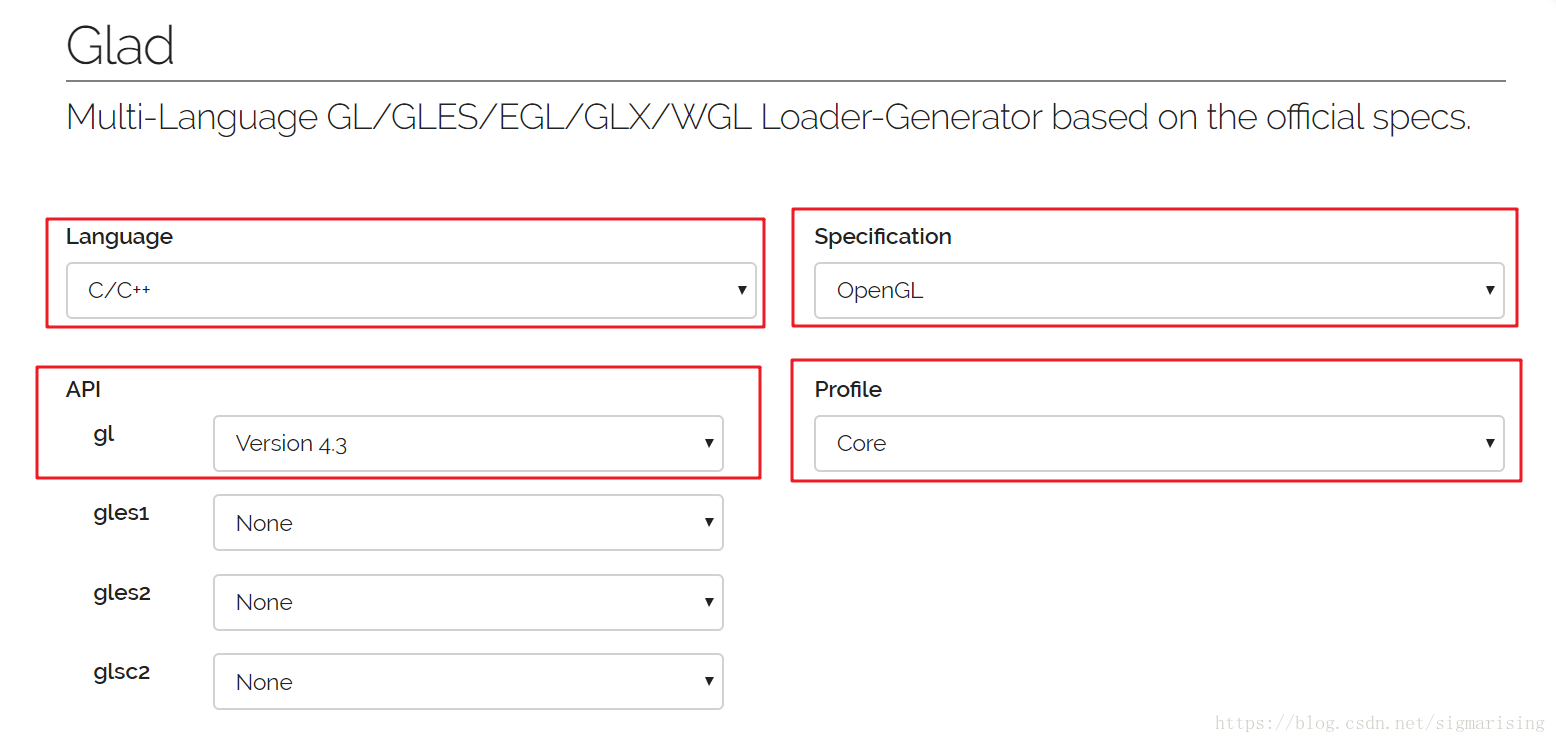
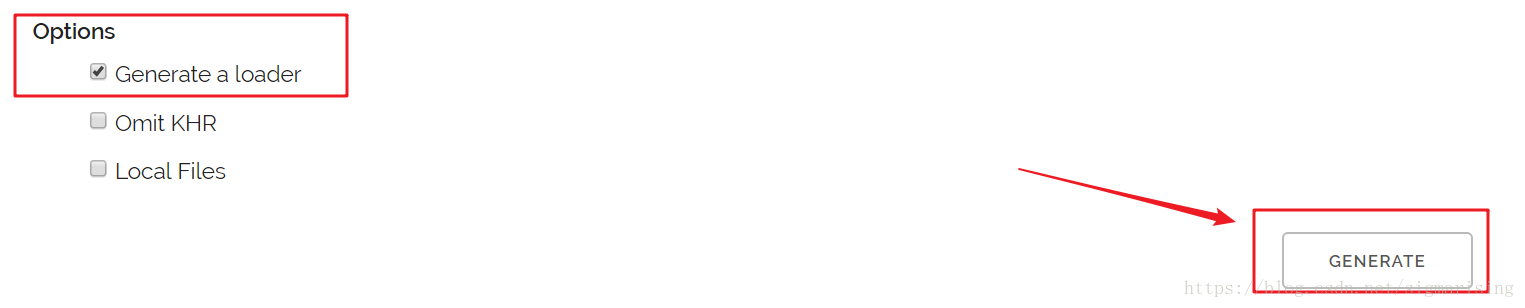
转到GLAD在线服务页面,修改语言为C/C++,选择OpenGL,API选择使用的对应OpenGL版本,Profile选择Core,勾上Generate a loader,点击GENERATE:
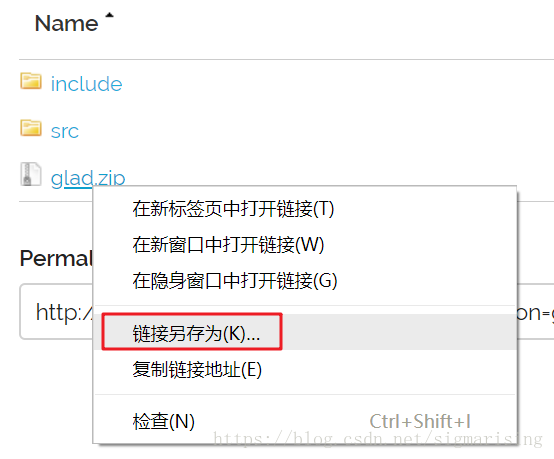
下载压缩包:
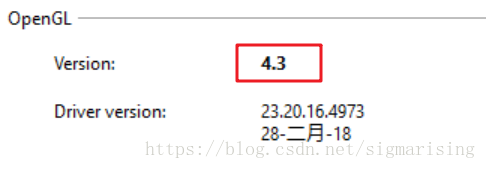
如何查看OpenGL版本
下载使用OpenGL Extension Viewer,即可查看OpenGL版本:
Step3. 配置Visual Studio工程
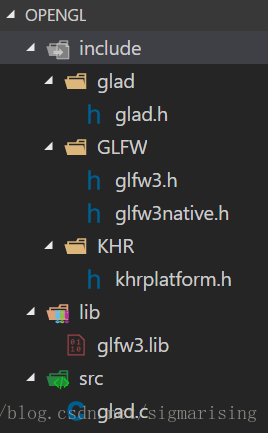
将GLFW源码中的include\文件下的内容、GLFW编译后的库、下载的GLAD库,放入opengl文件夹,组织如下:
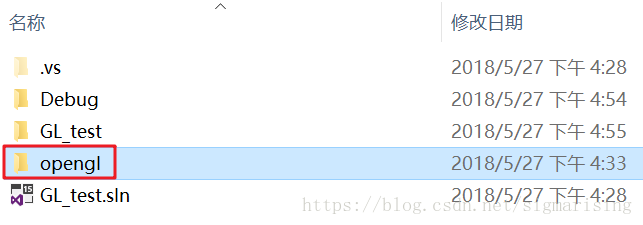
新建Visual C++空项目,将opengl文件夹放入工程目录:
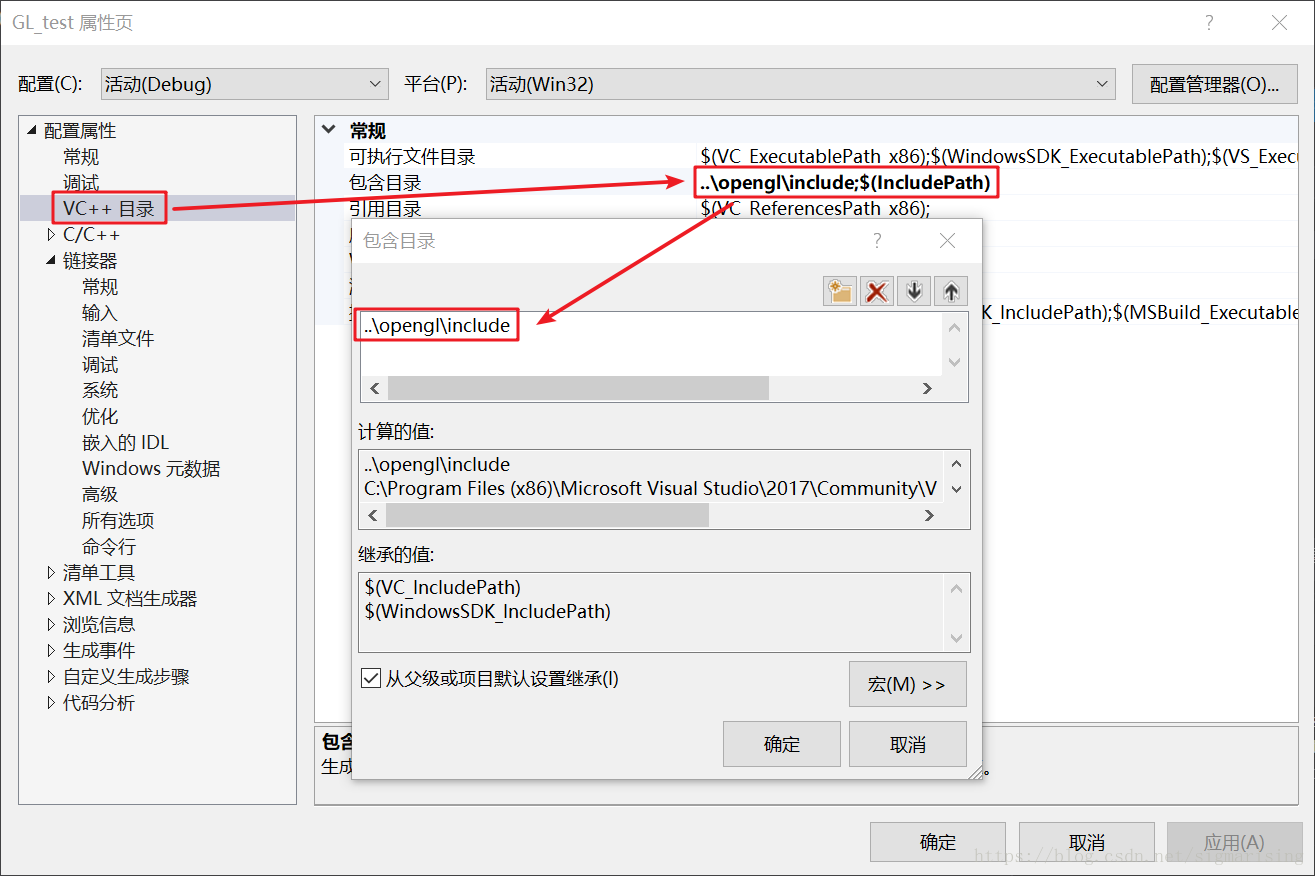
配置VS工程如下:
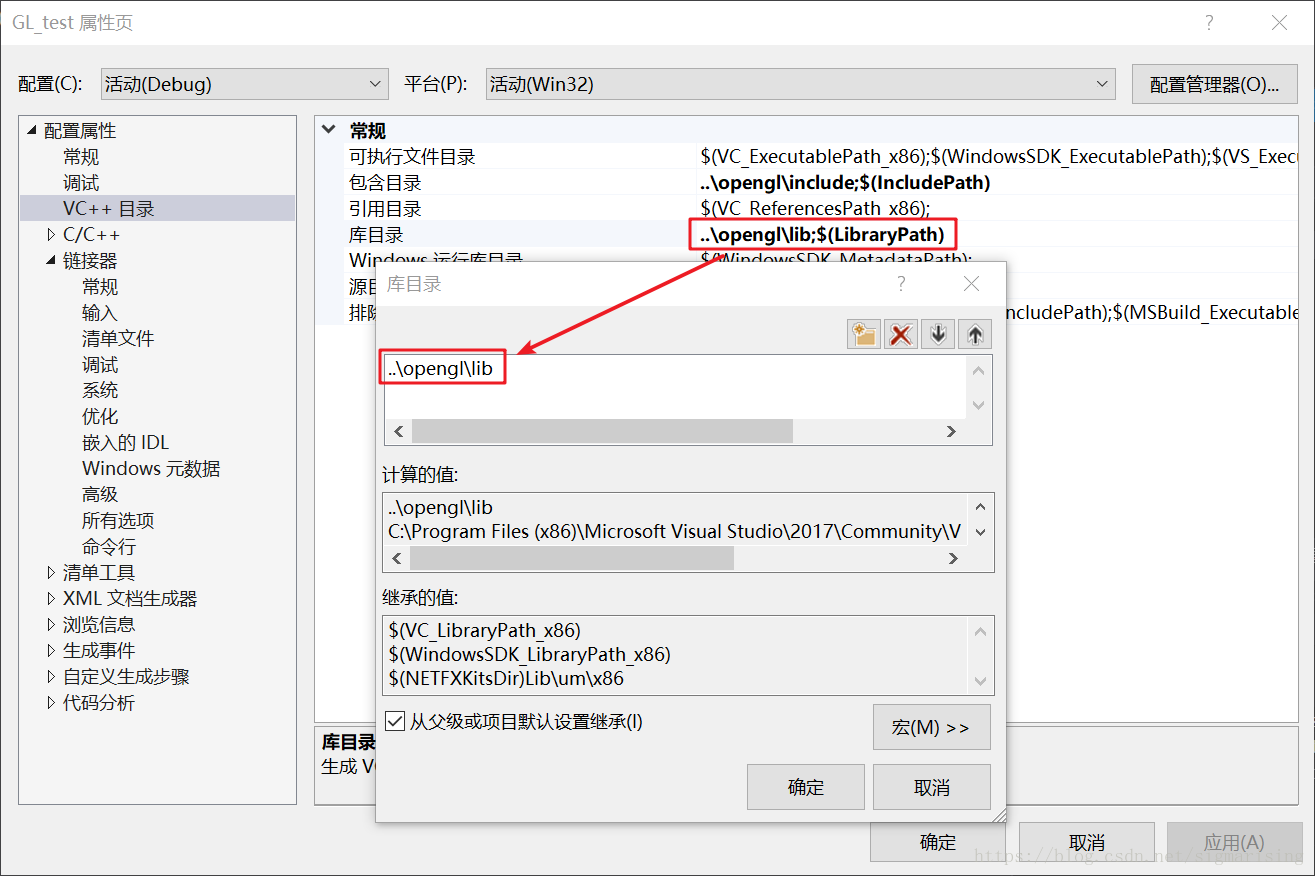
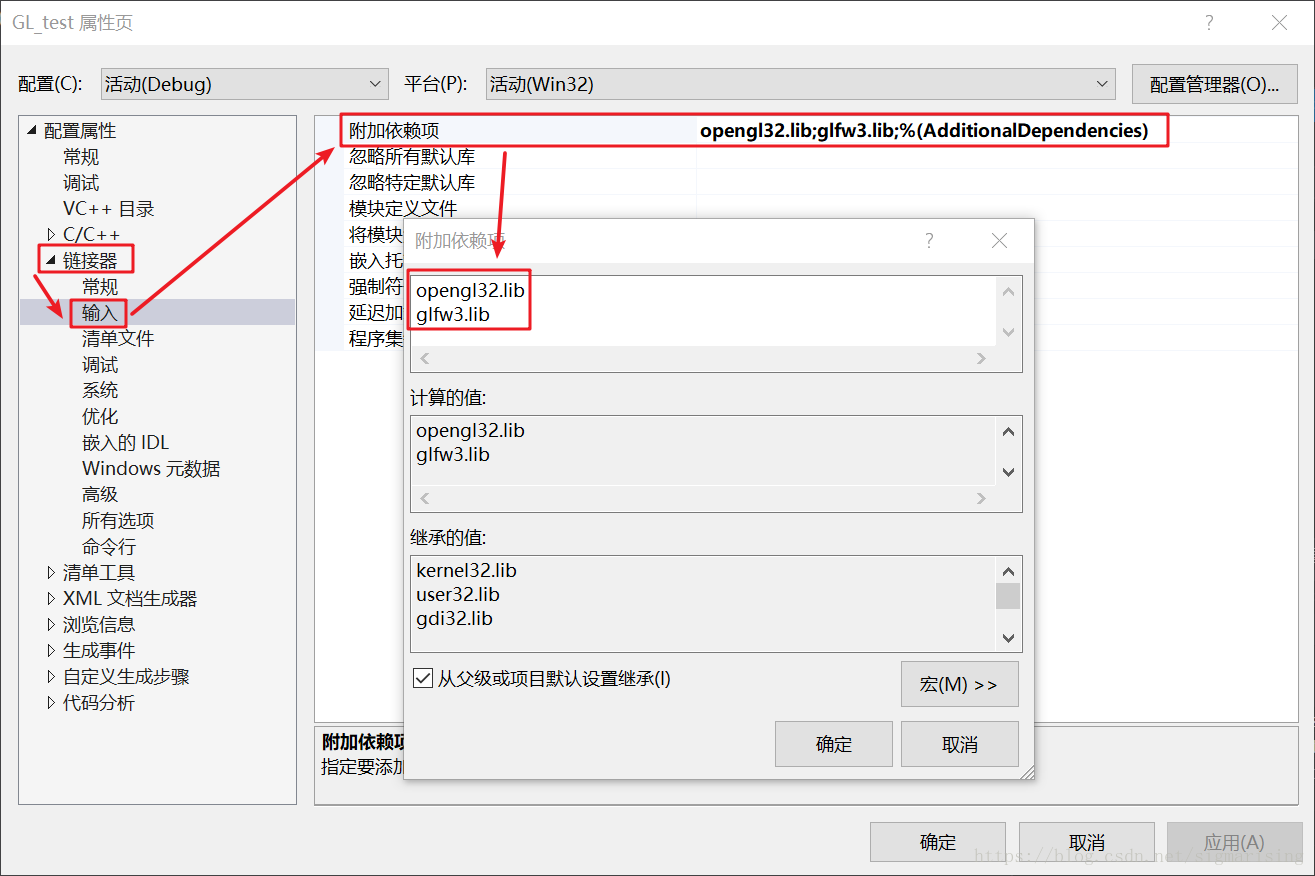
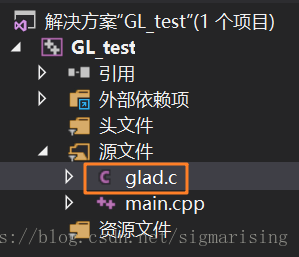
添加opengl\src\glad.c源文件:
Step4. 编写代码并测试
代码如下:
#include <glad/glad.h>
#include <GLFW/glfw3.h>
#include <iostream>
using namespace std;

void framebuffer_size_callback(GLFWwindow* window, int width, int height);

int main() {
    glfwInit();
    glfwWindowHint(GLFW_CONTEXT_VERSION_MAJOR, 3);
    glfwWindowHint(GLFW_CONTEXT_VERSION_MINOR, 3);
    glfwWindowHint(GLFW_OPENGL_PROFILE, GLFW_OPENGL_CORE_PROFILE);

    GLFWwindow *window = glfwCreateWindow(800, 600, "LearnOpenGL", NULL, NULL);
    if (window == NULL) {
        cout << "Failed to create GLFW window" << endl;
        glfwTerminate();
        return -1;
    }
    glfwMakeContextCurrent(window);

    if (!gladLoadGLLoader((GLADloadproc)glfwGetProcAddress)) {
        std::cout << "Failed to initialize GLAD" << std::endl;
        return -1;
    }

    glViewport(0, 0, 800, 600);

    glfwSetFramebufferSizeCallback(window, framebuffer_size_callback);

    while (!glfwWindowShouldClose(window)) {
        glfwSwapBuffers(window);
        glfwPollEvents();
    }

    glfwTerminate();
    return 0;
}

void framebuffer_size_callback(GLFWwindow* window, int width, int height) {
    glViewport(0, 0, width, height);
}
编译运行,结果如下:
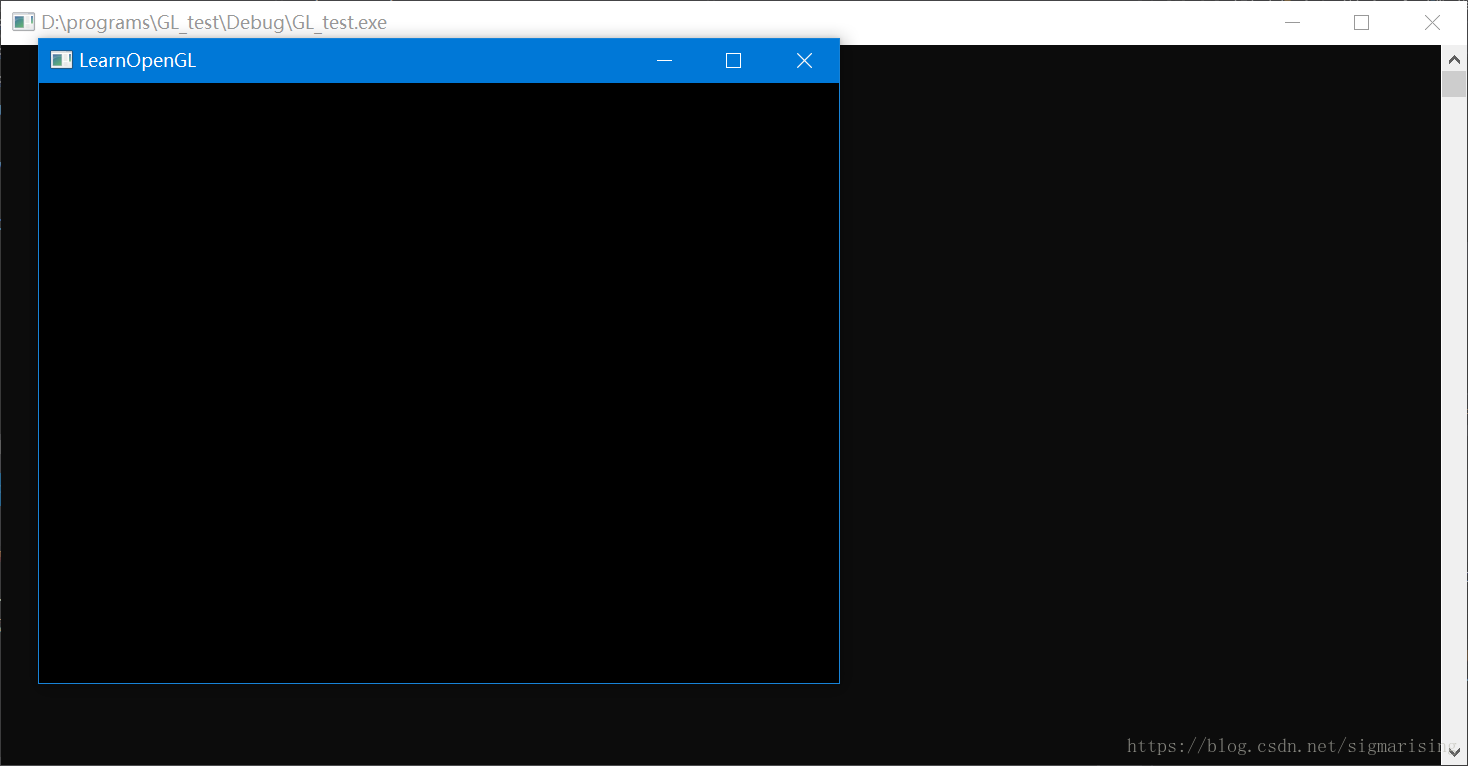
至此,配置完成。





 扫一扫
扫一扫


 2400
2400

 被折叠的 条评论
为什么被折叠?
被折叠的 条评论
为什么被折叠?
 到【灌水乐园】发言





