



 本文介绍在Kali系统中安装w3af时遇到的retire版本不兼容问题及解决方案。通过指定安装retire的老版本,确保w3af能够正常运行。
问题描述
在kali下安装w3af,运行完/tmp/w3af_dependency_install.sh,此时接着运行./w3af_console,仍然提示External programs used by w3af are not installed or were not found.Run these commands to install them on your system
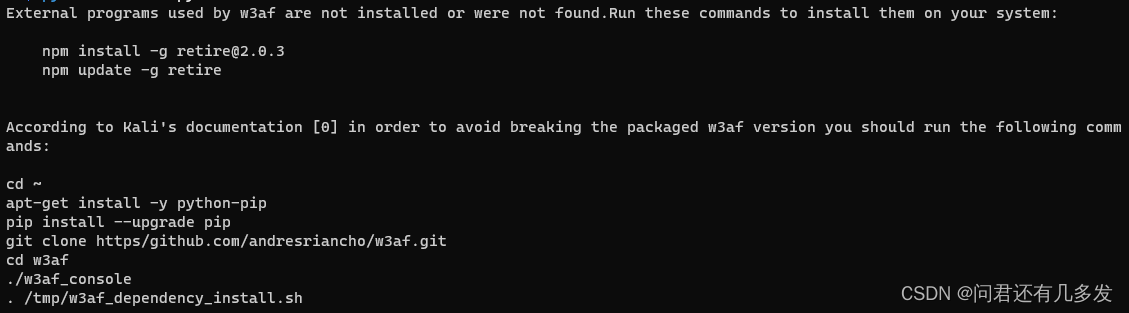
但之前已经运行过一次/tmp/w3af_dependency_install.sh,为何还会提示没有安装retire?
问题分析
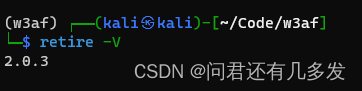
在较高版本的kali中一般会遇到这个问题,原因就出在npm update -g retire这一句上,在执行完sudo npm install -g retire@2.0.3后,此时执行retire -V,可以观察到此时的retire版本的确是2.0.3。
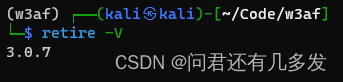
执行sudo npm update -g retire后,再次retire -V,观察到此时的retire版本已经变成3.0.7。
此时执行./w3af_console会发现仍然提示未安装retire,猜测可能是w3af并不支持较高版本的retire。
解决方案
直接手动执行sudo npm install -g retire@2.0.3,而不再更新,使用较老版本的retire
若已安装较高版本的retire,可执行sudo npm uninstall retire,再执行sudo npm install -g retire@2.0.3。
此时再执行./w3ar_console发现可以正常运行。
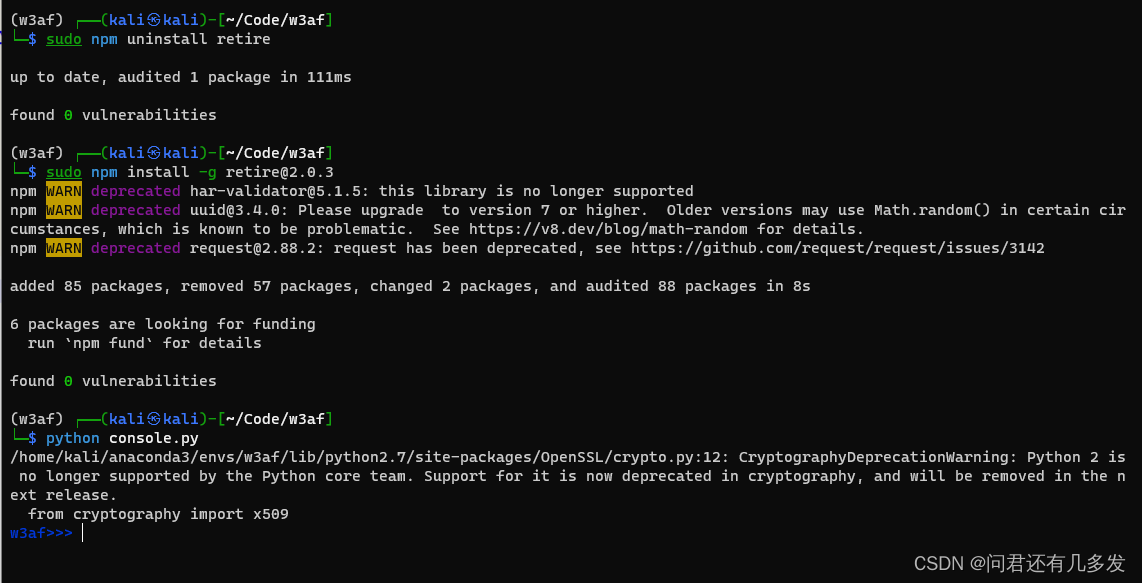
备注:console.py是我为使用anaconda的虚拟环境而复制的w3af_console文件的内容,删掉了其中的第一行
这个问题困扰了好久,终于解决了。





 扫一扫
扫一扫


 1481
1481

 被折叠的 条评论
为什么被折叠?
被折叠的 条评论
为什么被折叠?
 到【灌水乐园】发言





