


禁止所有用户通过sudo -i命令获得权限
/etc/sudoers默认配置
#
# This file MUST be edited with the 'visudo' command as root.
#
# Please consider adding local content in /etc/sudoers.d/ instead of
# directly modifying this file.
#
# See the man page for details on how to write a sudoers file.
#
Defaults        env_reset
Defaults        mail_badpass
Defaults        secure_path="/usr/local/sbin:/usr/local/bin:/usr/sbin:/usr/bin:/sbin:/bin:/snap/bin"

# Host alias specification

# User alias specification

# Cmnd alias specification

# User privilege specification
root    ALL=(ALL:ALL) ALL

# Members of the admin group may gain root privileges
%admin ALL=(ALL) ALL

# Allow members of group sudo to execute any command
%sudo   ALL=(ALL:ALL) ALL

# See sudoers(5) for more information on "#include" directives:

#includedir /etc/sudoers.d
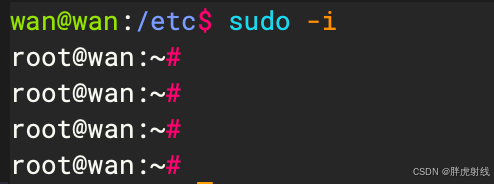
测试可以通过sudo -i获取root权限
#
## This file MUST be edited with the 'visudo' command as root.
##
## Please consider adding local content in /etc/sudoers.d/ instead of
## directly modifying this file.
##
## See the man page for details on how to write a sudoers file.
##
#Defaults        env_reset
#Defaults        mail_badpass
#Defaults        secure_path="/usr/local/sbin:/usr/local/bin:/usr/sbin:/usr/bin:/sbin:/bin:/snap/bin"
#
## Host alias specification
#
## User alias specification
#
## Cmnd alias specification
#
## User privilege specification
#root    ALL=(ALL:ALL) ALL
#
## Members of the admin group may gain root privileges
#%admin ALL=(ALL) ALL
#
## 禁止所有用户使用 sudo -i
#Cmnd_Alias SUDO_I = /usr/bin/sudo -i
#ALL ALL=(ALL) ALL, !SUDO_I
#
## Allow members of group sudo to execute any command
#%sudo   ALL=(ALL:ALL) ALL
#
## See sudoers(5) for more information on "#include" directives:
#
##includedir /etc/sudoers.d
AllowUsers指令(白名单)
当在sshd_config中使用AllowUsers指令时,它定义了一个允许通过SSH连接的用户和IP地址列表。如果没有任何其他规则,只有在AllowUsers中明确列出的用户和IP组合才能成功登录。因此,添加AllowUsers wan@192.168.164.132后,隐式地禁止了所有未列出的用户(包括root)从任何地方进行SSH连接,除非这些用户和IP组合也被明确列出。
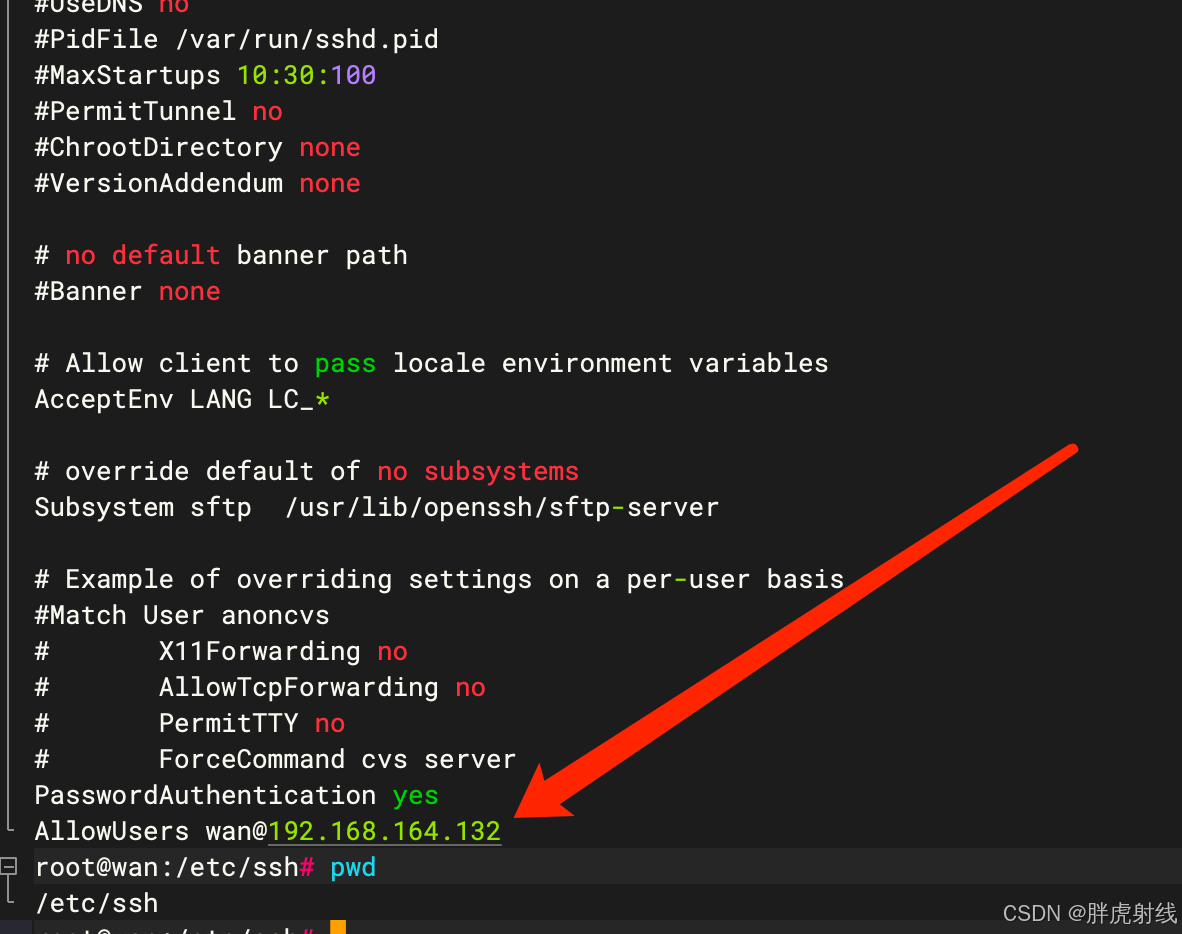
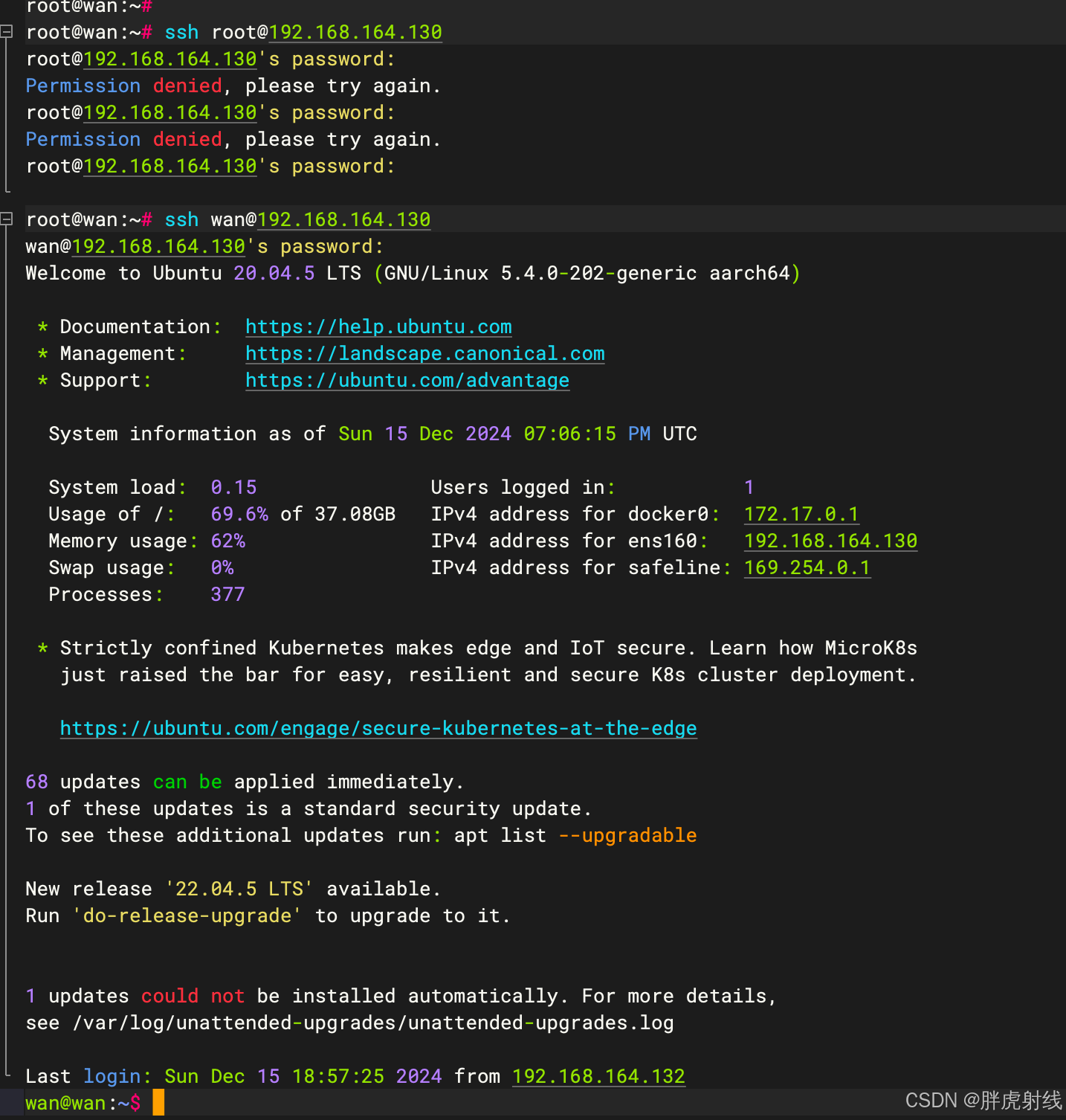
192.168.164.132这台机器,只能连接wan这个普通用户,无法连接root用户
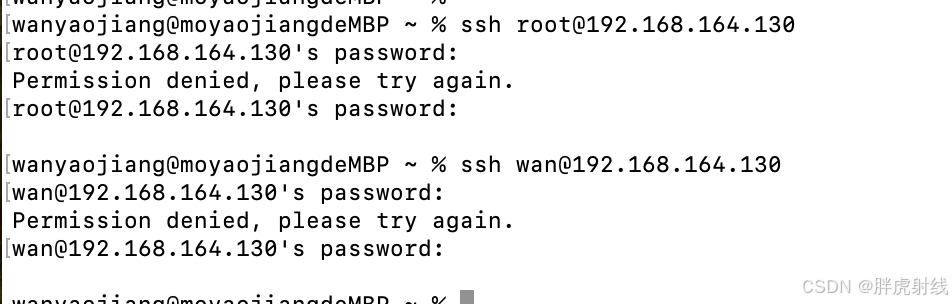
对于其他IP的机器root用户和wan用户均无法连接





 扫一扫
扫一扫


 1045
1045

 被折叠的 条评论
为什么被折叠?
被折叠的 条评论
为什么被折叠?
 到【灌水乐园】发言





