


项目地址:
github地址:https://github.com/hwua-hi168/quantanexus
gitee地址:https://gitee.com/hwua_1/quantanexus-docs
公有云版地址: https://www.hi168.com
https://askgeek.io/en/gpus/vs/NVIDIA_Tesla-T4-vs-NVIDIA_Tesla-V100-PCIe-16-GB
https://www.gigabyte.com/Solutions/vdi-solution VDI GPU
从U盘写入PVE8.0来手把手教你安装系统以及ALL IN ONE-小陈折腾日记 (geekxw.top)
collinwebdesigns/fastapi-dls - Docker Image | Docker Hub vgpu 授权服务器原文教程
Proxmox VE 云桌面实战 ① - 配置NVIDIA vGPU - Cpl.Kerry (rickg.cn)
英伟达最全vGPU 链接:http://vgpu.com.cn/可以查看所有相关的文档
VMware vSphere 下 NVIDIA vGPU 驱动的安装和配置_vmware显卡驱动下载-优快云博客
1、驱动准备,从NVIDIA网站下载对应驱动包
需有购买NVIDIA账号登陆访问:
2、NVIDIA常用链接
显卡和驱动版本匹配查询地址:https://docs.nvidia.com/grid/gpus-supported-by-vgpu.html
英伟达最全vGPU 链接:http://vgpu.com.cn/可以查看所有相关的文档
NVIDIA Grid驱动版本匹配地址:https://docs.nvidia.com/grid/get-grid-version.html
https://github.com/kubevirt/kubevirt/issues/11135 bug VGPU无法绑定 声音 附带显卡。
https://ubuntu.com/server/docs/gpu-virtualization-with-qemu-kvm ubuntu kvm
重要:
https://docs.nvidia.com/datacenter/cloud-native/gpu-operator/latest/gpu-operator-kubevirt.html
系统设置
/etc/default/grub加入:amd_iommu=on iommu=pt GRUB_CMDLINE_LINUX_DEFAULT="amd_iommu=on
iommu=pt pcie_acs_override=downstream,multifunction vfio_iommu_type1.allow_unsafe_interrupts=1 pci=assign-busses systemd.unified_cgroup_hierarchy=0"
小伙伴们 可 以 注 & 册 https://www.hi168.com 白 & 飘 算 & 力哦。
如果是Intel的宿主机 就写: intel_iommu=on
root@k8s-node3:/opt/cni/bin# vi /etc/default/grub
root@k8s-node3:~# cat /etc/default/grub
# If you change this file, run 'update-grub' afterwards to update
# /boot/grub/grub.cfg.
# For full documentation of the options in this file, see:
#   info -f grub -n 'Simple configuration'

GRUB_DEFAULT=0
GRUB_TIMEOUT_STYLE=hidden
GRUB_TIMEOUT=0
GRUB_DISTRIBUTOR=`lsb_release -i -s 2> /dev/null || echo Debian`
GRUB_CMDLINE_LINUX_DEFAULT="amd_iommu=on iommu=pt pcie_acs_override=downstream,multifunction vfio_iommu_type1.allow_unsafe_interrupts=1 pci=assign-busses systemd.unified_cgroup_hierarchy=0"

GRUB_CMDLINE_LINUX=""

root@k8s-node3:~#

root@k8s-node3:/opt/cni/bin# update-grub
Sourcing file `/etc/default/grub'
Sourcing file `/etc/default/grub.d/init-select.cfg'
Generating grub configuration file ...
Found linux image: /boot/vmlinuz-5.15.0-107-generic
Found initrd image: /boot/initrd.img-5.15.0-107-generic
Found linux image: /boot/vmlinuz-5.15.0-94-generic
Found initrd image: /boot/initrd.img-5.15.0-94-generic
Warning: os-prober will not be executed to detect other bootable partitions.
Systems on them will not be added to the GRUB boot configuration.
Check GRUB_DISABLE_OS_PROBER documentation entry.
Adding boot menu entry for UEFI Firmware Settings ...
done
root@k8s-node3:/opt/cni/bin# echo -e "vfio\nvfio_iommu_type1\nvfio_pci\nvfio_virqfd" >> /etc/modules
安装宿主机的驱动:

编辑
root@k8s-node3:/etc/modprobe.d# apt install gcc make mdevctl dkms git build-essential dkms -y

Reading package lists... Done
Building dependency tree... Done
Reading state information... Done
gcc is already the newest version (4:11.2.0-1ubuntu1).
make is already the newest version (4.3-4.1build1).
0 upgraded, 0 newly installed, 0 to remove and 31 not upgraded.


root@k8s-node3:~# ./NVIDIA-Linux-x86_64-550.54.10-vgpu-kvm.run
Verifying archive integrity... OK
Uncompressing NVIDIA Accelerated Graphics Driver for Linux-x86_64 550.54.10......................................................................................................................................................................................................................................................................................................................................................................................................................................................................
root@k8s-node3:~# reboot
root@k8s-node3:~# nvidia-smi
Thu Jun  6 12:44:03 2024
+-----------------------------------------------------------------------------------------+
| NVIDIA-SMI 550.54.10              Driver Version: 550.54.10      CUDA Version: N/A      |
|-----------------------------------------+------------------------+----------------------+
| GPU  Name                 Persistence-M | Bus-Id          Disp.A | Volatile Uncorr. ECC |
| Fan  Temp   Perf          Pwr:Usage/Cap |           Memory-Usage | GPU-Util  Compute M. |
|                                         |                        |               MIG M. |
|=========================================+========================+======================|
|   0  Tesla T4                       Off |   00000000:C1:00.0 Off |                    0 |
| N/A   83C    P0             37W /   70W |      91MiB /  15360MiB |      0%      Default |
|                                         |                        |                  N/A |
+-----------------------------------------+------------------------+----------------------+

+-----------------------------------------------------------------------------------------+
| Processes:                                                                              |
|  GPU   GI   CI        PID   Type   Process name                              GPU Memory |
|        ID   ID                                                               Usage      |
|=========================================================================================|
|  No running processes found                                                             |
+-----------------------------------------------------------------------------------------+
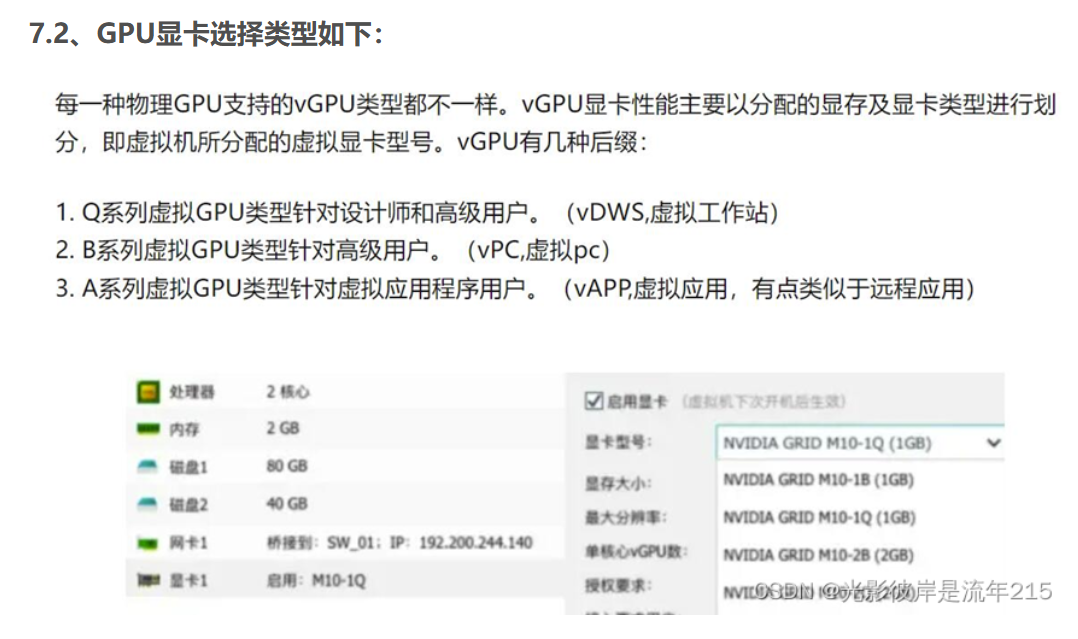
查看支持的VGPU类型,功能,名称和显存大小
root@k8s-node3:~# nvidia-smi  vgpu -s
GPU 00000000:81:00.0
    GRID T4-1B
    GRID T4-2B
    GRID T4-2B4
    GRID T4-1Q
    GRID T4-2Q
    GRID T4-4Q
    GRID T4-8Q
    GRID T4-16Q
    GRID T4-1A
    GRID T4-2A
    GRID T4-4A
    GRID T4-8A
    GRID T4-16A
    GRID T4-1B4
root@k8s-node3:~# mdevctl types
0000:81:00.0
  nvidia-222
    Available instances: 0
    Device API: vfio-pci
    Name: GRID T4-1B
    Description: num_heads=4, frl_config=45, framebuffer=1024M, max_resolution=5120x2880, max_instance=16
  nvidia-223
    Available instances: 0
    Device API: vfio-pci
    Name: GRID T4-2B
    Description: num_heads=4, frl_config=45, framebuffer=2048M, max_resolution=5120x2880, max_instance=8
  nvidia-224
    Available instances: 0
    Device API: vfio-pci
    Name: GRID T4-2B4
    Description: num_heads=4, frl_config=45, framebuffer=2048M, max_resolution=5120x2880, max_instance=8
  nvidia-225
    Available instances: 0
    Device API: vfio-pci
    Name: GRID T4-1A
    Description: num_heads=1, frl_config=60, framebuffer=1024M, max_resolution=1280x1024, max_instance=16
  nvidia-226
    Available instances: 0
    Device API: vfio-pci
    Name: GRID T4-2A
    Description: num_heads=1, frl_config=60, framebuffer=2048M, max_resolution=1280x1024, max_instance=8
  nvidia-227
    Available instances: 0
    Device API: vfio-pci
    Name: GRID T4-4A
    Description: num_heads=1, frl_config=60, framebuffer=4096M, max_resolution=1280x1024, max_instance=4
  nvidia-228
    Available instances: 0
    Device API: vfio-pci
    Name: GRID T4-8A
    Description: num_heads=1, frl_config=60, framebuffer=8192M, max_resolution=1280x1024, max_instance=2
  nvidia-229
    Available instances: 0
    Device API: vfio-pci
    Name: GRID T4-16A
    Description: num_heads=1, frl_config=60, framebuffer=16384M, max_resolution=1280x1024, max_instance=1
  nvidia-230
    Available instances: 0
    Device API: vfio-pci
    Name: GRID T4-1Q
    Description: num_heads=4, frl_config=60, framebuffer=1024M, max_resolution=5120x2880, max_instance=16
  nvidia-231
    Available instances: 0
    Device API: vfio-pci
    Name: GRID T4-2Q
    Description: num_heads=4, frl_config=60, framebuffer=2048M, max_resolution=7680x4320, max_instance=8
  nvidia-232
    Available instances: 0
    Device API: vfio-pci
    Name: GRID T4-4Q
    Description: num_heads=4, frl_config=60, framebuffer=4096M, max_resolution=7680x4320, max_instance=4
  nvidia-233
    Available instances: 0
    Device API: vfio-pci
    Name: GRID T4-8Q
    Description: num_heads=4, frl_config=60, framebuffer=8192M, max_resolution=7680x4320, max_instance=2
  nvidia-234
    Available instances: 0
    Device API: vfio-pci
    Name: GRID T4-16Q
    Description: num_heads=4, frl_config=60, framebuffer=16384M, max_resolution=7680x4320, max_instance=1
  nvidia-252
    Available instances: 0
    Device API: vfio-pci
    Name: GRID T4-1B4
    Description: num_heads=4, frl_config=45, framebuffer=1024M, max_resolution=5120x2880, max_instance=16
root@k8s-node3:~# mdevctl types |grep nvidia-
  nvidia-222
  nvidia-223
  nvidia-224
  nvidia-225
  nvidia-226
  nvidia-227
  nvidia-228
  nvidia-229
  nvidia-230
  nvidia-231
  nvidia-232
  nvidia-233
  nvidia-234
  nvidia-252
修改特性阀门
apiVersion: kubevirt.io/v1
kind: KubeVirt
metadata:
 name: kubevirt
 namespace: kubevirt
spec:
 configuration:
   permittedHostDevices:
    pciHostDevices:
    - pciVendorSelector: "10DE:1EB8"
      resourceName: "nvidia.com/TU104GL_Tesla_T4"
      externalResourceProvider: true
    mediatedDevices:
    - mdevNameSelector: "GRID T4-1Q"
      resourceName: "nvidia.com/GRID_T4-1Q"

   developerConfiguration:
     featureGates:
     - LiveMigration
     - HostDisk
     - HypervStrictCheck
     - CPUManager
     - Snapshot
     - HotplugNICs
     - HotplugVolumes
   mediatedDevicesConfiguration:
     nodeMediatedDeviceTypes:
     - nodeSelector:
         kubernetes.io/hostname: k8s-node3
       mediatedDevicesTypes:
       - nvidia-233

root@k8s-master1:~/vgpu# kubectl apply -f gate.yaml
Warning: spec.configuration.mediatedDevicesConfiguration.nodeMediatedDeviceTypes[0].mediatedDevicesTypes is deprecated, use mediatedDeviceTypes
kubevirt.kubevirt.io/kubevirt configured
root@k8s-master1:~/vgpu#
https://kubevirt.io/user-guide/compute/mediated_devices_configuration/
Configuration scenarios
Example: Large cluster with multiple cards on each node
On nodes with multiple cards that can support similar vGPU types, the relevant desired types will be created in a round-robin manner.

For example, considering the following KubeVirt CR configuration:

spec:
  configuration:
    mediatedDevicesConfiguration:
      mediatedDevicesTypes:
      - nvidia-222
      - nvidia-228
      - nvidia-105
      - nvidia-108
This cluster has nodes with two different PCIe cards:

Nodes with 3 Tesla T4 cards, where each card can support multiple devices types:

nvidia-222
nvidia-223
nvidia-228
...
Nodes with 2 Tesla V100 cards, where each card can support multiple device types:

nvidia-105
nvidia-108
nvidia-217
nvidia-299
...
KubeVirt will then create the following devices:

Nodes with 3 Tesla T4 cards will be configured with:
16 vGPUs of type nvidia-222 on card 1
2 vGPUs of type nvidia-228 on card 2
16 vGPUs of type nvidia-222 on card 3
Nodes with 2 Tesla V100 cards will be configured with:
16 vGPUs of type nvidia-105 on card 1
2 vGPUs of type nvidia-108 on card 2
Example: Single card on a node, multiple desired vGPU types are supported
When nodes only have a single card, the first supported type from the list will be configured.

For example, consider the following list of desired types, where nvidia-223 and nvidia-224 are supported:

spec:
  configuration:
    mediatedDevicesConfiguration:
      mediatedDevicesTypes:
      - nvidia-223
      - nvidia-224
In this case, nvidia-223 will be configured on the node because it is the first supported type in the list.
Overriding configuration on a specifc node
To override the global configuration set by mediatedDevicesTypes, include the nodeMediatedDeviceTypes option, specifying the node selector and the mediatedDevicesTypes that you want to override for that node.

Example: Overriding the configuration for a specific node in a large cluster with multiple cards on each node
In this example, the KubeVirt CR includes the nodeMediatedDeviceTypes option to override the global configuration specifically for node 2, which will only use the nvidia-234 type.

spec:
  configuration:
    mediatedDevicesConfiguration:
      mediatedDevicesTypes:
      - nvidia-230
      - nvidia-223
      - nvidia-224
    nodeMediatedDeviceTypes:
    - nodeSelector:
        kubernetes.io/hostname: node2
      mediatedDevicesTypes:
      - nvidia-234
The cluster has two nodes that both have 3 Tesla T4 cards.

Each card can support a long list of types, including:
nvidia-222
nvidia-223
nvidia-224
nvidia-230
...
KubeVirt will then create the following devices:

Node 1
type nvidia-230 on card 1
type nvidia-223 on card 2
Node 2
type nvidia-234 on card 1 and card 2
Node 1 has been configured in a round-robin manner based on the global configuration but node 2 only uses the nvidia-234 that was specified for it.
注意温度: 温度过高,驱动不显示,掉驱动(也就是显卡死机)
部署license服务器
因为Nvidia的授权需要跟着机器走,走开源授权容器的方式
root@k8s-master1:~/vgpu# mkdir -p cert
root@k8s-master1:~/vgpu# cd cert
root@k8s-master1:~/vgpu/cert# cd ..
root@k8s-master1:~/vgpu# cd
root@k8s-master1:~# cd
root@k8s-master1:~# mkdir cert
root@k8s-master1:~# cd cert
root@k8s-master1:~/cert# ls
root@k8s-master1:~/cert# openssl genrsa -out  instance.private.pem 2048
root@k8s-master1:~/cert# openssl rsa -in instance.private.pem -outform PEM -pubout -out instance.public.pem
writing RSA key
root@k8s-master1:~/cert# openssl req -x509 -nodes -days 3650 -newkey rsa:2048 -keyout  webserver.key -out  webserver.crt
...+......+.+...+..+.........+....+......+..+.........+..........+...+..+......+............+...+...+....+..+.+...+...........+....+.....+.+...........+....+.....+.+.....+.......+............+.....+....+......+...+...+..+.............+........+.+........+.+.....+.......+.....+...+..........+.........+++++++++++++++++++++++++++++++++++++++++++++++++++++++++++++++++*......+++++++++++++++++++++++++++++++++++++++++++++++++++++++++++++++++*..+.......+............+..............+.+........+......+....+..+.........+......+.+..+.+.........+.................+.+...............+..+.......+.....+..........+........+.+......+......+...+.....+.......+..+...+....+......+..+...+....+.....+....+.....+......+...............+...+......+...............+.......+++++++++++++++++++++++++++++++++++++++++++++++++++++++++++++++++
..+.......+...+..+.+++++++++++++++++++++++++++++++++++++++++++++++++++++++++++++++++*.............+.+...+.................+......+...+++++++++++++++++++++++++++++++++++++++++++++++++++++++++++++++++*..+.......+...+...+.....+.+..............+.......+...+.....+.+...+.....+...+...+.+..........................+....+.....+...+.+......+...+............+...+..+.........+.+........+.+.....+.+.....+...+..................+.......+..+.+++++++++++++++++++++++++++++++++++++++++++++++++++++++++++++++++
-----
You are about to be asked to enter information that will be incorporated
into your certificate request.
What you are about to enter is what is called a Distinguished Name or a DN.
There are quite a few fields but you can leave some blank
For some fields there will be a default value,
If you enter '.', the field will be left blank.
-----
Country Name (2 letter code) [AU]:CN
State or Province Name (full name) [Some-State]:Shanghai
Locality Name (eg, city) []:shanghai
Organization Name (eg, company) [Internet Widgits Pty Ltd]:hw
Organizational Unit Name (eg, section) []:dev
Common Name (e.g. server FQDN or YOUR name) []:hwua
Email Address []:dev@hwua.com
root@k8s-master1:~/cert#
 root@k8s-master1:~/vgpu#  kubectl create ns vgpu
 root@k8s-master1:~/vgpu#  kubectl create configmap vgpu-cm --from-file=./cert -n vgpu
root@k8s-master1:~/vgpu# cat vgpu-deployment.yaml
---
apiVersion: apps/v1
kind: Deployment
metadata:
name: fastapi-dls
namespace: vgpu
spec:
replicas: 1
selector:
matchLabels:
app: fastapi-dls
template:
metadata:
labels:
app: fastapi-dls
spec:
containers:
- name: fastapi-dls
image: makedie/fastapi-dls:latest
imagePullPolicy: IfNotPresent
volumeMounts:
- name: cert-volume
mountPath: /app/cert
ports:
- containerPort: 443
env:
- name: DLS_URL
value: "192.168.3.151" #换成你自己的master1的ip地址 或者ha的地址
- name: DLS_PORT
value: "443"
restartPolicy: Always
volumes:
- name: cert-volume
configMap:
name: vgpu-cm
items:
- key: instance.private.pem
path: instance.private.pem
- key: instance.public.pem
path: instance.public.pem
- key: webserver.crt
path: webserver.crt
- key: webserver.key
path: webserver.key
defaultMode: 0755 # 可选:设置文件权限
---
apiVersion: v1
kind: Service
metadata:
name: fastapi-dls-service
namespace: vgpu
spec:
selector:
app: fastapi-dls # 这里与Deployment中的label相匹配
ports:
- protocol: TCP
port: 443 # 服务的端口
targetPort: 443 # 转发到Pod的端口
nodePort: 22288
type: NodePort # 或者使用 LoadBalancer,取决于你的集群配置和需要
root@k8s-master1:~/vgpu# kubectl get all -n vgpu
Warning: kubevirt.io/v1 VirtualMachineInstancePresets is now deprecated and will be removed in v2.
NAME                               READY   STATUS    RESTARTS   AGE
pod/fastapi-dls-7784bbb5c5-xhx88   1/1     Running   0          6m4s

NAME                          TYPE       CLUSTER-IP      EXTERNAL-IP   PORT(S)         AGE
service/fastapi-dls-service   NodePort   10.100.76.231   <none>        443:22288/TCP   17m

NAME                          READY   UP-TO-DATE   AVAILABLE   AGE
deployment.apps/fastapi-dls   1/1     1            1           17m

NAME                                     DESIRED   CURRENT   READY   AGE
replicaset.apps/fastapi-dls-5499cd4886   0         0         0       17m
replicaset.apps/fastapi-dls-7784bbb5c5   1         1         1       6m7s
root@k8s-master1:~/vgpu#
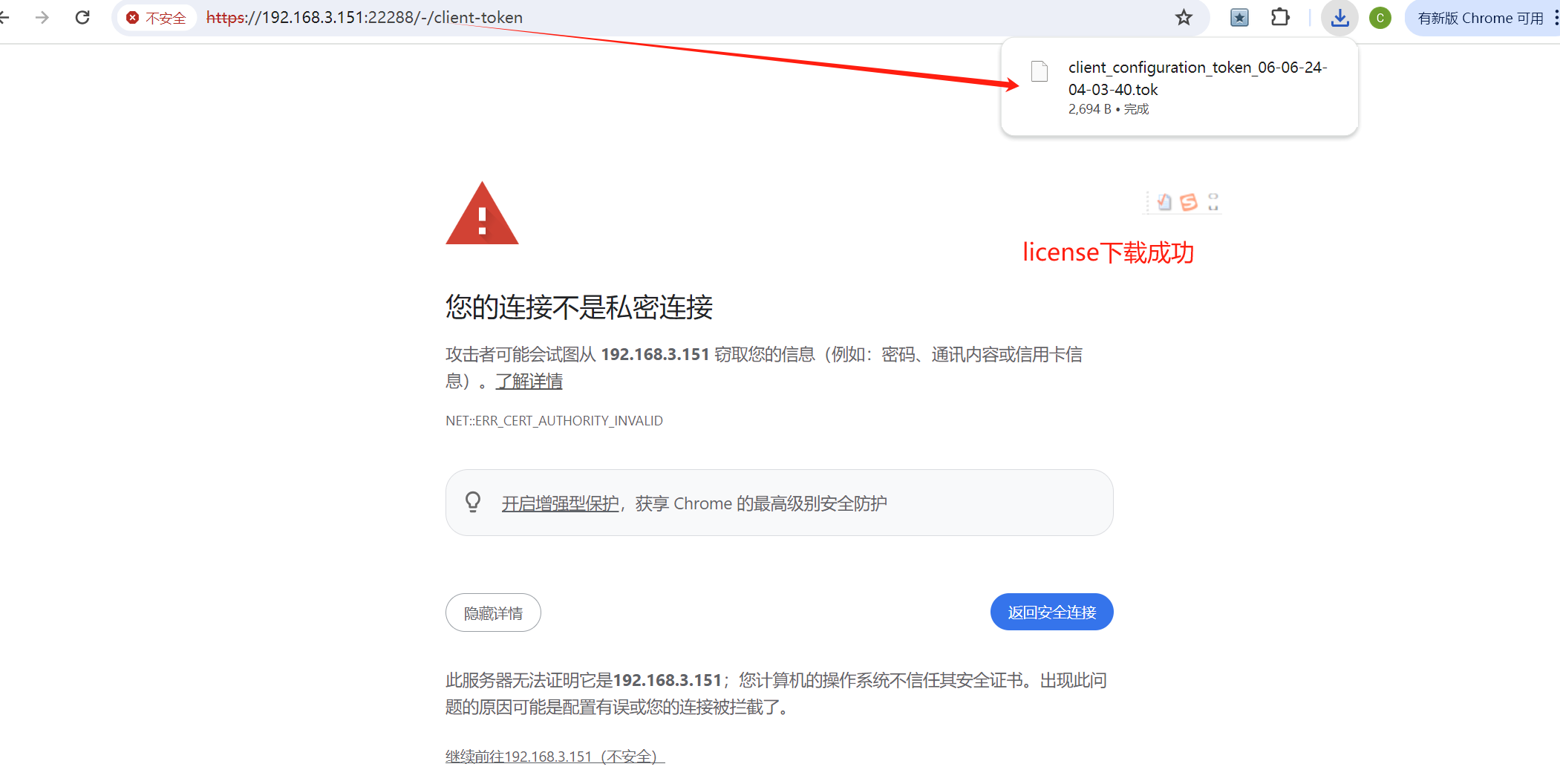
测试license下载
https://192.168.3.151:22288/-client-token
VM中使用vgpu
# 找到厂商的ID Nvidia 是10de Tesla t4是12a2,根据这个virt会找到设备
root@k8s-node3:~# lspci -DD|grep NVIDIA
0000:41:00.0 3D controller: NVIDIA Corporation GP102GL [Tesla P40] (rev a1)
0000:c1:00.0 3D controller: NVIDIA Corporation TU104GL [Tesla T4] (rev a1)
root@k8s-node3:~#

# 因为是tesla T4 设备,因此使用Tesla t4 pci 0000:c1:00.0
# 原理是将NVIDIA的设备从驱动里解绑,并绑定到VFIO设备里,进行虚拟化
root@k8s-node3:~# lspci -DD|grep NVIDIA
0000:01:00.0 3D controller: NVIDIA Corporation TU104GL [Tesla T4] (rev a1)
0000:41:00.0 3D controller: NVIDIA Corporation GP102GL [Tesla P40] (rev a1)
root@k8s-node3:~# echo 0000:01:00.0 > /sys/bus/pci/drivers/nvidia/unbind
root@k8s-node3:~# echo "vfio-pci" > /sys/bus/pci/devices/0000\:01\:00.0/driver_override
root@k8s-node3:~# echo  0000:01:00.0  > /sys/bus/pci/drivers/vfio-pci/bind
root@k8s-node3:~# nvidia-smi
No devices were found
root@k8s-node3:~# nvidia-smi vgpu
No devices were found
# 找到厂商的ID Nvidia 是10de Tesla t4是12a2,根据这个virt会找到设备
root@k8s-node3:~# lspci -nnv|grep -i nvidia
01:00.0 3D controller [0302]: NVIDIA Corporation TU104GL [Tesla T4] [10de:1eb8] (rev a1)
        Subsystem: NVIDIA Corporation TU104GL [Tesla T4] [10de:12a2]
        Kernel modules: nvidiafb, nouveau, nvidia_vgpu_vfio, nvidia
41:00.0 3D controller [0302]: NVIDIA Corporation GP102GL [Tesla P40] [10de:1b38] (rev a1)
        Subsystem: NVIDIA Corporation GP102GL [Tesla P40] [10de:11d9]
        Kernel driver in use: nvidia
        Kernel modules: nvidiafb, nouveau, nvidia_vgpu_vfio, nvidia
root@k8s-node3:~#
root@k8s-node3:~# cat get.sh
curl --insecure -L -X GET https://192.168.3.151:22288/-/client-token -o /etc/nvidia/ClientConfigToken/client_configuration_token_$(date '+%d-%m-%Y-%H-%M-%S').tok
root@k8s-node3:~# mkdir -p  /etc/nvidia/ClientConfigToken/

root@k8s-node3:~# ls /etc/nvidia/ClientConfigToken/
root@k8s-node3:~# bash get.sh
  % Total    % Received % Xferd  Average Speed   Time    Time     Time  Current
                                 Dload  Upload   Total   Spent    Left  Speed
100  2694    0  2694    0     0  52976      0 --:--:-- --:--:-- --:--:-- 53880
root@k8s-node3:~# ls /etc/nvidia/ClientConfigToken/
client_configuration_token_06-06-2024-12-07-58.tok
root@k8s-node3:~#
部署宿主机node port:
查找vm对应的launcher pod的label,做svc 暴露node port,供远程桌面连接
--> vm.kubevirt.io/name=win10-vm
root@k8s-master1:~/vgpu/drivers# kubectl get vm -n images
NAME       AGE   STATUS    READY
win10-vm   9h    Running   True
root@k8s-master1:~/vgpu/drivers# kubectl get pod -n images
NAME                           READY   STATUS    RESTARTS   AGE
virt-launcher-win10-vm-mgmzq   2/2     Running   0          9h
root@k8s-master1:~/vgpu/drivers#

root@k8s-master1:~/vgpu/drivers# kubectl describe pod virt-launcher-win10-vm-mgmzq -n images
Name:             virt-launcher-win10-vm-mgmzq
Namespace:        images
Priority:         0
Service Account:  default
Node:             k8s-node3/192.168.3.212
Start Time:       Wed, 05 Jun 2024 23:09:32 +0800
Labels:           kubevirt.io=virt-launcher
                  kubevirt.io/created-by=db15266d-04e7-4843-a1db-946154ebfd15
                  kubevirt.io/nodeName=k8s-node3
                  vm.kubevirt.io/name=win10-vm
Annotations:      k8s.v1.cni.cncf.io/network-status:
                    [{
                        "name": "kube-ovn",
                        "interface": "eth0",
                        "ips": [
                            "172.16.0.31"
                        ],
                        "mac": "00:00:00:01:12:63",
                        "default": true,
                        "dns": {},
                        "gateway": [
                            "172.16.0.1"
                        ]
                    }]
                  kubectl.kubernetes.io/default-container: compute
                  kubevirt.io/domain: win10-vm
                  kubevirt.io/migrationTransportUnix: true
                  kubevirt.io/vm-generation: 1
                  ovn.kubernetes.io/allocated: true
                  ovn.kubernetes.io/cidr: 172.16.0.0/12
                  ovn.kubernetes.io/gateway: 172.16.0.1
                  ovn.kubernetes.io/ip_address: 172.16.0.31
                  ovn.kubernetes.io/logical_router: ovn-cluster
                  ovn.kubernetes.io/logical_switch: ovn-default
                  ovn.kubernetes.io/mac_address: 00:00:00:01:12:63
                  ovn.kubernetes.io/pod_nic_type: veth-pair
                  ovn.kubernetes.io/routed: true
                  ovn.kubernetes.io/virtualmachine: win10-vm
                  post.hook.backup.velero.io/command: ["/usr/bin/virt-freezer", "--unfreeze", "--name", "win10-vm", "--namespace", "images"]
                  post.hook.backup.velero.io/container: compute
                  pre.hook.backup.velero.io/command: ["/usr/bin/virt-freezer", "--freeze", "--name", "win10-vm", "--namespace", "images"]
                  pre.hook.backup.velero.io/container: compute
                  traffic.sidecar.istio.io/kubevirtInterfaces: k6t-eth0
Status:           Running
IP:               172.16.0.31

root@k8s-master1:~/vgpu/drivers#
root@k8s-master1:~/vgpu# cat svc.yaml
apiVersion: v1
kind: Service
metadata:
  name: win10-rdp-service
  namespace: images
spec:
  selector:
    vm.kubevirt.io/name: win10-vm
  ports:
  - name: 3389-port
    nodePort: 23389
    port: 3389
    protocol: TCP
    targetPort: 3389
  type: NodePort
root@k8s-master1:~/vgpu# kubectl apply -f svc.yaml -n images
service/win10-rdp-service created
root@k8s-master1:~/vgpu#
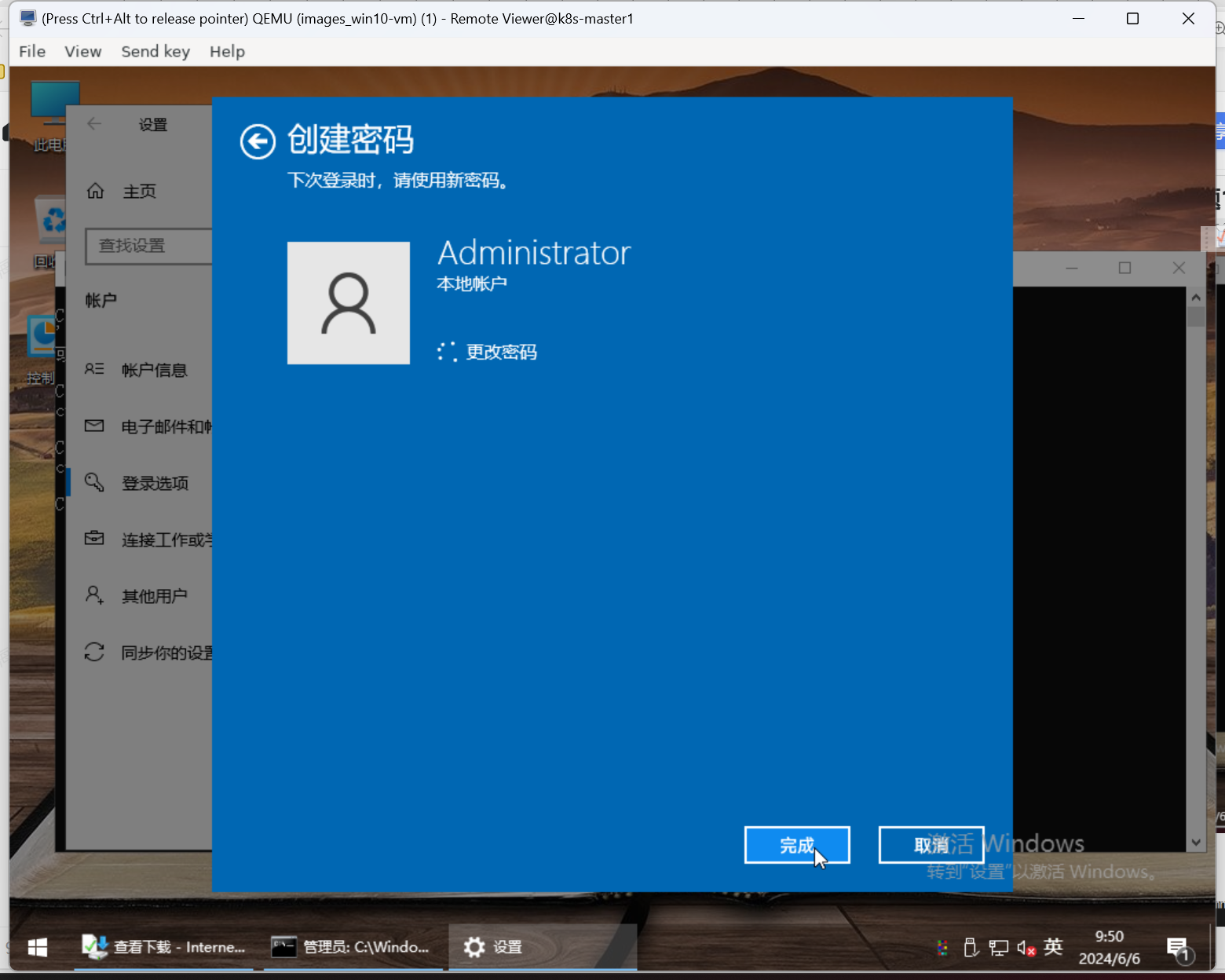
win10 开启远程桌面

vm中开启远程桌面 sysdm.cpl
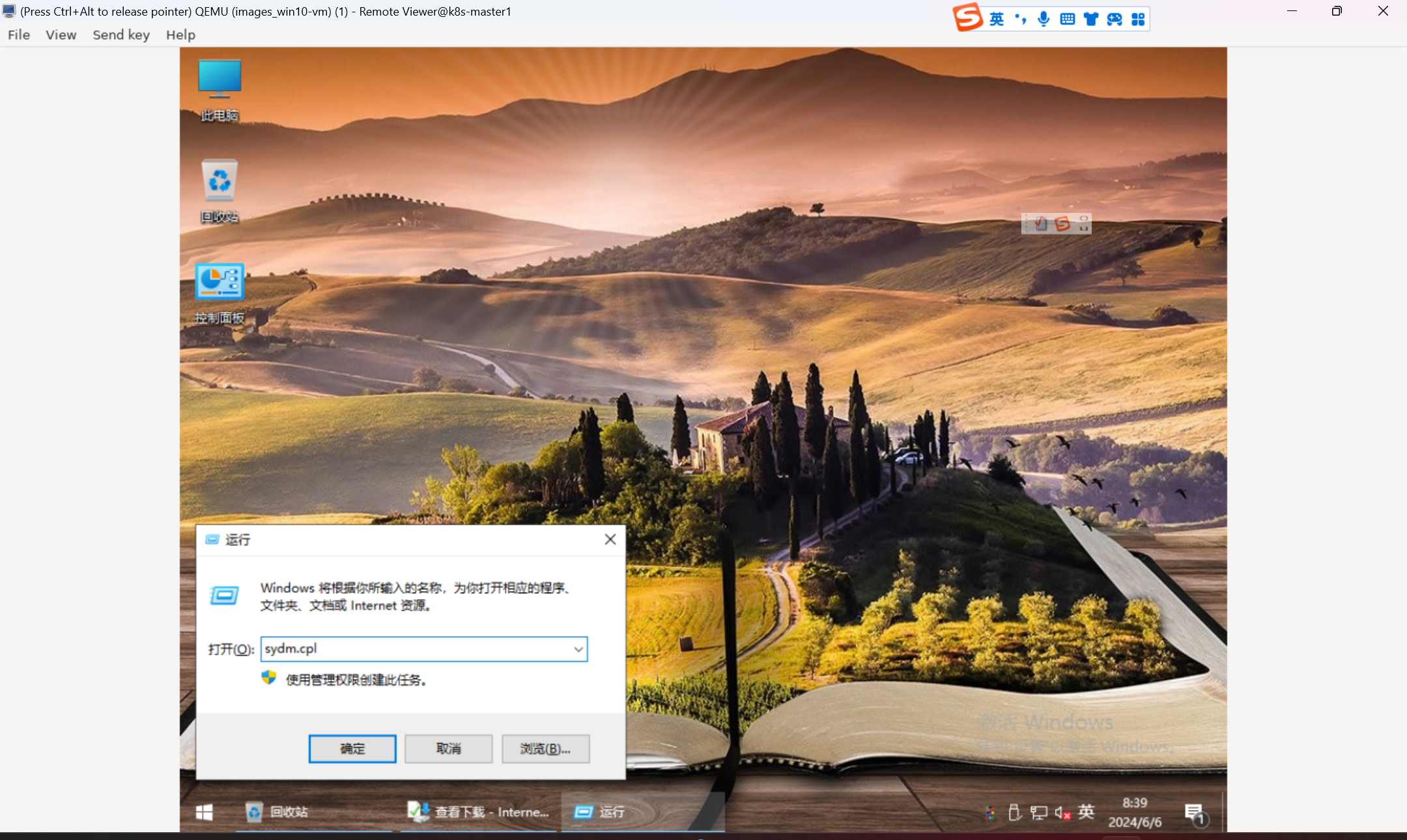
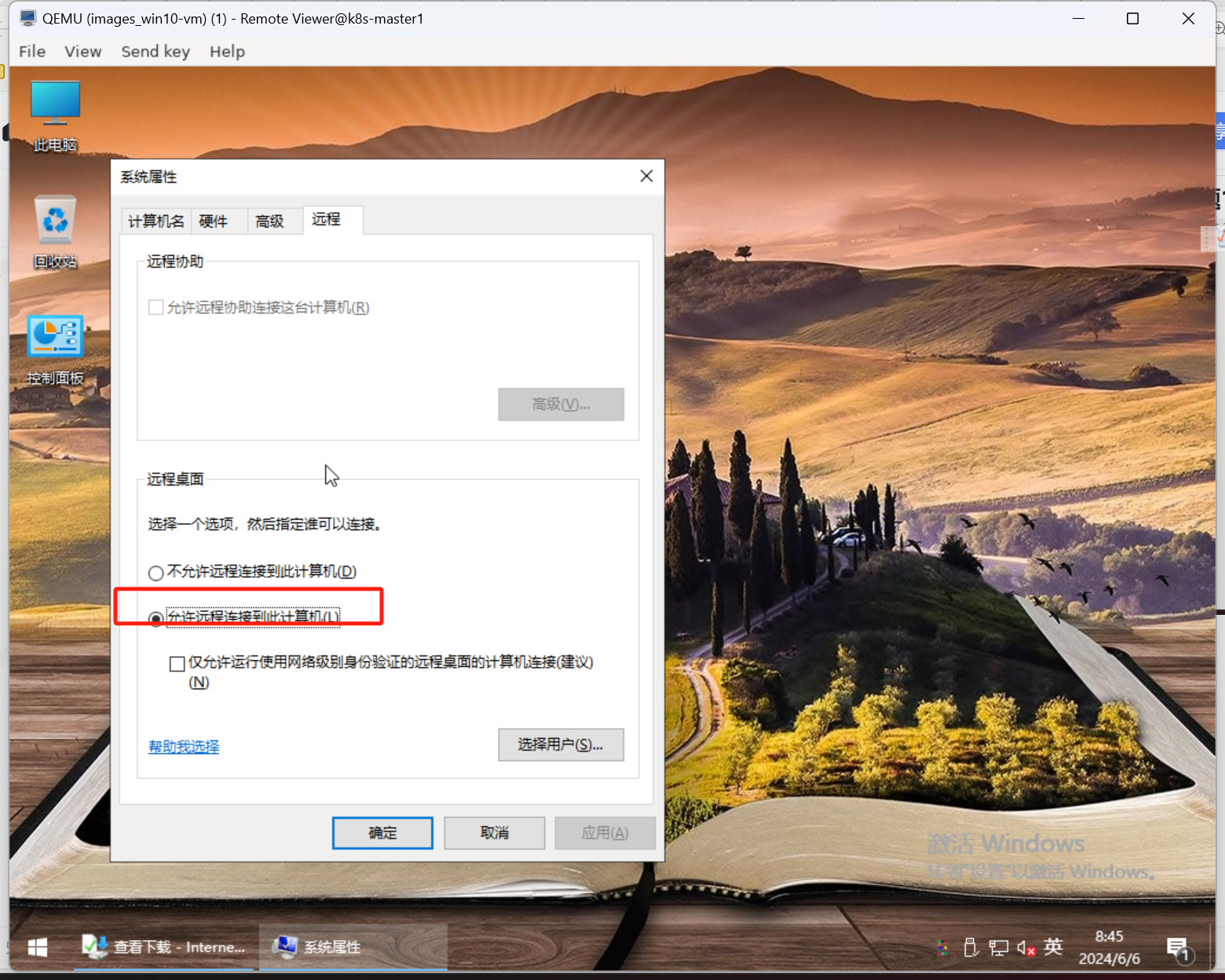
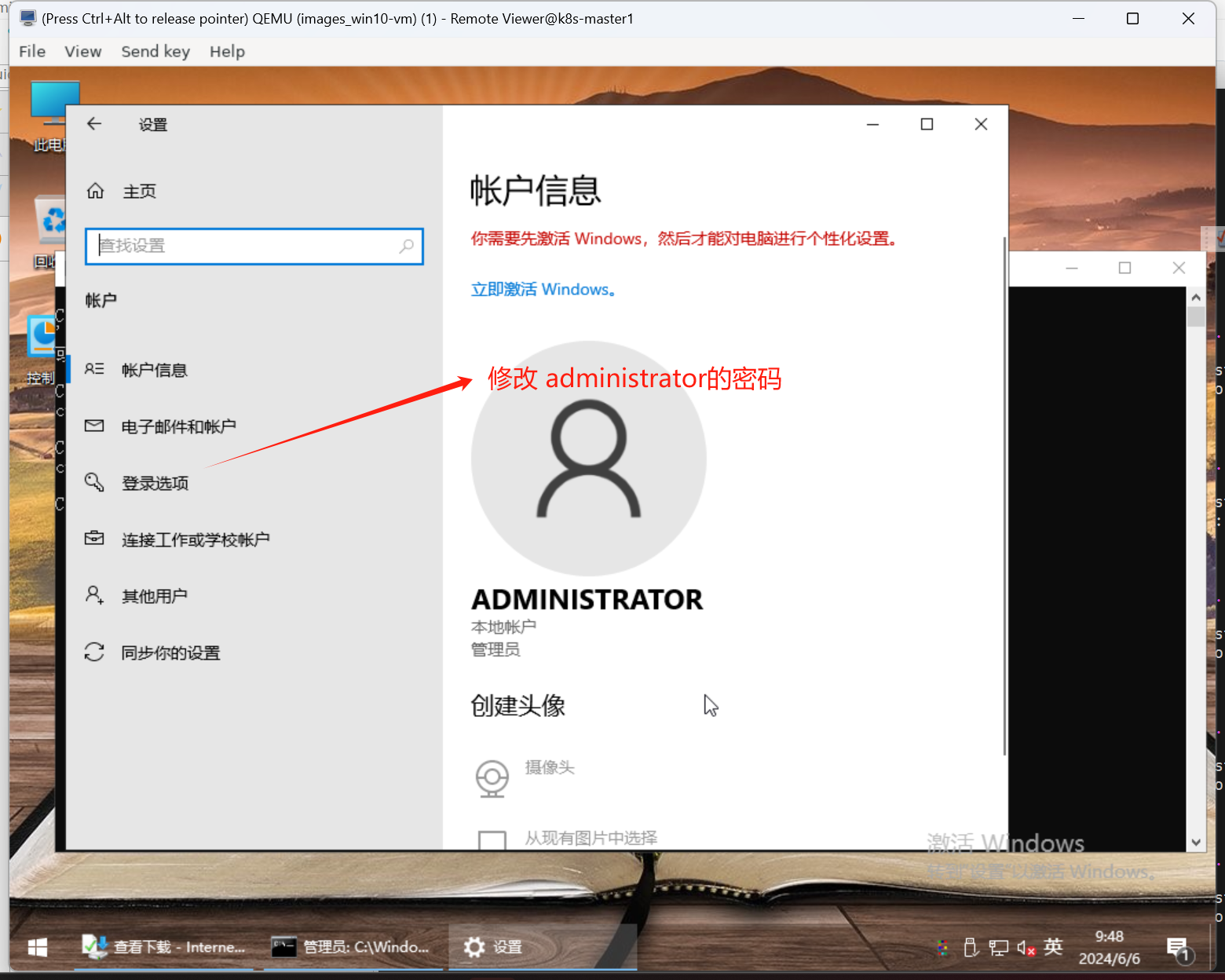
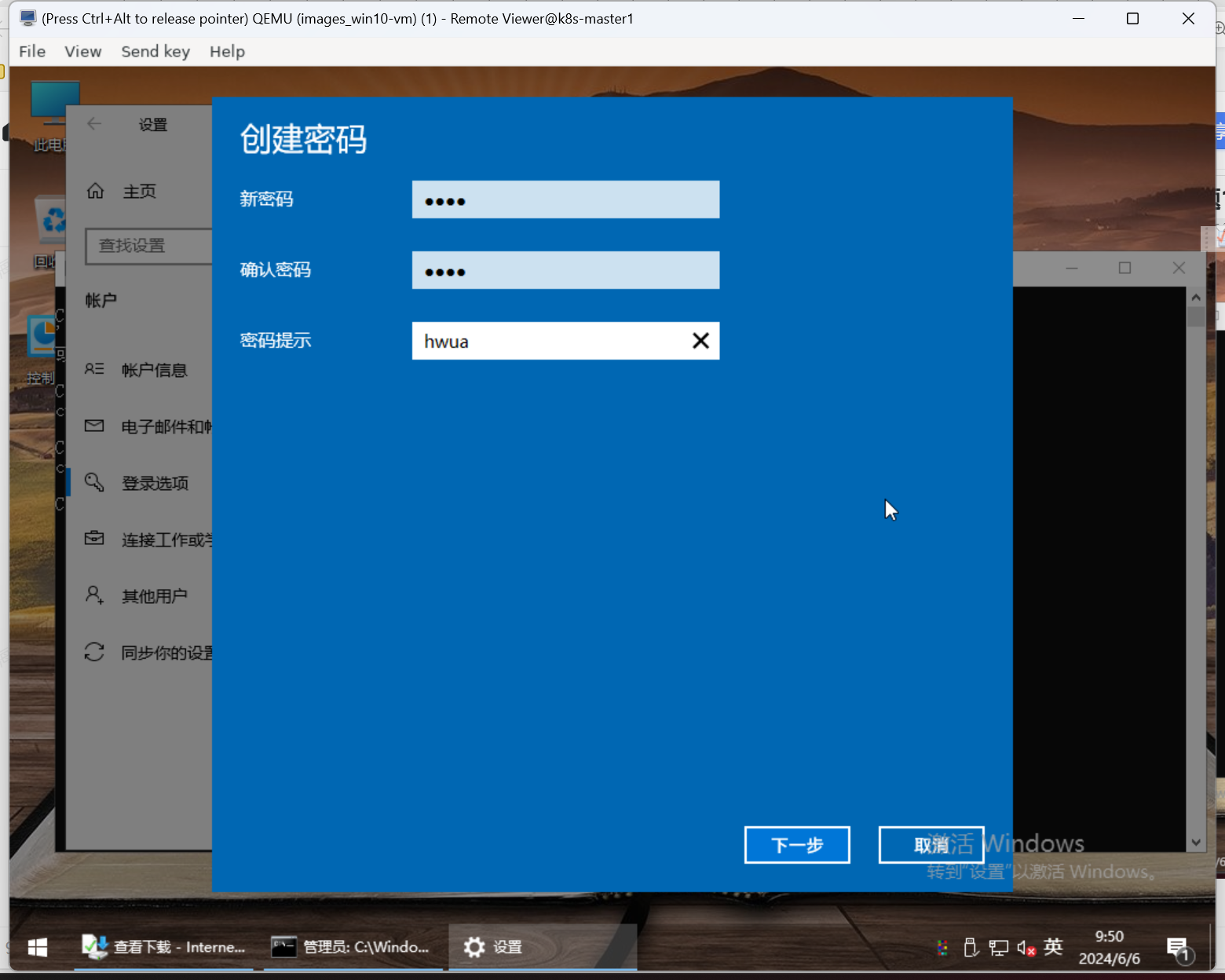
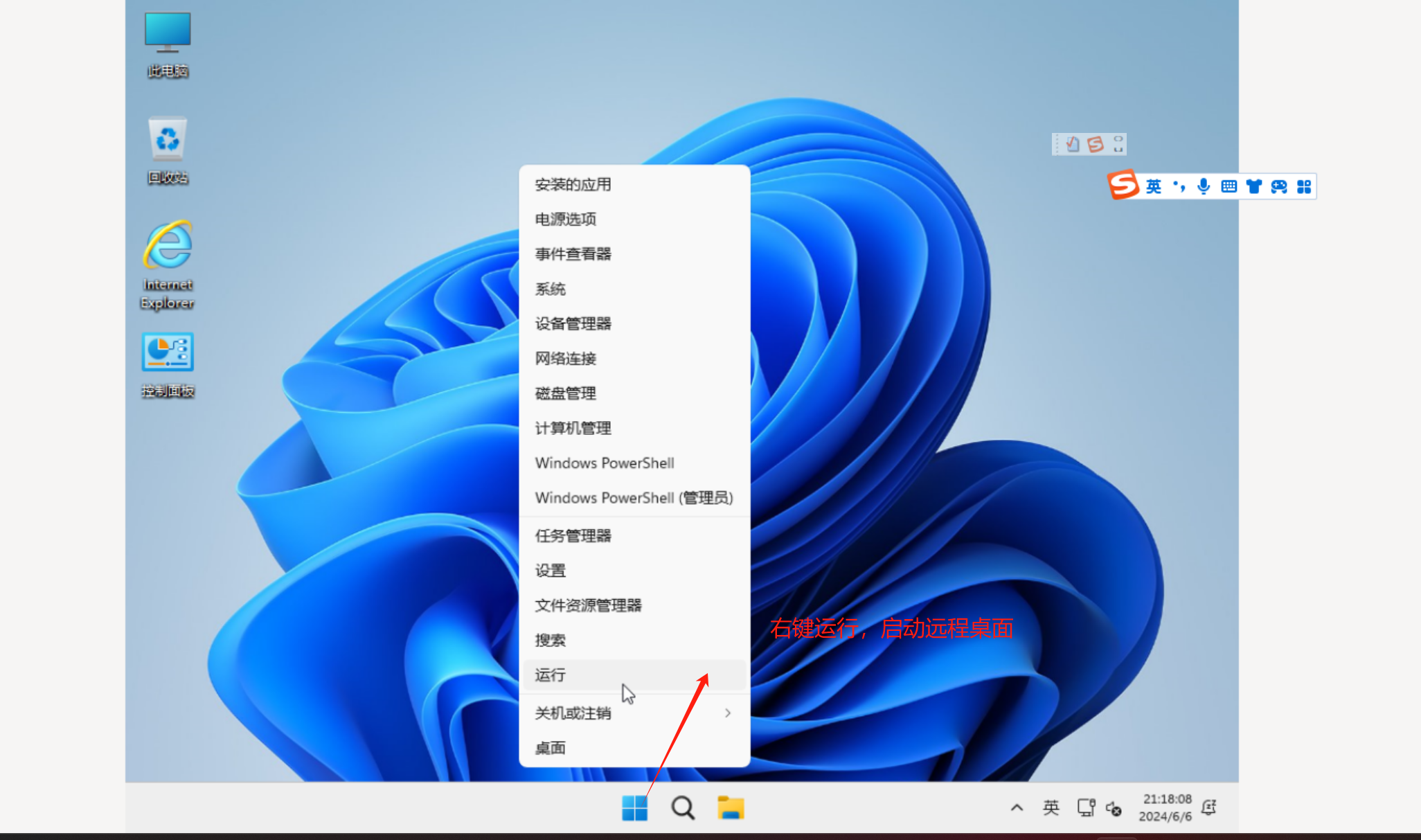
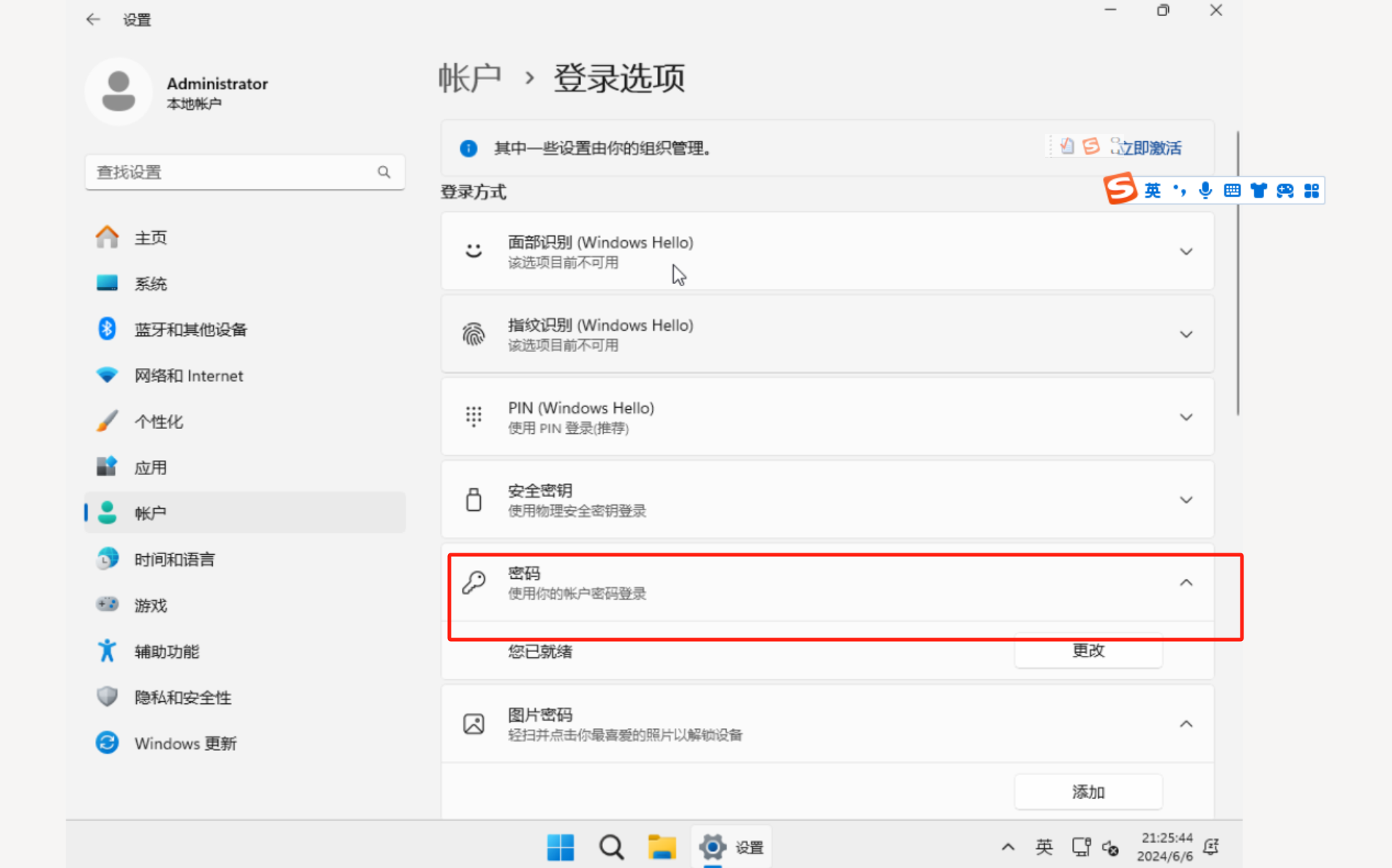
win11 开启远程桌面
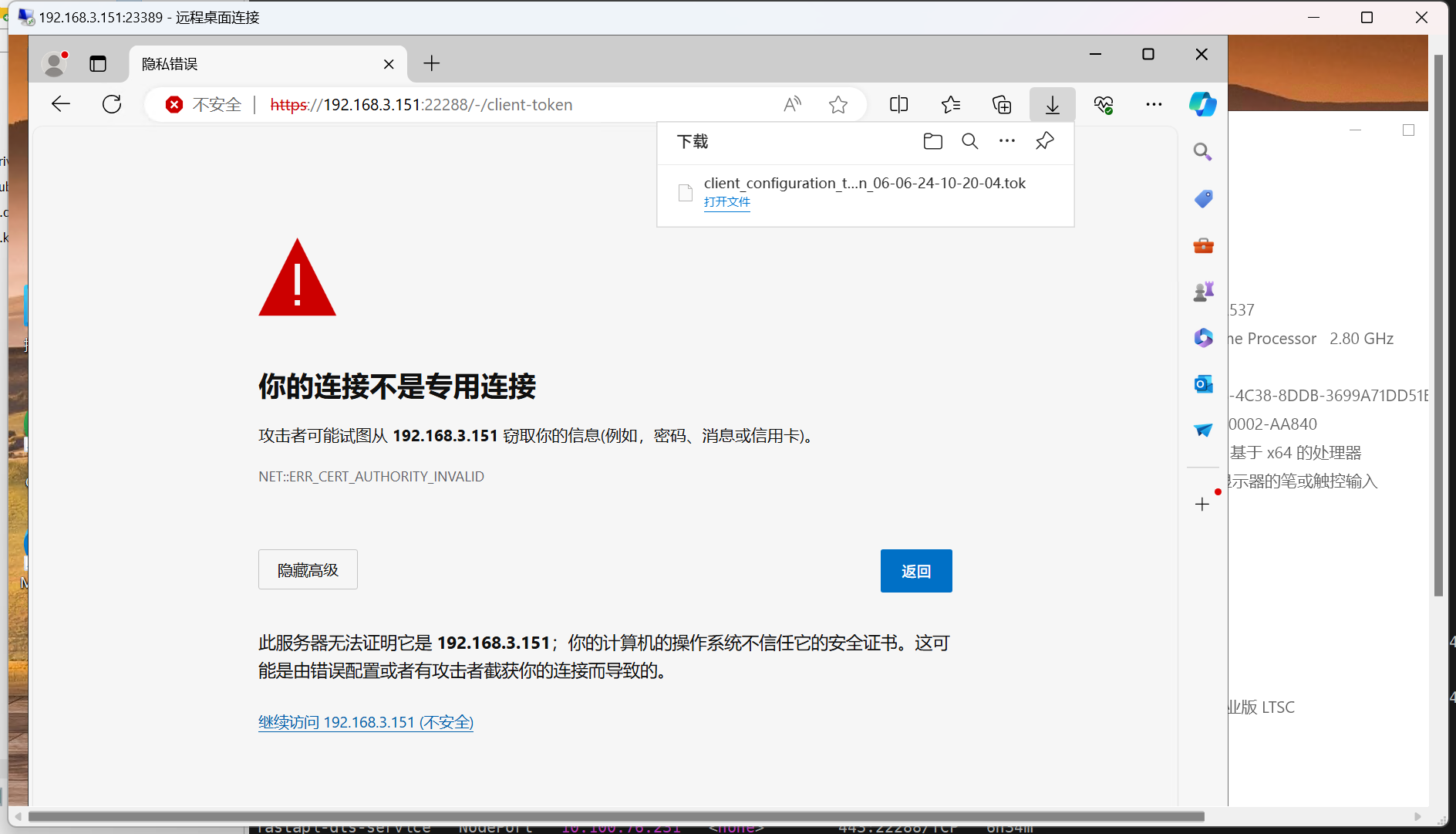
通过远程桌面 连接到vm:
下载License : https://192.168.3.151:22288/-/client-token
下载驱动:
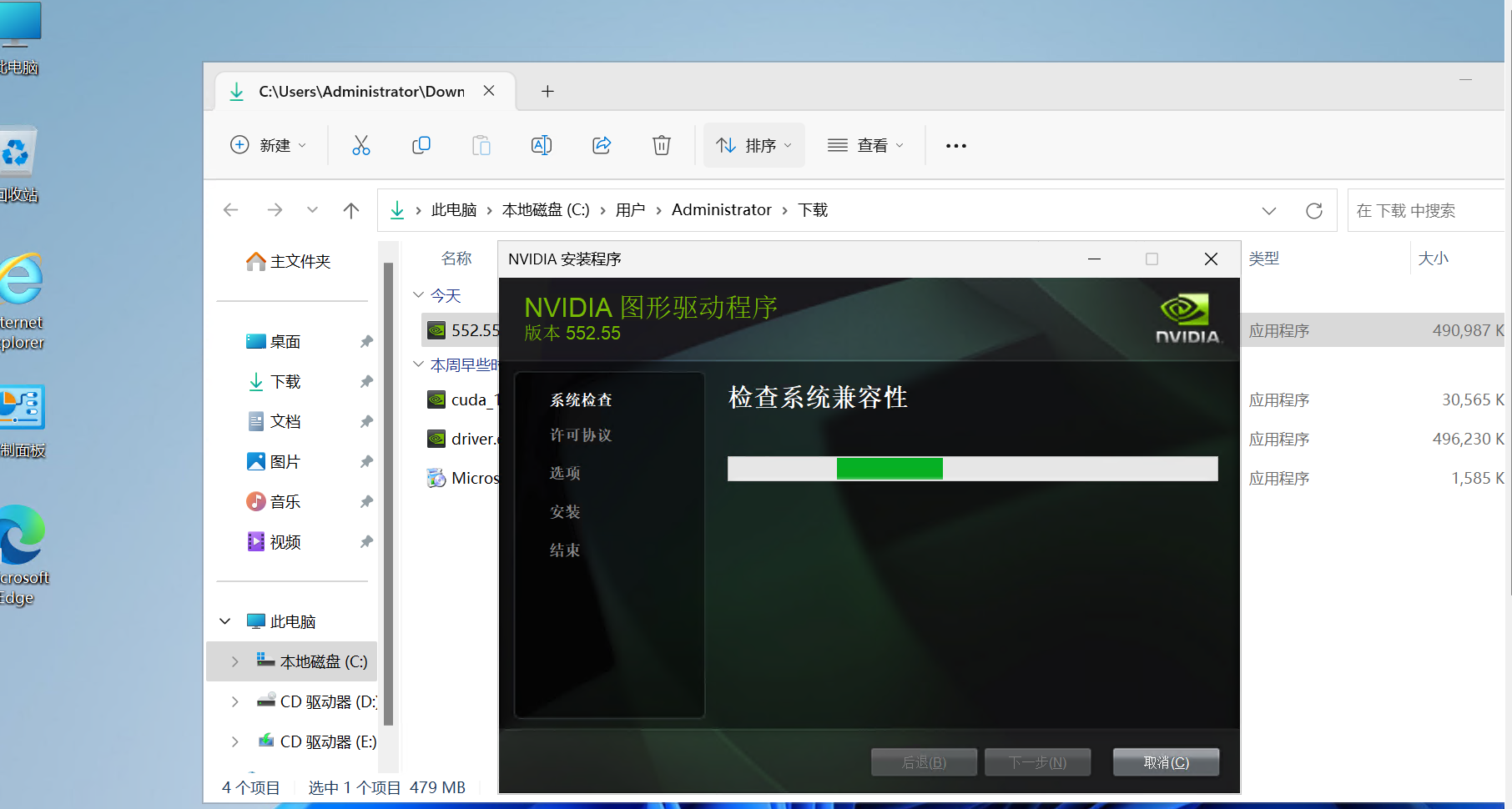
拷贝并下载驱动
root@k8s-master1:~/vgpu/drivers# ls
551.61_grid_win10_win11_server2022_dch_64bit_international.exe  nvidia-linux-grid-550-550.54.14-1.x86_64.rpm
NVIDIA-Linux-x86_64-550.54.10-vgpu-kvm.run                      nvidia-linux-grid-550_550.54.14_amd64.deb
NVIDIA-Linux-x86_64-550.54.14-grid.run
root@k8s-master1:~/vgpu/drivers# kubectl get pods -o wide
NAME                                READY   STATUS    RESTARTS   AGE    IP            NODE          NOMINATED NODE   READINESS GATES
busybox                             1/1     Running   0          8h     172.16.0.25   k8s-master3   <none>           <none>
my-deployment-5ff88c654c-tnn99      1/1     Running   0          9h     172.16.0.16   k8s-master3   <none>           <none>
nginx-deployment-7c79c4bf97-8j6c5   1/1     Running   0          6d6h   172.16.0.83   k8s-node1     <none>           <none>
root@k8s-master1:~/vgpu/drivers#

root@k8s-master1:~/vgpu/drivers# kubectl cp 551.61_grid_win10_win11_server2022_dch_64bit_international.exe nginx-deployment-7c79c4bf97-8j6c5:/root
root@k8s-master1:~/vgpu/drivers# kubectl exec -it nginx-deployment-7c79c4bf97-8j6c5 -- bash
root@nginx-deployment-7c79c4bf97-8j6c5:/# ls
bin   c:   docker-entrypoint.d   etc   lib    media  opt   root  sbin  sys  usr
boot  dev  docker-entrypoint.sh  home  lib64  mnt    proc  run   srv   tmp  var
root@nginx-deployment-7c79c4bf97-8j6c5:/# cd /root
root@nginx-deployment-7c79c4bf97-8j6c5:~# ls
551.61_grid_win10_win11_server2022_dch_64bit_international.exe
root@nginx-deployment-7c79c4bf97-8j6c5:~# cd /usr/share/nginx/html/
root@nginx-deployment-7c79c4bf97-8j6c5:/usr/share/nginx/html# mv ~/home/*.exe driver.exe
root@nginx-deployment-7c79c4bf97-8j6c5:/usr/share/nginx/html# ls
50x.html  driver.exe  index.html
root@nginx-deployment-7c79c4bf97-8j6c5:/usr/share/nginx/html#
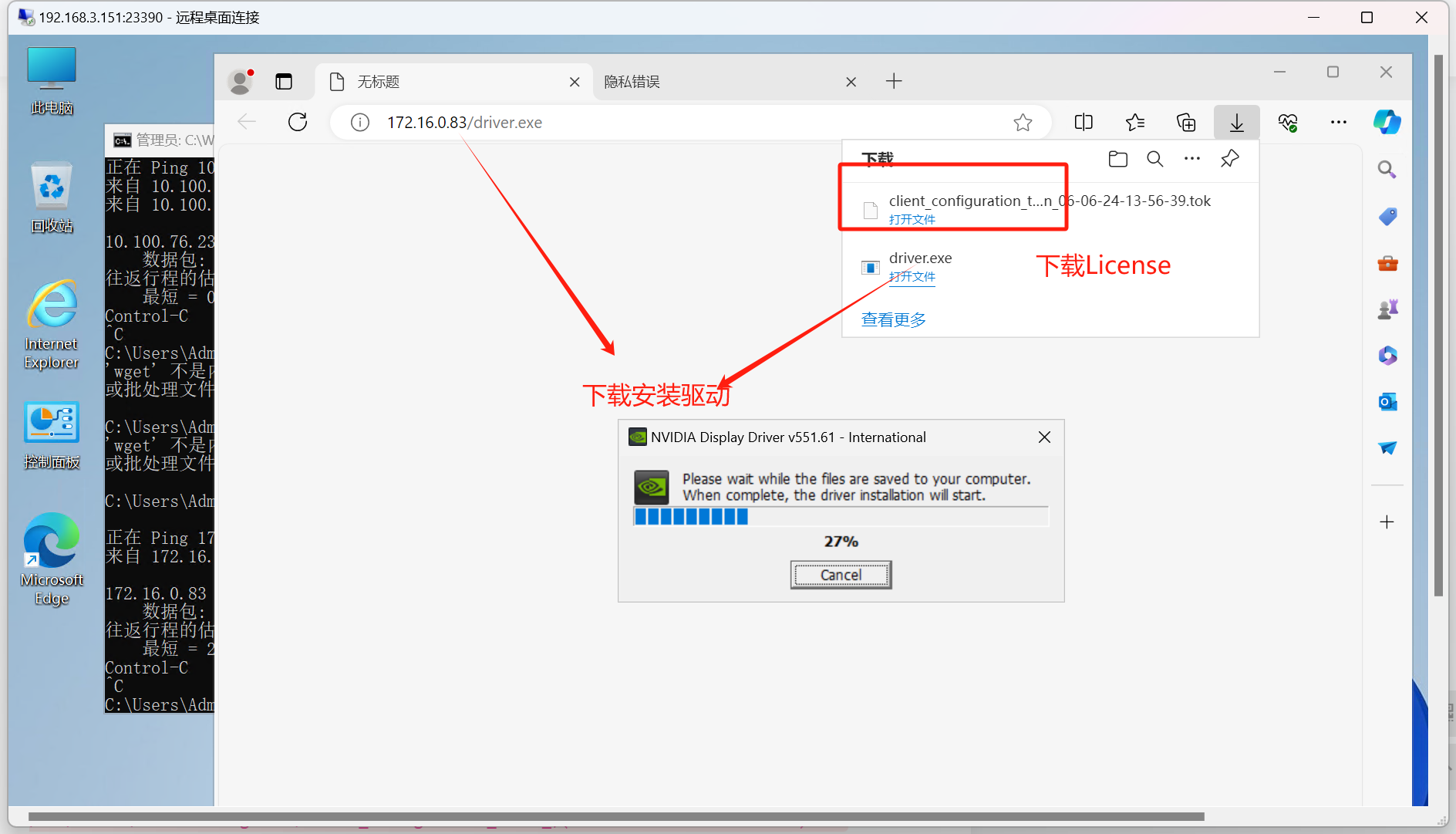
安装驱动
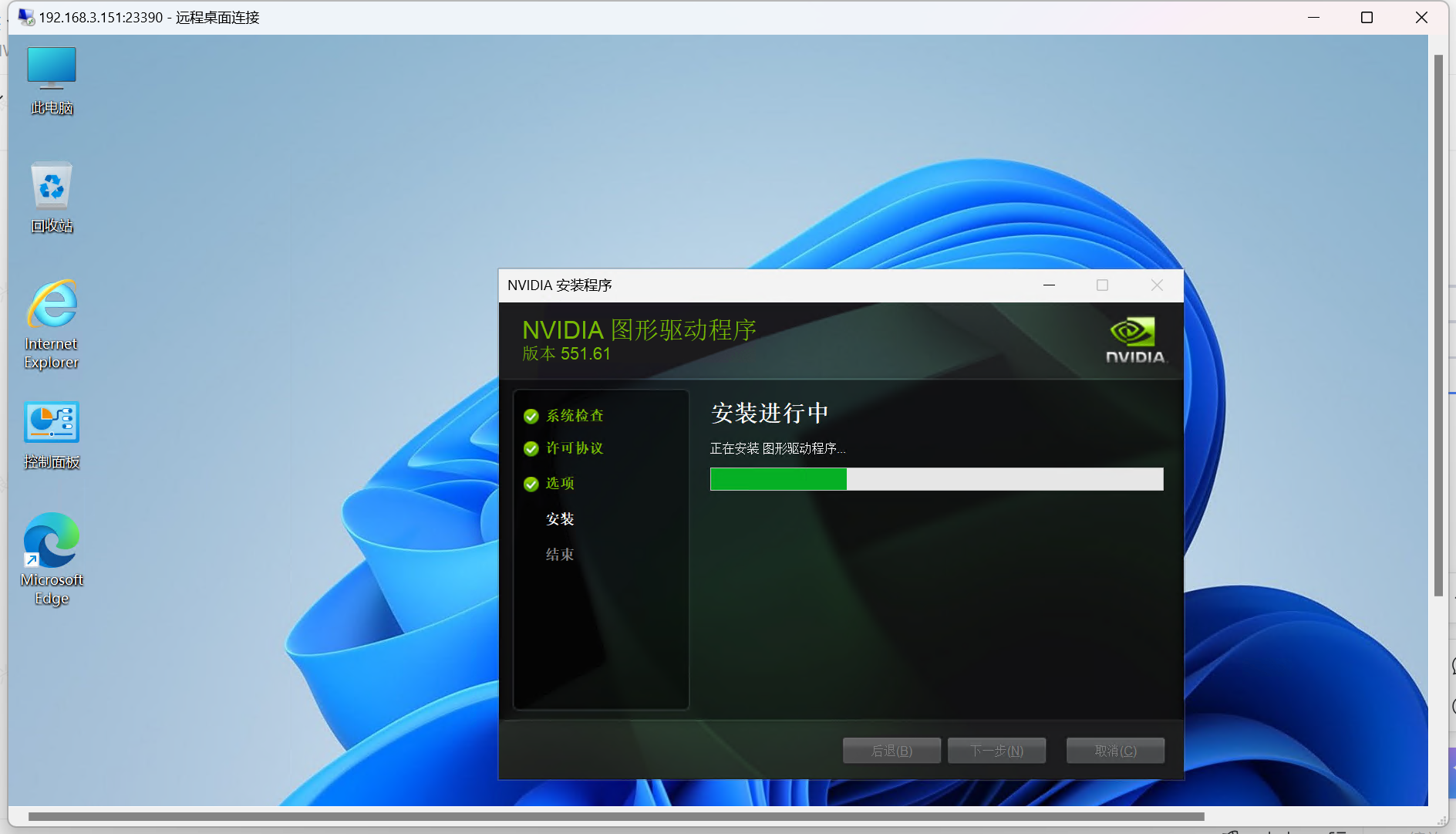
将license 拷贝进入vm的下列目录
C:\Program Files\NVIDIA Corporation\vGPU Licensing\ClientConfigToken
安装VirtIO驱动。
安装网卡的virtio
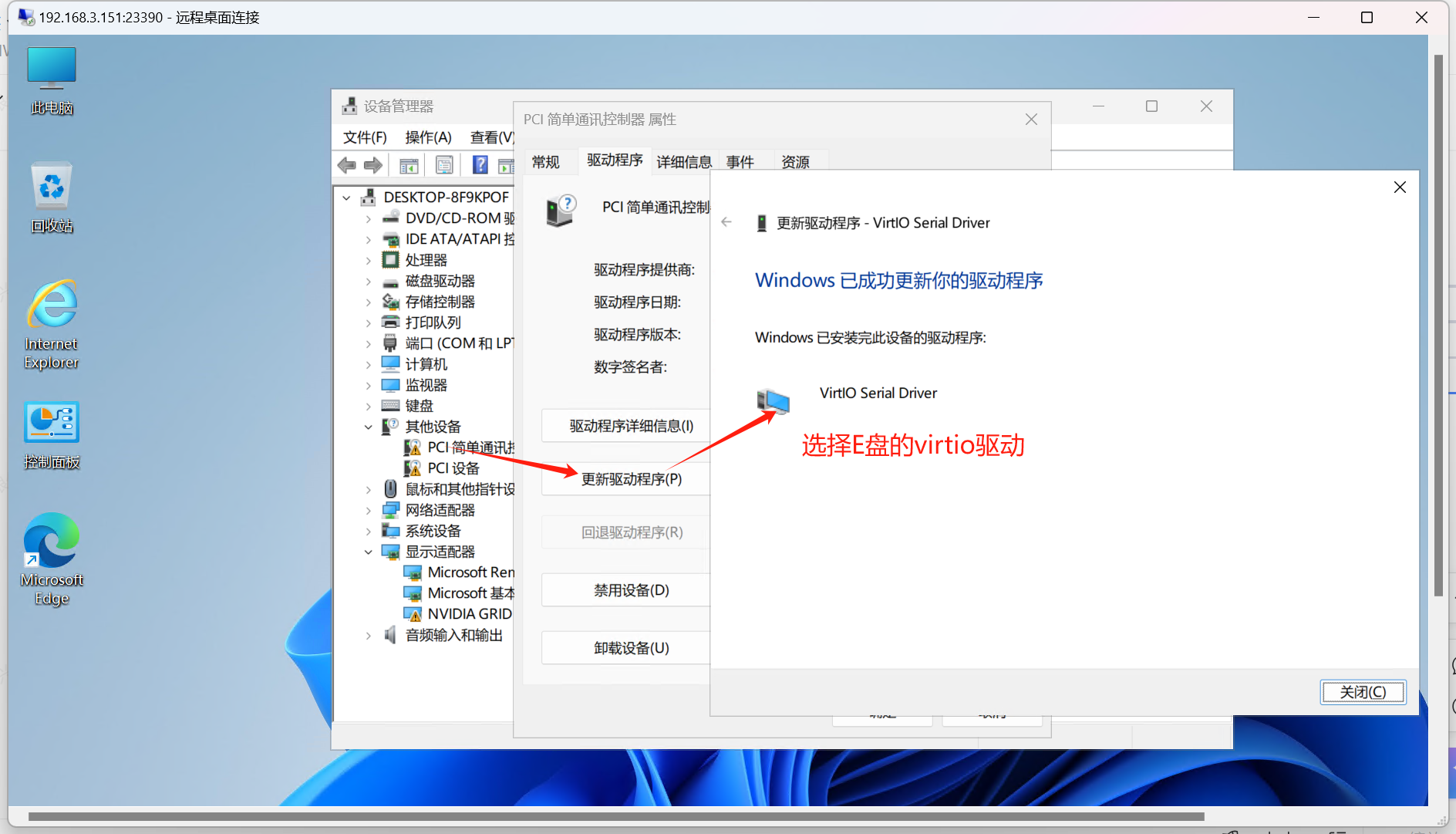
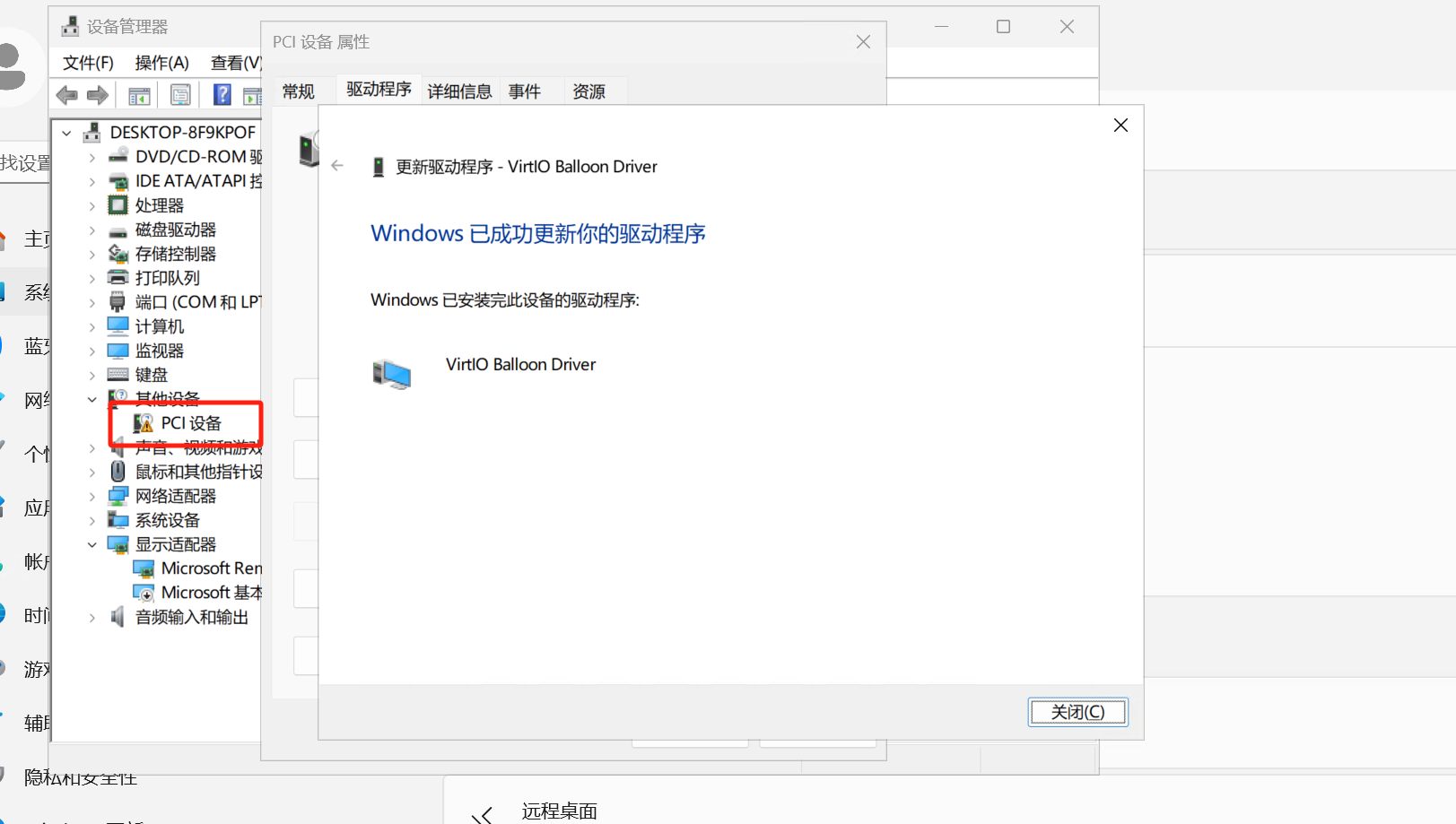
vm中进入e盘 netkvm目录下安装netkvm包(可选)
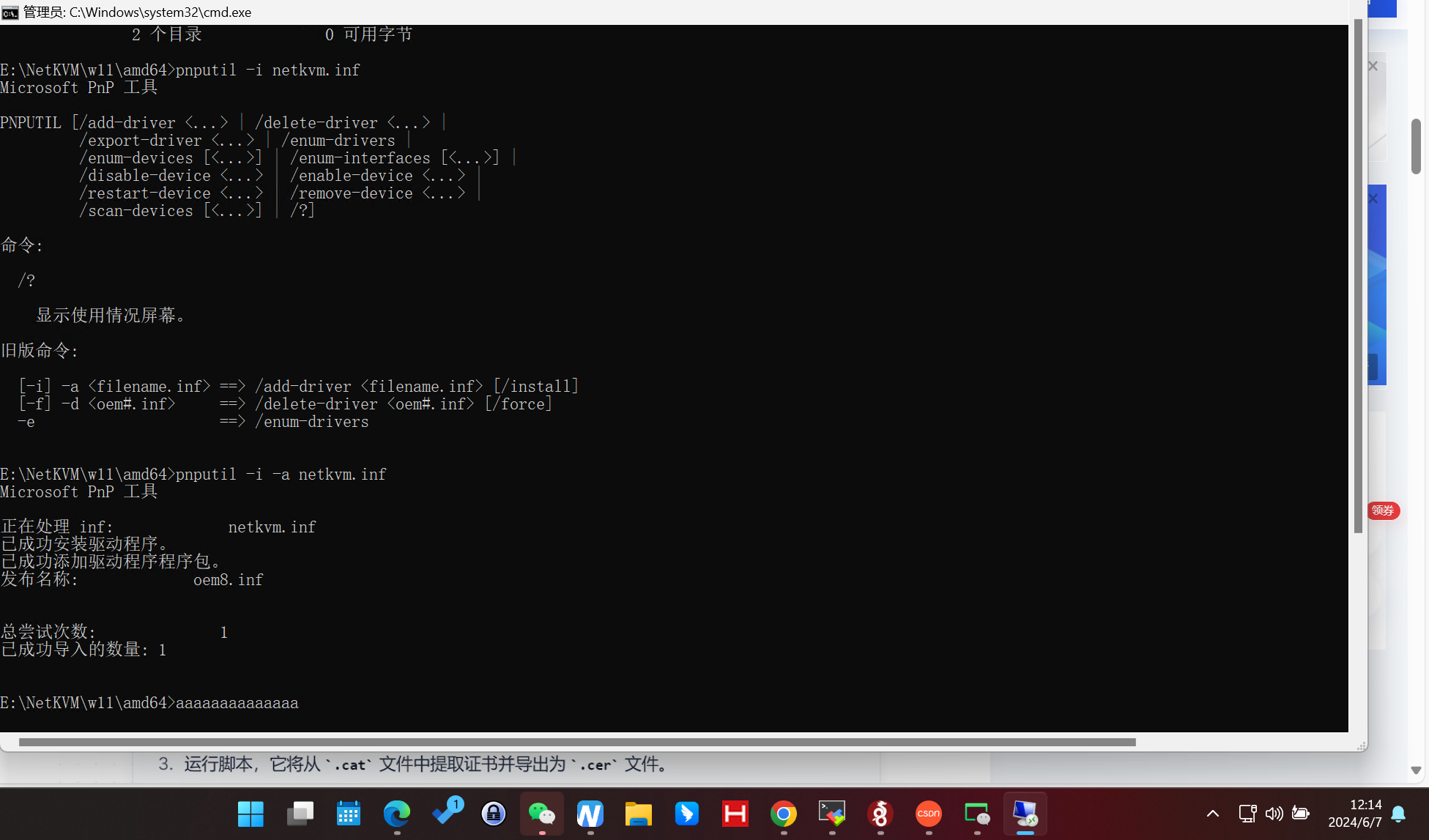
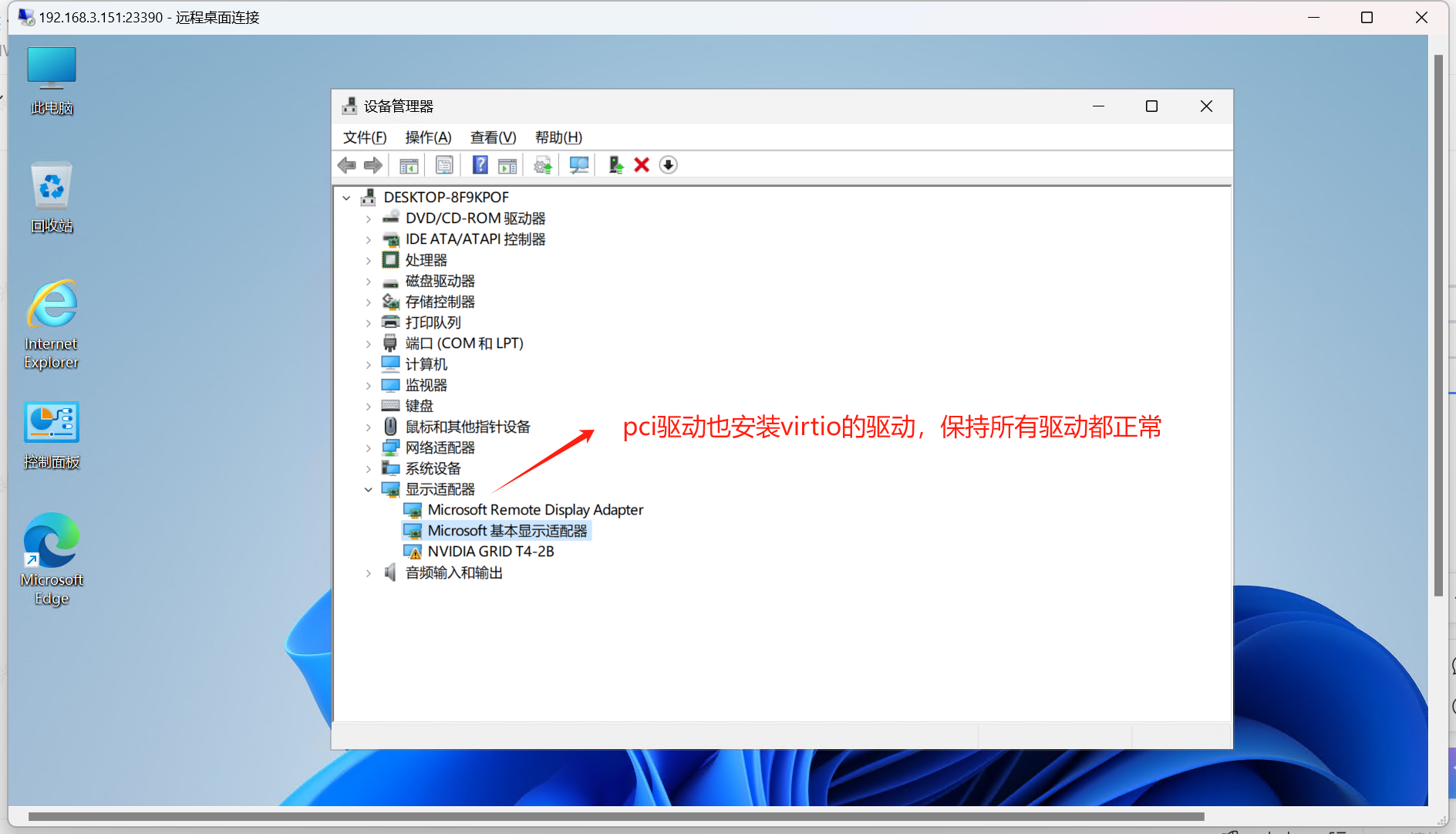
PCI驱动
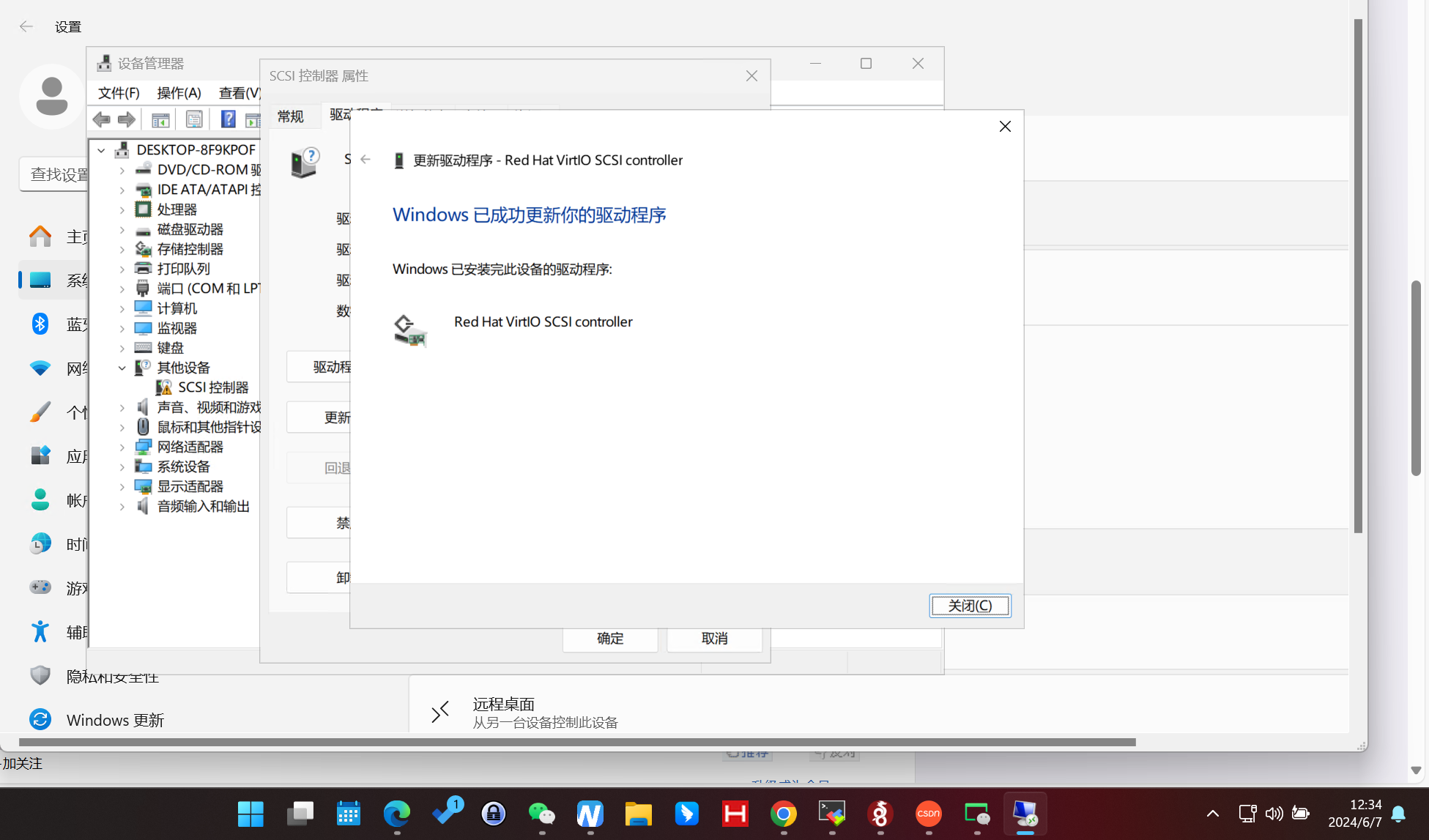
安装硬盘的virtio
virtctl image-upload --namespace=images pvc win-virtio-iso  --size=1Gi --image-path=/root/vgpu/drivers/virtio-win-0.1.229.iso --uploadproxy-url=10.107.233.2  --storage-class=ceph-csi --insecure

root@k8s-master1:~/vgpu#
root@k8s-master1:~/vgpu/win-11# cat win11-vm.yaml
---
apiVersion: kubevirt.io/v1
kind: VirtualMachine
metadata:
  name: win11-vm
  namespace: images
spec:
  #instancetype:
  #  kind: VirtualMachineInstancetype
  #  name: example-instancetype
  #preference:
  #  kind: VirtualMachinePreference
  #  name: "windows"
  running: true
  template:
    spec:
      nodeSelector:
        vgpu: "true"
      domain:
        #ioThreadsPolicy: auto  #专用线程并auto
        cpu:
          cores: 1
          sockets: 6
          threads: 1
        features:
          acpi: {}
          apic: {}
          hyperv:
            relaxed: {}
            vapic: {}
            spinlocks:
              spinlocks: 8191
        devices:
          blockMultiQueue: true
          gpus:
          - deviceName: nvidia.com/GRID_T4-2B
            name: gpu1
          disks:
          - disk:
              bus: sata
            name: system
            dedicatedIOThread: true
            bootOrder: 1
          - name: win10-iso
            cdrom:
              bus: sata
            bootOrder: 2
          - name: virt-win-iso
            cdrom:
              bus: sata
          interfaces:
          - masquerade: {}
            model: e1000
            name: default
        resources:
          requests:
            memory: 16G
      terminationGracePeriodSeconds: 0
      networks:
      - name: default
        pod: {}
      volumes:
      - name: system
        persistentVolumeClaim:
          claimName: win11-system
      - name: win10-iso     #临时卷
        ephemeral:
          persistentVolumeClaim:
            claimName: win11-pure
      - name: virt-win-iso     #临时卷
        ephemeral:
          persistentVolumeClaim:
            claimName: win-virtio-iso
root@k8s-master1:~/vgpu/win-11#
在vm里设备管理器里,安装pcie的驱动,手动找到光盘。
如果装完驱动直接将系统盘切换到virtio会蓝屏,网上找了个办法:
KVM下windows由IDE模式改为virtio模式蓝屏 开不开机 - maicyx - 博客园 (cnblogs.com)
新建pvc,加入vm,bus写virtio,然后开机给这个磁盘安装驱动,找到virtio
在修改系统盘的bus为virtio,成功切换。加快速度。(也可能需要在vm里重启一下,更新一下驱动,没做测试)
编辑vm.yaml,将系统盘改成virtio驱动。
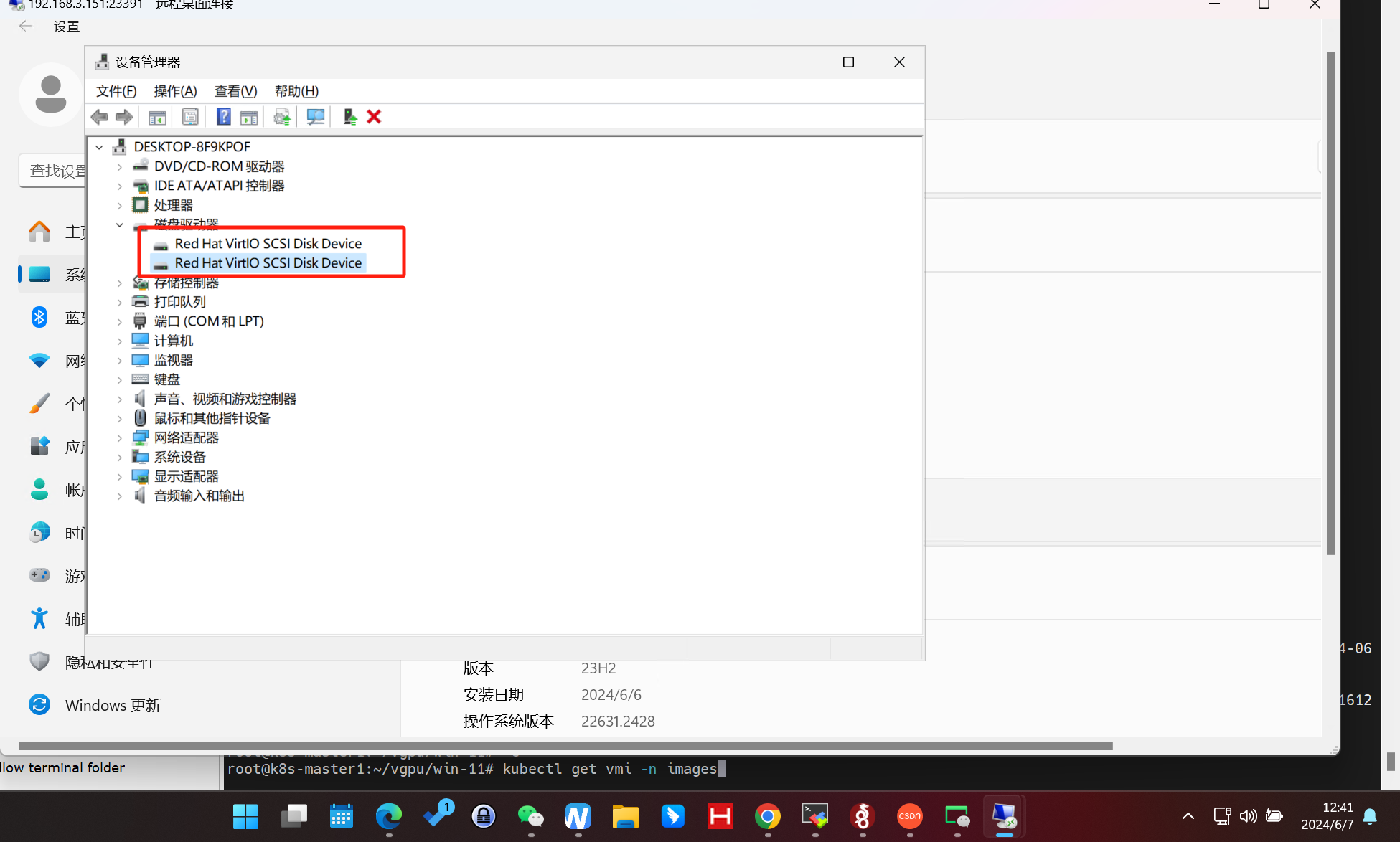
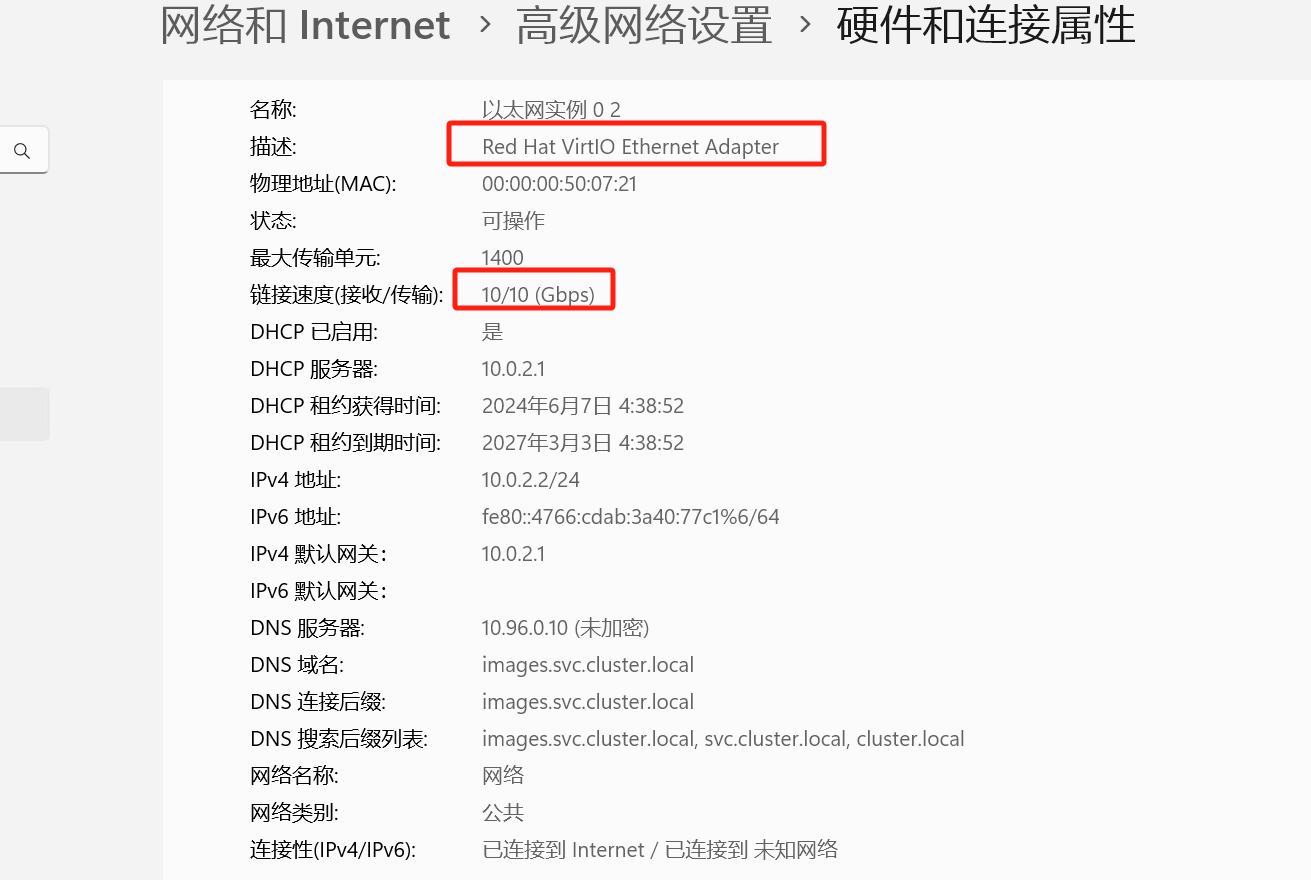
网卡也是virtio
root@k8s-master1:~/vgpu/win-11# kubectl get pvc -n images
NAME                          STATUS   VOLUME                                     CAPACITY   ACCESS MODES   STORAGECLASS   AGE
win-11-system-from-snapshot   Bound    pvc-df2e7cea-5df7-4445-a30e-d0ee5d3ed668   100Gi      RWO            ceph-csi       3h
win-virtio-iso                Bound    pvc-f5f6ddc0-2c2e-4dbb-9e61-4f7fb866f6d8   1Gi        RWO            ceph-csi       16h
win10                         Bound    pvc-32d2b171-62d4-4dbf-8622-bc3591a5c49c   3Gi        RWO            ceph-csi       40h
win10-system                  Bound    pvc-aded1327-18f9-4333-8b9c-f4f3ff195176   100Gi      RWO            ceph-csi       37h
win11-iso                     Bound    pvc-97013c6e-a67c-44a7-bd85-18298a9ec572   7Gi        RWO            ceph-csi       17h
win11-pure                    Bound    pvc-a0f33a29-aff2-497b-9eb3-d62d93342487   3Gi        RWO            ceph-csi       17h
win11-system                  Bound    pvc-cff75125-142e-43d6-a478-f80493611032   100Gi      RWO            ceph-csi       17h
win11-virtio                  Bound    pvc-89bc62c2-7f82-4d49-8fad-67b31f817fb8   10Gi       RWO            ceph-csi       21m
win13-system                  Bound    pvc-df4b9f44-7dce-41f2-aea8-4f06b274e8dd   100Gi      RWO            ceph-csi       129m
root@k8s-master1:~/vgpu/win-11# vi snapshot-virtio-ready.yaml
root@k8s-master1:~/vgpu/win-11# kubectl apply -f snapshot-virtio-ready.yaml
volumesnapshot.snapshot.storage.k8s.io/win12-system-virtio-ready created
root@k8s-master1:~/vgpu/win-11# cat snapshot-virtio-ready.yaml
---
apiVersion: snapshot.storage.k8s.io/v1
kind: VolumeSnapshot
metadata:
  name: win12-system-virtio-ready
  namespace: images
spec:
  volumeSnapshotClassName: csi-rbdplugin-snapclass
  source:
    persistentVolumeClaimName: win12-system
root@k8s-master1:~/vgpu/win-11#





 扫一扫
扫一扫


 150
150

 被折叠的 条评论
为什么被折叠?
被折叠的 条评论
为什么被折叠?
 到【灌水乐园】发言





