一.第一次用vue框架
二.要求:
1.定义两种样式,一种描述正确的状态,一种描述错误的状态。
2.在结构代码中定义一个块,实现绑定正确的样式状态。
3.定义一个按钮,实现正确和错误两种状态的class切换。
三.源代码
<!DOCTYPE html>
<html lang="en">
<head>
<meta charset="UTF-8">
<meta http-equiv="X-UA-Compatible" content="IE=edge">
<meta name="viewport" content="width=device-width, initial-scale=1.0">
<title>Document</title>
<script src="vue.global.js"></script>
<style>
.red-box{background-color: brown; color: white; padding: 10px;width: 500px;}
.pink-box{background-color: pink; color: white; padding: 10px;width: 500px;}
</style>
</head>
<body>
<div id="Application" >
<div class="red-box" v-if="isShow">
<h1>red box</h1>
<p>你好!</p>
</div>
<div class="pink-box" v-else="false">
<h1>pink box</h1>
<p>我不好!</p>
</div>
<div>
<button @click="toggle">切换</button>
</div>
</div>
</body>
</html>
<script>
const App = {
data(){
return{
isShow:true,
}
},
methods: {
toggle(){
this.isShow = ! this .isShow
}
}
}
Vue.createApp(App).mount("#Application")
</script>
四.效果
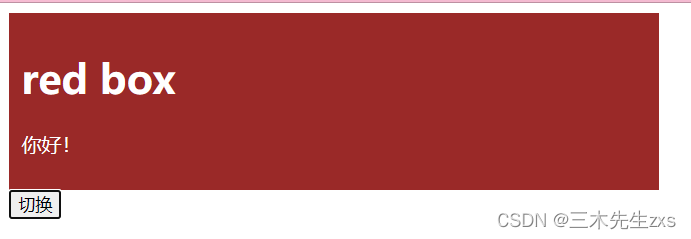
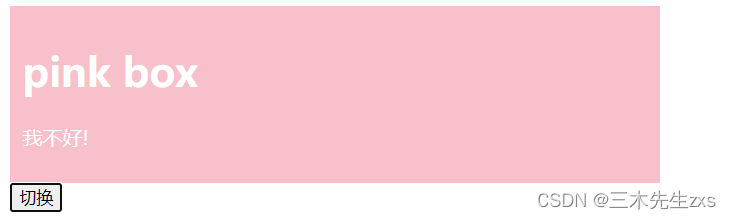



 本文介绍了如何在Vue框架中使用v-if指令进行样式绑定,通过定义正确和错误两种状态的样式,实现在页面元素上动态切换这两种状态。内容包括在模板中创建一个区块绑定正确状态的样式,并添加一个按钮来触发状态切换。





 扫一扫
扫一扫


 2734
2734

 被折叠的 条评论
为什么被折叠?
被折叠的 条评论
为什么被折叠?
 到【灌水乐园】发言





