<!DOCTYPE html>
<html lang="en">

<head>
  <meta charset="UTF-8">
  <meta name="viewport" content="width=device-width, initial-scale=1.0">
  <meta http-equiv="X-UA-Compatible" content="ie=edge">
  <title>Document</title>
  <style>
    * {
      margin: 0;
      padding: 0;
    }

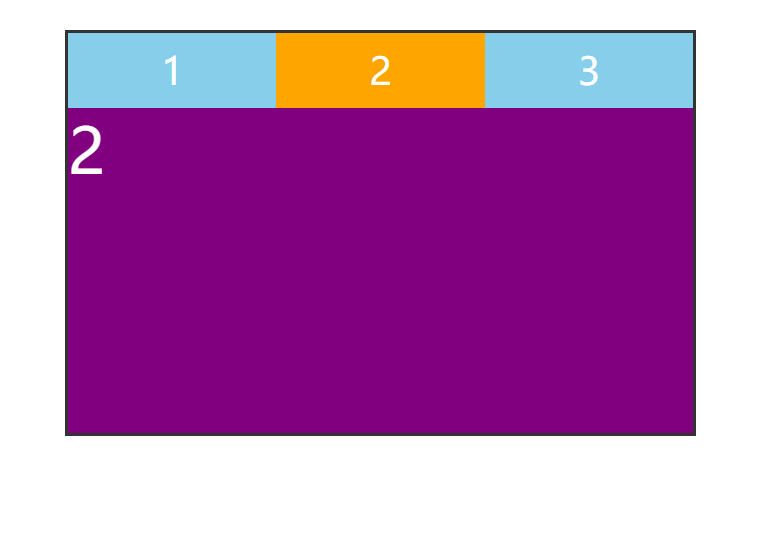
    .box {
      width: 500px;
      height: 320px;
      display: flex;
      flex-direction: column;
      margin: 50px auto;
      border: 3px solid #333;
    }

    .box>ul {
      height: 60px;
      display: flex;
    }

    .box>ul>li {
      flex: 1;
      display: flex;
      justify-content: center;
      align-items: center;
      font-size: 30px;
      color: #fff;
      background-color: skyblue;
      cursor: pointer;
    }

    .box>ul>li.active {
      background-color: orange;
    }

    .box>ol {
      flex: 1;
      position: relative;
    }

    .box>ol>li {
      width: 100%;
      height: 100%;
      background-color: purple;
      font-size: 50px;
      color: #fff;
      position: absolute;
      left: 0;
      top: 0;
      display: none;
    }

    .box>ol>li.active {
      display: block;
    }
  </style>
</head>

<body>

  <div class="box" id="box1">
    <ul>
      <li>1</li>
      <li>2</li>
      <li>3</li>
    </ul>
    <ol>
      <li>1</li>
      <li>2</li>
      <li>3</li>
    </ol>
  </div>

  <script>
    // 实现思路:记录当前选中项的索引,先根据索引删除对应的选中项样式;再给点击的选项设置样式

    // 1. 获取页面元素
    let box1 = document.querySelector('#box1')
    let btns = box1.querySelectorAll('ul li')
    let conts = box1.querySelectorAll('ol li')

    let index = 0; // 这个索引就是每一个需要删除样式的索引

    // 打开页面时,默认选中第一项
    btns[index].classList.add('active')
    conts[index].classList.add('active')

    // 2. 循环绑定点击事件
    for (let i = 0; i < btns.length; i++) {
      btns[i].onclick = function () {
        // 清掉上一个选中样式
        btns[index].classList.remove('active')
        conts[index].classList.remove('active')

        // 记录下来点击的按钮的索引,并赋值给index
        index = i

        // 给点击的按钮设置选中样式
        btns[index].classList.add('active')
        conts[index].classList.add('active')
      }
    }
  </script>

</body>

</html>



 由于未提供博客具体内容,无法给出包含关键信息的摘要。





 扫一扫
扫一扫


 786
786

 被折叠的 条评论
为什么被折叠?
被折叠的 条评论
为什么被折叠?
 到【灌水乐园】发言





