


学习视频:https://www.bilibili.com/video/BV1g4411i7po
创建虚拟DOM
jsx:
const VDOM= (Hello)
ReactDOM.render(VDOM,document.getElementById(‘test’)
react:
const VDOM=React.createElement(‘h1’,{id:‘title’},‘Hello,React’)
ReactDOM.render(VDOM,document.getElementById(‘test’)

reactive三大体系:react.js/reactNactive/reactVR
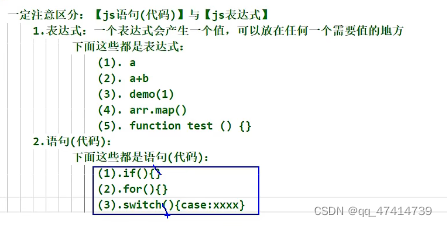

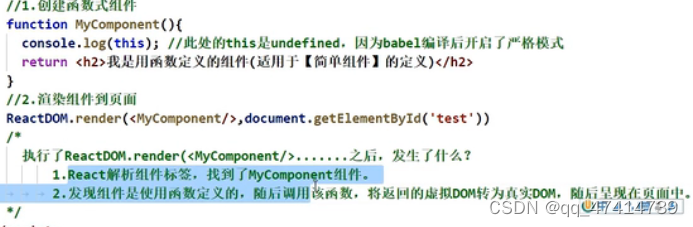
babel翻译后开启es5严格模式
class MyComponent extends React.Component{
render(){
return
我是组件
}
}
React.render(,document.getElementById(‘test’))
render()里面的this是MyComponent的实例对象
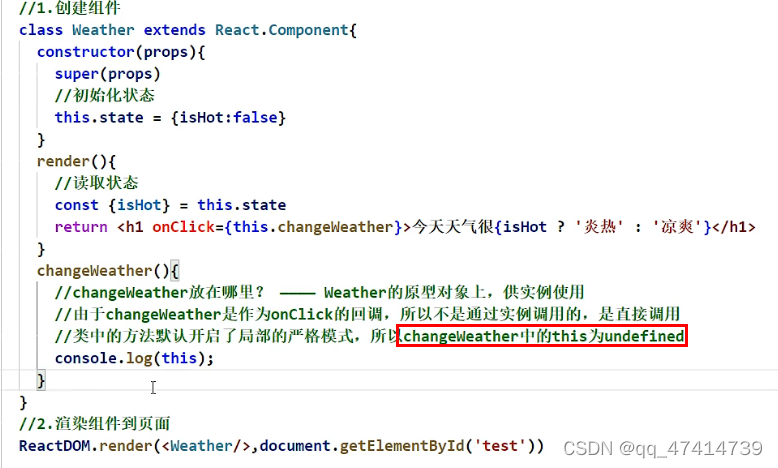
state,prop,refs React的三大体系
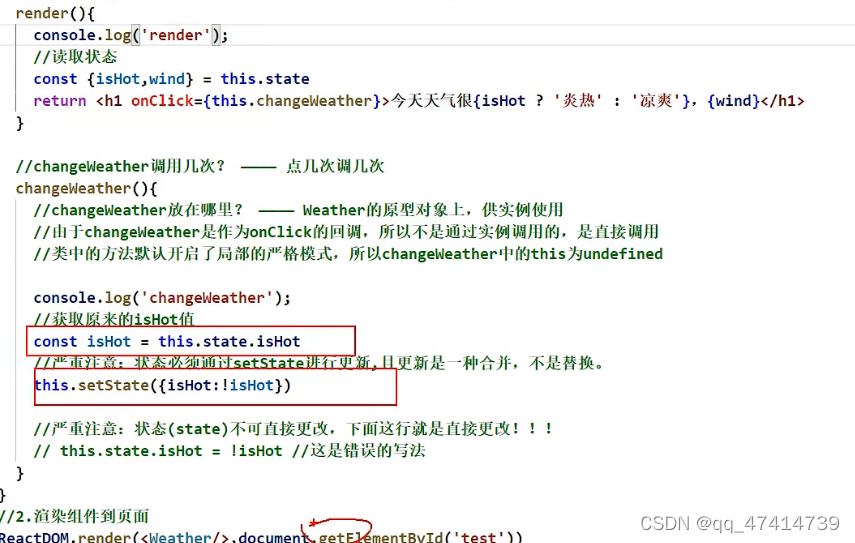
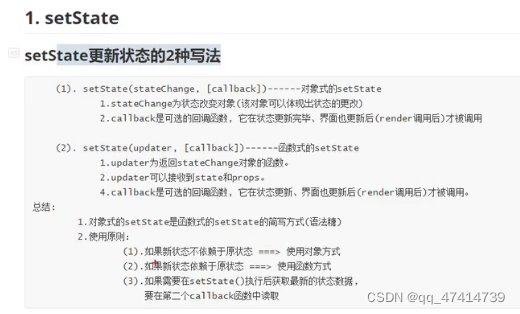
修改状态setState
this.setState({isHot:!isHot})
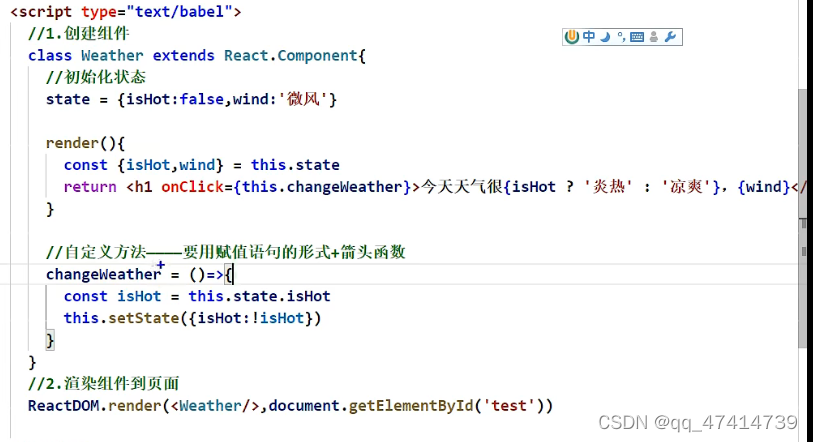
对标签属性进行限制
propsType={
name:PropTypes.string.isRequired
}
props是只读的
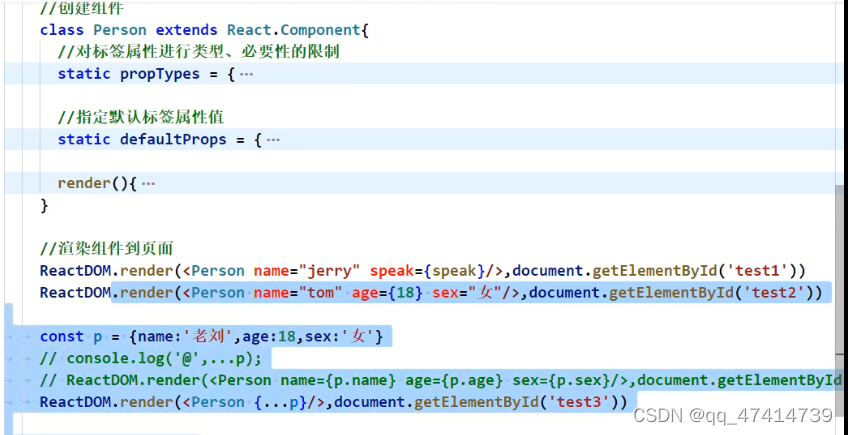
构造器是否接受props和传递props,取决于是否希望在构造器里面通过this拿到props
函数式组件能接收props,通过参数
函数做限制:Person.propTypes{}
refs相当于id
字符串refs:
showData=()=>{
const {input1}=this.refs
alert(input1.value)
}
回调函数的refs:
showData=()=>{
//从函数自身取
const {input1}=this
alert(input1.value)
}
<input ref={c=>this.input1=c} type=“text”>
受控组件 :所有输入Dom都能维护到状态
非受控组件:现用现取
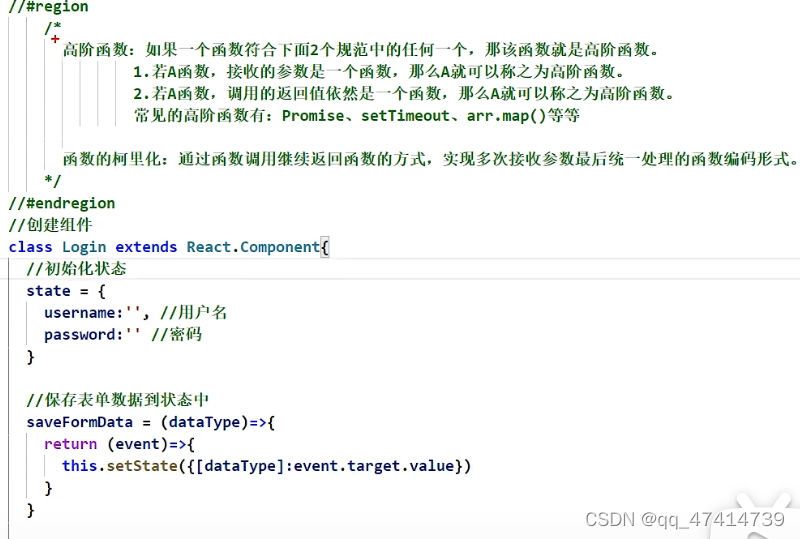
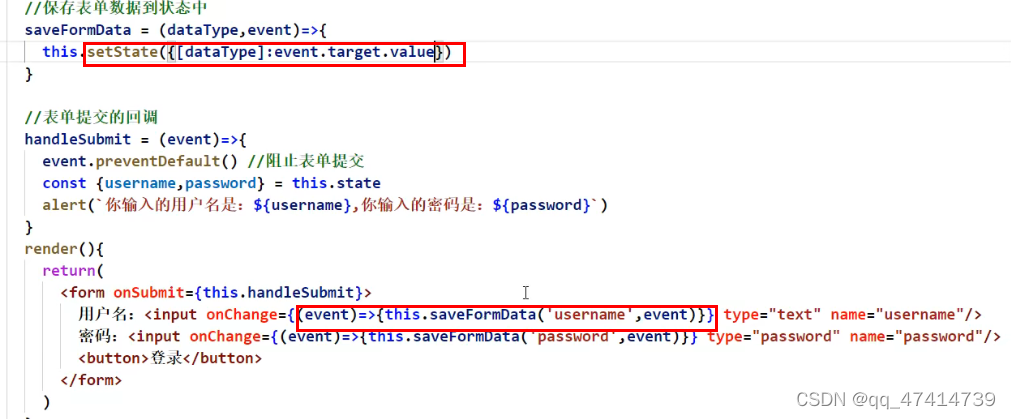
不用柯里化
生命周期生命周期钩子
挂载mount
组建完成挂载:
componentDidMount(){}
挂载流程:
1.构造器constructor
2.组件将要挂载:componentWillMount
3.初始化渲染:render(){}
4.组件完成挂载:componentDidMount(){}
更新组件(setState):
1.控制组件是否更新:shouldComponentUpdate(){}
2.组件将要更新:componentWillUpdate(){}
3.组件更新完:componentDidUpdate(){}
强制更新(forceUpdate):
直接更新,不用通过是否更新判断
1.forceUpdate(){}
卸载组件:
1.组件将要卸载:componentWillUnmount(){}
2.卸载unmount:ReactDOM.unmountComponentAtNode(document.getElementById(‘test’)
接收钩子:
1.组件将要接受钩子:componentWillReceiveProps(){}
todolist

脚手架配置
跨域请求能请求数据,但是数据回不来
解决跨域:package.json: “proxy”:{}
代理中间人(3000):没有ajax请求,ajax引擎发(3000给5000发)
setupProxy.js
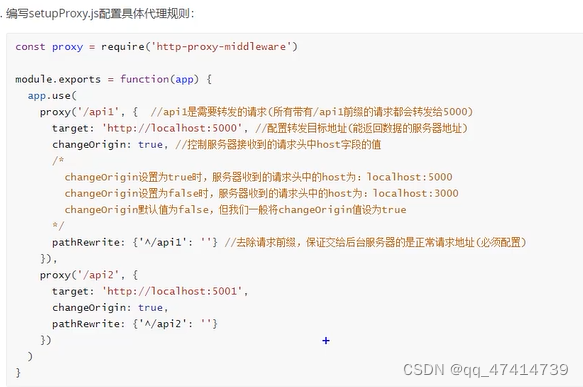
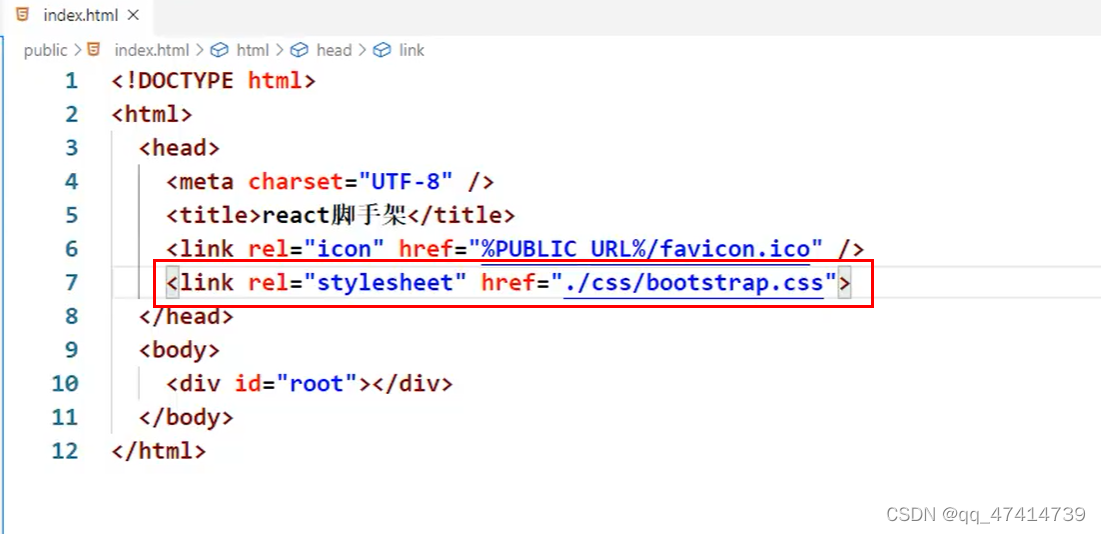
引入bootstrap可能会干扰css格式
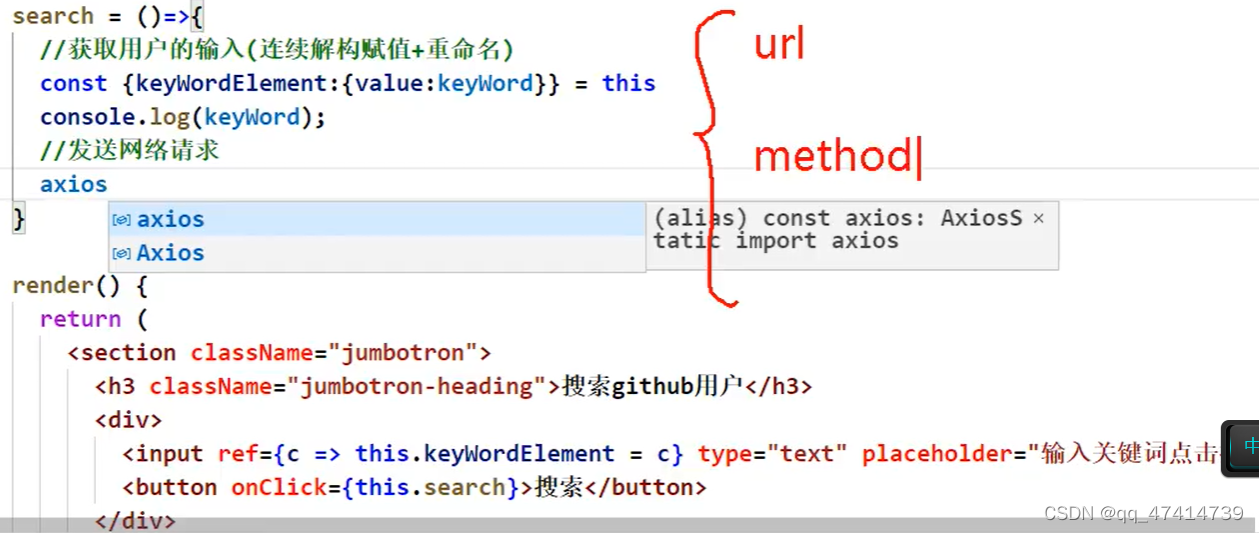
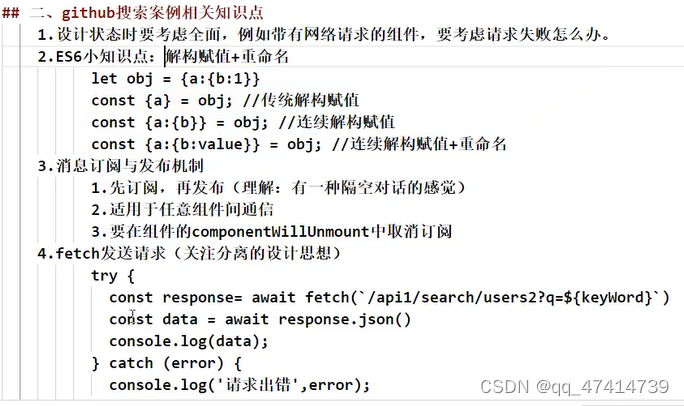
连续解构赋值和重命名
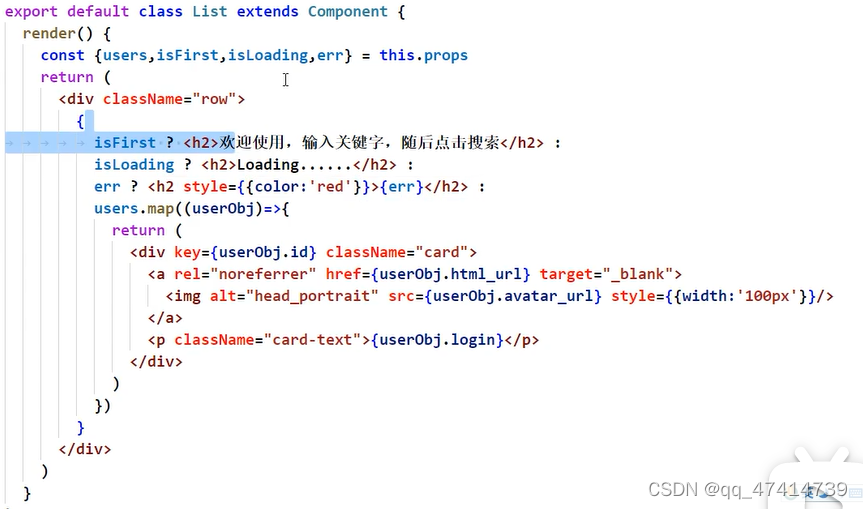
针对不同状态进行不同的展示
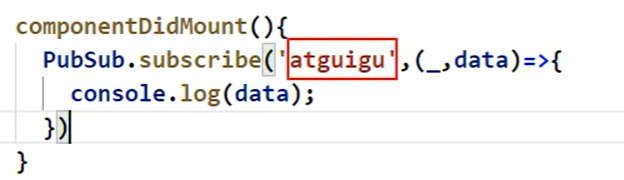 _.占位
_.占位
任意通信:PubSub
发布订阅:PubSub.publish(’’,{})
接收订阅:this.token=PubSub.subscribe(’’,()=>{})
取消订阅:PubSub.unsubscribe()
借助xhr发请求:jQuery axios(得安装引入)
不需要xhr(XMLHttpRequest):fetch(window内置)
SPA
单页面Web应用
单页面,多组件
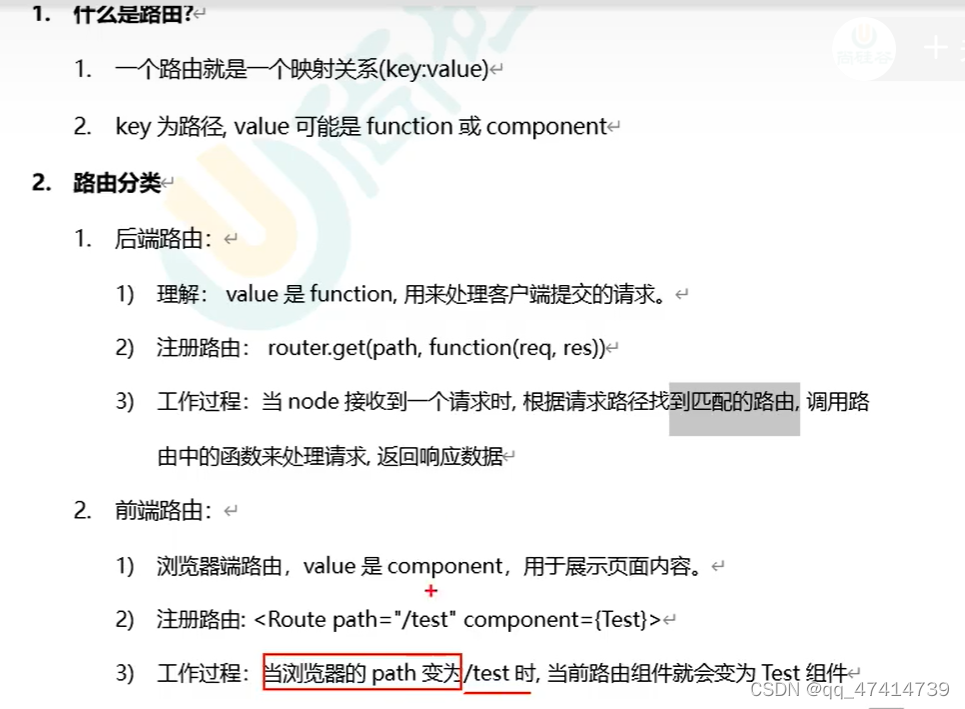
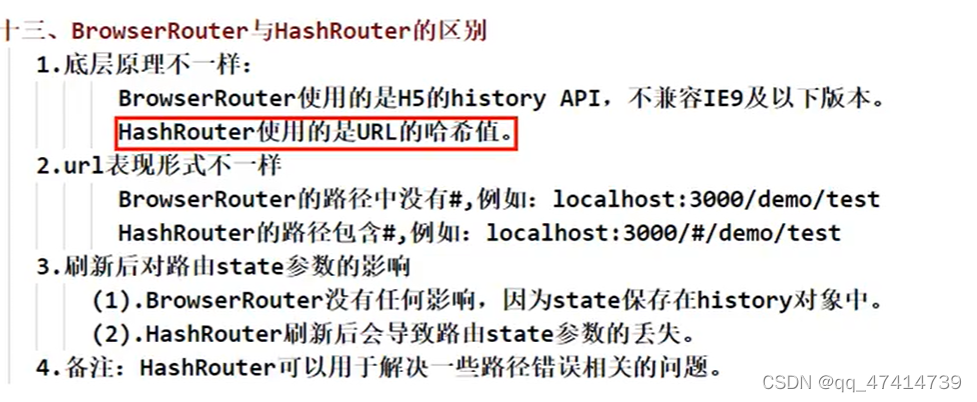
前端路由靠BOM的history
let history=HisTory.createBrowserHistory() //方法一,支架使用H5退出是我history身上的API
let history=History.createHashHistory() //锚点跳转,不会引起页面刷新
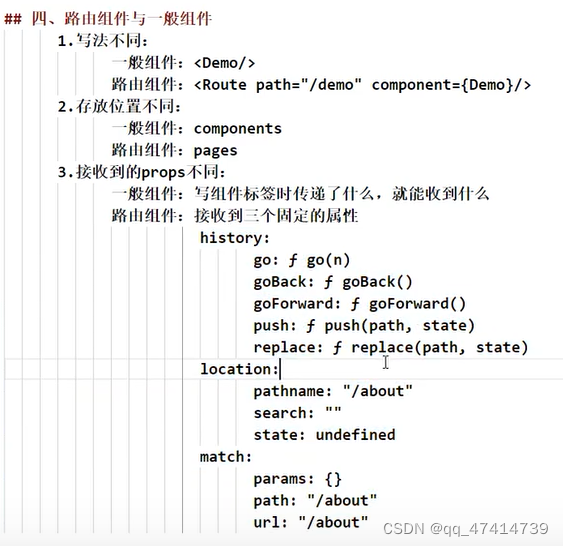
react-router: web(react-route-dom) \native\any
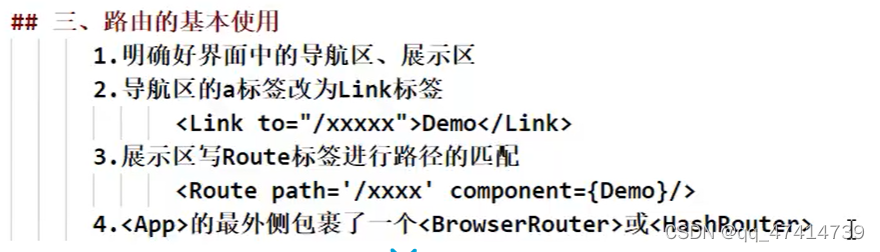
l路由使用
import {link,BrowserRoute,route} form ‘react-route-dom’

NavLink 高亮 activeClassName

switch组件



开启精准匹配:
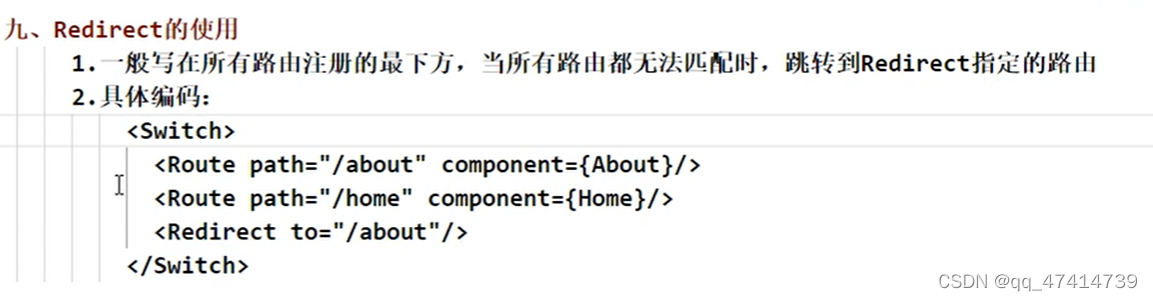
默认组件:重定向

传递参数
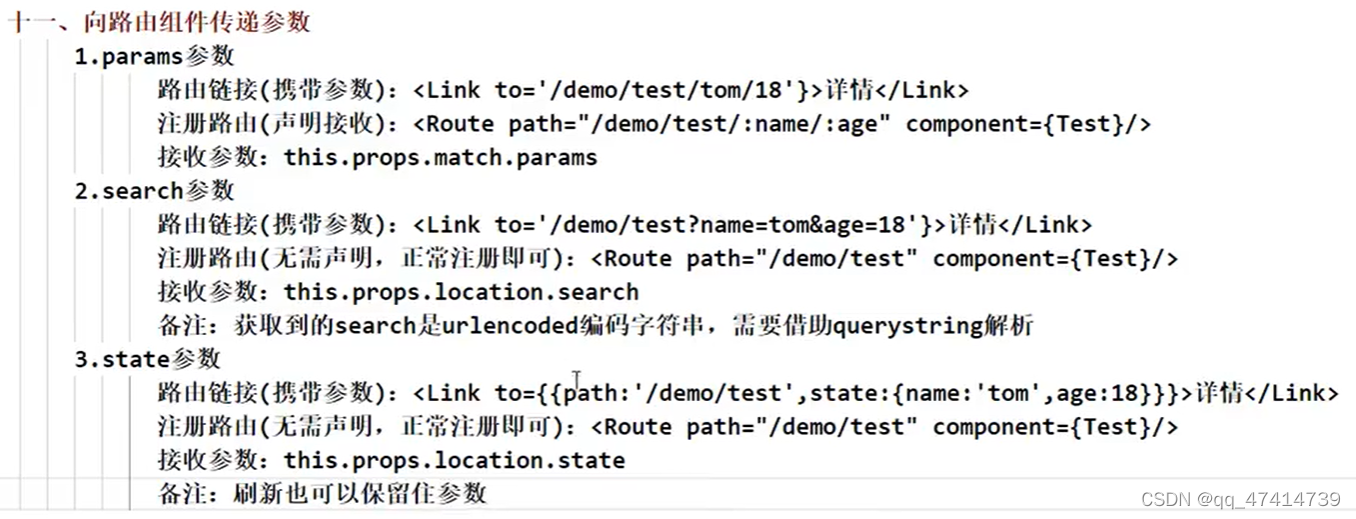
search:
import qs from ‘querystring’
qs.stringfy()把对象转成urlencoded
qs.parse()反过来
withRouter()可以加工一般组件,返回一个路由组件,可以用history
antd使用
暴露webpacl: eject
config/jest/webpack.config.js
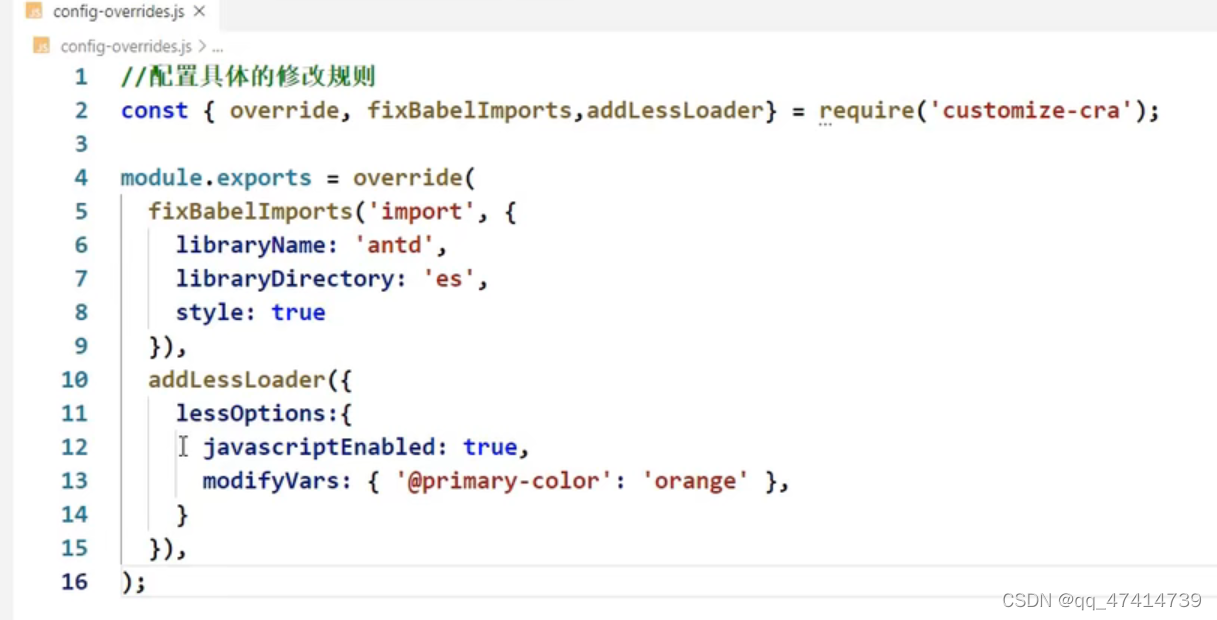
按需引入样式:antd v3
antd主题颜色(自定义主题):
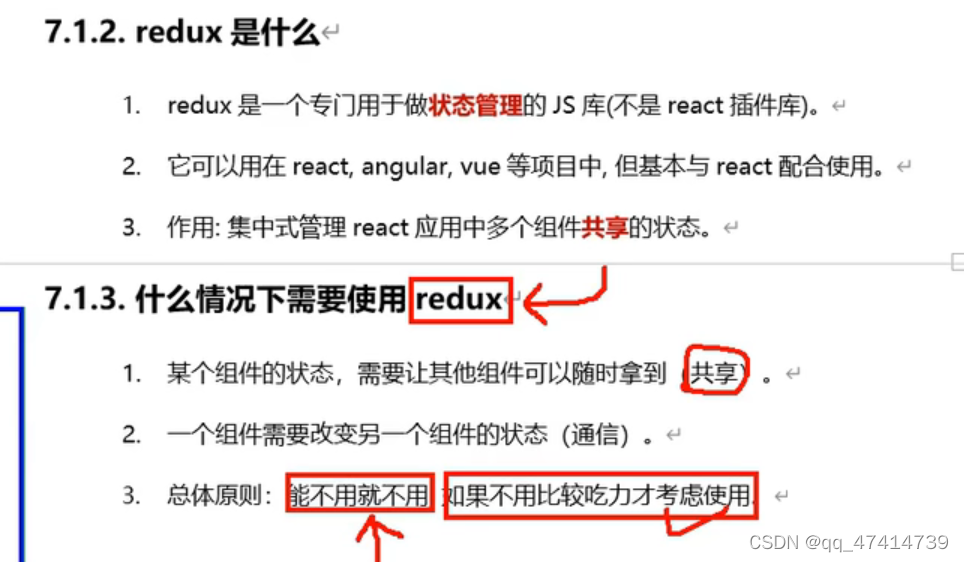
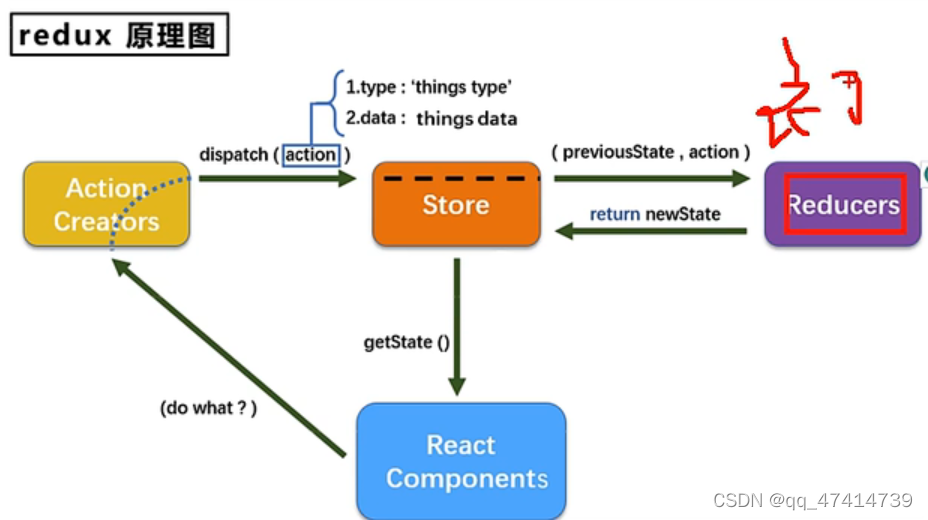
redux
状态共享
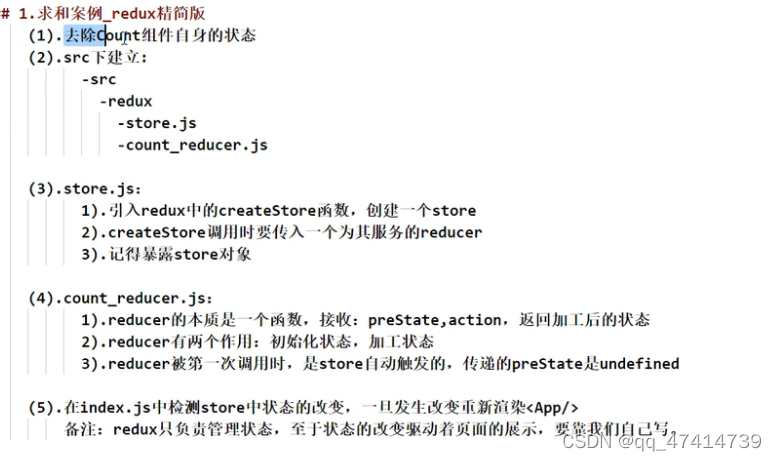
写componentDidMount(){
store.subscribe(()=>{
this.setState({})
}
}
才能更新到页面

建立contant.js
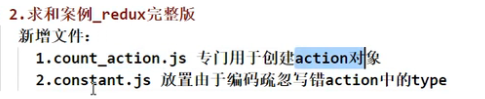
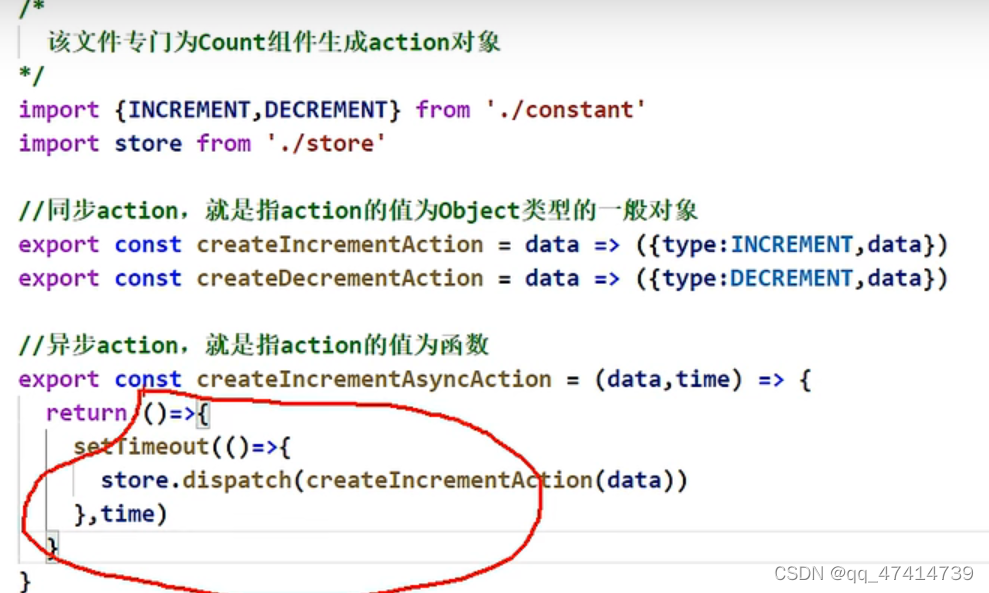
同步action:Object{} \异步action:function(){} 需要用thunk包包装
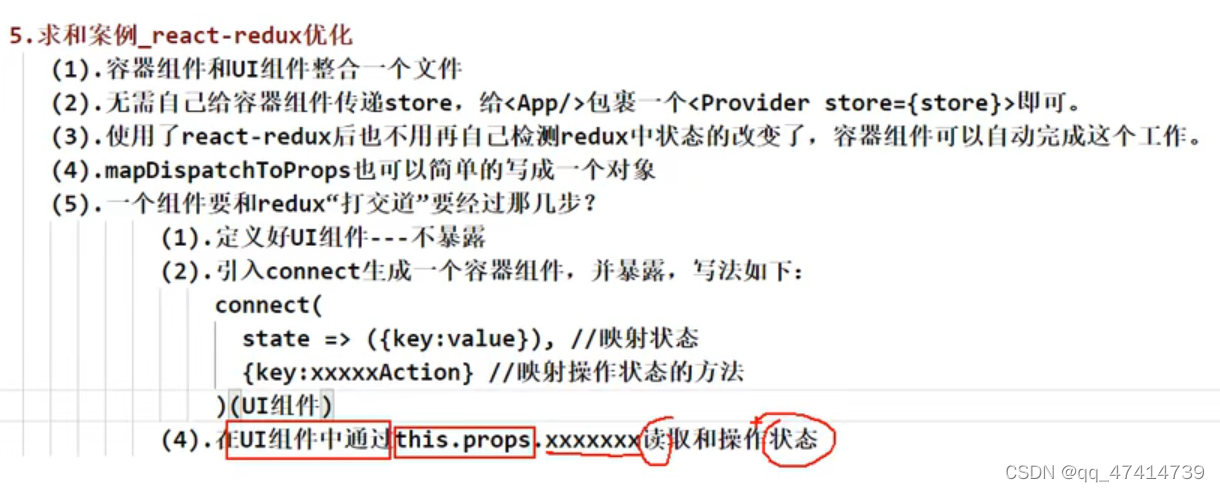
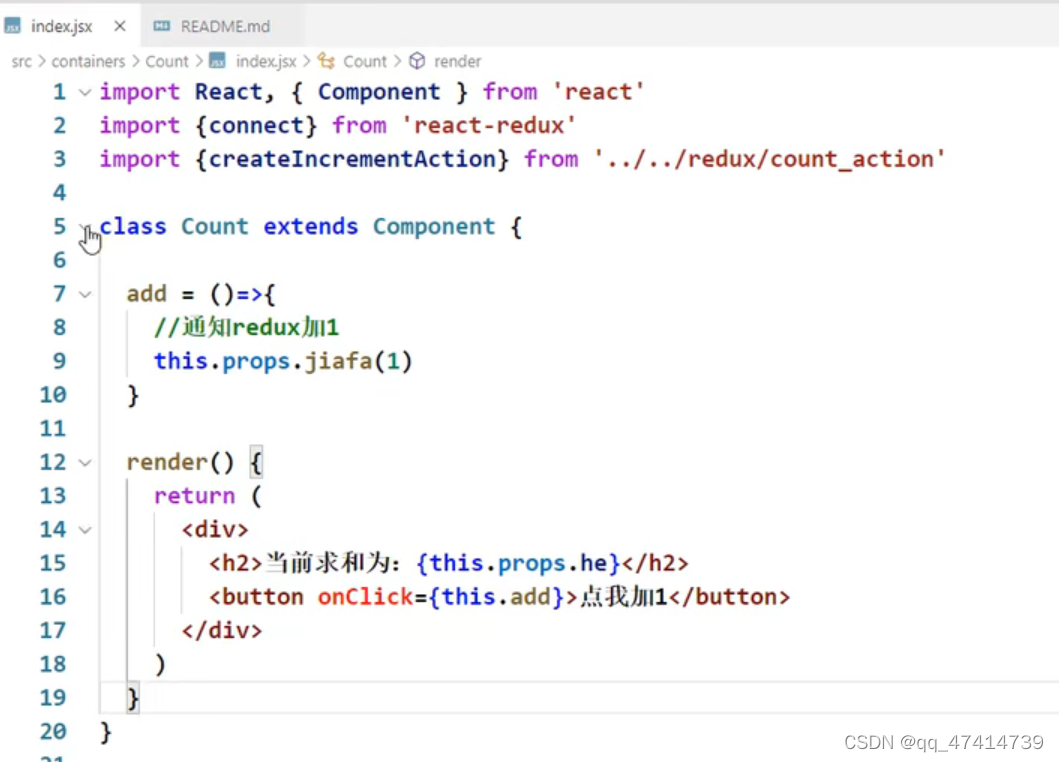
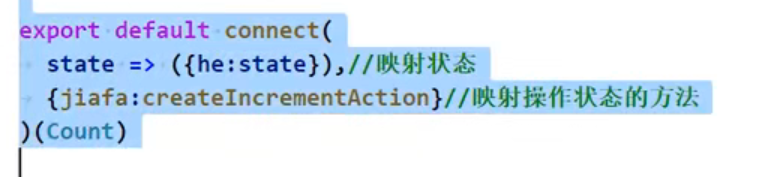
react-redux
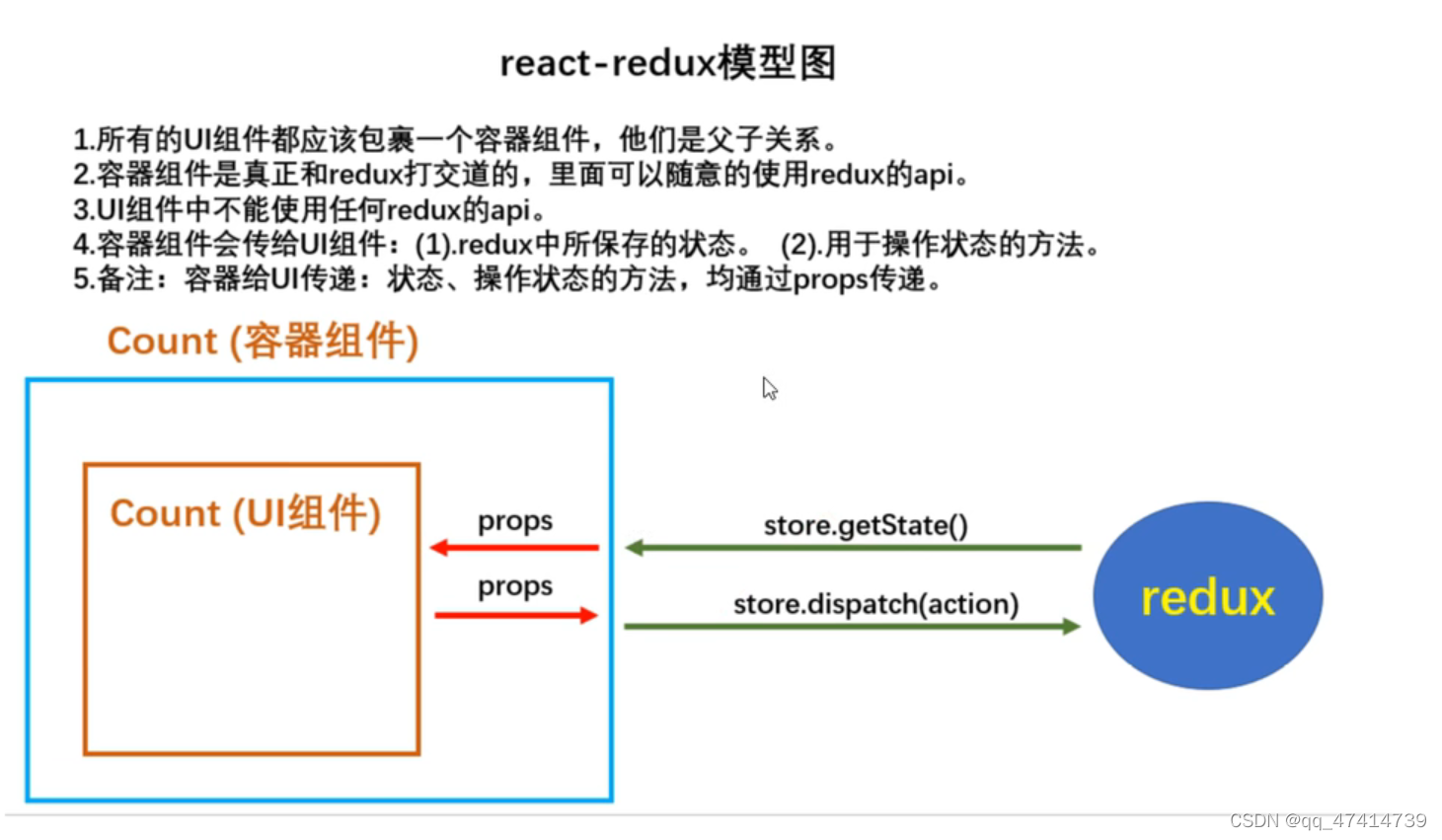
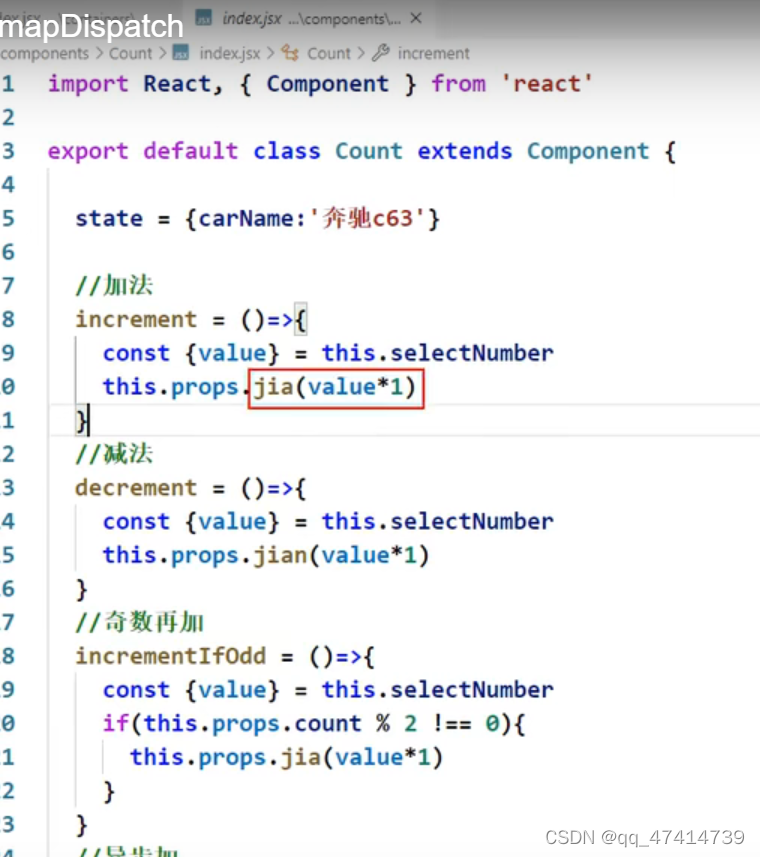
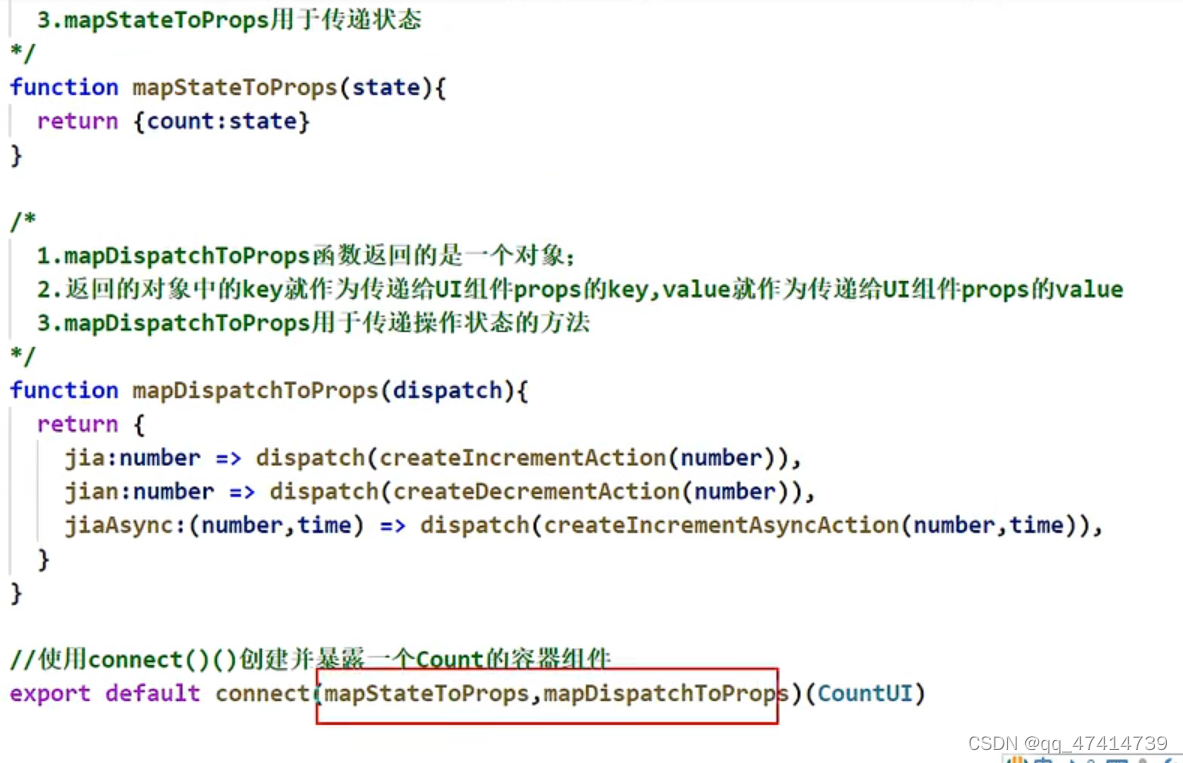
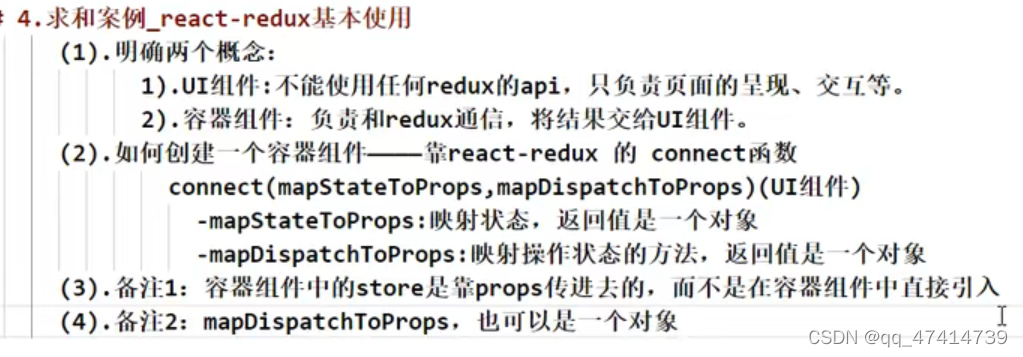
1.精简:直接分发dispatch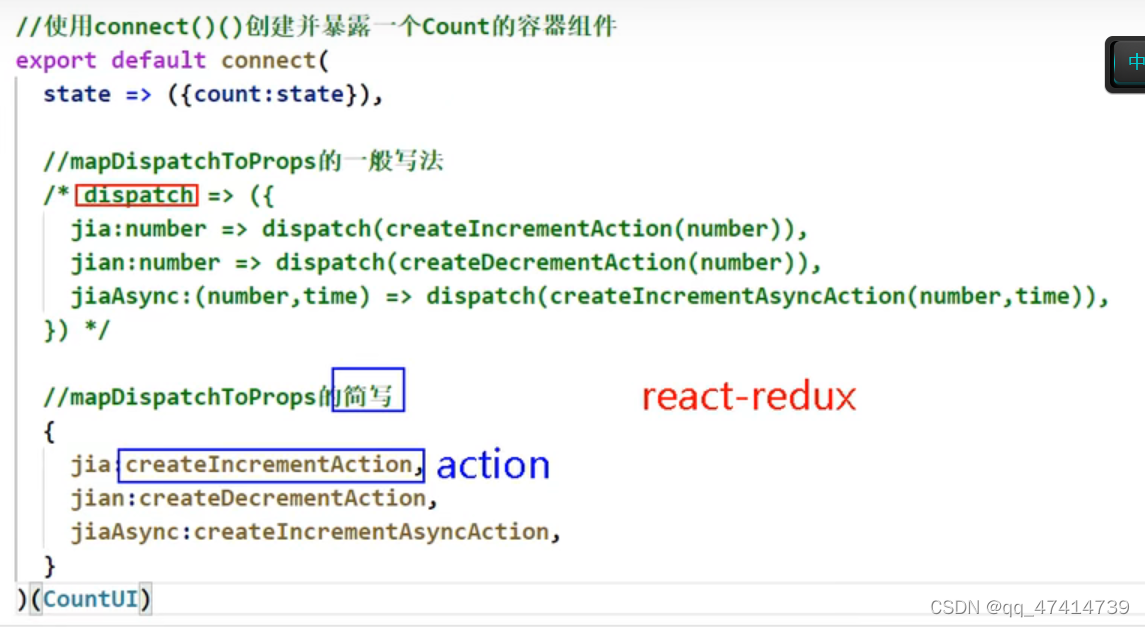
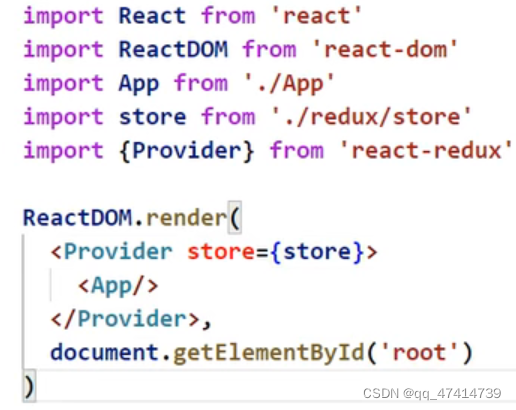
2.不需要自己检测状态改变:Provider
4.多个store合并(数据共享):

redux管理工具:redux dev tools
import{composeWithDevTools} from ‘redux-devtools-extension’

项目打包
npm run build
serve 文件名 :上线(图标变灰)
p116
setState
LazyLoad
路由懒加载
import {lazy,Suspense} from ‘react’
const Home=lazy(()=>{import(’./Home)})
<Suspense fallback={
等加载
}>Hooks
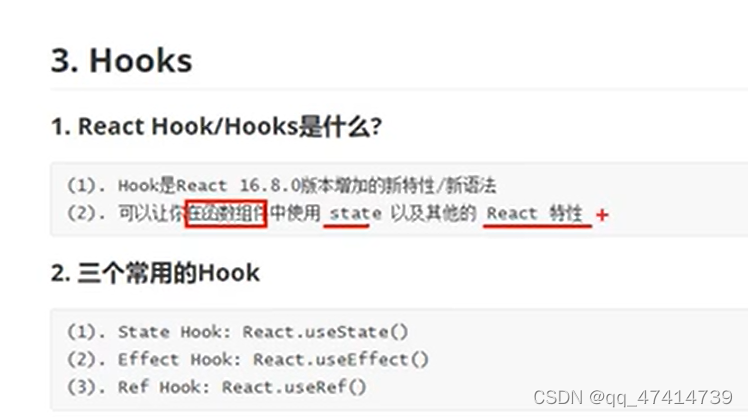
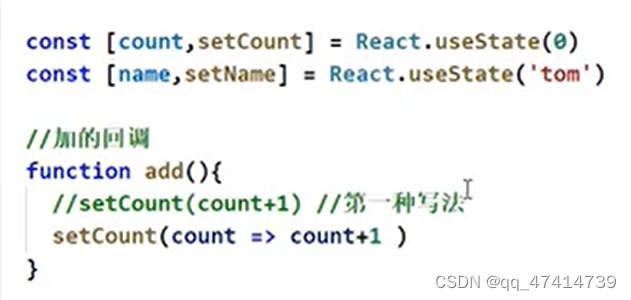
useState
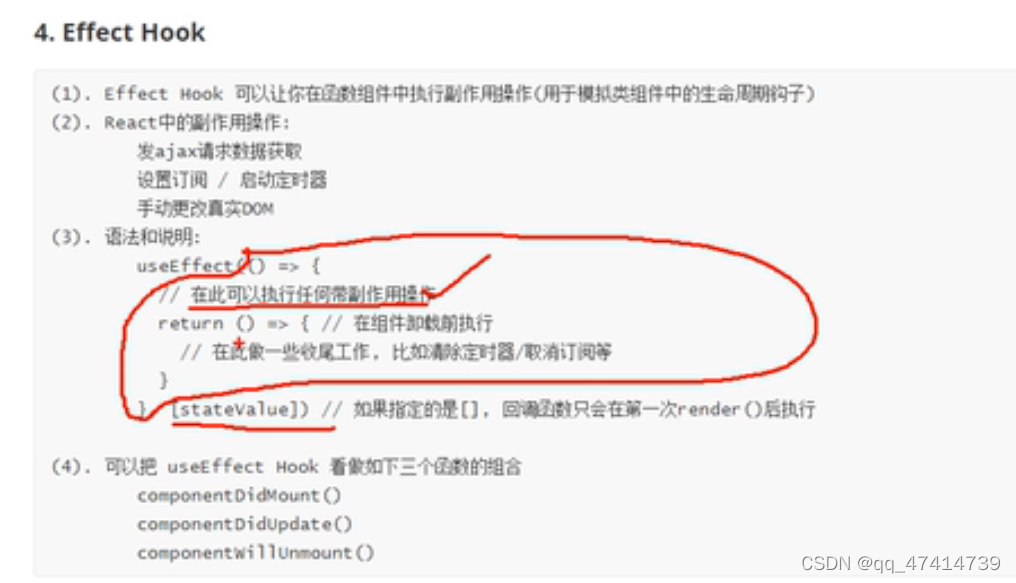
useEffect
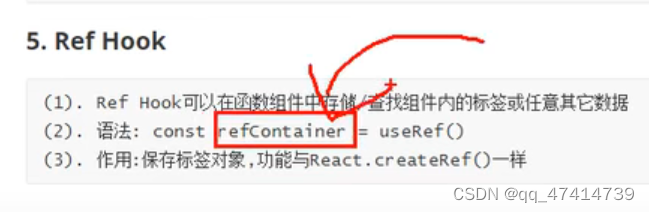
3.useRef
4
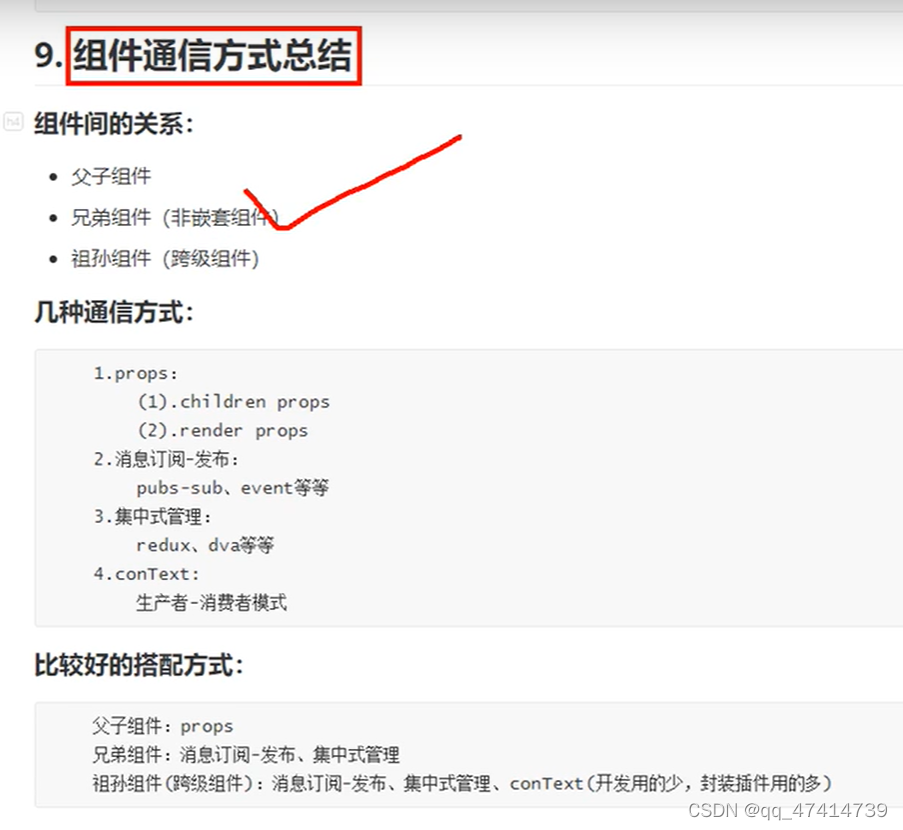
组件
也可以用空标签<></>但是空标签不能写key
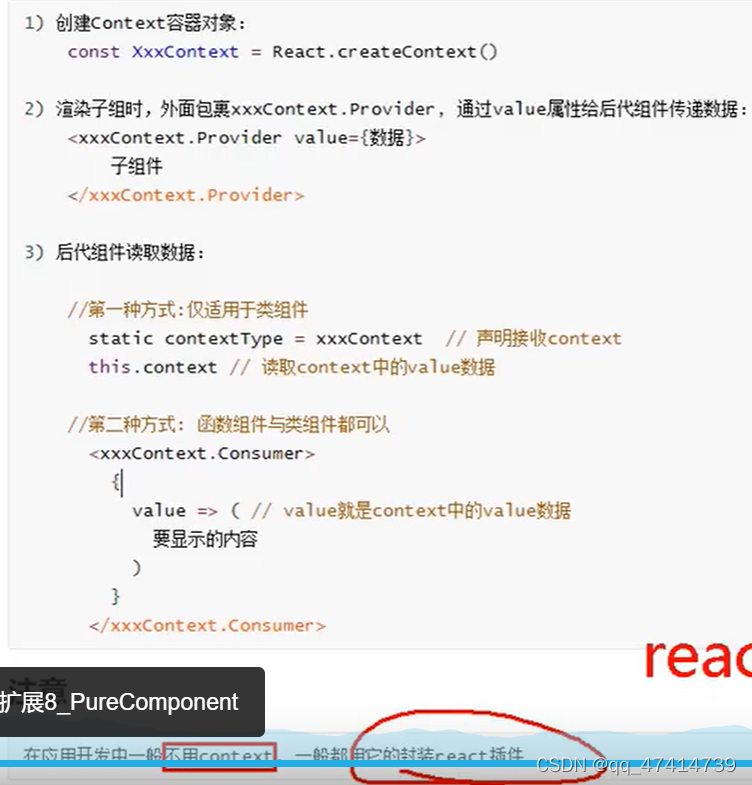
5.context
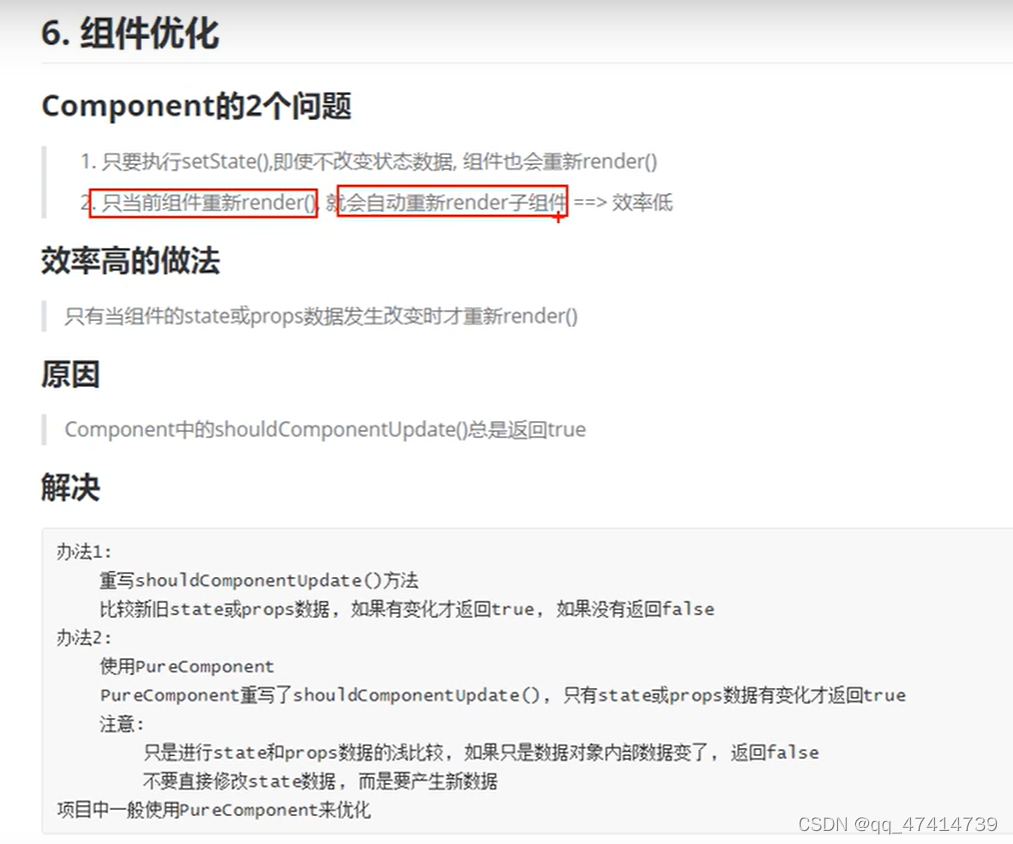 6.pureComponent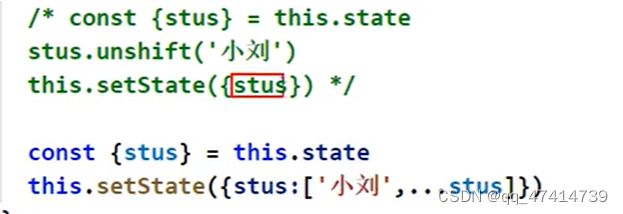
7.renderprops(插槽)
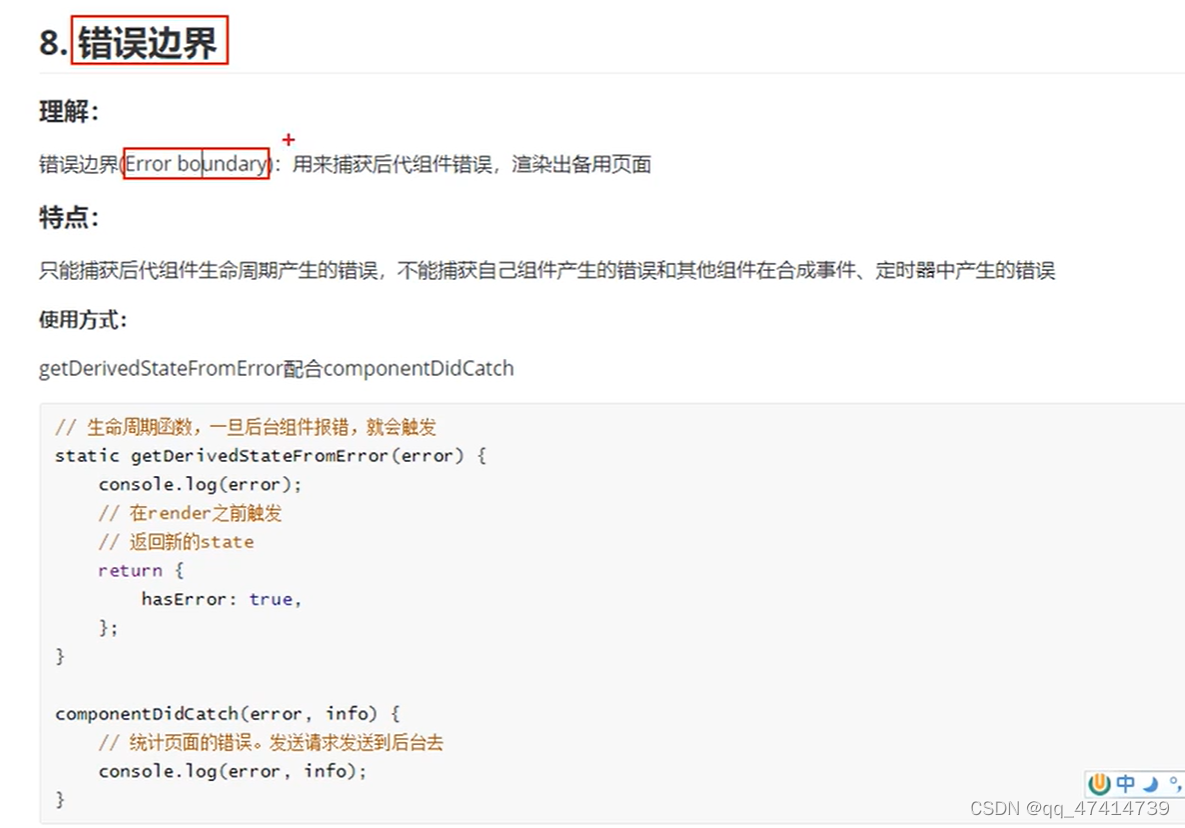
8.errorProps 错误边界
把错误限制在当前组件,不影响上级组件
npm run build 打包
npm i serve -g 生产环境
serve 文件夹 开服务器
express --node
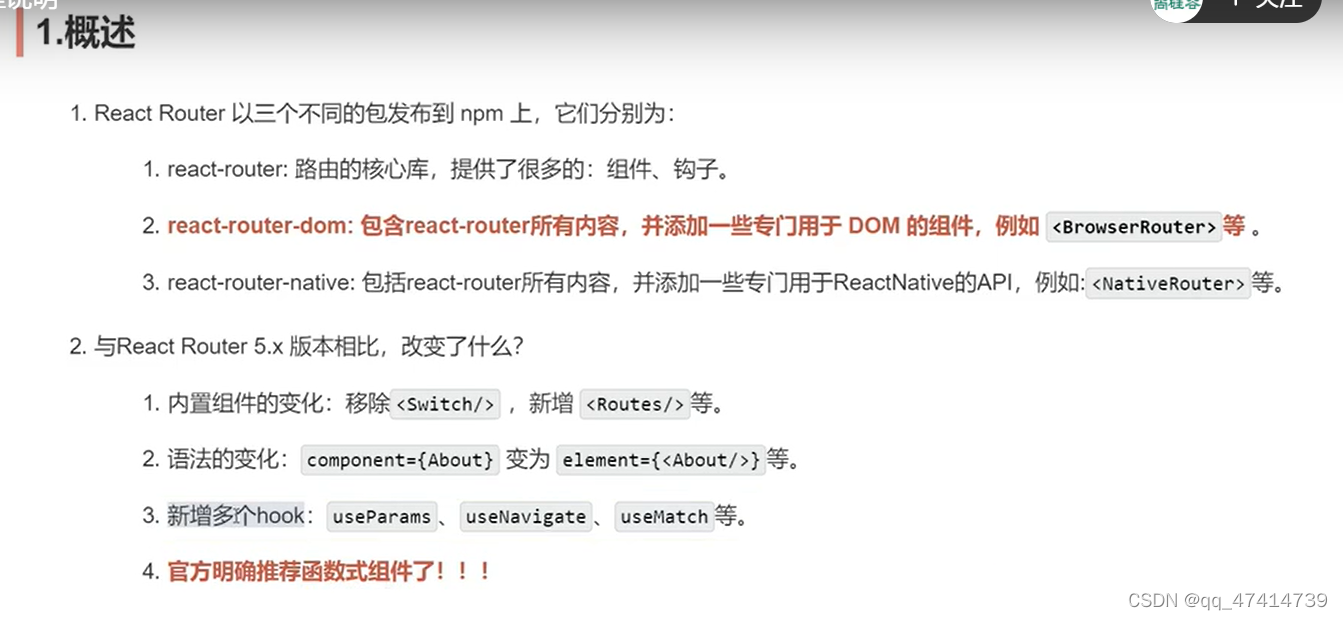
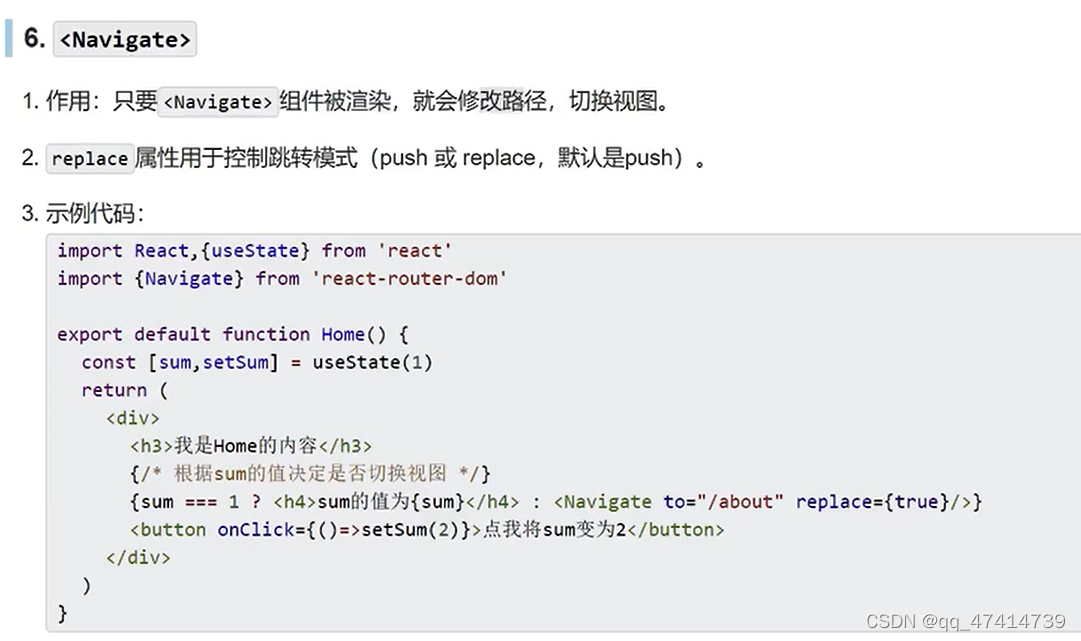
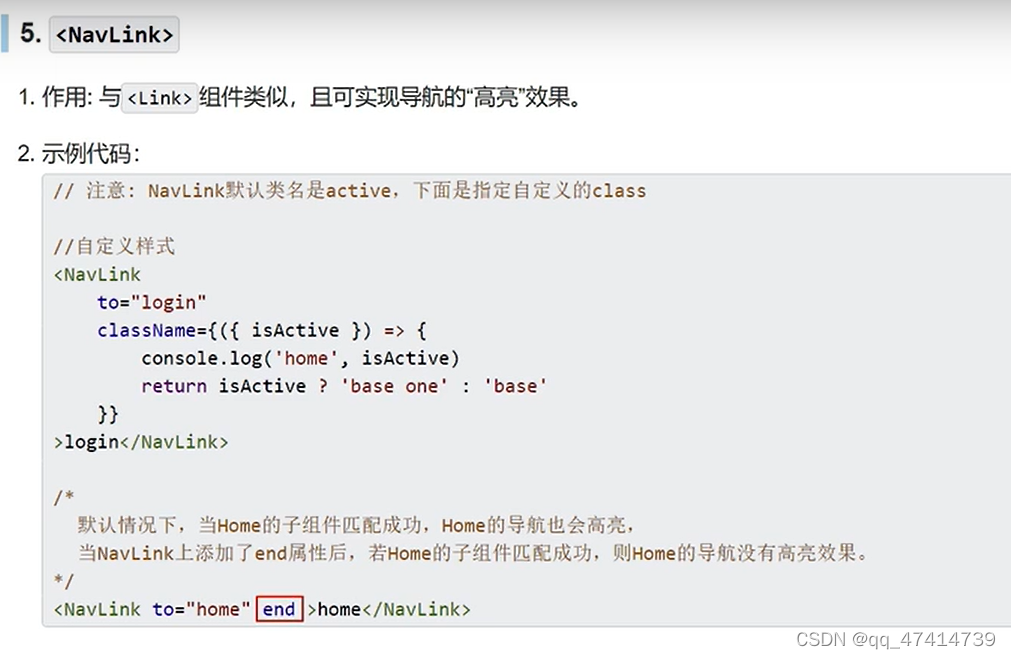
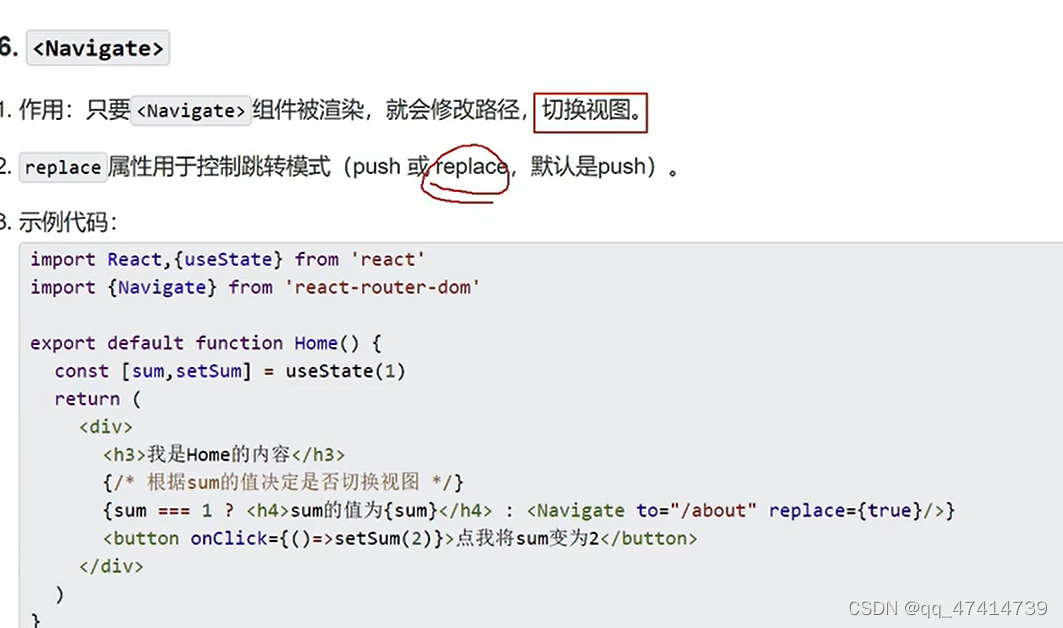
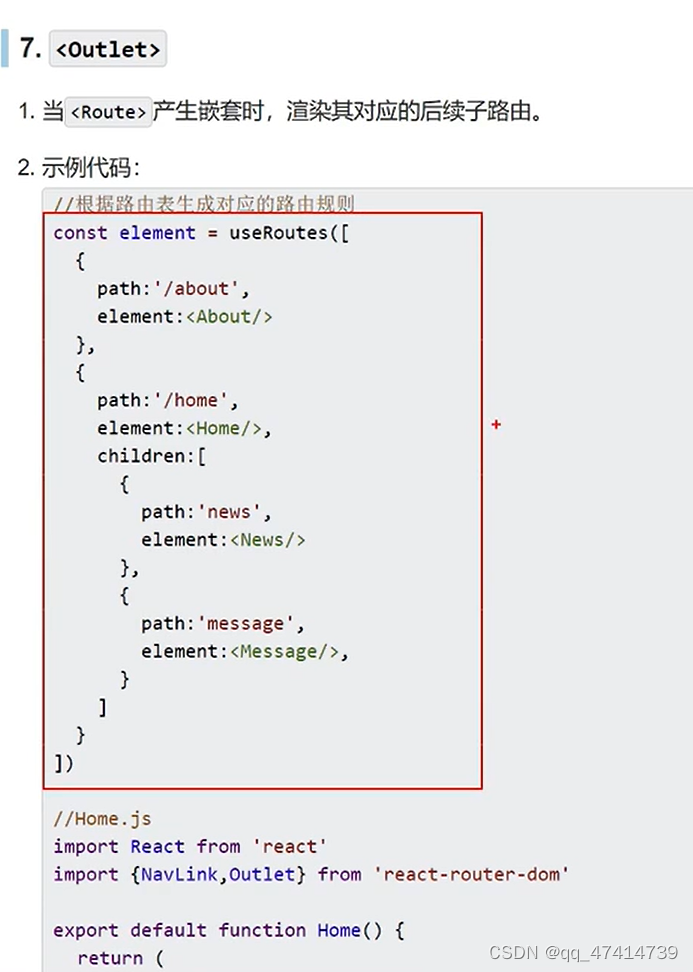
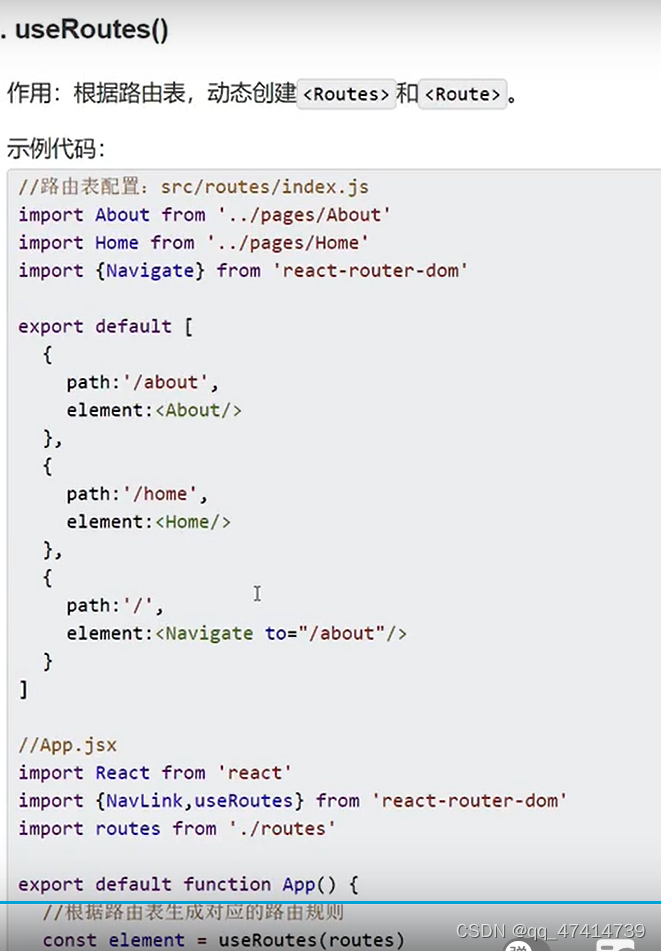
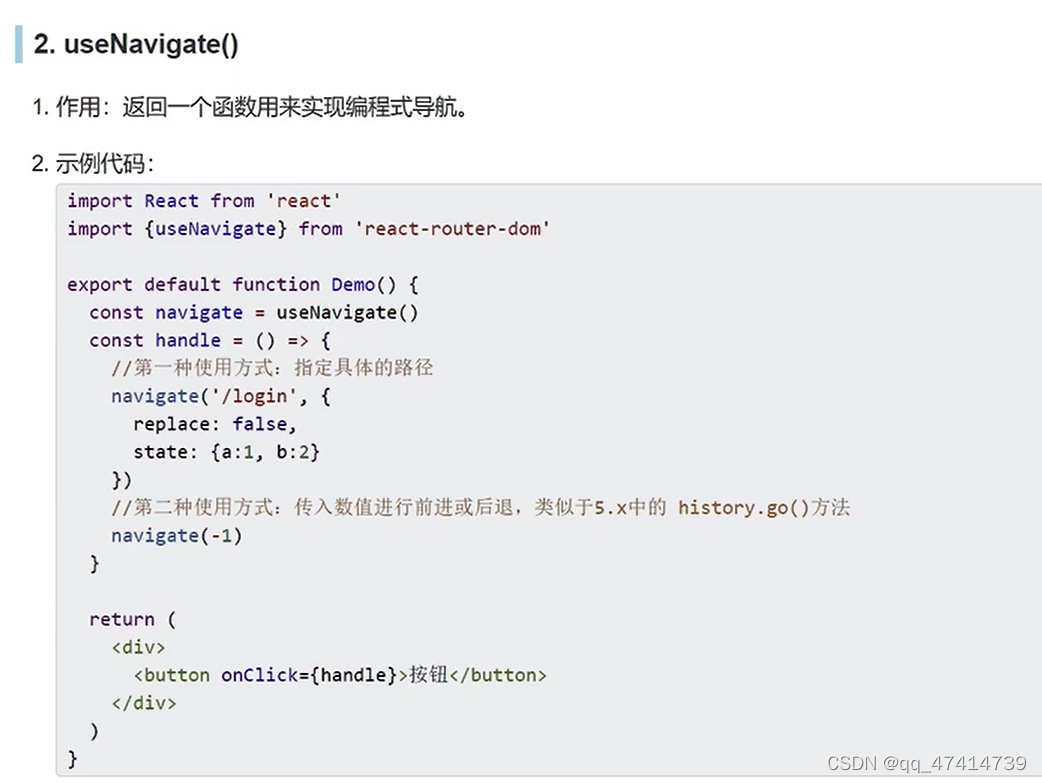
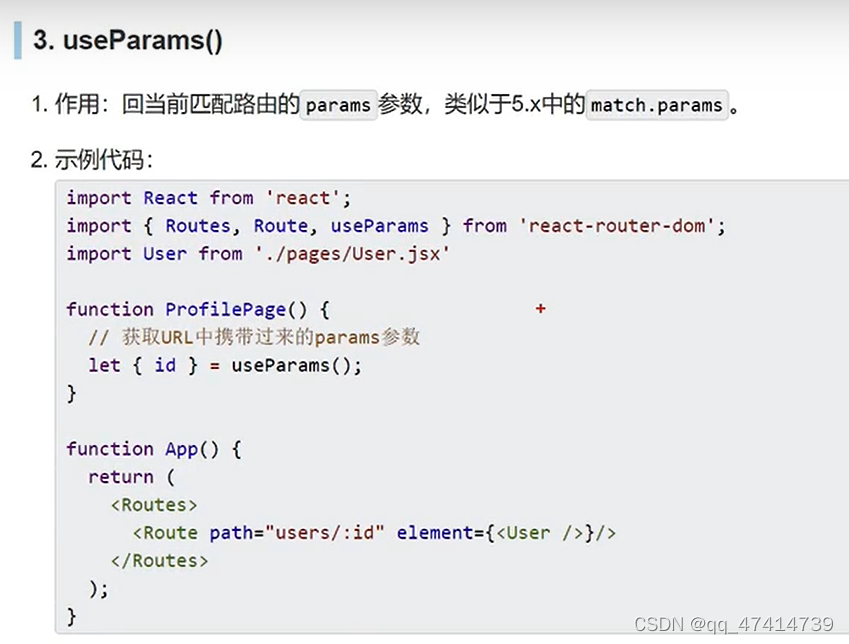
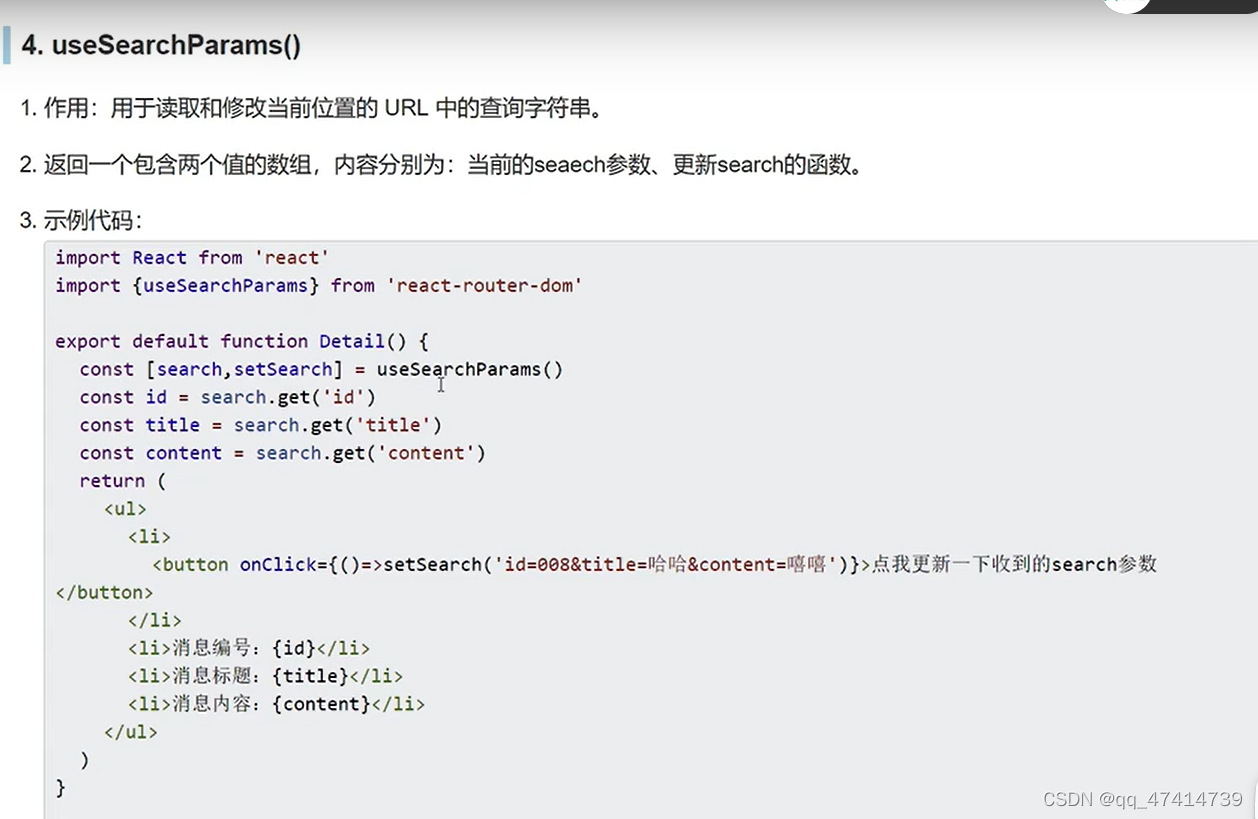
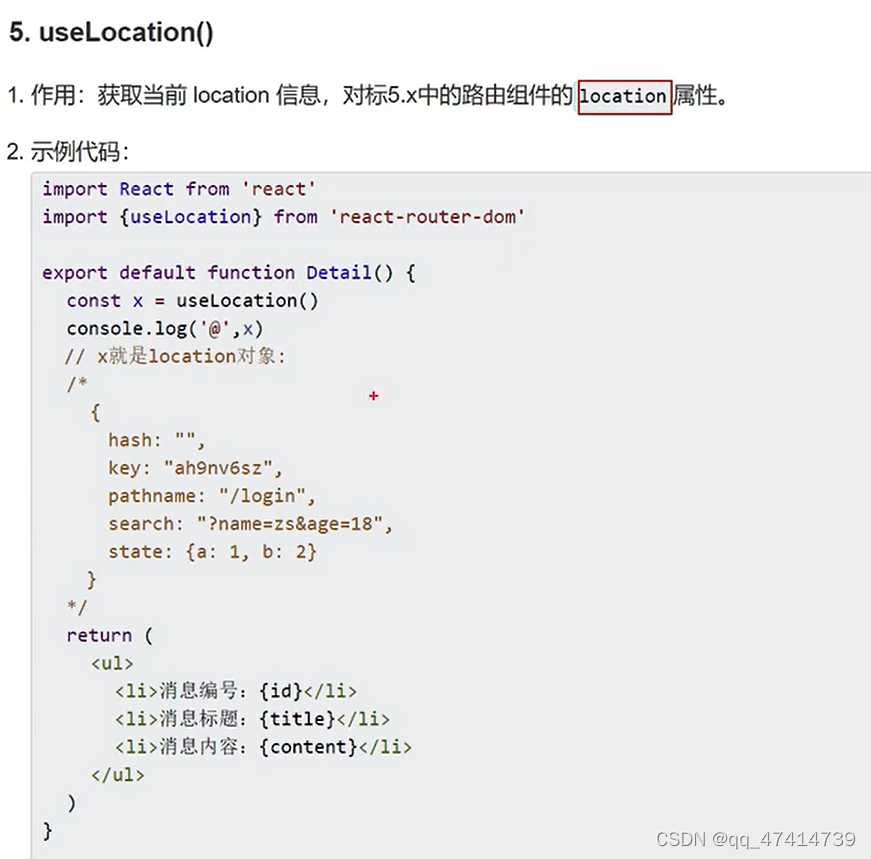
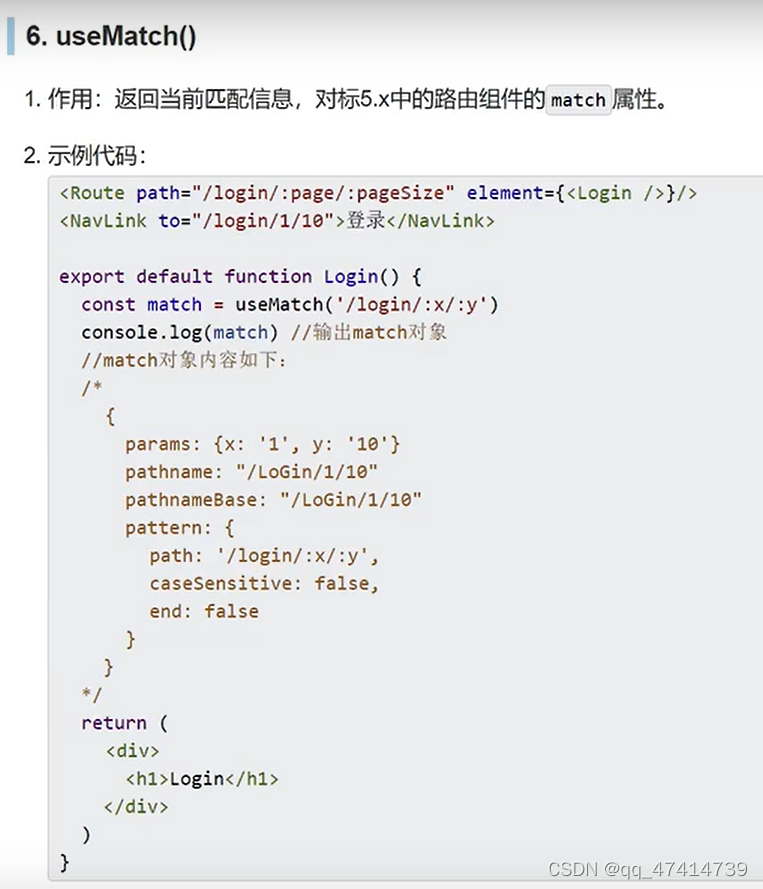
react route 6
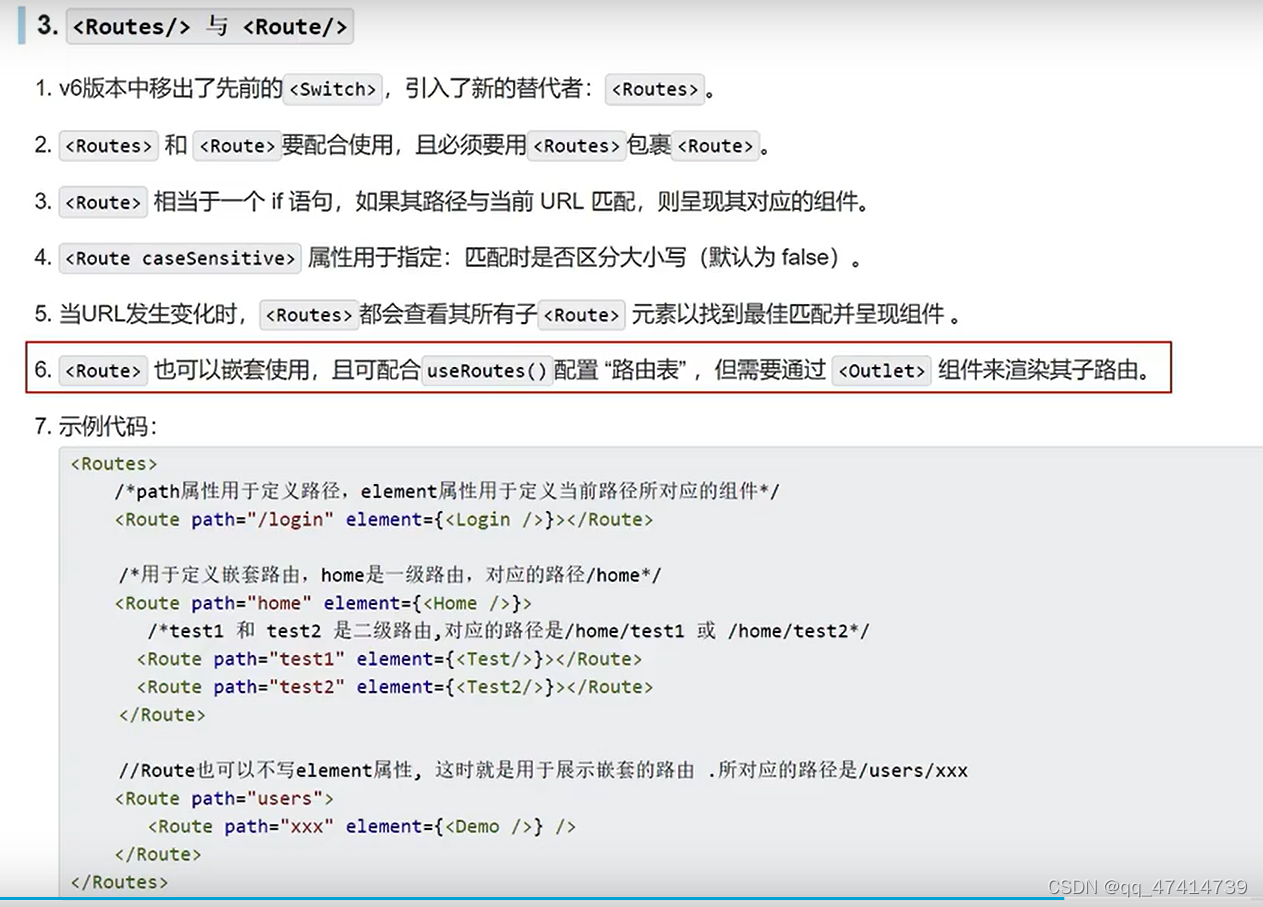
路由表





 扫一扫
扫一扫


 1334
1334

 被折叠的 条评论
为什么被折叠?
被折叠的 条评论
为什么被折叠?
 到【灌水乐园】发言





