


目录
OSS:用于存储大数据量非结构数据信息的分布式架构,能够在云硬件上提供文件上传,下载,存储的能力;对于非结构化数据,比如:音乐,视频,程序等这一类数据,对于非结构化数据,中途出现传输问题导致数据不完整都会使这个文件失效。
对象存储:以“对象”为核心,相比于传统的文件系统,以文件/文件夹构成的树形结构存储,对象存储更多的是以单个文件进行划分,每一个文件可以作为离散的单元称为对象进行存储,整体呈现扁平化。在对象存储的概念中,每一个对象都具有一个地址对外访问。
OSS可以应用于大数据下并发访问场景,配合CDN加速提供静态资源存储以及资源的分发。
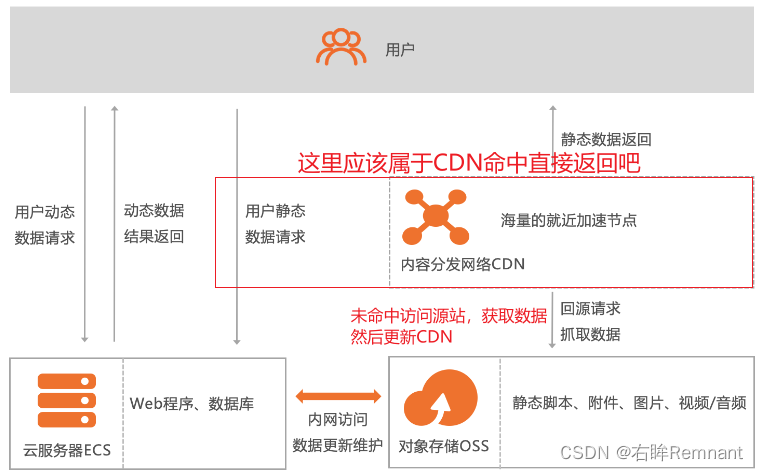
一、使用方式
1.1 进入管理控制台,没有注册点击申请开通就行
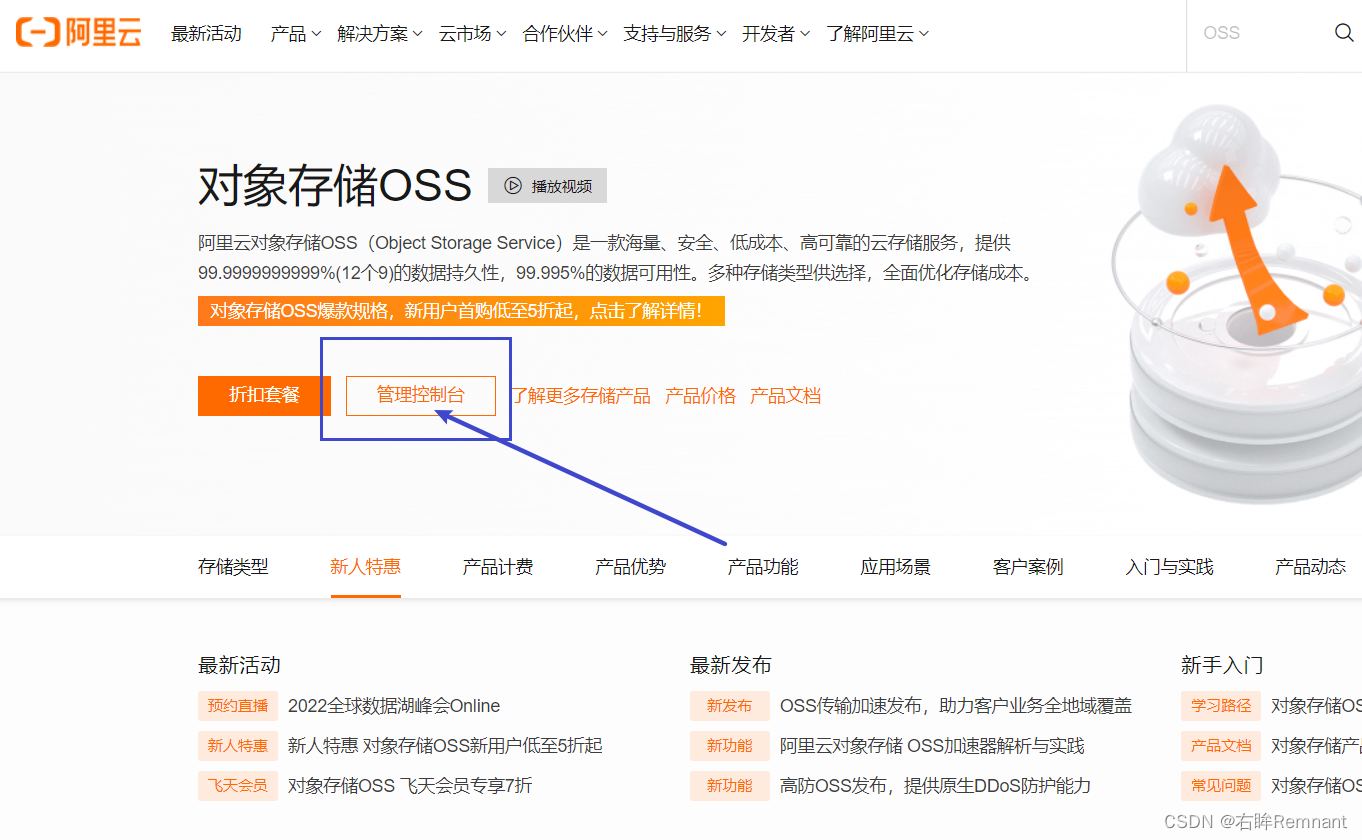
1.2 主界面
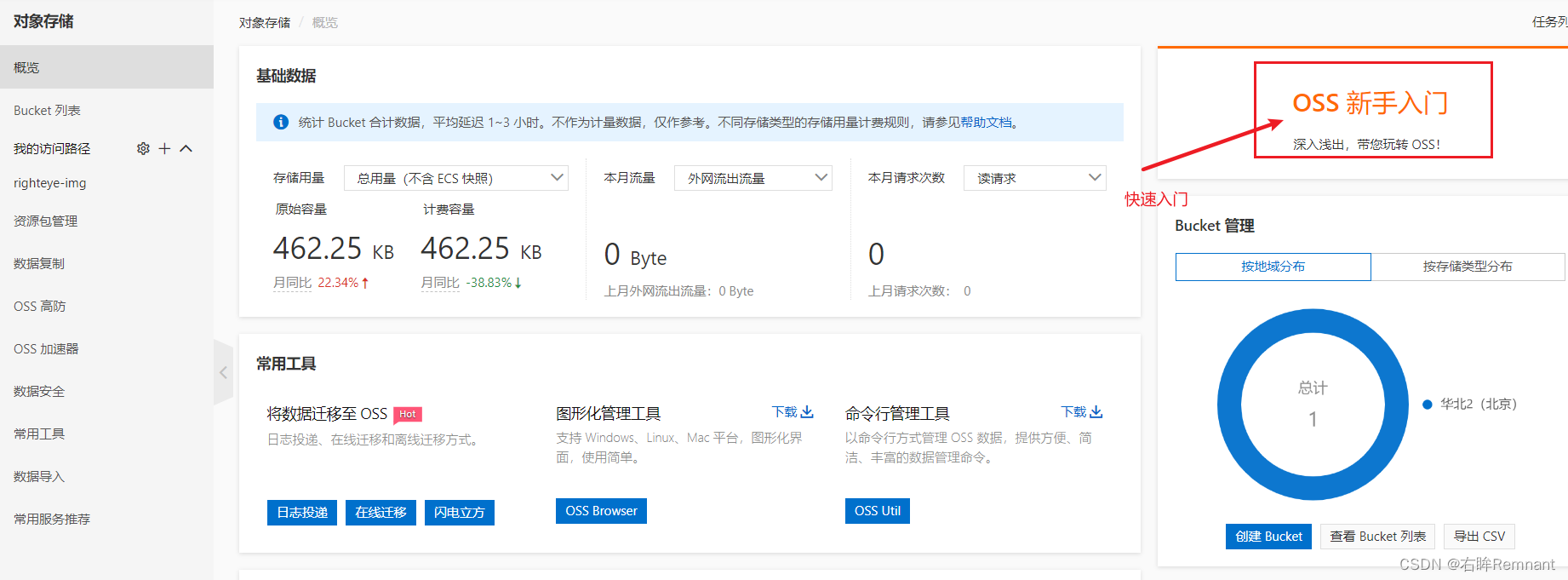
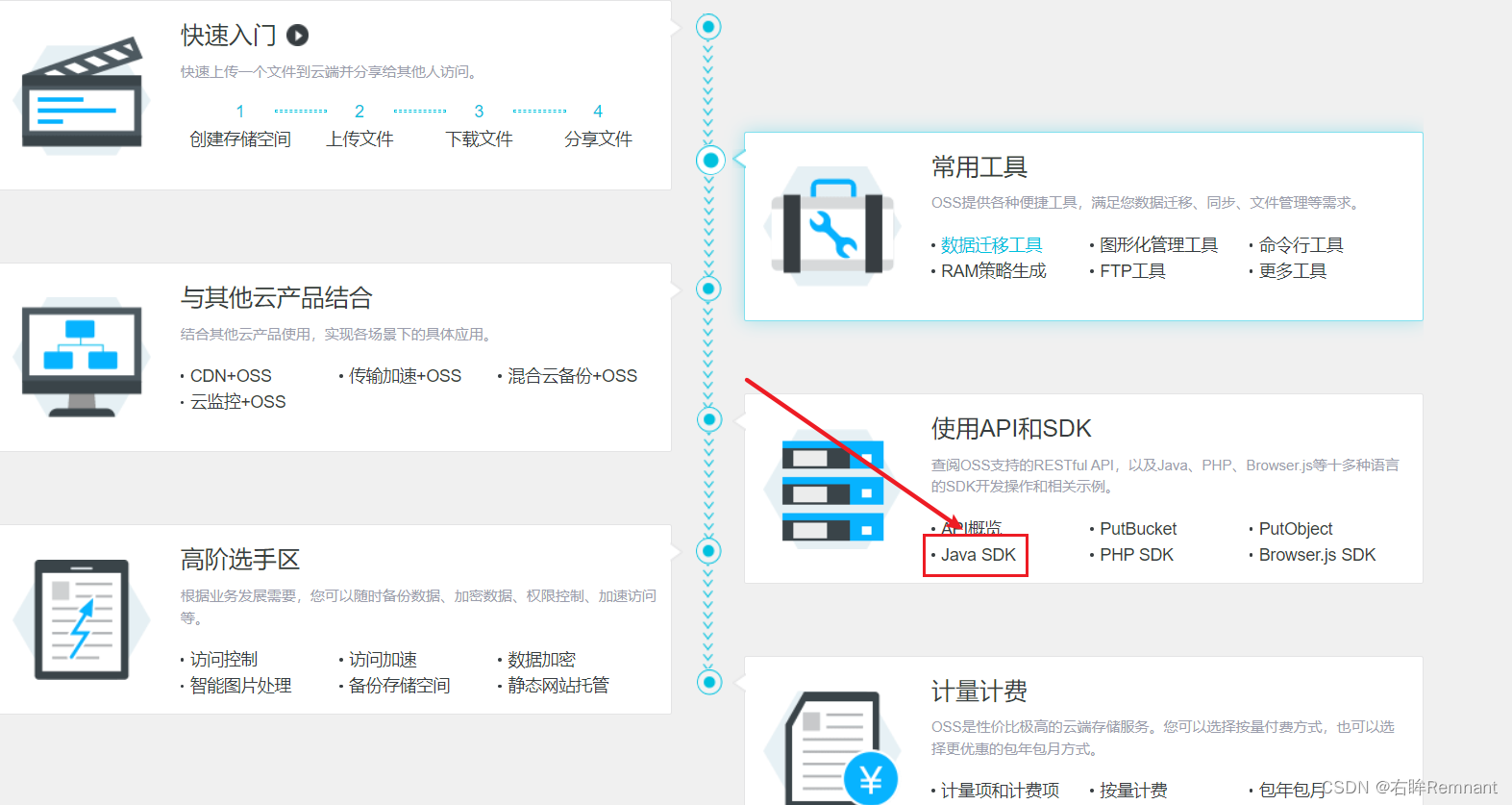
关于开发可以点新手入门后的Java SDK
1.3 创建自己的存储仓库
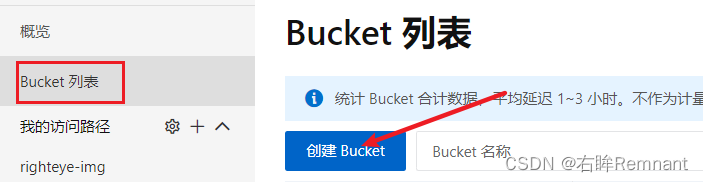
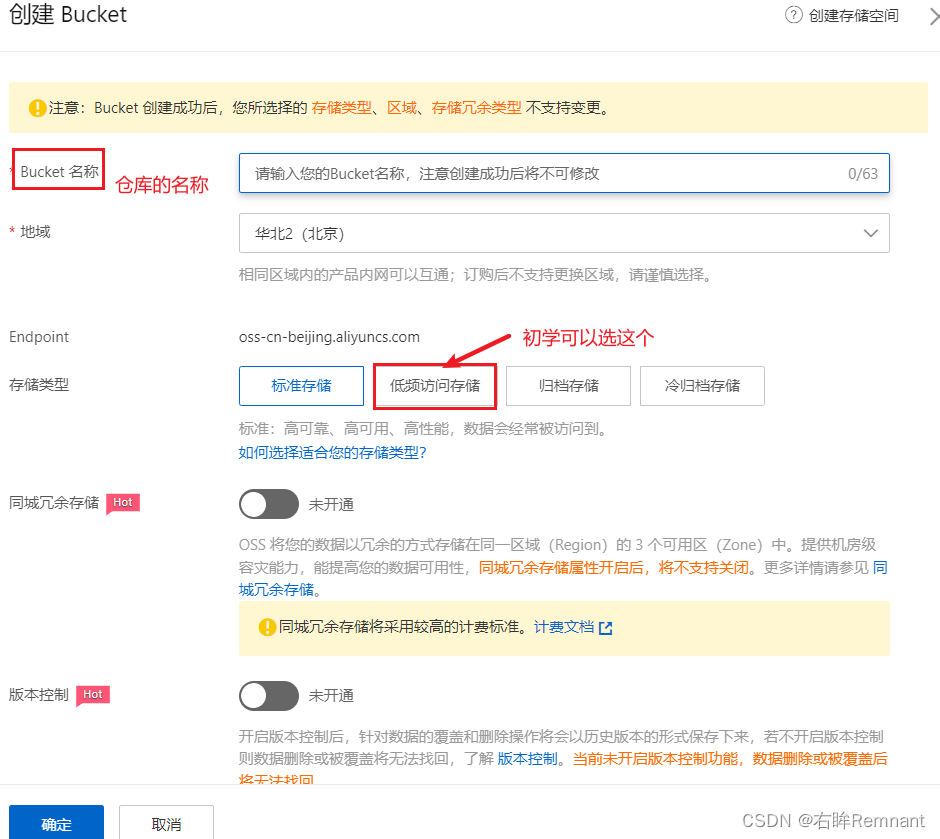
二、快速入门
2.1 文件流上传
添加依赖:
<dependency>
	<groupId>com.aliyun.oss</groupId>
	<artifactId>aliyun-sdk-oss</artifactId>
	<version>3.10.2</version>
</dependency>
查看官网Java SDK上传图片(使用文件流上传)
@Test
void testOSS() throws FileNotFoundException {
	// Endpoint以华东1(杭州)为例,其它Region请按实际情况填写。
	String endpoint = "oss-cn-beijing.aliyuncs.com";
	// 这里是创建的子用户获得的AK
	String accessKeyId = "LTAI5tSntGLJY4woGUMvjaTm1";
	String accessKeySecret = "zRRDgkjvHh7FIE6hhpDUdKgEKIcO3Y1";
	// 填写Bucket名称,例如examplebucket。
	String bucketName = "righteye-img";
	// 存储后文件的名称
	String objectName = "111.jpg";
	// 填写本地文件的完整路径,例如D:\\localpath\\examplefile.txt。
	// 如果未指定本地路径,则默认从示例程序所属项目对应本地路径中上传文件流。
	String filePath= "C:\\Users\\DELL\\Pictures\\立华奏\\2021121420492421280.jpg";

	// 创建OSSClient实例。
	OSS ossClient = new OSSClientBuilder().build(endpoint, accessKeyId, accessKeySecret);

	try {
		InputStream inputStream = new FileInputStream(filePath);
		// 创建PutObject请求。
		ossClient.putObject(bucketName, objectName, inputStream);
	} catch (OSSException oe) {
		System.out.println("Caught an OSSException, which means your request made it to OSS, "
				+ "but was rejected with an error response for some reason.");
		System.out.println("Error Message:" + oe.getErrorMessage());
		System.out.println("Error Code:" + oe.getErrorCode());
		System.out.println("Request ID:" + oe.getRequestId());
		System.out.println("Host ID:" + oe.getHostId());
	} catch (ClientException ce) {
		System.out.println("Caught an ClientException, which means the client encountered "
				+ "a serious internal problem while trying to communicate with OSS, "
				+ "such as not being able to access the network.");
		System.out.println("Error Message:" + ce.getMessage());
	} finally {
		if (ossClient != null) {
			ossClient.shutdown();
		}
	}
	System.out.println("上传成功");
}
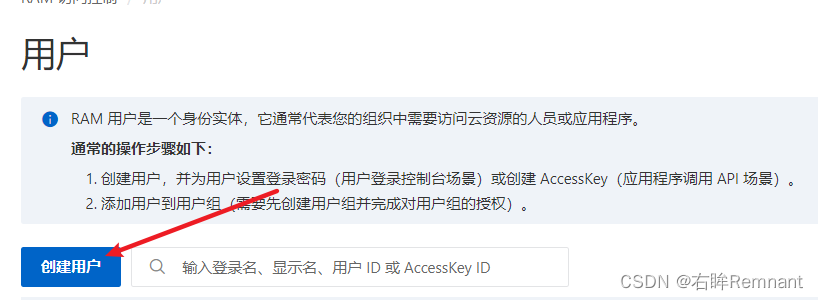
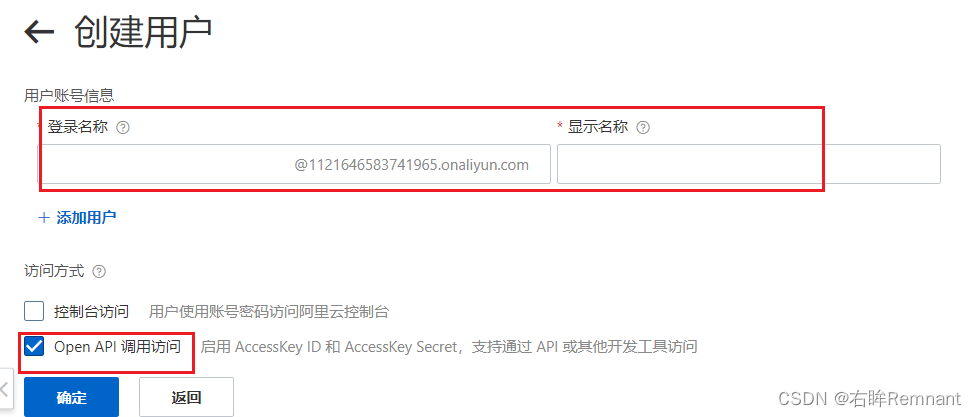
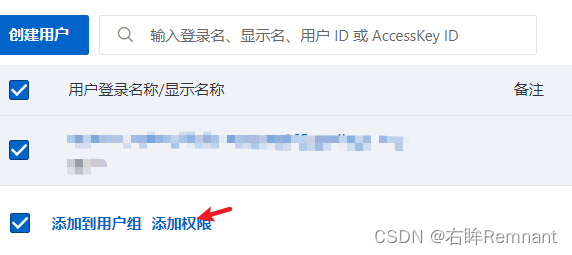
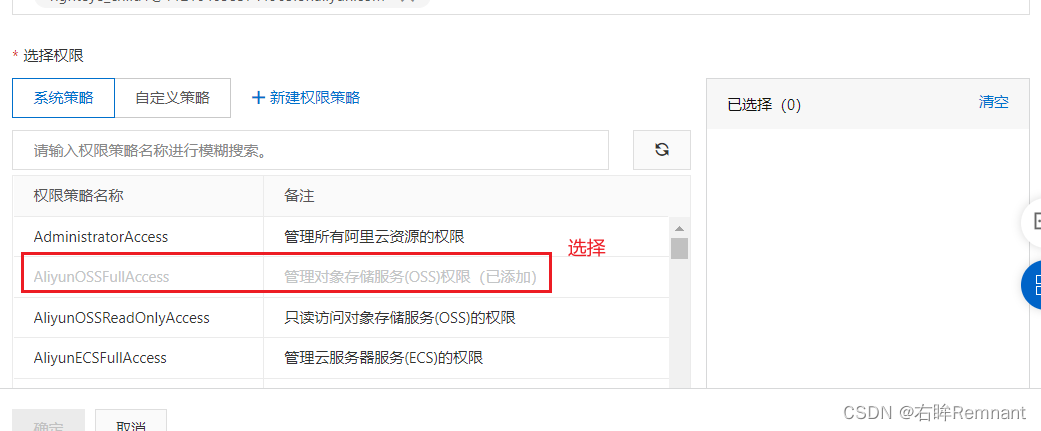
2.2 创建子用户获取AK
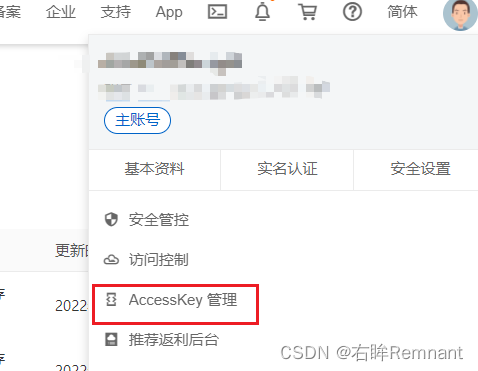
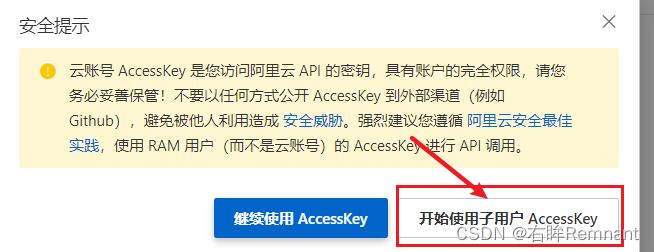
然后可以继续使用了
三、AlibabaOSS服务
3.1 添加依赖
使用官网提供的方式比价繁琐,对于身份信息可以单独抽离;这里使用SpringCloudAlibaba OSS服务来简化开发,添加对应的依赖
<dependency>
	<groupId>com.alibaba.cloud</groupId>
	<artifactId>spring-cloud-starter-alicloud-oss</artifactId>
</dependency>
我alibaba-cloud版本选择的 2.2.5,过高不提供oss,需要手动添加版本
<dependency>
	<groupId>com.alibaba.cloud</groupId>
	<artifactId>spring-cloud-starter-alicloud-oss</artifactId>
	<version>2.2.0.RELEASE</version>
</dependency>
3.2 配置文件
spring:
  cloud:
    alicloud:
      access-key: LTAI5tSntGLJY4woGUM1jaTm
      secret-key: zRRDgkjvHh7FIE6hhp1UdKgEKIcO3Y
      oss:
        endpoint: oss-cn-beijing.aliyuncs.com
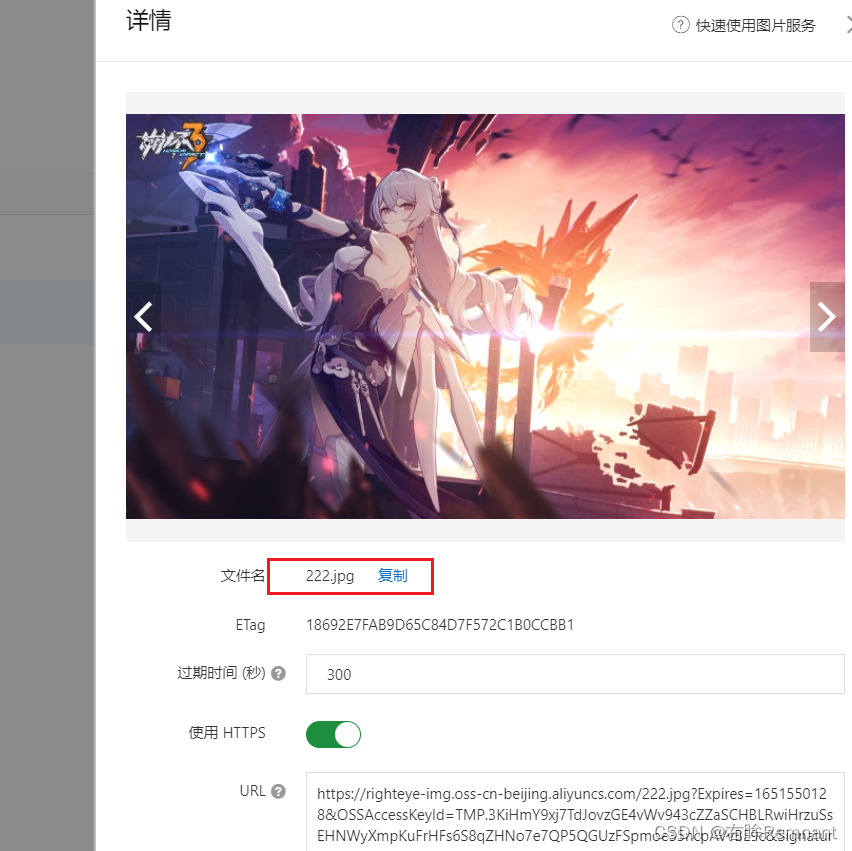
3.3 上传成功代码
@Autowired
private OSSClient ossClient;

@Test
void testOSSClient() throws FileNotFoundException {
	// 填写Bucket名称,例如examplebucket。
	String bucketName = "righteye-img";
	// 填写Object完整路径,完整路径中不能包含Bucket名称,例如exampledir/exampleobject.txt。
	String objectName = "222.jpg";
	// 填写本地文件的完整路径,例如D:\\localpath\\examplefile.txt。
	// 如果未指定本地路径,则默认从示例程序所属项目对应本地路径中上传文件流。
	String filePath= "C:\\Users\\DELL\\Pictures\\立华奏\\2021121420492421280.jpg";

	try {
		InputStream inputStream = new FileInputStream(filePath);
		// 创建PutObject请求。
		ossClient.putObject(bucketName, objectName, inputStream);
	} catch (OSSException oe) {
		System.out.println("Caught an OSSException, which means your request made it to OSS, "
				+ "but was rejected with an error response for some reason.");
		System.out.println("Error Message:" + oe.getErrorMessage());
		System.out.println("Error Code:" + oe.getErrorCode());
		System.out.println("Request ID:" + oe.getRequestId());
		System.out.println("Host ID:" + oe.getHostId());
	} catch (ClientException ce) {
		System.out.println("Caught an ClientException, which means the client encountered "
				+ "a serious internal problem while trying to communicate with OSS, "
				+ "such as not being able to access the network.");
		System.out.println("Error Message:" + ce.getMessage());
	} finally {
		if (ossClient != null) {
			ossClient.shutdown();
		}
	}
	System.out.println("上传成功");
}





 扫一扫
扫一扫


 3174
3174

 被折叠的 条评论
为什么被折叠?
被折叠的 条评论
为什么被折叠?
 到【灌水乐园】发言





