


 本文详细介绍了CSS中的盒模型,包括盒模型的基本概念、内边距设置、边框样式调整、外边距的运用,以及display属性如何影响元素的布局。通过示例代码展示了如何使用这些属性来控制网页元素的外观和空间分布。
盒模型
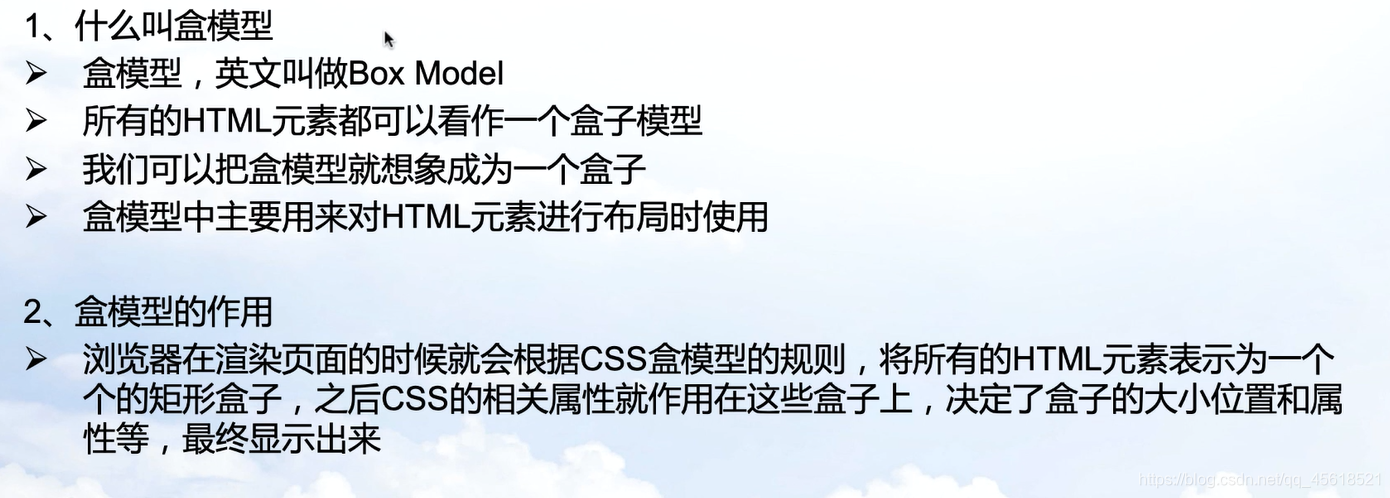
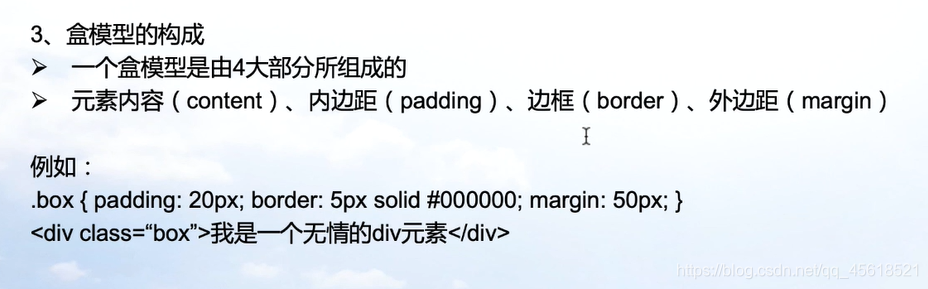
<!DOCTYPE html>
<html lang="en">
<head>
    <meta charset="UTF-8">
    <meta http-equiv="X-UA-Compatible" content="IE=edge">
    <meta name="viewport" content="width=device-width, initial-scale=1.0">
    <title>盒模型</title>
    <style>
        .box{
            padding: 50px;
            border: 1px solid red;
            margin: 50px;

        }
    </style>
</head>
<body>
    <div class="box" >华为云</div>
</body>
</html>
内边距
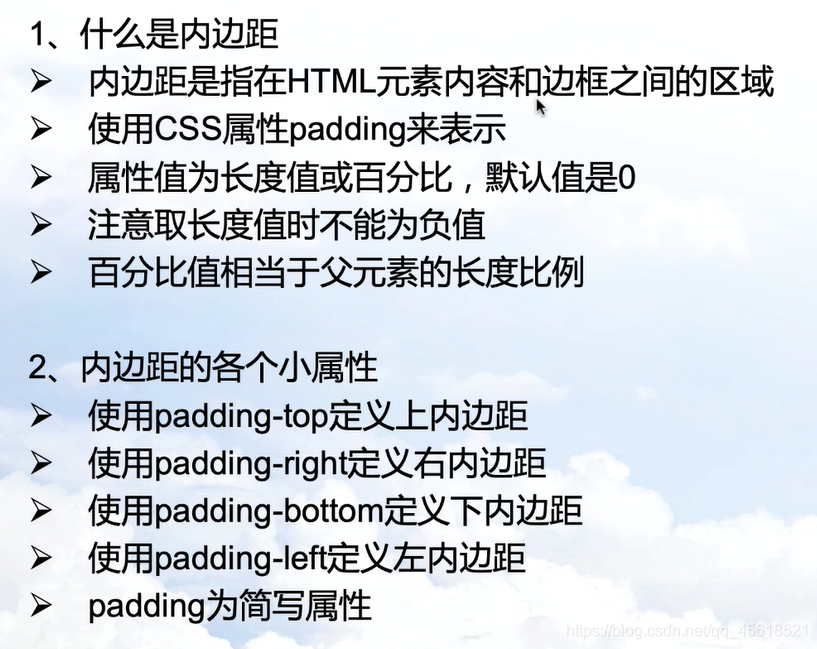
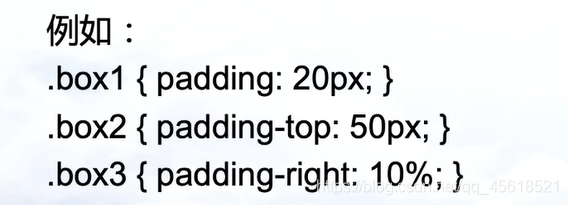
<!DOCTYPE html>
<html lang="en">
<head>
    <meta charset="UTF-8">
    <meta http-equiv="X-UA-Compatible" content="IE=edge">
    <meta name="viewport" content="width=device-width, initial-scale=1.0">
    <title>内边距</title>
    <style>
        .box{
            border: 1px solid red;
            /* padding-top: 10px;
            padding-right: 20px;
            padding-bottom: 30px;
            padding-left: 40px; */
            padding: 10px 20px 30px 40px;
        }
    </style>
</head>
<body>
    <div class="box">华为</div>
</body>
</html>
边框
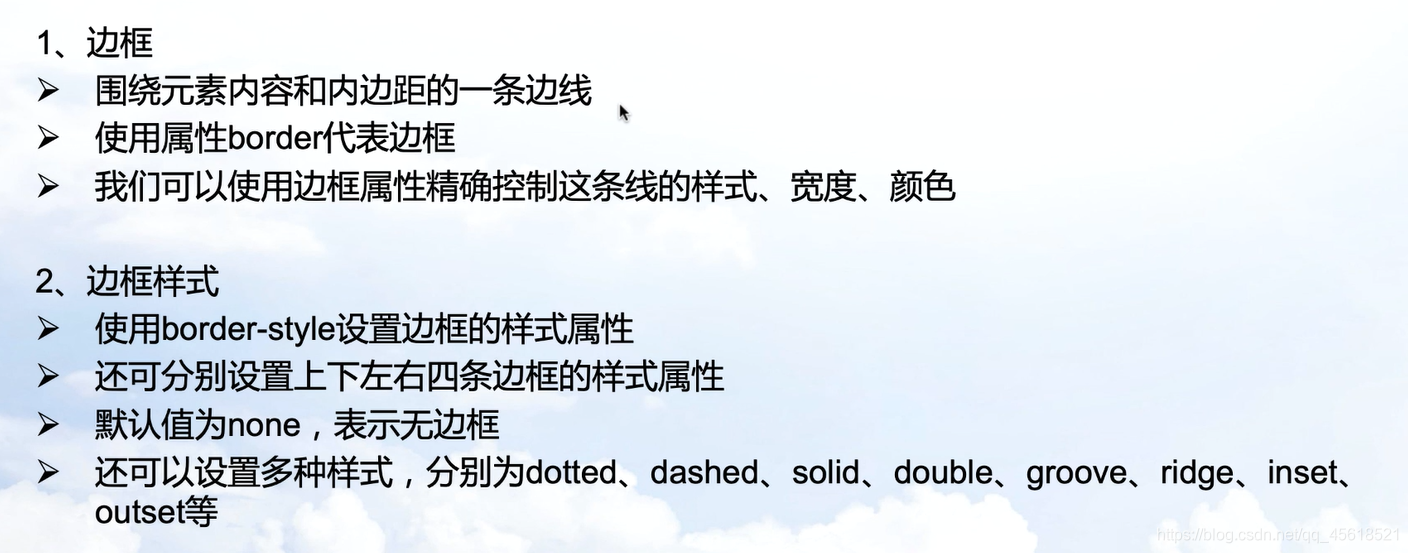
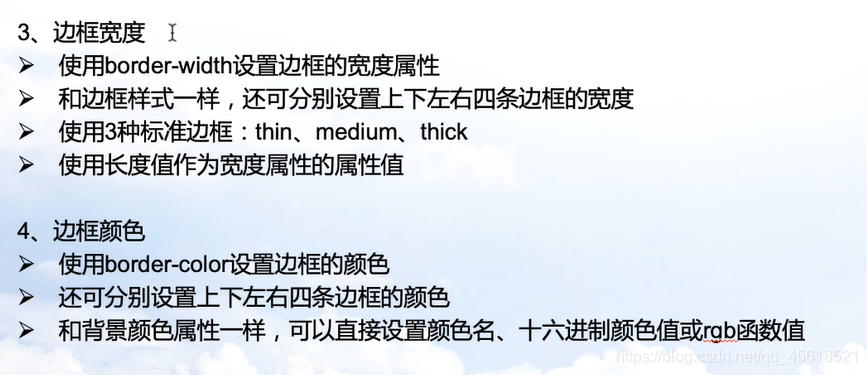
<!DOCTYPE html>
<html lang="en">
<head>
    <meta charset="UTF-8">
    <meta http-equiv="X-UA-Compatible" content="IE=edge">
    <meta name="viewport" content="width=device-width, initial-scale=1.0">
    <title>边框</title>
    <style>
        .box{
            border-style: solid;
            border-width: 1px;
            border-color: red;
            /* border-color:#ff0000;
            border-color: rgb(255, 0, 0); */
        }
    </style>
</head>
<body>
    <div class="box">华为</div>
</body>
</html>
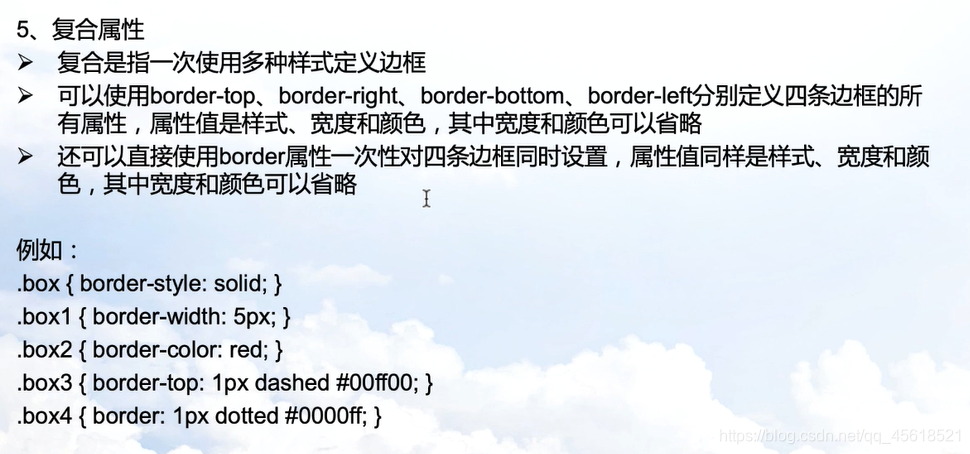
.box{
   border-bottom: 5px solid red;
}
外边距
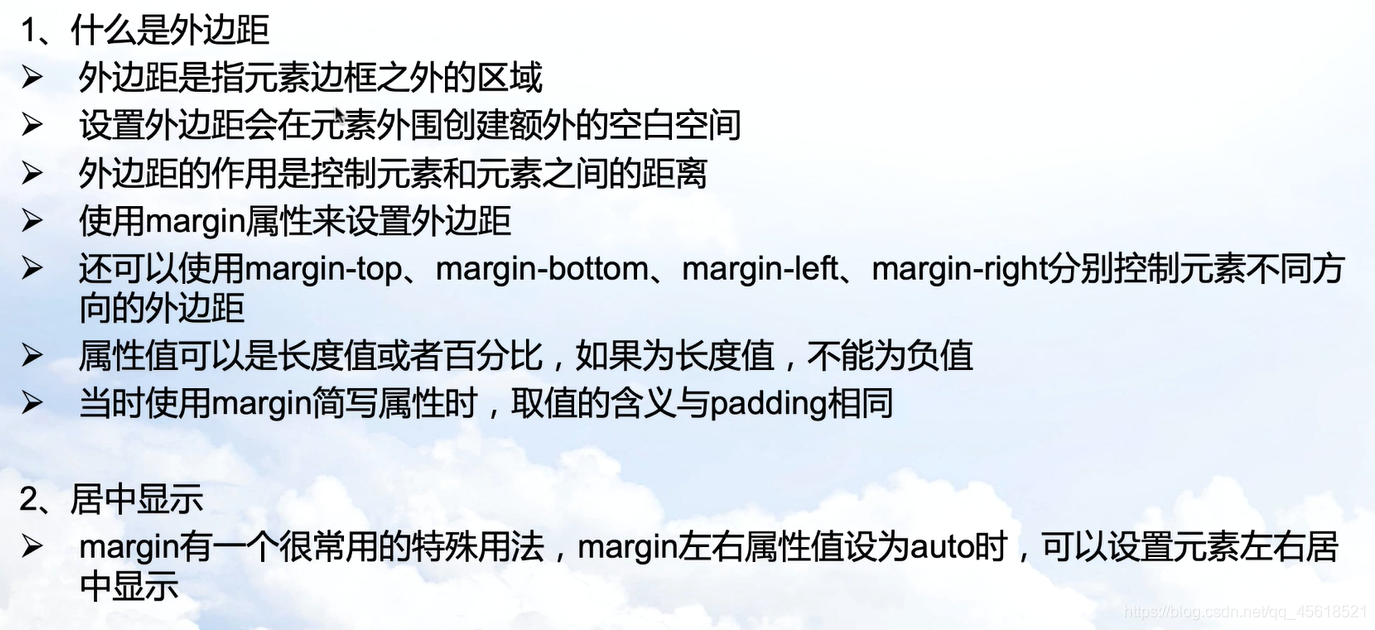
<!DOCTYPE html>
<html lang="en">
<head>
    <meta charset="UTF-8">
    <meta http-equiv="X-UA-Compatible" content="IE=edge">
    <meta name="viewport" content="width=device-width, initial-scale=1.0">
    <title>外边距</title>
    <style>
        .box{
            border: 1px solid red;
            margin-top: 50px;
            margin-left: 30px;
            margin-right: 20px;
            margin-bottom: 10px;
        }
    </style>
</head>
<body>
    <div class="box">前端</div>
</body>
</html>
display属性
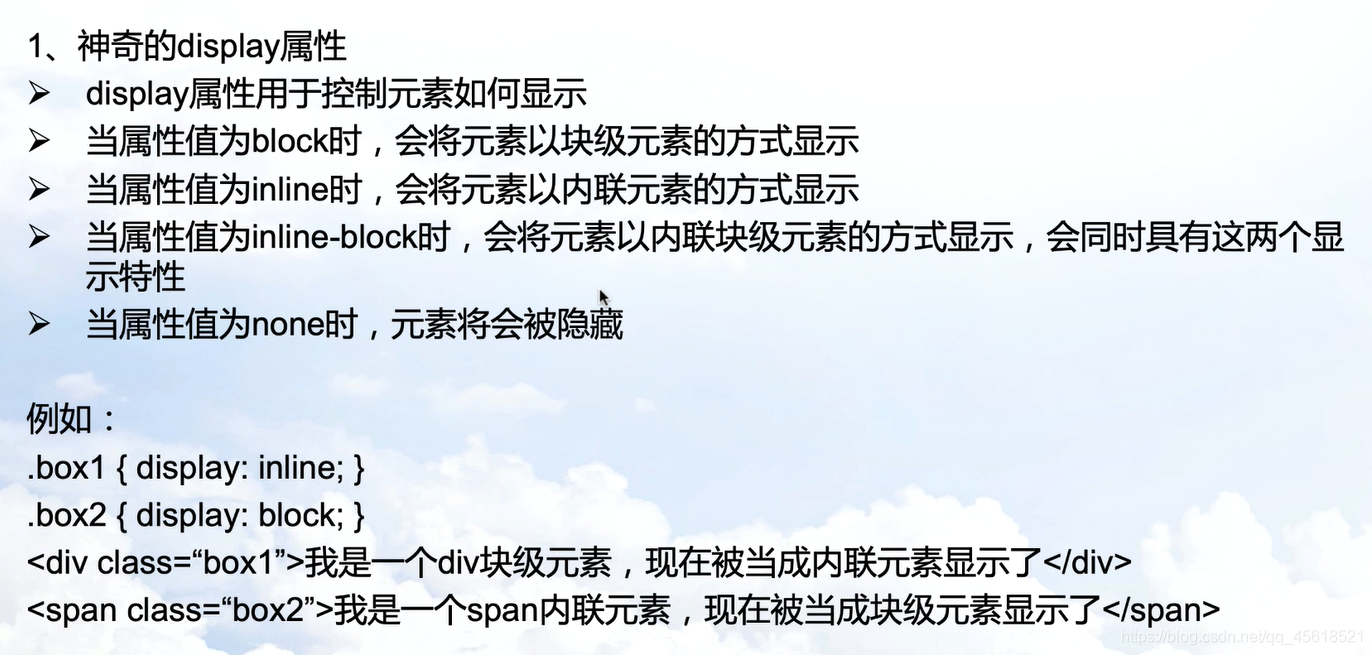
<!DOCTYPE html>
<html lang="en">
<head>
    <meta charset="UTF-8">
    <meta http-equiv="X-UA-Compatible" content="IE=edge">
    <meta name="viewport" content="width=device-width, initial-scale=1.0">
    <title>diplay</title>
    <style>
        .box1{
            background: aqua;
            display: inline;
        }
        .box2{
            background: azure;
            display: block;
        }
    </style>
</head>
<body>
    <div class="box1">前端</div>
    <div class="box2">全栈</div>
</body>
</html>





 扫一扫
扫一扫


 620
620

 被折叠的 条评论
为什么被折叠?
被折叠的 条评论
为什么被折叠?
 到【灌水乐园】发言





