



下载链接:https://git-scm.com/

安装参考链接步骤https://blog.youkuaiyun.com/TZ845195485/article/details/116885169
git的简单入门使用
首先
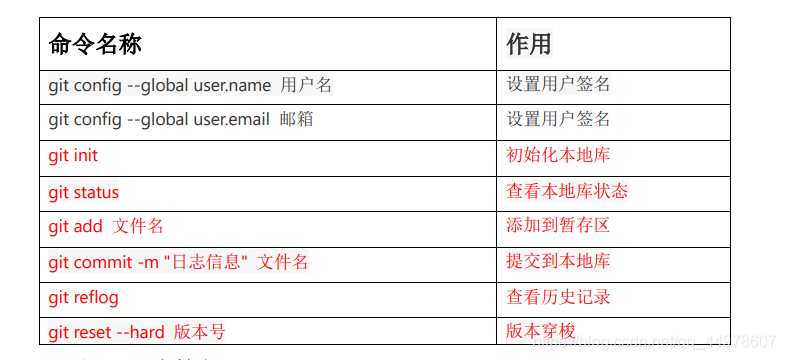
	(1).设置用户信息
    git config --global user.name “orange”  //可随意设置
    git config --global user.email “orange@qq.com”
	$ cat ~/.gitconfig
[user]
        name = orange
        email = orange@zzj.com

	通过上面的命令设置的信息会保存在C:\Users\Administrator\.gitconfig文件中
1.初始化工作区 git init 初始化本地库
1.在电脑的任意位置创建一个空目录,进入这个目录中,点击右键打开Git bash窗口,执行命令git init。如果在当前目录中看到.git文件夹(此文件夹为隐藏文件夹)则说明Git仓库创建成功

生成.git
2.git status查看本地库状态 --首次查看(工作区没有任何文件)
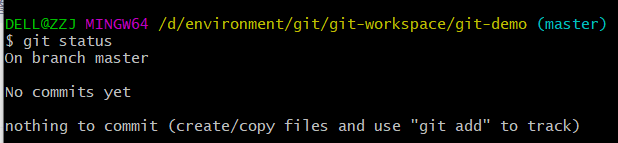
3.$ vim hello.txt 创建hello.txt并向里面写内容
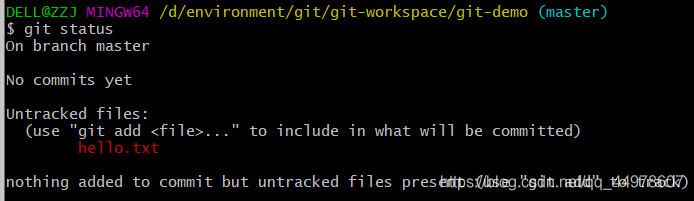
4.git status
发现:没有添加任何内容提交但存在未跟踪的文件(使用“ git add”进行跟踪)
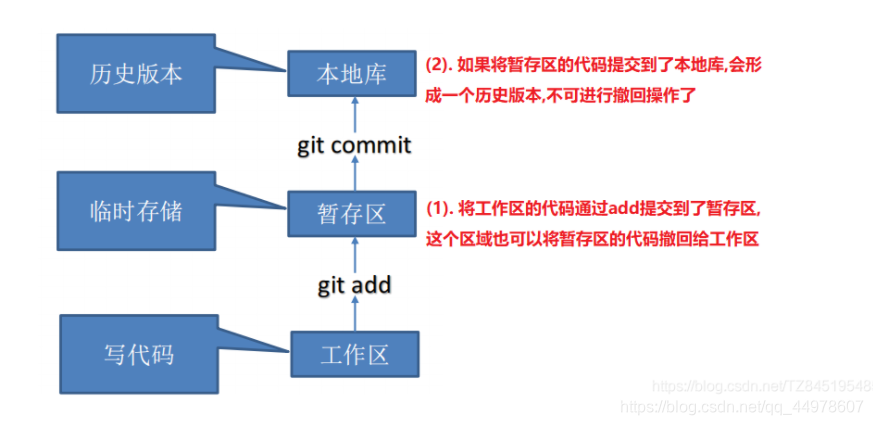
5.git add hello.txt git add 文件名 添加到暂存区

6.添加后再次查看状态 git status----(检测到暂存区有新文件)
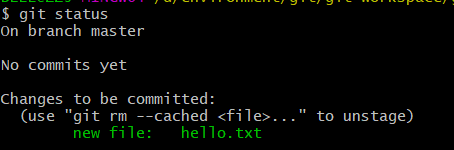
7.git rm --cached hello.txt git rm 删除文件删除的是暂存区的文件
8.ll 发现本地文件还在

9.git-status 和重新添加git add hello.txt
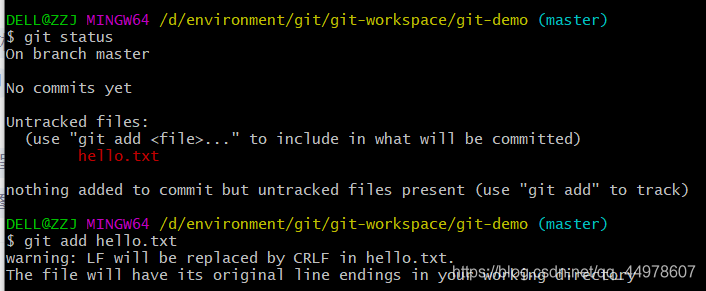
10. git commit -m “first commit” hello.txt --git commit -m “日志信息” 文件名 提交到本地库

11.git reflog —查看版本信息

12.git log 详细的版本号并能看见是谁发布的

二、文件的修改及其更替
13.vim hello.txt 修改文件内容后查看本地库状态发现 modified:已被修改被未被添加
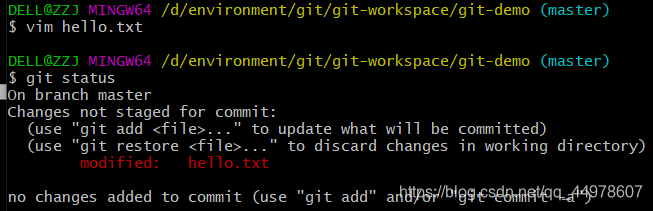 14.$ git add hello.txt -》 $ git commit -m “second commit” hello.txt
发现出来:1行被修改 —》 git status 工作区又是干净的了
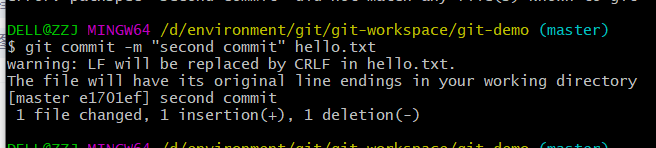

15git reflog 指针指的是第二个版本 查看hello.txt就是第二个版本的,且你的本地文件只有一份不是有多个hello.txt

三、版本穿梭
1git reflog 查看版本号

2. git reset --hard e1701ef 替换到那个版本号

3.再次查看发现 以切换到 cat hello.txt 发现是second的版本的内容






 扫一扫
扫一扫


 3180
3180

 被折叠的 条评论
为什么被折叠?
被折叠的 条评论
为什么被折叠?
 到【灌水乐园】发言





