


 本文介绍了一种使用jQuery封装的简易博客目录树插件,该插件能自动生成基于h2和h3标签的目录结构,通过设置不同的参数如高度、宽度、字体大小等,实现菜单的自定义样式,并在滚动页面时自动激活当前层级的目录项。
简易jquery博客目录树封装
说在前
jquery 1.12.4
效果展示
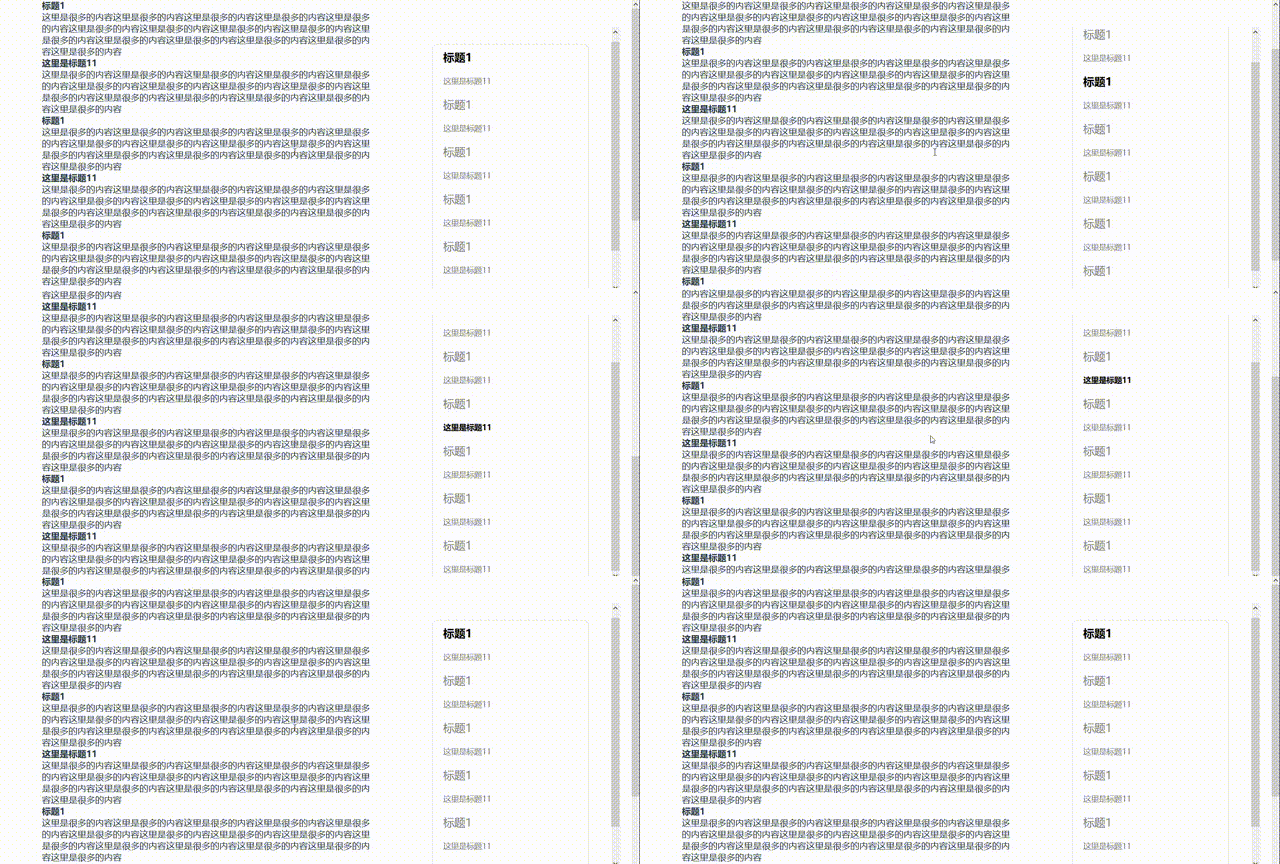
使用
<script type="text/javascript">
	// enable the page element had loaded
      $(function(){
        $('#menu').createMenu({
          levelOne: 'h2',
          levelTwo: 'h3',
          offsetTop: 100, // offsetTop + scrollTop = the scale to trigger the active style
          containerPadding: 40, // the padding of the menu container padding
          height: 400, // menu container height
          width: 300, // menu containre width
          fontSize: 14,
          linePadding: 10, // each lineheight of the row in the menu
          containerTop: 50, // the position top of the menu container on the page
          containerRight: 20 // the position right of the menu container on the page
      	})
      })
</script>
代码
// javascript
(function($){

  let myMenu = (function(){

    let Plugin = function(element, options){
      this.element  = $(element) ;
      this.setting  = $.extend({}, $.fn.createMenu.defaults, typeof options === 'object'&&options) ;
      this.init() ;
    }

    Plugin.prototype  = {

      $preActiveNode: null,
      flag: true,

      init: function(){
        this.createHtml() ;
        this.setStyle() ;
        this.setActive() ;
        this.bindEvent() ;

      },

      // create the content the blog menu by the levelOne and the levelTwo
      createHtml: function(){
        let opts = this.setting ;
        // initial the style of the container

        let idIndex = 0 ;
        let $ul = $('<ul></ul>').addClass('mymenu-display') ;

        this.ul = $ul ;

        // traversing the content
        $('body *').each(function(){
          let ele = this ;
          if(ele.tagName === opts.levelOne.toUpperCase()){
            ele.setAttribute('id', idIndex) ;
            $ul.append($(`<li><a href="#${idIndex}">${ele.innerText}</a></li>`)) ;
            idIndex++ ;
          }else if(ele.tagName === opts.levelTwo.toUpperCase()){
            ele.setAttribute('id', idIndex) ;
            $ul.append($(`<li class="sub"><a href="#${idIndex}">${ele.innerText}</a></li>`)) ;
            idIndex++ ;
          }

        })

        if(Object.keys($ul.children()).length === 3 ){
          return this.continue = false ;
        }


        this.element.append($ul) ;

      },

      // set the css style
      setStyle: function(){

        let opts = this.setting ;
        let levelOne_font_size =  opts.fontSize+6 ;
        let levelTwo_font_size = opts.fontSize ;

        let height  = (typeof opts.height            === 'number' || typeof opts.height === 'string')&&opts.height ||309;
        let width   = (typeof opts.width             === 'number' || typeof opts.height === 'string')&&opts.width  ||200;
        let padding = (typeof opts.containerPadding  === 'number' || typeof opts.height === 'string')&&opts.containerPadding||20 ;
        let cTop    = (typeof opts.containerTop      === 'number' || typeof opts.containerTop === 'string')&&opts.containerTop||20 ;
        let cRight  = (typeof opts.containerRight    === 'number' || typeof opts.containerRight === 'string')&&opts.containerRight||20 ;


        this.element.css({
          'height': height,
          'width':width,
          'padding': padding,
          'overflow': 'auto',
          'max-width': '100%',
          'position': 'fixed',
          'right': cRight,
          'top': cTop
        })


        this.ul.children('li:not(.sub)').css({
          'font-size': levelOne_font_size,
        }).siblings('.sub').css({
          'font-size': levelTwo_font_size,
        }) ;
      },

      // set the active status
      setActive: function(ele){
        let $ele = $(ele) ;
        let id = $ele.attr('id') ;
        $ele = $ele.length === 0? $('.mymenu-display li:first-child'):$('.mymenu-display li').eq(id) ;
        $ele.addClass('active').siblings('.active').removeClass('active') ;
        this.element.stop().animate({
          'scrollTop': $ele.offset().top - this.ul.offset().top + this.setting.linePadding
        }, 100)
      },

      // bind the event
      bindEvent: function(){
        let that = this ;
        let opts = that.setting ;
        let $titleTarget = $(`${opts.levelOne},${opts.levelTwo}`) ;

          $(window).scroll(function(e){

            let wsTop = $(this).scrollTop() ;


            let flag = true;
            let $preNode = $titleTarget.eq(0) ;
            $titleTarget.each(function(){
              let $ele = $(this) ;
              let eTop = $ele.offset().top ;
              if( wsTop + opts.offsetTop >= eTop ){
                  $preNode = $ele ;
                  flag = true ;
              }else if(flag && (wsTop + opts.offsetTop < eTop)){
                that.setActive($preNode) ;
                flag = false ;
              }

            })

          })


      },


    }

    return Plugin ;

  })() ;

  $.fn.createMenu = function(options){

    new myMenu(this, options) ;

  }


  /**
   * @params offsetTop: the distance of the element to trigger the event
   * @params padding: the padding of the menu area
   * @params height: the height of the menu content
   * @params width: the width of the mnu content
   */
  $.fn.createMenu.defaults = {
    levelOne: 'h2',
    levelTwo: 'h3',
    offsetTop: 100 ,
    containerPadding: 40,
    height: 400,
    width: 300,
    fontSize: 14,
    linePadding: 10,
    containerTop: 50,
    containerRight: 20
  }

}
)(jQuery) ;
代码简析
- 原型链
jQuery.fn === jQuery.prototype
- 设置默认值
  $.fn.createMenu.defaults = {
    levelOne: 'h2',
    levelTwo: 'h3',
    offsetTop: 100 ,
    containerPadding: 40,
    height: 400,
    width: 300,
    fontSize: 14,
    linePadding: 10,
    containerTop: 50,
    containerRight: 20
  }
- 事件绑定到原型链上
  $.fn.createMenu = function(options){

    new myMenu(this, options) ;

  }
- 参数继承:缺省时使用默认值,无缺省使用自定义的值
this.setting = $.extend({}, $.fn.createMenu.defaults, typeof options === 'object'&&options) ;
/* css */
.mymenu-display{
  list-style: none;
  color: grey;
  position: relative;
  background: white;
  border: 1px solid #8080804f;
  border-radius: 10px;
}

.mymenu-display li{

  padding: 10px 20px;
}

.mymenu-display .active{
  color: black;
  font-weight: 600;
}

.mymenu-display a{
  position: static;
  text-decoration: none;
  color: inherit;
  display: block;
  width: 100%;
}





 扫一扫
扫一扫


 1221
1221

 被折叠的 条评论
为什么被折叠?
被折叠的 条评论
为什么被折叠?
 到【灌水乐园】发言





